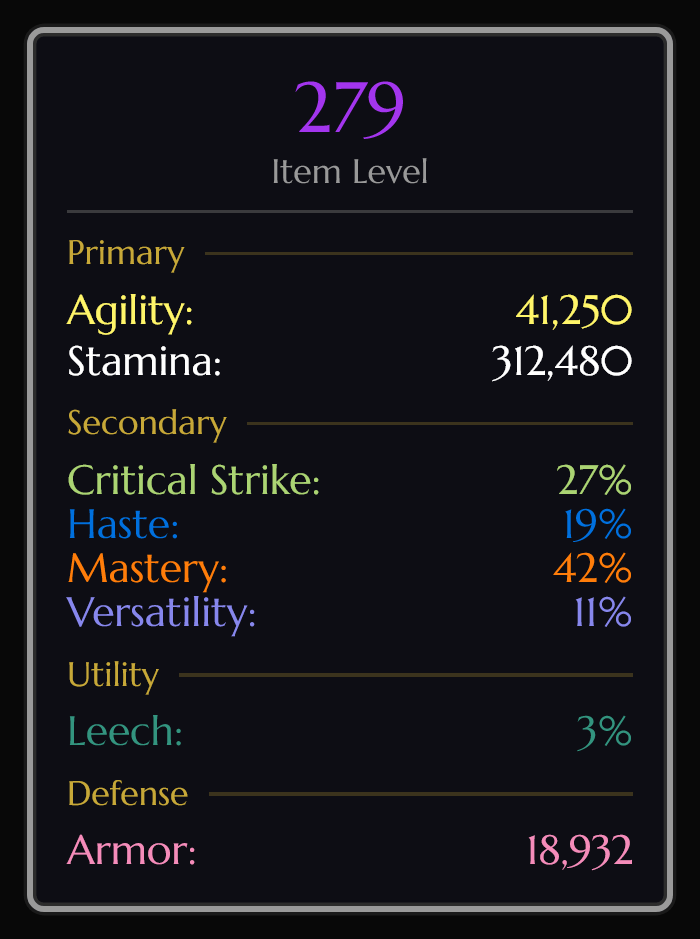
stat-panel-ledger.png
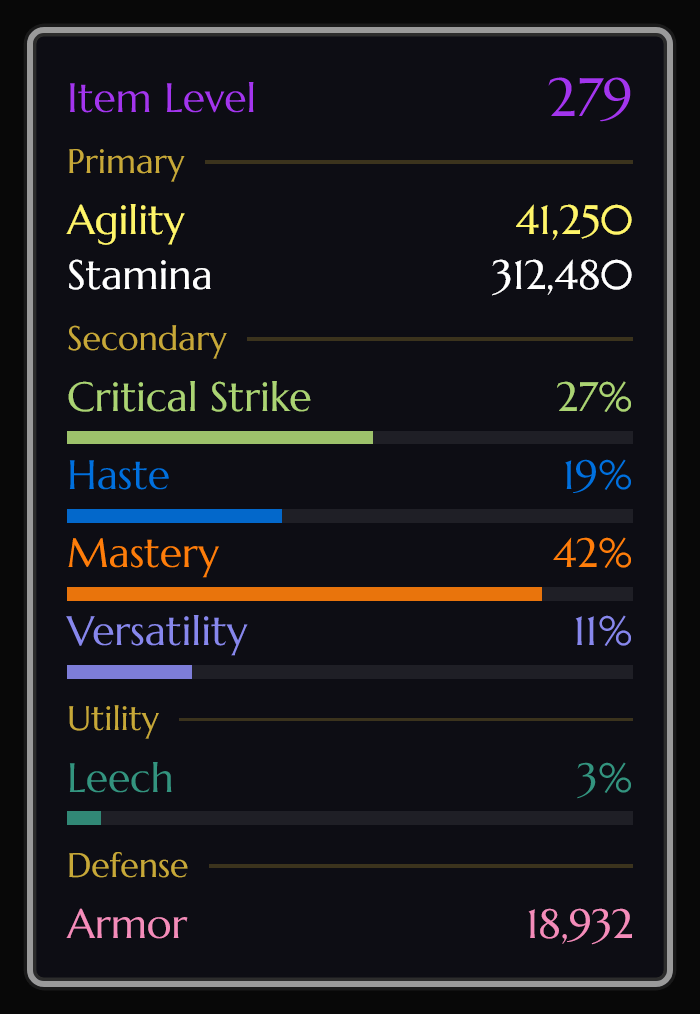
stat-panel-meters.png
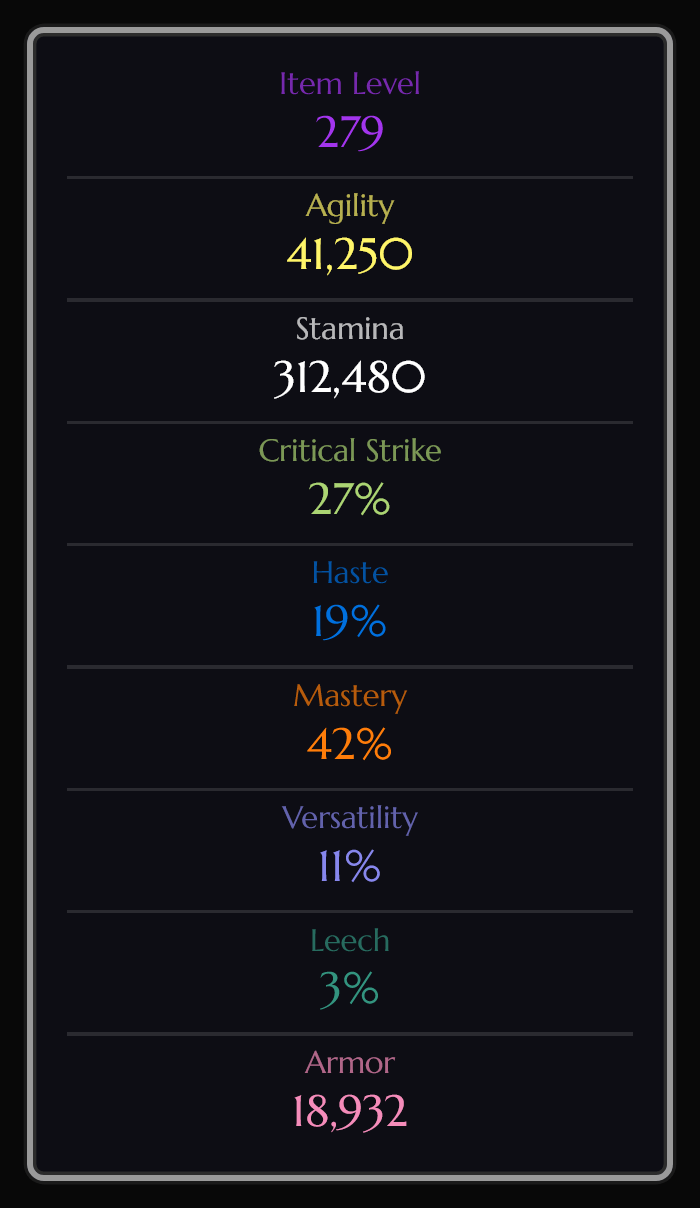
stat-panel-companion.png
Description
CharacterStats
Your item level and stats on screen, without opening the character window.
CharacterStats adds a small stat panel you can place anywhere, a cleaner stat list and gear details in the character window, and a one-click way to share your stats in chat. It picks the stats that matter for your class and spec, updates live, and stays out of your way.
Works on Retail (Midnight), Mists of Pandaria Classic and WoW Forever.
What's new in 2.2.0
- Four looks for the stat panel and character window: Original, Ledger, Meters and Companion. Original stays the default; preview and switch with
/cs style. - Gear slot details (turn on under Character Frame): item level colored by upgrade track, upgrade level (4/6 or 4/6 Hero), enchant and gem icons, and a "Missing enchant" note on slots that should be enchanted. Put each one on the icon or beside it, top, middle or bottom.
- A wider character window, giving those details room next to your character (adjustable, 0 restores the original size).
- Diminishing returns: see your current penalty, the rating until the next one, and your effective rating when you hover a stat. Optional item tooltips show what each stat on an item is really worth.
- A new options window with a sidebar of pages and three window themes: Classic, Workbench and Artisan Ledger.
- WoW Forever support, and a much better character window on MoP Classic.
Nothing changes for existing players until you turn it on. See the changelog for everything.
Features
Stat panel
- Item level, primary and secondary stats, defense, utility and movement speed.
- Move it anywhere, lock it, scale it, and choose horizontal or vertical layout.
- Pick which stats show, drag them into your own order, and recolor any of them.
- Fonts, background, border, class colors and four looks to choose from.
Character window
- A clear stat list grouped into sections, with tooltips on hover.
- Gear slot details: item level, upgrade level, enchants, gems and missing-enchant flags, each placed where you want.
- Companion look: a drawer beside the character window with Stats, Gear and Ratings tabs.
- Optional wider window and an options button on the character frame.
Diminishing returns
- Hover crit, haste, mastery, versatility, leech, avoidance or speed to see your penalty and effective rating.
- Meters look: bars show where the penalty starts and how far past it you are.
- Optional item tooltip lines with each stat's value after diminishing returns.
Profiles
- Separate profiles with automatic switching by specialization.
- Each profile keeps its own layout, position, colors and stats.
Share33333333
- Right-click the stat panel to post your stats to party, raid, your target or a Battle.net friend.
Plays well with others
- Detects addons that restyle the character window (ElvUI, EllesmereUI, Chonky Character Sheet and more) and lets you choose which one handles each part.
Languages
- English, German, Spanish (EU and Latin America), French, Italian, Brazilian Portuguese, Russian, Korean, and Simplified and Traditional Chinese.
- Show the addon in any of its languages, independent of your game language (
/cs locale).
Stats by game
Retail: item level, strength, agility, intellect, stamina, critical strike, haste, mastery, versatility, leech, avoidance, speed, armor, dodge, parry, block, stagger (Brewmaster), movement speed and mana regen.
MoP Classic: everything above that applies, plus hit, expertise, spirit, attack power, ranged attack power, spell power, PvP power and PvP resilience. The character window lists Blizzard's own stat categories for your class and spec.
WoW Forever: health, mana/rage/energy, weapon damage, spell healing, spell and armor penetration, and the five resistances, alongside the core stats.
Commands
| Command | What it does |
|---|---|
/cs |
Show or hide the stat panel |
/cs config |
Open the options |
/cs style |
Choose a look |
/cs theme |
Switch the options window theme |
/cs locale |
Choose the addon's language |
/cs reset |
Put the stat panel back in its default position |
/cs resetminimap |
Put the minimap button back in its default position |
/cs refresh |
Update your stats now |
/cs help |
List the commands in chat |
/charstats and /cstats work the same as /cs. You can also open the options from the minimap button (left-click) or toggle the panel with right-click.
Links
- User guide: lixard-wow.github.io/characterstats
- Source and issues: github.com/lixard-wow/CharacterStats
- Bugs, ideas and questions: come find me on Discord.
CharacterStats Team