image - 2026-09-09T143854.405.png
Description
CharacterGearOptimizer
Your personal gear advisor for Retail and Classic World of Warcraft.
Scan the gear you own, choose the stats that matter to your character, and let CharacterGearOptimizer build the strongest available set—without guesswork, spreadsheets, or manual set juggling.
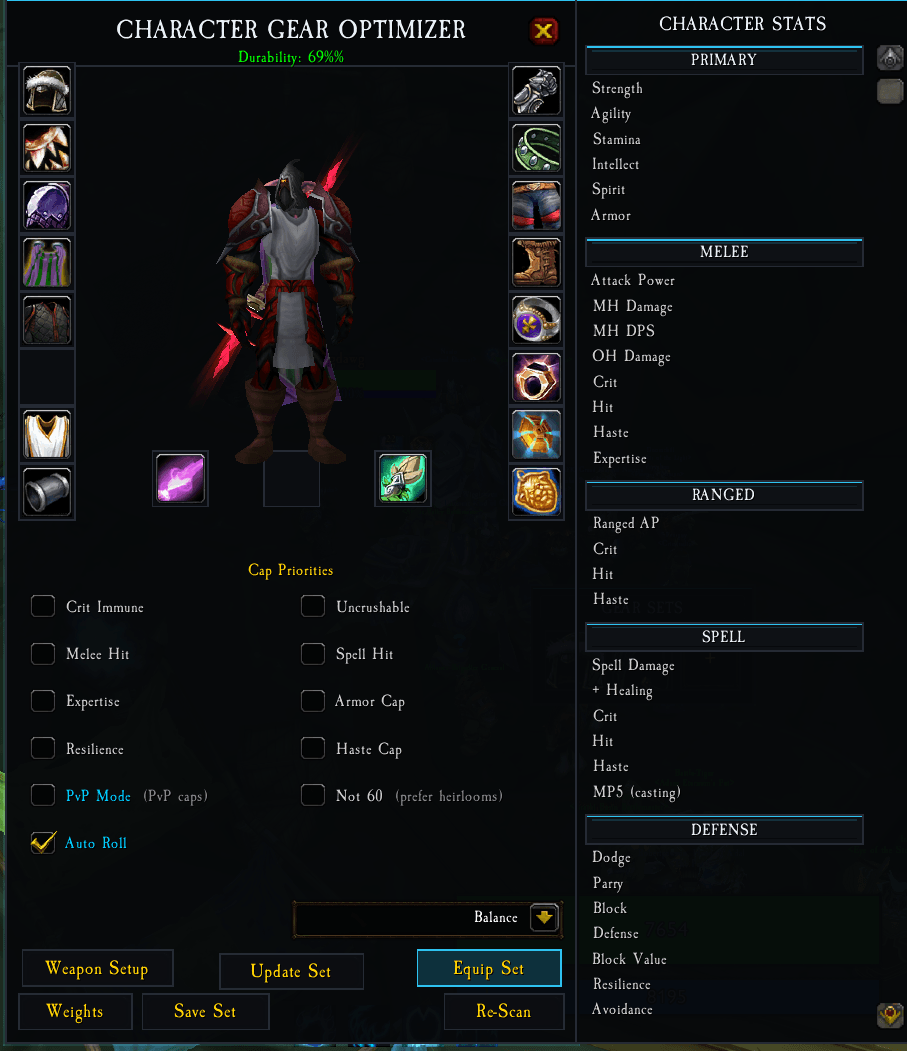
CharacterGearOptimizer replaces the default character panel with a focused gear-management workspace. It evaluates equipped items and items in your bags, ranks alternatives for your active profile, and presents the recommended setup slot by slot.
✨ At a Glance
- Find your best available gear from equipped items and bags.
- Use ready-made profiles or tune every stat weight for your own build.
- Respect era-appropriate caps and breakpoints where they apply.
- Save named sets for raids, dungeons, PvP, farming, or alts.
- Compare upgrades quickly with scores, tooltips, and ranked alternatives.
- Open the optimizer with
Cor the/cgocommand.
🎮 One Project, Every Supported WoW Version
This is a single CurseForge project with releases built for the current Retail and Classic clients. Download the file matching the game client you play—do not install a Retail package in a Classic client, or vice versa.
| Game client | Download the matching release | Highlights |
|---|---|---|
| Retail | Retail |
Modern stats, class/spec profiles, equipment optimization, and Raidbots export |
| Mists of Pandaria Classic | MoP-Classic |
MoP stat support, independent ranged-slot handling, and classic-era cap priorities |
| Burning Crusade Classic | TBC-Classic |
TBC profiles and classic cap-aware optimization |
| Classic Era / Season of Discovery / Hardcore | Classic-Era |
Vanilla-era stat handling and gear-set management |
Important: Features and available stats adapt to the selected game client. Older clients only show controls that make sense for that era.
⚔️ Core Features
Smart Gear Optimization
CharacterGearOptimizer scans your available equipment and evaluates complete combinations rather than judging items in isolation. Choose a specialization or custom profile, then let it identify the best setup for your priorities.
Stat Weights and Custom Profiles
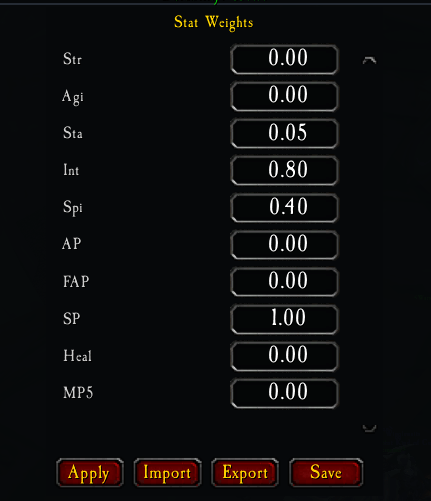
Every character is different. Start from the built-in class/spec priorities, then adjust weights to match your talents, role, content, and preferred playstyle. Your custom profiles are saved per character.
Cap-Aware Recommendations
For Classic-era clients, optional cap priorities help guide recommendations toward meaningful thresholds such as Hit, Expertise, Defense, Resilience, Armor, and Haste caps—then continue maximizing the stats you value.
Saved Gear Sets
Save recommended or manually assembled sets with memorable names. Revisit a saved set later, update it as your gear changes, and equip the currently displayed set when you are out of combat.
Better Item Decisions
- Hover a slot to review available alternatives ranked for your active profile.
- See item scores and contextual tooltip information while comparing drops.
- Review your combat stats in an organized stats panel.
- Keep key profile and breakpoint information visible with the optional spec HUD.
Retail Raidbots Export
On Retail, export a SimulationCraft-ready character snapshot for use with Raidbots when you want a deeper external simulation. Classic releases keep their interface focused on in-game optimization instead.
🚀 Getting Started
- Download the release whose filename matches your WoW client.
- Extract it into your WoW
Interface\AddOnsfolder so the final path isInterface\AddOns\CharacterGearOptimizer. - Start or reload WoW, then open the character panel with
C. - Choose a specialization or custom stat profile.
- Review the recommended gear, adjust weights if desired, and save the result as a set.
You can also type /cgo or use the minimap button to open the addon.
👥 Built For Every Kind of Player
- Casual players: Pick a profile and get a clear upgrade recommendation.
- Raiders and dungeon players: Optimize around the stats and caps that matter for your role.
- PvP players: Maintain dedicated PvP and PvE gear sets.
- Alt collectors: Reuse profiles and save time evaluating bags full of gear.
- Theorycrafters: Fine-tune custom weights and, on Retail, export to Raidbots.
🔧 Stat-Weight Reference Schema
The following schema documents the supported stat-weight fields for custom tooling and integrations. Set a field to 0 when it should not contribute to an item's score; unavailable stats are ignored by clients where they do not exist.
{
  "strength": 0,
  "agility": 0,
  "stamina": 0,
  "intellect": 0,
  "spirit": 0,
  "attackPower": 0,
  "feralAttackPower": 0,
  "spellPower": 0,
  "healing": 0,
  "mp5": 0,
  "hitRating": 0,
  "spellHitRating": 0,
  "critRating": 0,
  "spellCritRating": 0,
  "meleeCritRating": 0,
  "hasteRating": 0,
  "expertiseRating": 0,
  "defenseRating": 0,
  "dodgeRating": 0,
  "parryRating": 0,
  "resilienceRating": 0,
  "armorPenetration": 0,
  "blockRating": 0,
  "blockValue": 0,
  "armor": 0,
  "spellPenetration": 0
}
📝 Notes
- Settings, profiles, and saved gear sets persist between play sessions.
- The addon does not add Retail-only stats to Classic clients or Classic-only caps to Retail.
- Gear can be reviewed and managed from the optimizer's character-panel interface.
- The addon has no external runtime dependency.
🐛 Support
Found an issue or have an idea? Please open an issue or leave a comment on CurseForge. When reporting a bug, include your game version, addon version, and the full error message if one appears. Appreciate any patreons to help as this is costing me time and money to maintain: https://www.patreon.com/c/LazyLoafs504
Made for players who would rather spend time playing WoW than comparing gear in their bags.
The Character Gear Optimizer Team