Camping Companion
- By
See which camp buffs you have and which the camp is missing, and place your campfire and camp objects with one click. Built for WoW Forever camping.

2026-10-16_22-18-45.png
2026-10-16_22-19-13.png
2026-10-16_22-18-14.png
Description
Camping Companion
Get the most out of WoW Forever camping. Camping Companion shows which camp buffs you have and which the camp is missing, and puts your campfire kit and camp objects one click away.
Why you want it
Every camp object gives the whole group a buff, but each player can only place one, the camp has a limited number of slots, and you have to sit by the fire for a minute to pick the buffs up. Camping Companion keeps track of it all, so you can light a fire, see what's missing, drop your object and rest.
Features
Kit bar
- One-click campfire and camp objects. Your campfire kit and every camp object you can make, on a small bar. Click a button, then click the ground to place it.
- Benefit labels under each button: Mana Regen, Stamina, Intellect, Stats %, Crit and so on.
- Knows what you can make. Items in your bags are ready to place. Items you can craft show a gold + and open your profession window on the right recipe. Items you're short on reagents for show a red ! and list what you need.
- Highlights missing buffs. At a campfire, items for buffs the camp doesn't have yet get an orange outline.
- Shared 1-hour cooldown shown on every camp object, with a compact timer.
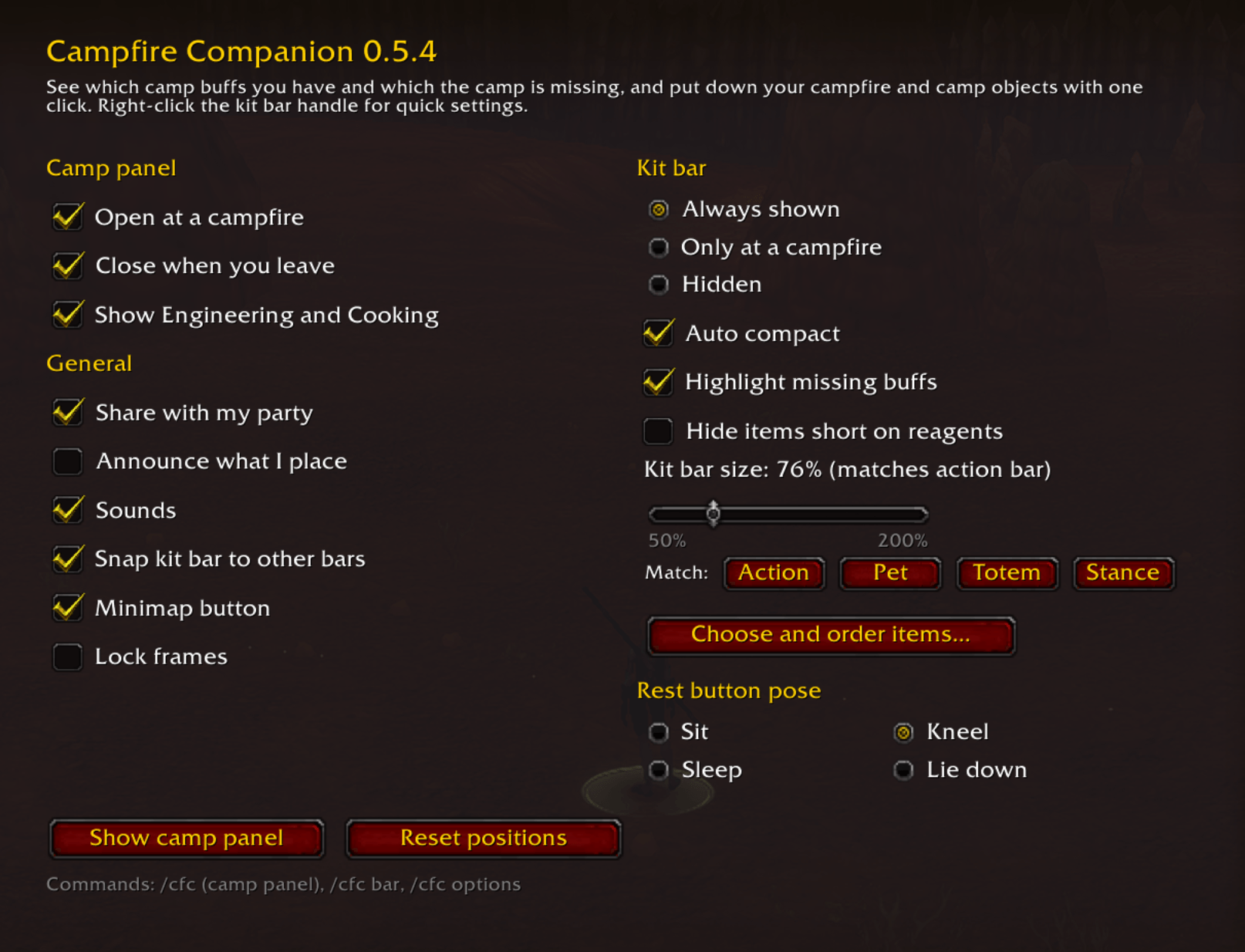
- Rest button. Sit, kneel, sleep or lie down at the fire with one click, and the camp panel opens so you can see what you're getting. Right-click it to choose your pose.
- Auto compact. Away from a fire, or once your camp object is on cooldown, the bar shrinks to just your campfire kit and the rest button. It opens up again when you can place something. The arrow on the right expands or collapses it by hand.
- Make it yours. Choose which items show and drag them into any order. Size the bar to match your action, pet, totem or stance bar, or pick any size. It snaps neatly next to your action bars, bag bar or micro menu.
Camp panel
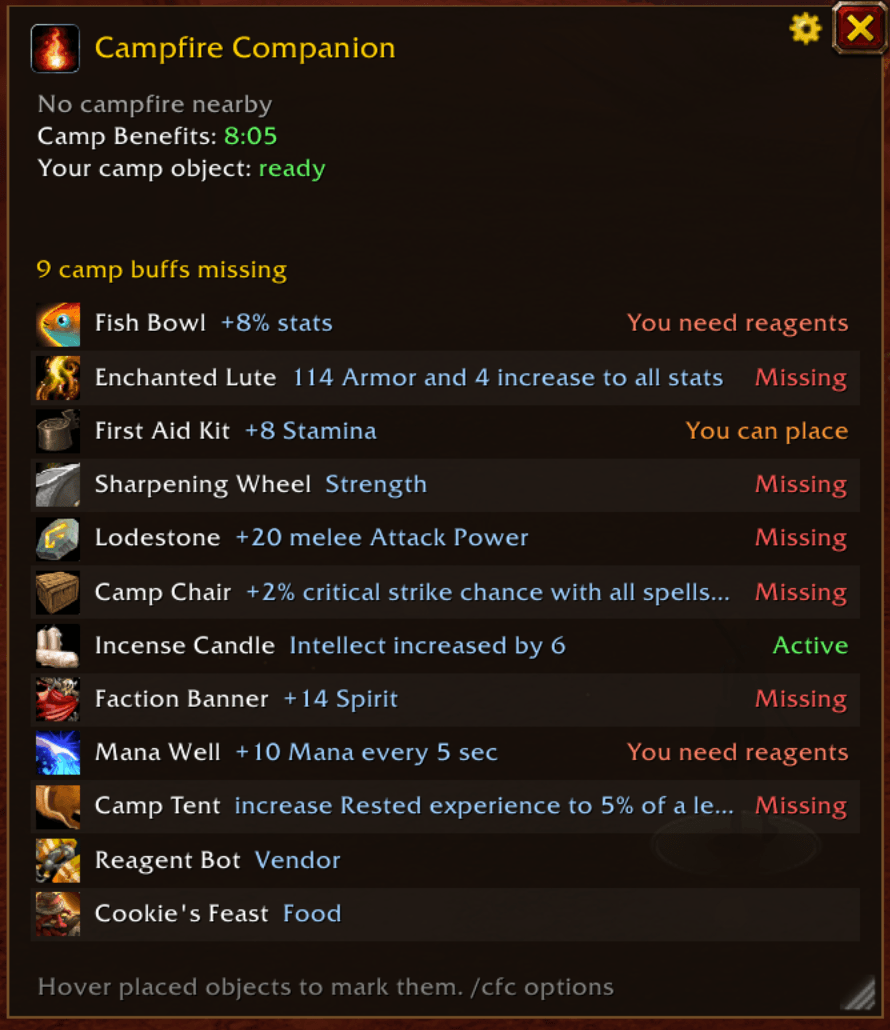
- Every camp buff at a glance: Active, at the camp (rest again to get it), covered by a class buff, you can place it, a party member can place it, or missing.
- See what you already have. Buffs you have are checked and tinted green, and listed at the top (You have: Strength, Intellect).
- Exact effects, read straight from the game (for example Intellect increased by 6).
- Rest timer for the one-minute sit, with a warning if you move too soon.
- Timers for Camp Benefits, Boosted Rest and your camp object cooldown.
- Opens when you reach a campfire and closes when you leave. Resizable, with a scrolling list.
Better with friends
With group members who also run Camping Companion:
- See who in your party can place each missing buff.
- Request a buff from the item's right-click menu, or Request all missing buffs at once. Party members who can help get a notice, and the item lights up blue on their bar.
- Optionally announce in party chat when you put down a campfire or camp object.
Handy extras
- Shopping list of every reagent you're short on, ready to copy for the Auction House.
- "Ready to place" notice after you craft a camp object from the bar.
- Minimap button with the game's campfire icon: left-click for settings, right-click for the quick menu.
- Recognizes the permanent campfires in starting zones as soon as you sit down at them.
Getting started
- Learn a camp recipe (Basic Campfire comes from any Cooking trainer, and each profession's tier 1 object from its trainer or the Camping 101 quest).
- The kit bar appears near the bottom of your screen. Drag it by its handle to move it.
- Light a fire, place your object, click Rest, and stay put for a minute.
Commands
/ccompopens the camp panel/ccomp barshows or hides the kit bar/ccomp optionsopens settings/ccomp resetresets window positions
Good to know
- Party features need the other players to run Camping Companion too. Nothing is sent outside your group.
- English client only for now (camp buffs are matched by name).
Camping Companion Team