Description
Calg's Summoner
The raid summoner's queue. Stop scrolling back through raid chat to find who still needs a lift.
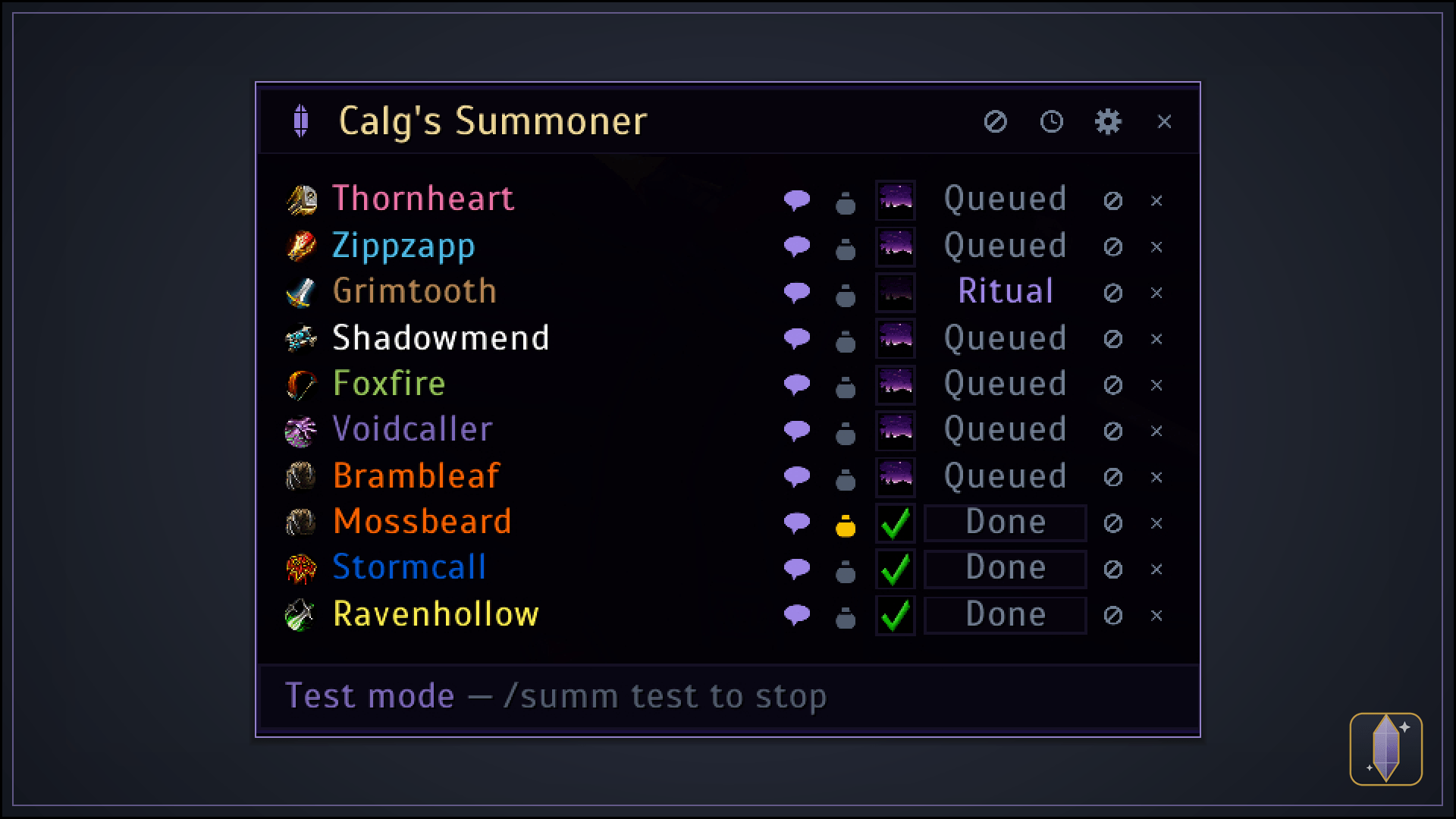
It watches party, raid and whispers for people asking for a summon, queues them up, and gives you a one-click Ritual of Summoning on every row. You keep summoning; it keeps the list straight.
What it does
- Never lose a request in the scroll. "summ pls" at the same moment as a boss pull no longer vanishes — it becomes a row that waits for you.
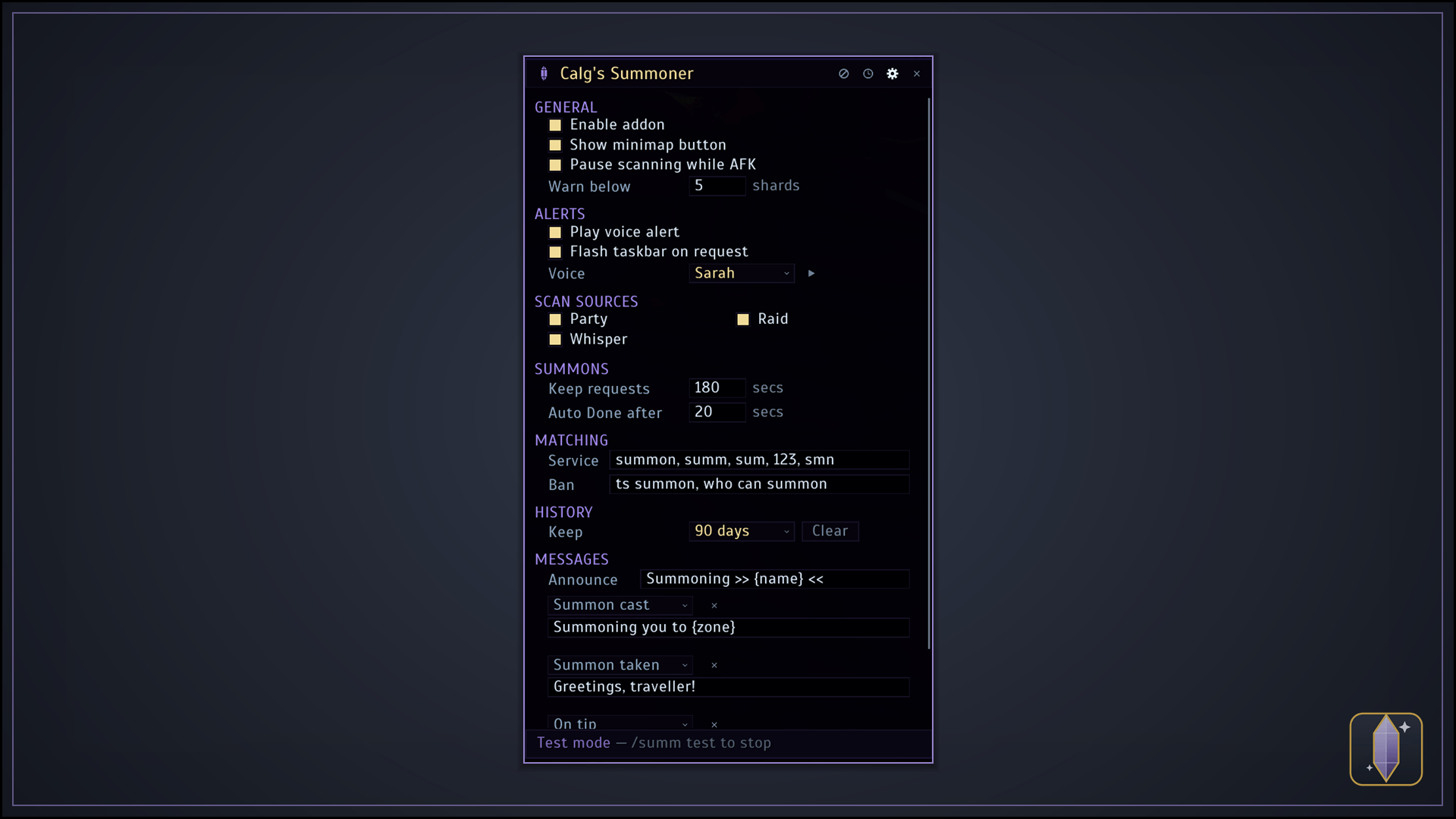
- It tells you out loud. A spoken "summon request" the moment one lands, so you can keep an eye on the raid instead of the chat window. Three voices to choose from, each with a preview button. Mute it any time with
/summ sound. - One-click summoning. Every row carries a Ritual of Summoning button that picks the right person for you — no hunting through the raid frames for their name. (It targets them to cast, because the ritual insists on it; casting is always your click, never automatic.)
- Knows whether it worked. The ritual only spends a soul shard when it actually completes, so the row can tell a finished summon from a channel that broke. A summon that landed reads Sent for the two minutes they have to accept it; one that broke drops back to Queued, ready to go again.
- Tells the raid to click. Set the announce message once and every summon posts "Summoning Bob — click the portal!" to party or raid for you, so your two clickers know to help. Use
{name}and it fills in who. - Keeps the customer in the loop. Add a whisper, pick the moment it fires — Summon cast the moment the ritual starts and the portal is up, Summon taken when they actually turn up, plus trade, tip, tipped, no tip, dismissed and expired — and write it in your own words. It ships silent, so nothing goes out that you didn't write, and you can hang two or three lines off the same moment. All take the same tokens as the announce, so
{zone}tells them where they're landing. - Knows when they've arrived. The row ticks itself off when they turn up, then files itself away a few seconds later — a 40-man doesn't mean 40 clicks to clear the list.
- Honest numbers. Someone who hearths in or gets summoned by another warlock is recorded as arrived, not as one you served, so your daily tally is only summons you actually cast.
- Doesn't queue people who don't need it. Anyone already standing next to you when they ask is skipped, so shouting "summon?" for a friend never leaves a pointless row behind.
- The queue never moves under your cursor. Rows sit in the order people asked and stay there from the shout to the Done, so you can work top to bottom while twenty more land — the button you're reaching for is still there a second later. Only people who've arrived drop to the bottom.
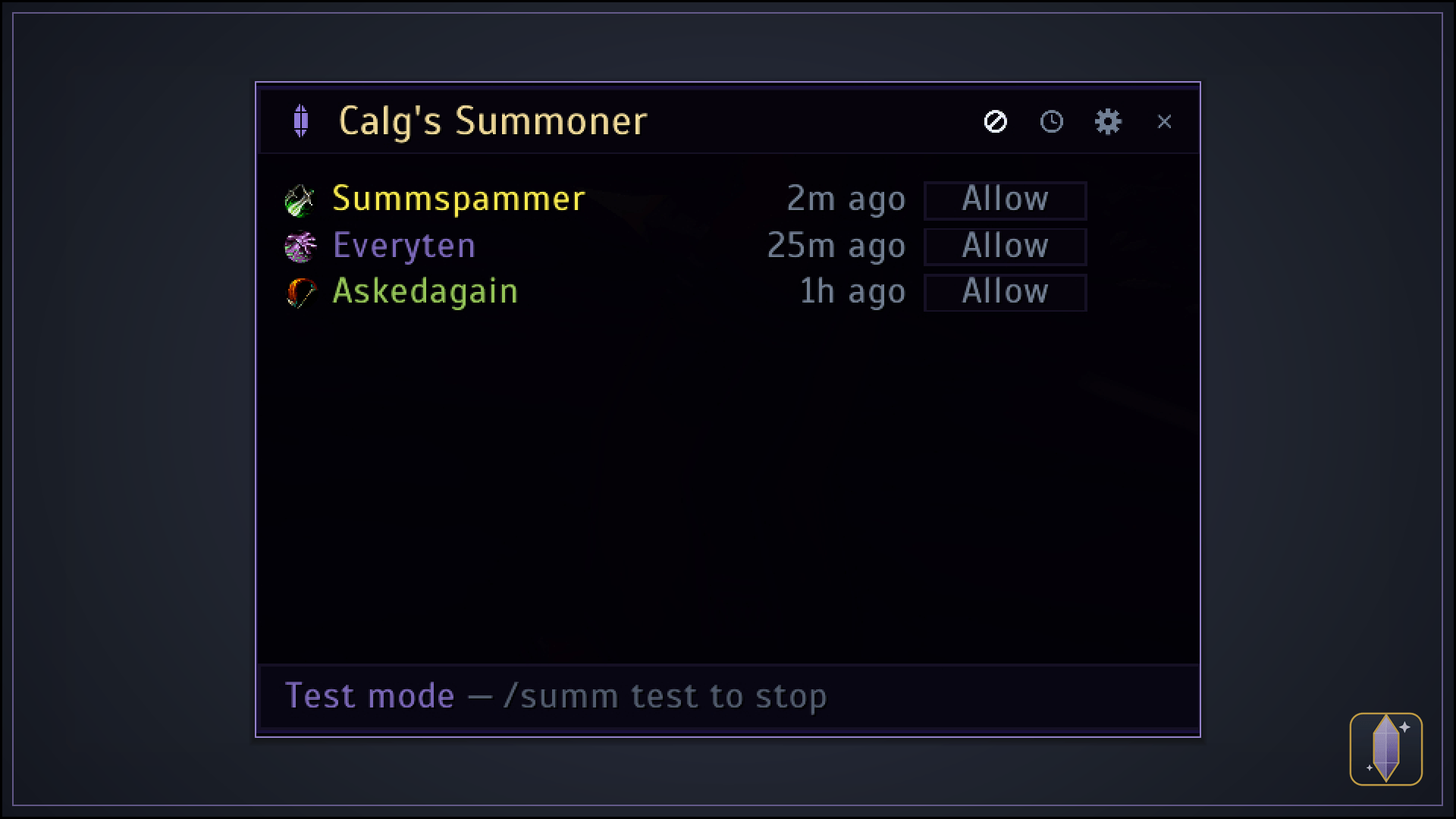
- Two ways to say no. Dismiss a request with the × and they're free to ask again straight away, which is usually what you want mid-raid. Use the ⊘ instead and they're also blocked — for the one shouting "SUMM" every ten seconds — silently, because whispering someone you've stopped listening to makes no sense. How long a block lasts is yours to set: until the end of the day (the default, so tomorrow's raid starts with nobody muted), 24 hours, 7 days, 30 days, or forever. The matching button in the title bar lists everyone you've blocked and when each one lifts, with Allow to let one back in — or one Clear in the settings to lift the lot.
- Never caught short. The footer counts the Soul Shards in your bags and turns red when you drop below your warning level.
- A running tally of your day. Requests seen, players summoned and any gold tipped — today, across reloads and relogs — with hover breakdowns.
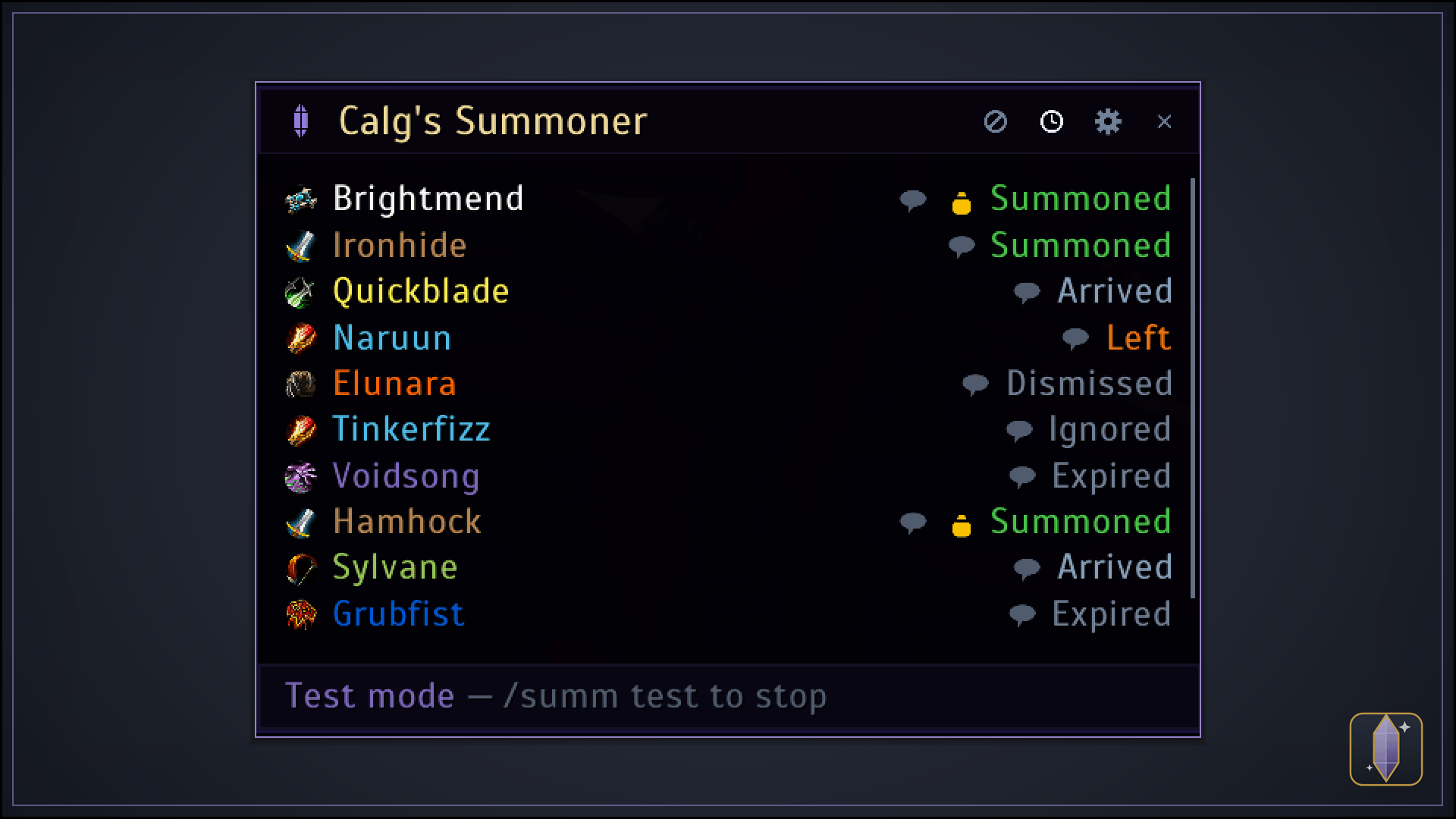
- A history book. The clock button replays past summons — who, what they said, what they tipped, and how it ended: Summoned, Arrived, Left, Expired, Dismissed or Blocked. Every row carries the ⊘ as well, so the raider who shouts through every pull can be blocked from there instead of waiting for them to ask again. Kept as long as you choose (90 days out of the box), and binned in one click when you want a clean slate.
- Add anyone by hand. Right-click a raid member and pick Add to Summoner to queue someone who asked on Discord instead of in chat.
- Stays out of the way otherwise. On any class but a warlock it registers nothing at all — no minimap button, no window, no slash command.
- Knows when to work. It only runs while you're a warlock who knows Ritual of Summoning and you're actually in a group, and quietly pauses when you're solo or AFK.
Lightweight, movable, and drawn from scratch to feel at home in Classic — in warlock purple, the counterpart to Calg's Portals in mage blue.
Message tokens
The announce and every whisper can carry tokens, which are swapped for the real thing as the message is sent. Write them in curly braces:
Summoning {name} to {subzone} — click the portal!
| Token | Becomes |
|---|---|
{name} |
Who's being summoned |
{me} |
Your name |
{zone} |
The zone you are in — where they'll land |
{subzone} |
The subzone you're in, e.g. The Molten Bridge |
{shards} |
Soul Shards left in your bags |
{tip} |
The gold in the trade that just completed, e.g. 2g 50s |
{tiptotal} |
Everything they've tipped you this request |
{queue} |
How many people are waiting in the queue right now |
A token with nothing to show — a subzone out in open country — simply disappears, so a message never goes out with a gap in it. Unrecognised tokens vanish the same way.
Getting started
Type /summ or click the minimap button to open it, set your announce message, and go summon. /summ help lists everything, and /summ test runs a full simulated queue (live view and history) so you can watch the whole flow safely before a real raid.
It ships switched off, so a fresh install never starts answering people on its own. Turn it on with /summ on, or shift-click the minimap button -- that's the master switch, remembered per character, and separate from whether the window happens to be open. Once it's on the window comes to you: when a request arrives, and when you join a group.
Built for WoW Classic Era, warlocks only. Your settings, messages, daily tally and history are saved between sessions, and nobody is ever summoned without your click.
A note on how arrival is detected: the game only reports a group member's position out in the open world, so a request made from inside an instance can't tick itself off automatically. The Done button and the request timeout both still clear it.
Found a bug or have an idea? Leave a comment — feedback is always welcome.
Font
The panels are drawn in Scada by Jovanny Lemonad, bundled with the addon and used for every
label in it, so the layout looks the same on your machine as it does on mine. Nothing outside the
addon is touched. Licensed under the SIL Open Font License 1.1 — the
full text ships in Media/Fonts/OFL.txt.