Blinkii's Forever Graphics
- By
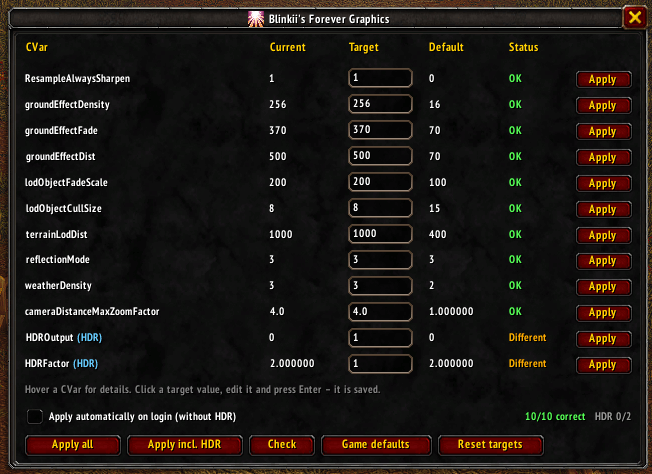
Set and verify hidden graphics CVars like grass density, view distance, camera zoom, sharpening and HDR from one simple window.
Screenshot 2026-11-08 181316.png
Screenshot 2026-11-08 175442.png
Screenshot 2026-11-08 175459.jpg
Description
Forever Graphics lets you set and check graphics console variables (CVars) that are not available in the regular game settings – no more typing /console commands after every patch or reinstall.
Features
- Overview window (/fg) showing Current, Target, Default and Status for every setting
- Editable target values, saved per account
- "Apply all" (without HDR) and "Apply incl. HDR" buttons
- Optional auto-apply on login (HDR is never auto-applied)
- Tooltips explaining what each setting does
- "Game defaults" and "Reset targets" to undo everything
Included settings
- ResampleAlwaysSharpen – sharper image, even at 100% render scale
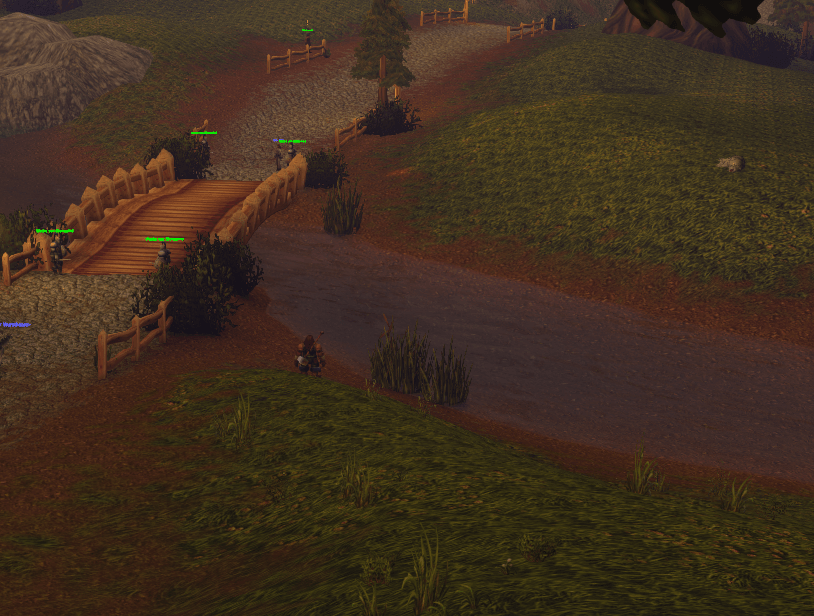
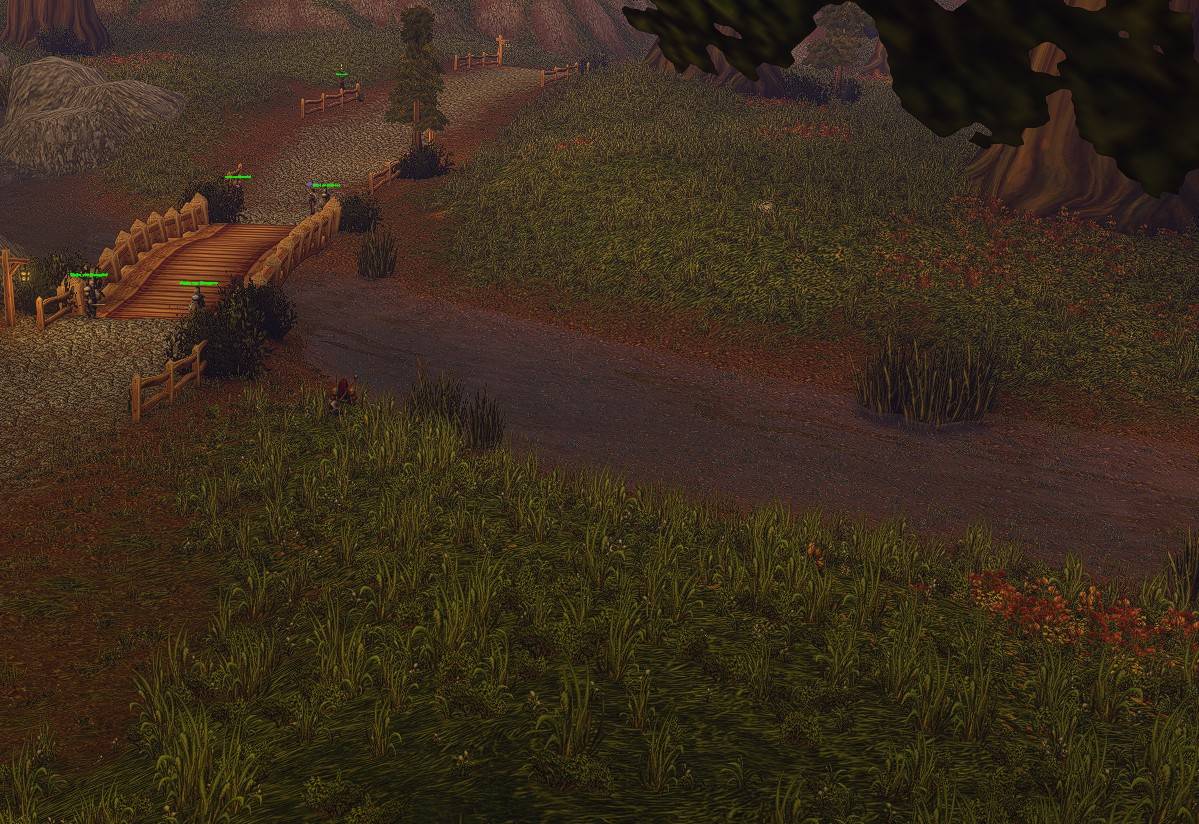
- groundEffectDensity – denser grass and ground clutter
- groundEffectFade / groundEffectDist – grass drawn and faded further away
- cameraDistanceMaxZoomFactor – higher maximum camera zoom (may be capped by the client)
- HDROutput / HDRFactor – HDR output for HDR-capable monitors
Commands /fg – open/close the window /fg apply – apply all (without HDR) /fg applyhdr – apply all including HDR /fg check – print status to chat /fg target <cvar> <value> – change a target value /fg reset – restore game defaults /fg resettargets – restore preset target values /fg auto – toggle auto-apply on login
Note: Higher ground clutter values can cost GPU performance.
Blinkii's Forever Graphics Team

Owner