BiSGearCheck
- By
View BiS lists, compare your gear, and create wishlists for all your characters.
logo.png
Description
BiS Gear Check compares your equipped gear against ranked Best in Slot lists and shows you exactly what upgrades you still need. Built for TBC Anniversary.
Features
Phase 2
Phase 2 data is now included in version 3.7.0 and above. Use the Phase dropdown in Settings to change the phase throughout BiSGearCheck, which will default to Phase 1 until Phase 2 is released.
Gear Comparison
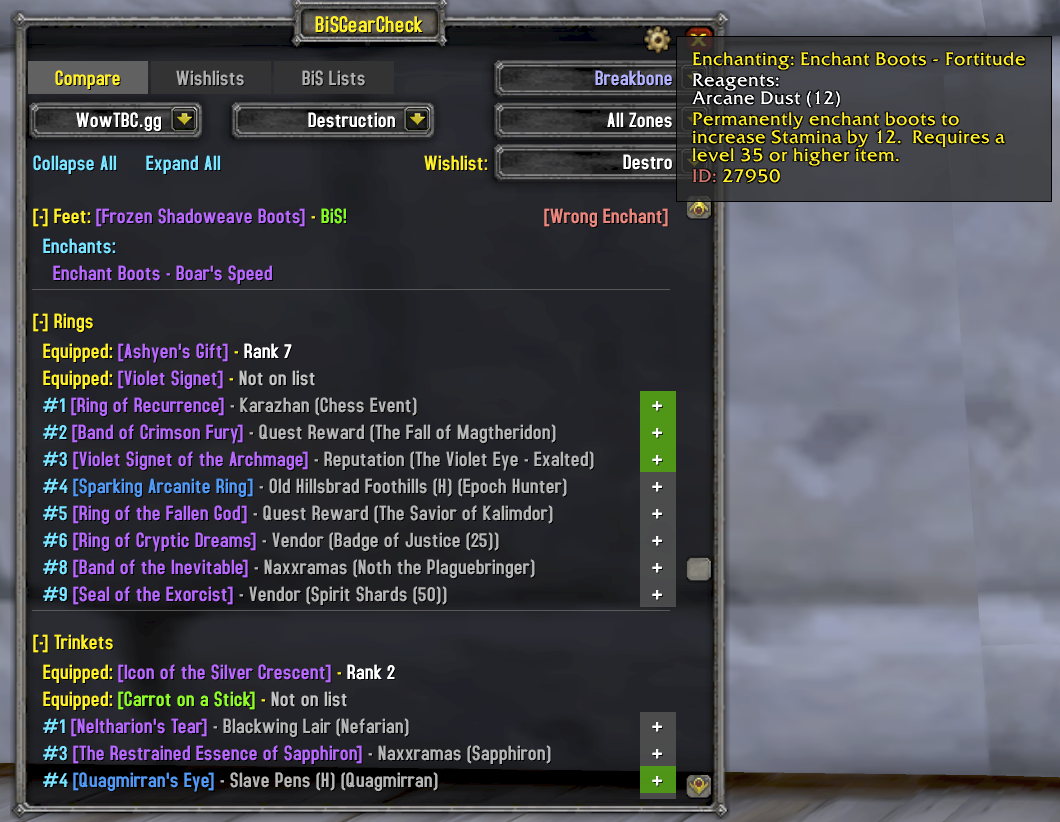
See every upgrade available for your spec, ranked by slot. Your currently equipped item is shown with its rank, and every item ranked higher is listed with its source -- boss name, dungeon, quest, or vendor. Automatically refreshes when you swap gear.
BiS Lists Browser
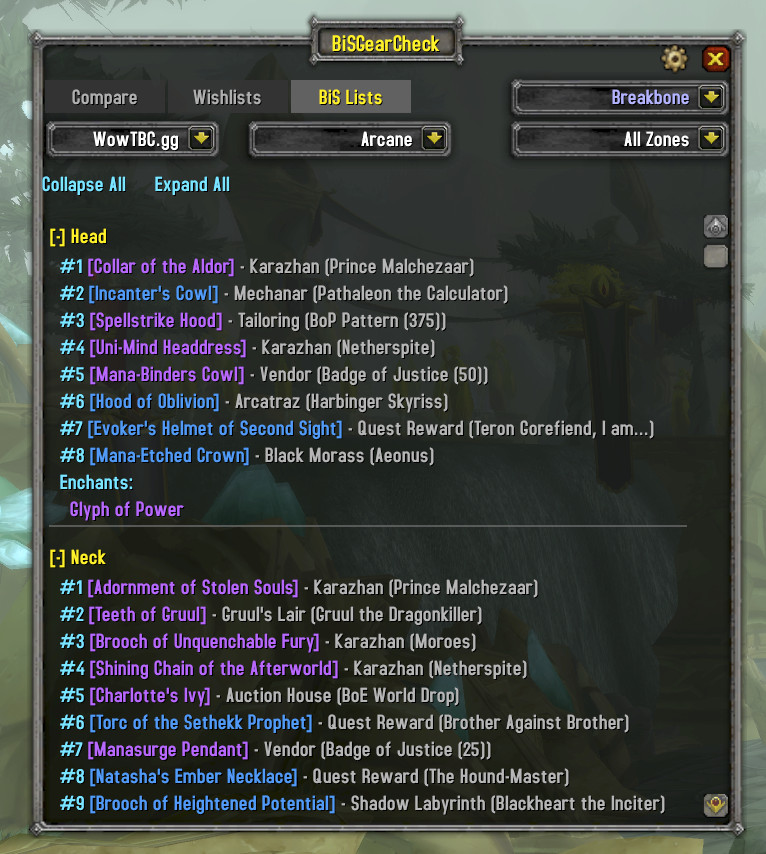
Browse the full BiS list for any spec across all classes. Switch between data sources to compare rankings. Filter by zone to focus on a specific dungeon or raid. Class-colored headers make it easy to find what you're looking for.
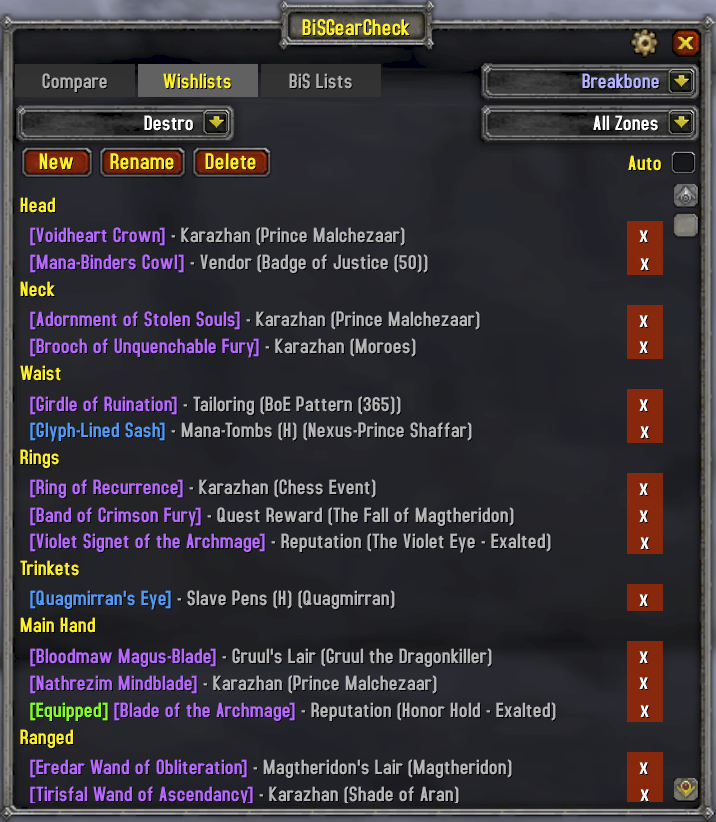
Wishlists
Track the items you're chasing. Create multiple named wishlists, add upgrades directly from the comparison view, and filter by dungeon or raid zone. Auto-filter mode automatically shows items for your current zone when you enter a dungeon or raid.
Tooltip Integration
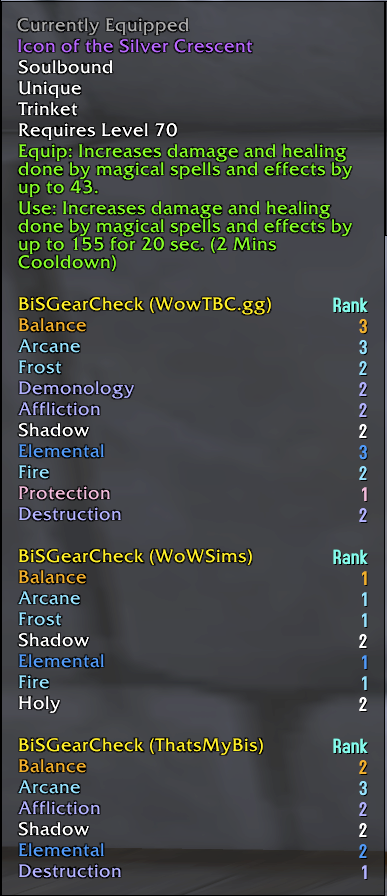
BiS rankings appear directly in item tooltips, grouped by data source. Hover over any item in your bags, in chat, or on a vendor and see which specs rank it and at what position, with class-colored spec names. Each enabled source gets its own section so you can compare rankings across sources at a glance.
Multi-Character Support
Switch between all characters on your account without logging out. View another character's gear on the Compare tab, edit their wishlists, and plan upgrades across your roster. Gear snapshots are saved automatically. Set a minimum level threshold or ignore specific characters to keep the dropdown clean.
Enchant & Gem Warnings
Equipped gear is checked for missing enchants, wrong enchants, empty sockets, and low-quality gems. Warnings appear pinned to the right of each equipped item row. Hover [Wrong Enchant] to see exactly what's applied. Recommended enchants and gems are shown per slot and per spec, with Aldor/Scryer filtering based on your reputation.
Budget alternatives are recognized: lesser shoulder inscriptions, lesser spellthreads, and lesser leg armors show as [Lesser Enchant] in yellow instead of red. Green-quality gems show as [Lesser Gems] in yellow.
Raid Scan
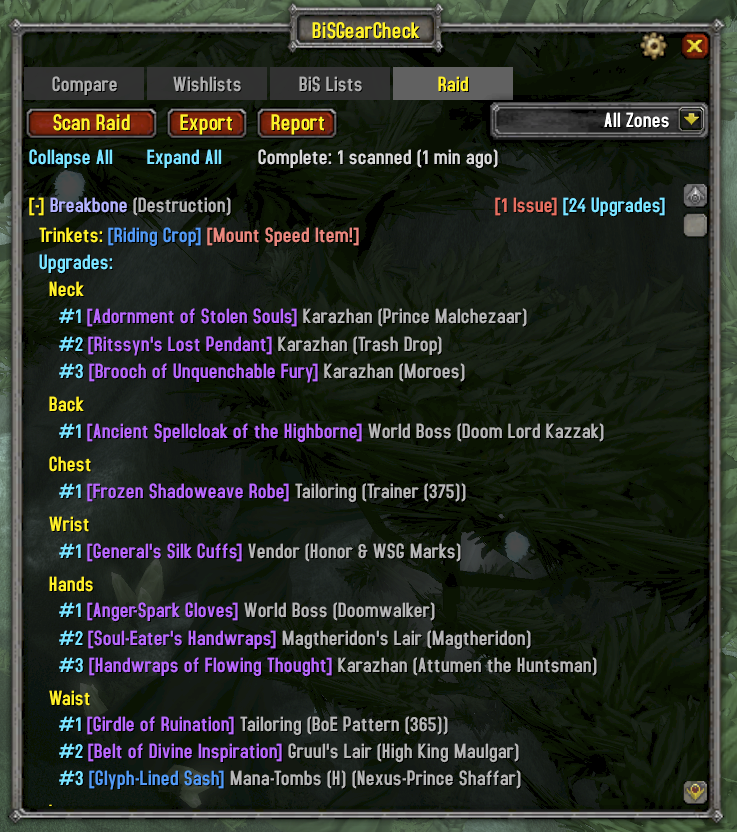
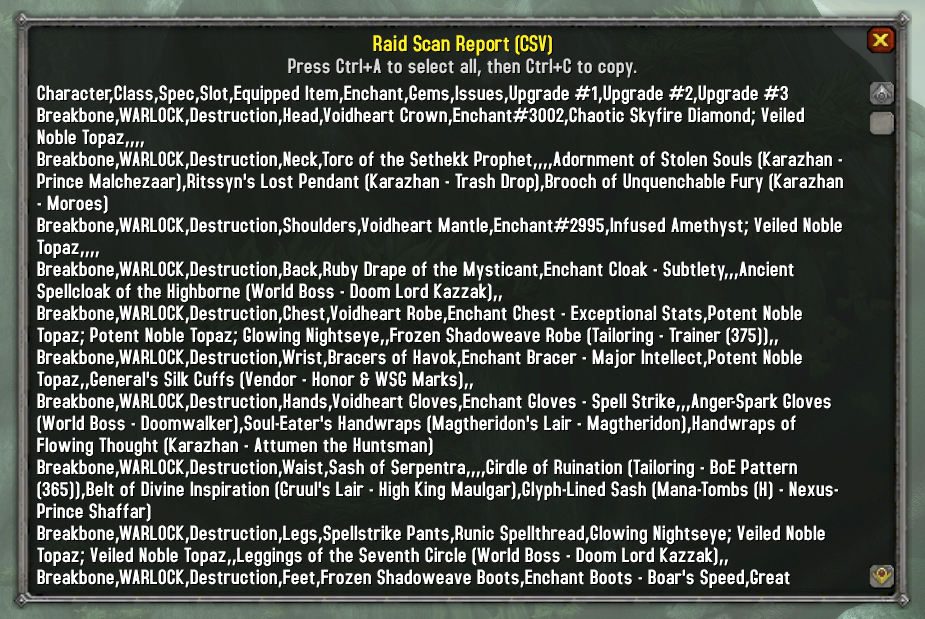
Inspect your entire raid at once. Scan all members to check for missing enchants, wrong gems, empty sockets, and mount-speed items left equipped. Each issue shows the item's BiS list position. Right-click any character to whisper their issues directly. Export results as CSV or print a summary to chat.
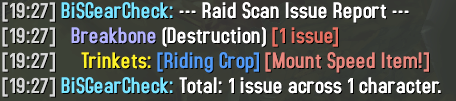

Faction-Aware
Alliance and Horde characters see only the items available to their faction. Faction-specific quest rewards, reputation items, and Aldor/Scryer enchants are filtered automatically.
Data Sources
BiS data is available for Phase 1 (Karazhan/Gruul/Mag) and Phase 2 (SSC/TK). Switch phases via the dropdown in Settings or the BiS Lists tab.
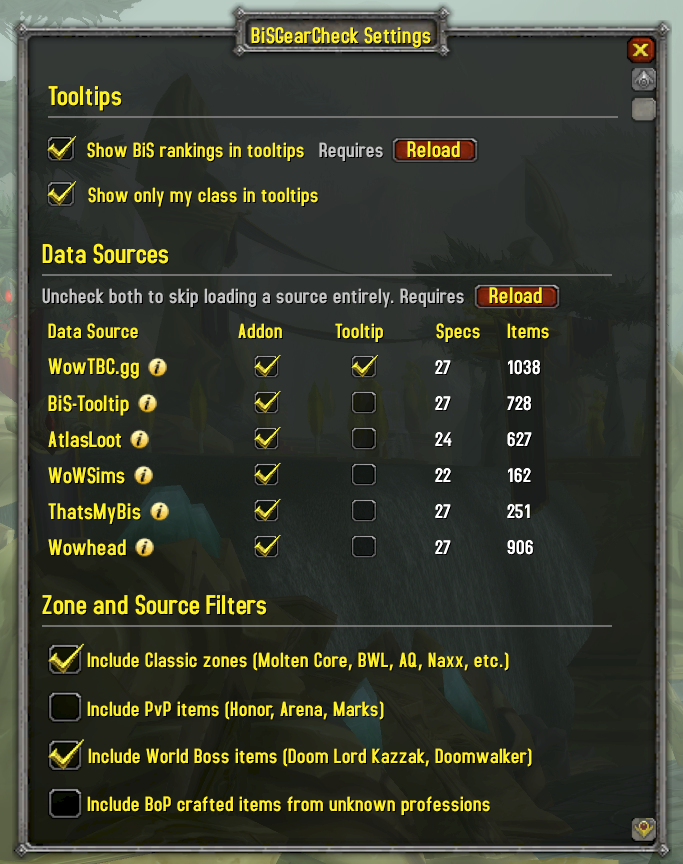
- WowTBC.gg -- Community-voted BiS lists. Full Phase 1 and Phase 2 coverage across all 27 specs.
- BiS-Tooltip -- BiS rankings from BiS-Tooltip (boegi1's TBC backport) combined with WoWSims presets. Full Phase 1 and Phase 2 coverage across all 27 specs.
- AtlasLoot -- BiS rankings from AtlasLoot loot tables. Phase 2 covers 25 specs (missing Rogue Assassination, Rogue Subtlety for Phase 2).
- WoWSims -- Simulation-optimized gear sets from WoWSims TBC. Most mathematically rigorous but limited Phase 2 coverage (5 specs with explicit presets).
- ThatsMyBis -- Community wishlist aggregates from thatsmybis.com. Phase 2 lists include SSC/TK items where wishlisted, with Phase 1 gear filling remaining slots.
- Wowhead -- Editorial BiS guides from Wowhead. Phase 2 covers 24 specs (missing Rogue Assassination, Rogue Subtlety, Shaman Restoration).
Each source can be independently enabled for the main addon UI and/or tooltips in the Settings panel. Switch between sources at any time to compare rankings.
Usage
- Minimap button: Left-click for Compare, right-click for Wishlists, alt-click for Settings
/bisgearor/bgc-- Toggle the comparison view/bisgear wishlistor/bgc wl-- Toggle the wishlist view
Installation
Extract the BiSGearCheck folder into your WoW AddOns directory:
World of Warcraft/_anniversary_/Interface/AddOns/BiSGearCheck/BiSGearCheck Team