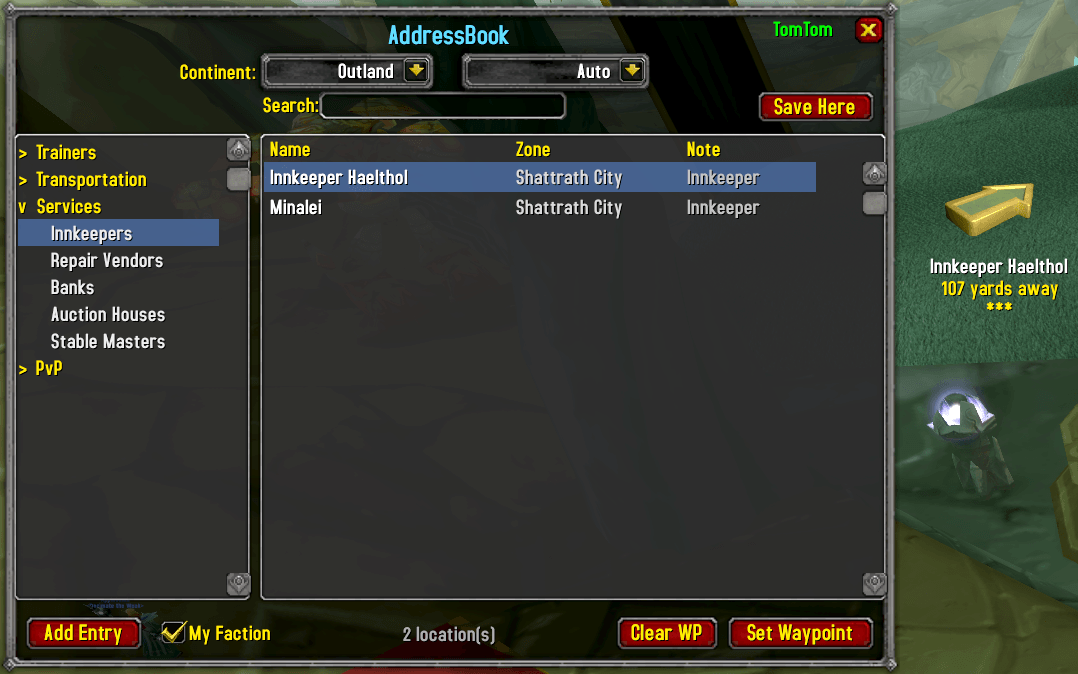
addressbook-main.png
logo-v1.png
Description
AddressBook helps you find NPCs, creatures, and locations across Azeroth and Outland with one-click TomTom waypoint navigation. Built for TBC Anniversary.
Features
Browse & Navigate
Find any NPC or creature by category, continent, and zone. Over 13,600 pre-populated locations with 83,000+ spawn points. Browse quest givers, trainers, vendors, flight masters, innkeepers, banks, instance entrances, 7,500+ creatures, 425 critters, and more. Sortable columns let you organize results by name, zone, or note.
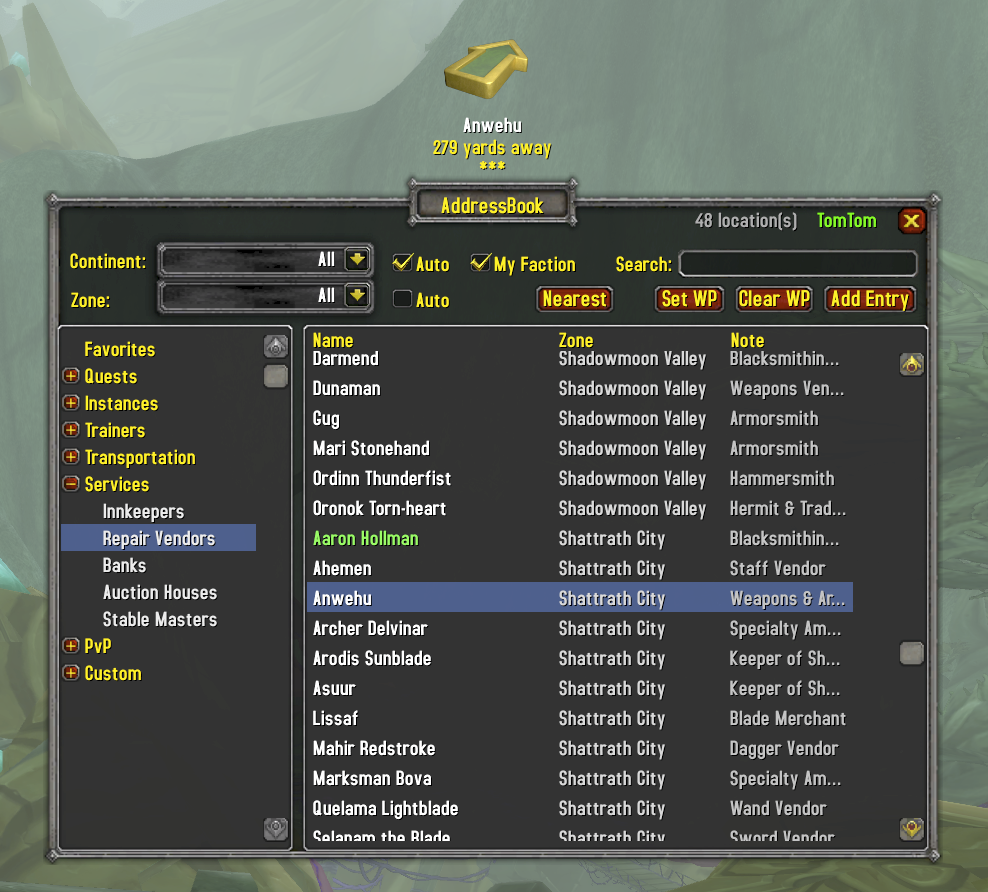
Creatures & Spawn Points
Browse every creature across 110 zones (outdoor and instances). Each creature stores all known spawn points — right-click and "Set All Waypoints" to place a TomTom pin at every spawn location. Instance creatures point to the dungeon entrance when you're in the open world. Creature data loads on demand and unloads when the window closes to save memory.
TomTom Integration
Double-click any entry to create a TomTom waypoint with the crazy arrow pointing you directly to your destination. Works seamlessly — if TomTom isn't installed, coordinates are printed to chat instead. Waypoints display "From: AddressBook" in TomTom tooltips.
Favorites
Right-click any entry and select "Add Favorite" to bookmark it. Favorites appear in green and are collected in a dedicated Favorites category at the top of the tree for quick access. Right-click the minimap button for a quick favorites menu. Persists across sessions.
Continent & Zone Filtering
Narrow results with continent and zone dropdowns that work alongside the category tree. "Auto" mode detects your current zone and filters automatically — the list always shows what's relevant to where you are. Instance zones are mapped to their real-world continents.
Search Everything
Search across all categories by NPC name, zone, or description. Results update as you type. Bidirectional matching handles plurals and partial names.
Addon API
Other addons can call into AddressBook to look up NPCs and set waypoints programmatically. Supports definitive matching with automatic waypoint creation and ambiguous search with UI display.
Custom Locations
Click "Add Entry" to save your own locations. The entry dialog lets you set a name, coordinates, zone, and notes. Use the "Current Location" button to auto-fill your position, or type coordinates manually for locations you're not standing at.
Faction-Aware
Toggle faction filtering to show only NPCs friendly to your character's faction.
Data Sources
Location data is extracted from the Questie addon's TBC NPC database. Coordinates are verified against the game client at runtime.
Usage
- Minimap button: Left-click to open
/ab— Toggle the address book/ab search <query>— Search from chat/ab add— Open the Add Entry dialog/ab record <name>— Update or create entry at your position/ab waypoint <name>— Set waypoint from chat/ab help— Show all commands
Installation
Extract the AddressBook folder into your WoW AddOns directory:
World of Warcraft/_anniversary_/Interface/AddOns/AddressBook/TomTom is optional but recommended for waypoint arrow navigation.
AddressBook Team