BetterProfessions
- By
A small upgrade for the default profession window in WoW Retail. It does not replace Blizzard's interface or add another huge dashboard. It simply puts useful information where you already expect to find it.
WoWScrnShot_082226_131901.jpg
WoWScrnShot_082226_131907.jpg
Description
BetterProfessions
A small upgrade for the default profession window in WoW Retail. It does not replace Blizzard's interface or add another huge dashboard. It simply puts useful information where you already expect to find it.
Crafting orders
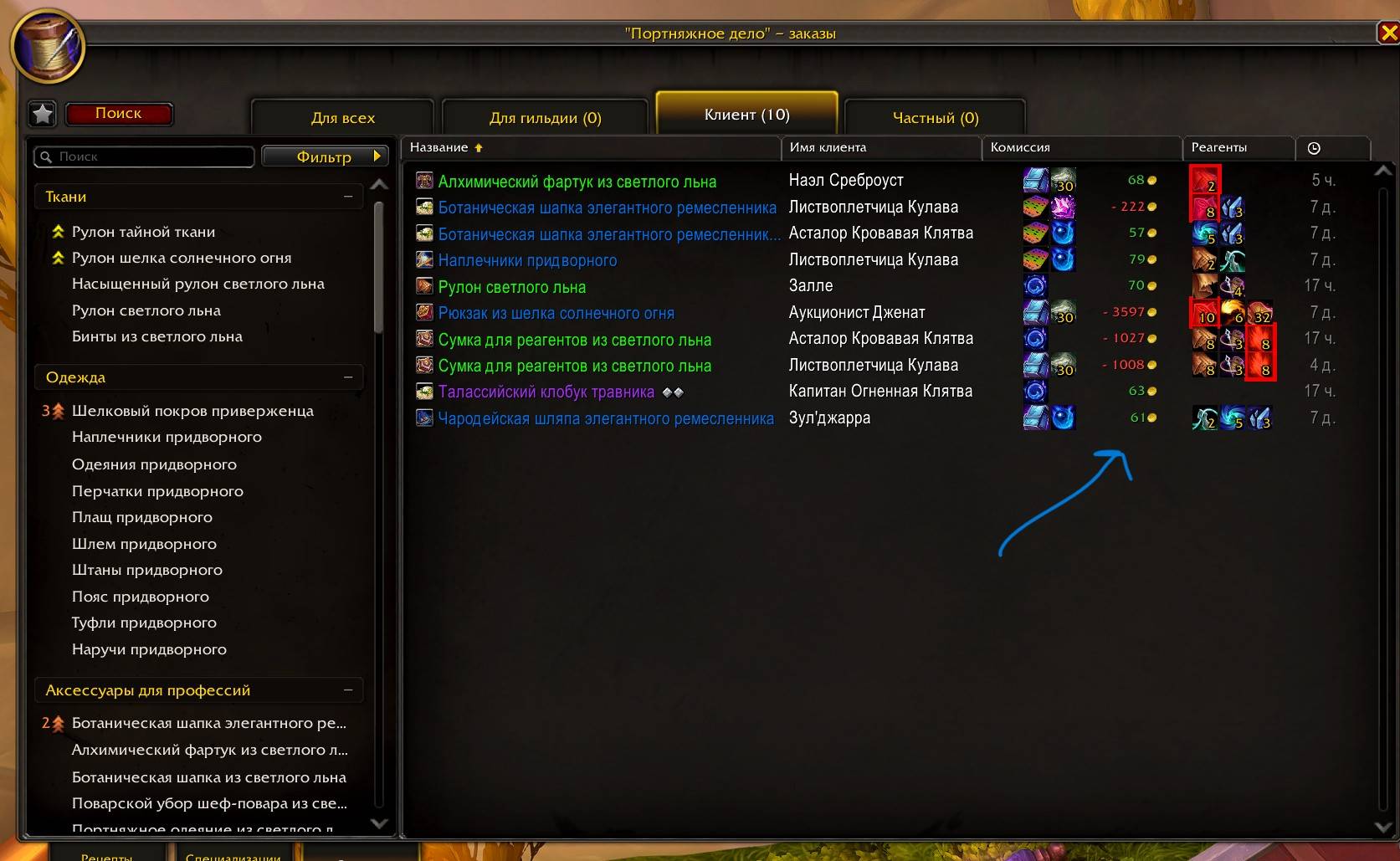
The order list shows you:
- how much commission you will receive after the Consortium cut;
- estimated profit;
- rewards from patron orders;
- which reagents you need to provide;
- how much concentration is needed for the minimum quality.
If you do not have enough of a required reagent, its icon is highlighted in red. When the customer provides everything, the reagent column stays empty instead of showing unnecessary text.
Orders for recipes the character has not learned show a clear unavailable state instead of reagent, reward, and profit previews.
Profit is calculated using prices from Auctionator, TradeSkillMaster, or Oribos Exchange. One of these addons is only needed for pricing; everything else works without them.
Recipes and specializations
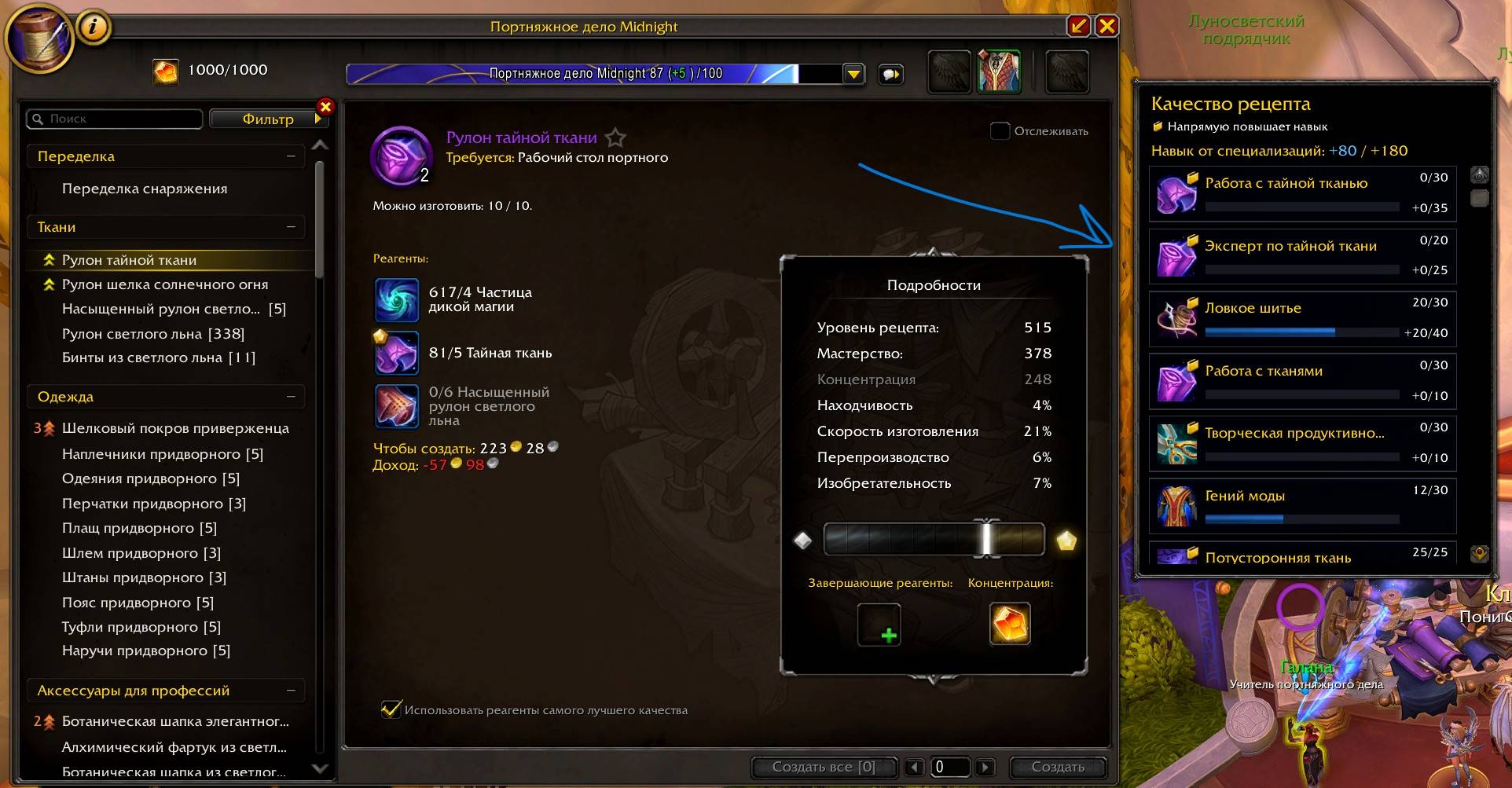
When you open a recipe, a compact panel shows the specialization nodes that can increase skill for that specific recipe.
The panel can be moved and made shorter using the resize handle in its lower-right corner. Its position and height are remembered between sessions.
It includes:
- related specialization nodes;
- current and maximum ranks;
- current and maximum skill bonuses;
- detailed descriptions on mouseover.
This makes it easier to see where to spend knowledge points when a recipe needs more skill for the next quality.
Commands
/bp— show available commands;/bp orders— toggle crafting-order improvements;/bp specs— toggle the specialization panel;/bp reset— reset settings.
Use /reload after toggling a module.
There are no required libraries or setup steps. Install it, enable it, and open your profession window.
BetterProfessions Team