ATT-Search
- By
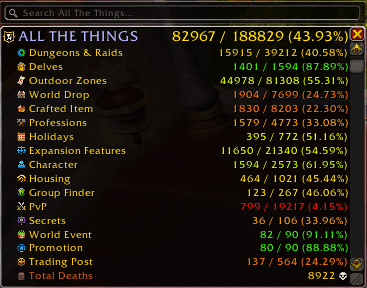
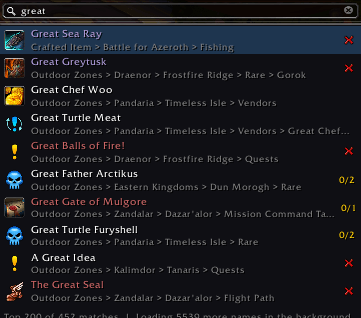
Search bar for the All The Things main list: type a name and jump straight to it.
Screenshot 2026-10-03 103856.png
Screenshot 2026-10-04 041526.png
Description
Find anything in All The Things
ATT-Search adds a search bar to the top of the All The Things main list. Type a name, pick a result, and the list expands to it, scrolls to it and highlights it. No more clicking through layers of headers.
Unofficial companion for All The Things, published with the ATT author's blessing. Not affiliated with the ATT team. Requires All The Things.
How to use
- Open the ATT main list. The search bar sits on its top edge.
- Type 3 or more letters. Results appear as you type.
- Use the arrow keys or Tab to move through results, Enter or click to open one, and Esc to close.
Commands
- /atts: open the main list and focus the search bar
- /atts <text>: search right away
- /atts warmup: ask the game for item names it hasn't loaded yet (runs in the background for a few minutes)
- Key binding: Options > Keybindings > AddOns > ATT-Search
Good to know
- The first search after login builds an index in the background. The footer shows its progress.
- Items whose names the game hasn't loaded yet are skipped and retried every 30 seconds. /atts warmup speeds this up.
- If a result is hidden by your ATT filters (for example "hide collected"), its parents are still expanded and you get a chat message.
- ATT-Search uses parts of ATT's internal code, so a big ATT update may need an ATT-Search update too.
The ATT-Search Team