AskAzeroth – Newcomer Help, Q&A & FAQ
- By
Help for new players in WoW Forever: ask questions in game, experienced players answer in threads. Built-in FAQ and glossary in 7 languages.
Description
AskAzeroth



Ask Azeroth anything – experienced players answer.
New to World of Warcraft Forever? Ask your question in game and players who know the answer reply in a thread. There's no website and no external tool: questions and answers go from player to player over hidden addon channels, one per language.
Supported versions
| Client | Interface |
|---|---|
| WoW: Forever | 16001 |
| Retail | 120000 – 120105 (Midnight, for testing until Forever launches) |
On retail, questions only reach players on your own realm and its connected realms. Classic Era and other clients are not supported.
Installation
- Install it with the CurseForge or Wago app, or download the zip from GitHub releases.
- Manual install: extract
AskAzerothintoWorld of Warcraft/<client>/Interface/AddOns/. - Log in and type
/aa.
What changed: CHANGELOG.md
Features
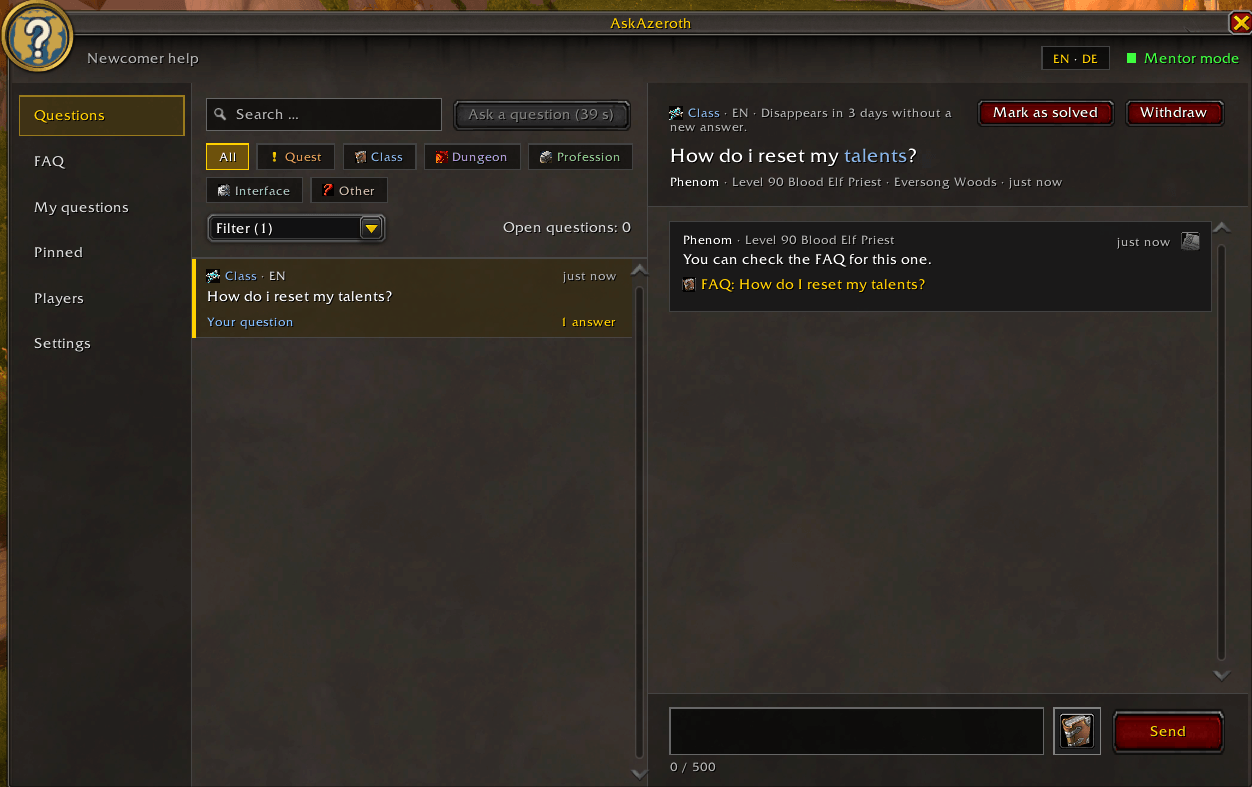
- Ask a question with a category (quest, class, dungeon, profession, interface, other), a short summary and optional details.
- Threads: every question can get any number of answers; mark it as solved when you're happy.
- Mentor mode for experienced players, with notifications per category that pause in combat and in instances.
- Your own player list: favourites, ignored players, notes and a "helped me" counter, all kept on your computer only.
- My questions with your answers, kept as long as you like.
- Pin answers: pin any helpful answer, also on other players' questions. It's kept on your computer together with the question and never expires.
- Built-in FAQ in all 7 languages: beginner questions sorted into topics such as first steps, quests, each class, travel, gold and dungeons. Mentors can attach FAQ entries to their answers as links, and a hint points to Wowhead for looking up quests, items and NPCs.
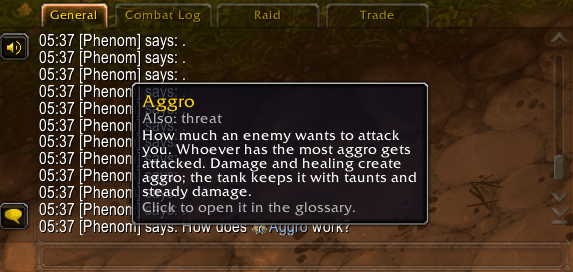
- Glossary: over 100 game terms and chat abbreviations (Aggro, DoT, BoP, LFG, dungeon short names …) explained in a few words. Terms inside FAQ answers, threads and the normal chat show their explanation when you hover over them (the chat part can be switched off in the settings).
- Spell links: abilities named in FAQ answers, the glossary and threads show their icon and the game's own spell tooltip when you hover over them; shift-click puts the spell link into the chat.
- FAQ suggestions while you ask: matching FAQ entries show up as you type your question, so you often have the answer before anyone has to reply.
- Sync after login: questions asked while you were offline are fetched from other players on the channel.
- 7 languages: English, Deutsch, Français, Español, Italiano, Русский, Português.
Commands
| Command | |
|---------|-|
| /aa, /askazeroth | Open or close the window |
| /aa settings | Open the settings |
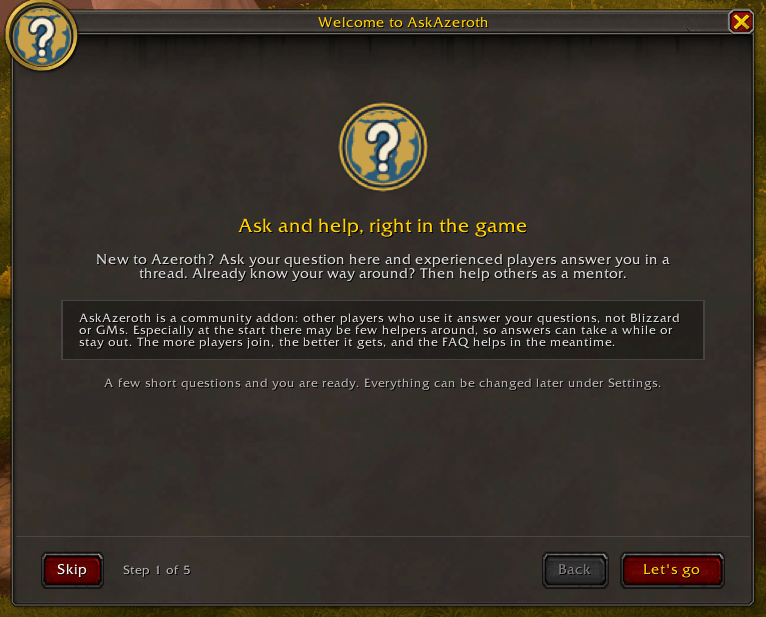
| /aa setup | Start the first-run setup again |
| /aa minimap | Show or hide the minimap button |
| /aa faqstats | Show which FAQ suggestions answered a question before it was asked |
| /aa help | List the commands |
Support
- Bugs and ideas: GitHub issues
- If you like the addon, star it on GitHub or leave a tip on Streamlabs.
Developed with the help of AI (Claude by Anthropic). Every change is reviewed by a professional software developer before it is merged.
AskAzeroth – Newcomer Help, Q&A & FAQ Team

Owner