PhenomRaidTools – Raid Assignments & Reminders
- By
Plan raid callouts and cooldowns on a boss timeline and sync them to your group before the pull.
Description
PhenomRaidTools – Raid Assignments & Reminders




Plan per boss which player sees which message when; the raid lead syncs the plan before the pull.
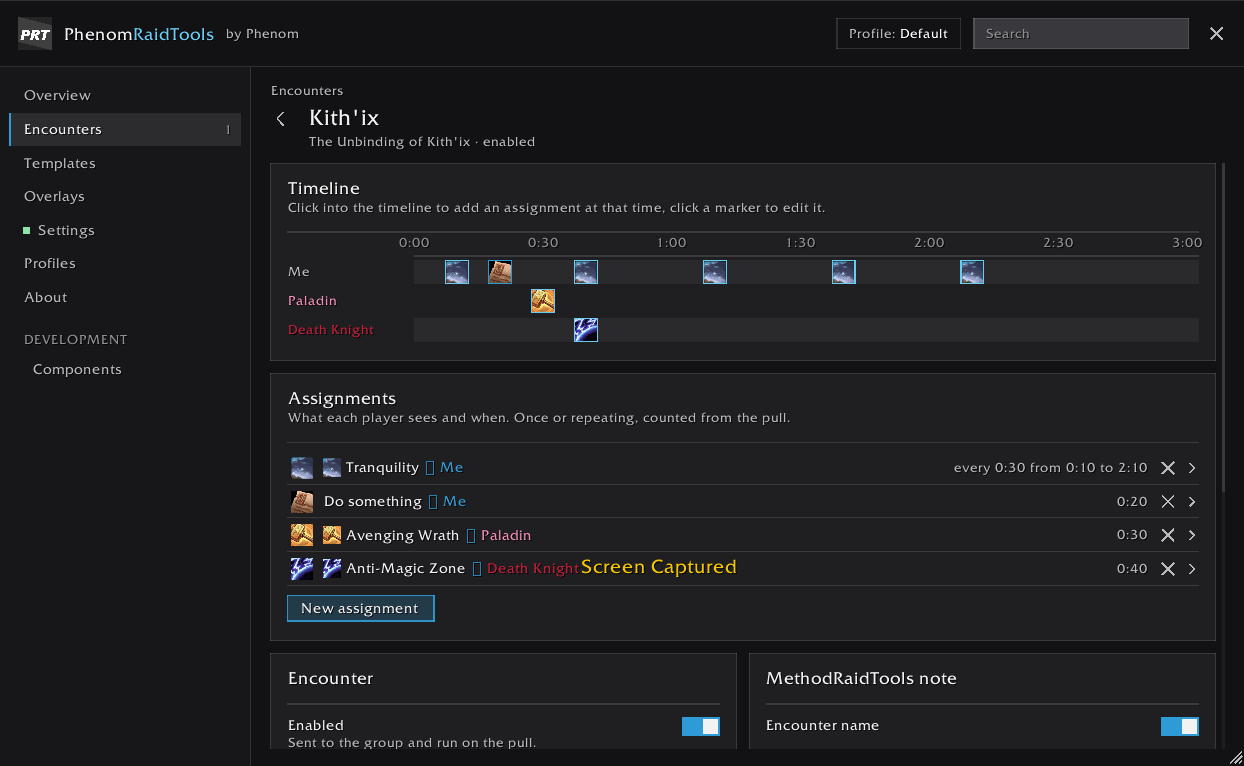
The raid lead plans each boss on a timeline. Before the pull the plan goes to the group, and every player runs it locally and sees only the messages meant for them. Since Midnight (also WoW: Forever) addons get no combat log, no boss health or power and can't message the group during encounters, so everything counts from the pull. Use it next to your boss mod (DBM, BigWigs).
Supported versions
| Client | Interface |
|---|---|
| WoW: Forever | 16001 |
| Retail | 120105 (12.1.5) and 120107 (12.1.7 PTR) |
Classic Era, Wrath Classic and other clients are not supported.
Installation
- Install it with the CurseForge or Wago app, or download the zip from GitHub releases.
- Manual install: extract
PhenomRaidToolsintoWorld of Warcraft/<client>/Interface/AddOns/. - Log in and type
/prt. A short guide asks for your role (raid lead, player or both) and lets you place the message overlays.
Updating from 2.x: back up
WTF/Account/<account>/SavedVariables/PhenomRaidTools.lua first. The update
removes what Midnight no longer allows: rotations, health and power
percentages, timers on combat log events, raid warnings and markers,
placeholders and /prtm.
What changed: CHANGELOG.md
Features
- Timeline: each boss is one large timeline with a lane per target. Click where an assignment belongs and edit it in the form below (or start it from a template); Advanced opens every setting in a window of its own. Drag a marker to move it (with Alt to copy it), middle-click it to delete it, zoom with the mouse wheel (up to 20 minutes) and drag an empty spot to scroll. An assignment shows once, repeating (every n seconds from–to) or at several times, for the players, roles, raid groups or classes you pick, on the difficulties you pick.
- Demo playback: play the plan on your overlays in real time or four times as fast, for everyone or as a role or player sees it.
- Cooldowns: pick a raid or utility cooldown; it shows with icon and spell name (or your text), a few seconds early with a countdown to the moment to press it. Text to speech can read any message aloud.
- Raids and dungeons: new encounters start from the bosses of the current raids and dungeons. On Retail the Mythic+ dungeons of the current season are listed too, and you can add bosses the journal doesn't list.
- Sync before the pull: the lead sends the plans on every ready check or
with
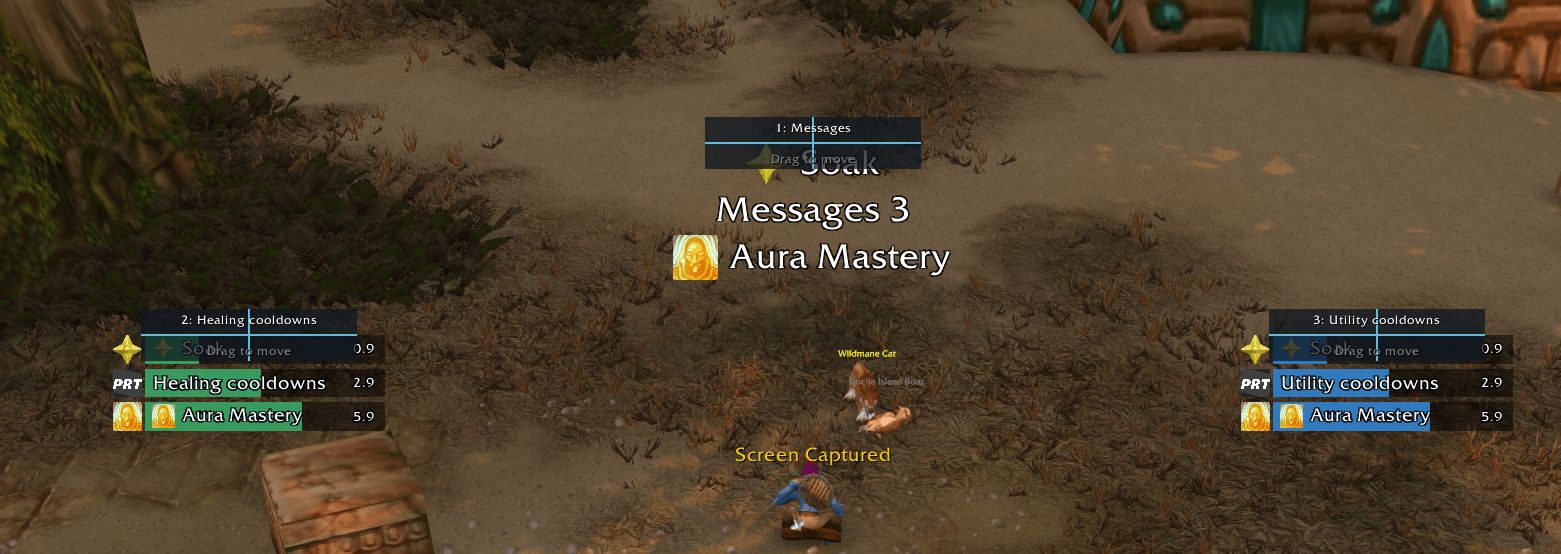
/prt sync; the overview shows who has them. In a raid plans are accepted from the leader and assistants only, in a dungeon group from every member. Encounters you don't share stay with you. - Overlays: messages at the top, healing cooldowns on the left, utility cooldowns on the right. Each overlay shows text, icons or bars and grows in any direction, with its own font, size, outline and shadow. A preview beside the window shows what you are editing.
- Your next assignments during an encounter with a countdown.
- Demo: Overlays → Demo or
/prt demoplays a short sample fight with every kind of message for you, so you see your overlays in action. - One window with search: overview with the settings, encounters with the bosses of each instance as tiles and import/export, templates, overlays and profiles (also per specialization).
- MethodRaidTools note: writes the cooldown assignments of a boss into your MRT note.
Commands
| Command | |
|---|---|
/prt |
Open the window |
/prt sync |
Send your plans to the group (also happens on every ready check) |
/prt versions |
Print the PRT versions in your group |
/prt news |
Show what's new |
/prt demo |
Play a sample fight with every kind of message for you |
/prt profile |
Open the profiles |
/prt minimap |
Show the minimap icon again |
Support
- Questions: Discord
- Bugs and ideas: GitHub issues
- If you like the addon, star it on GitHub or leave a tip on Streamlabs.
Developed with the help of AI (Claude by Anthropic). Every change is reviewed by a professional software developer before it is merged.
PhenomRaidTools – Raid Assignments & Reminders Team

Owner