
Arena Visual Macro
- By
Visual no-code WoW PvP macro editor. Build Arena1/2/3, focus, party, modifier, Castsequence and multi-action macros graphically, with analysis, optimization, templates and native macro management.
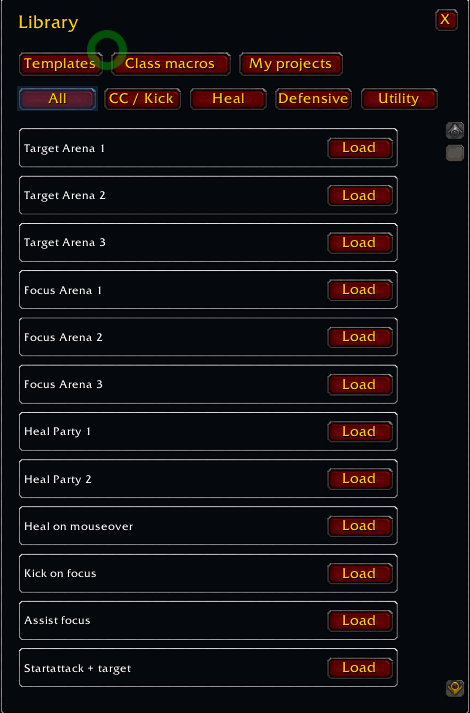
library.png
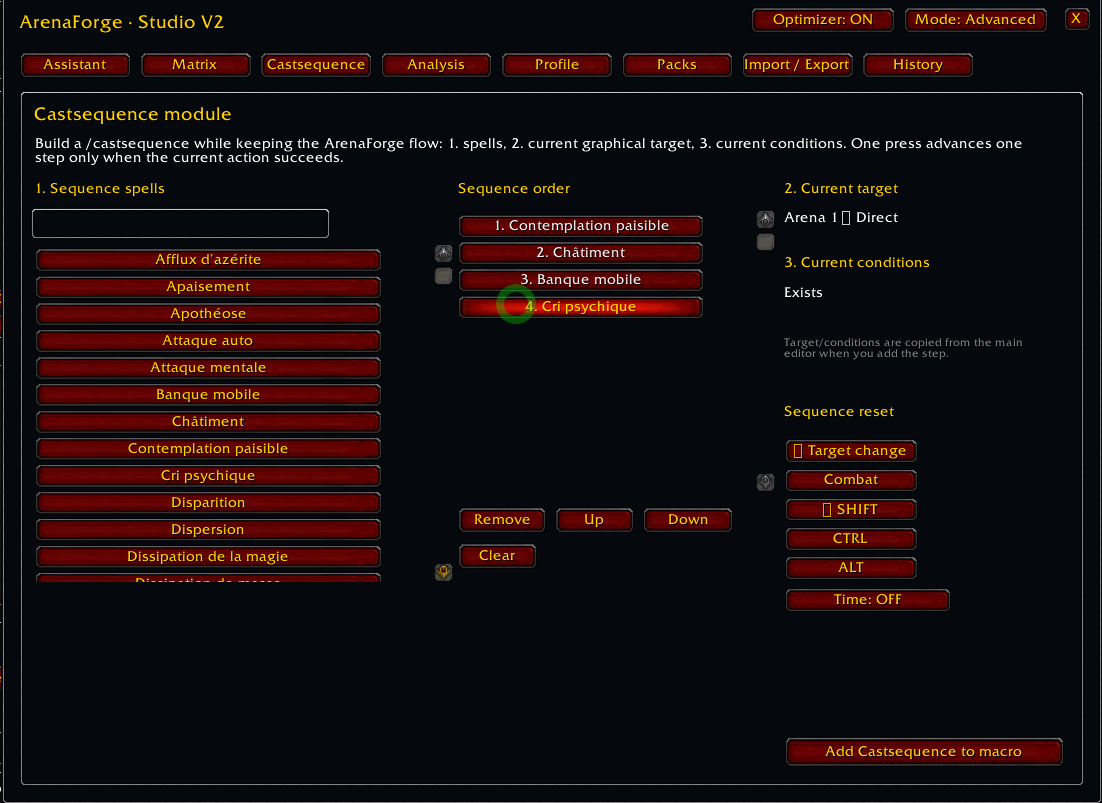
Castsequence.png
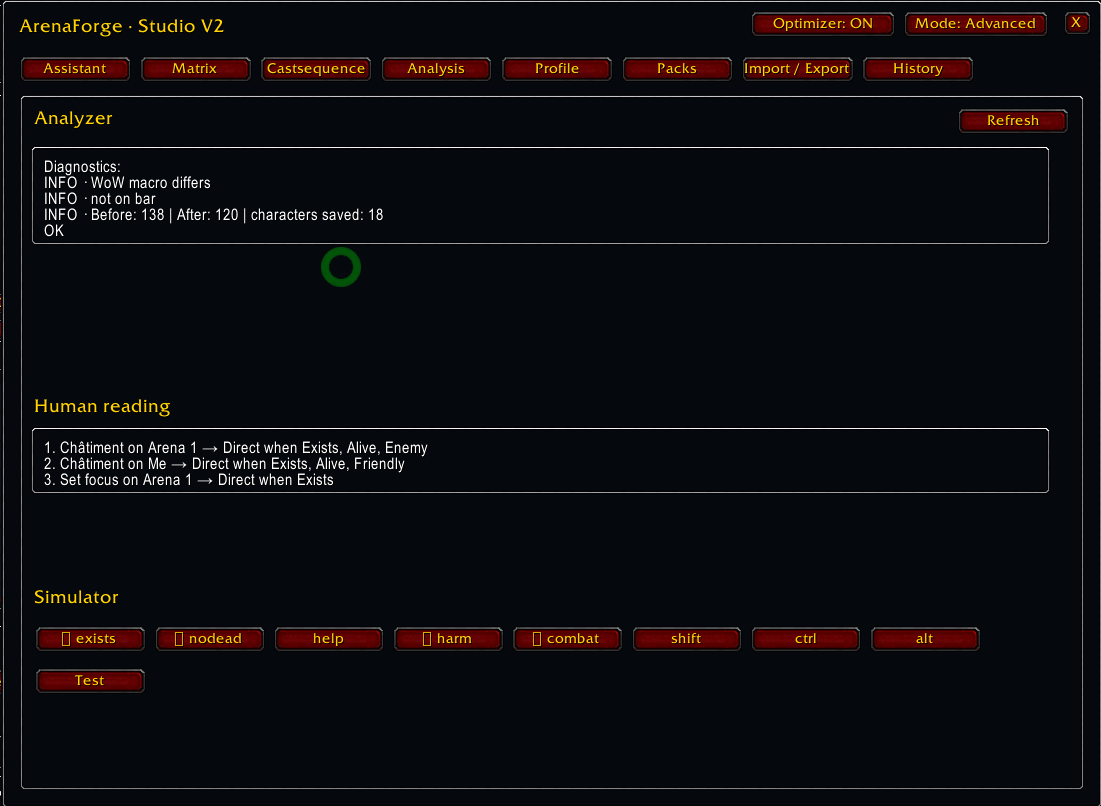
Analyszer.png
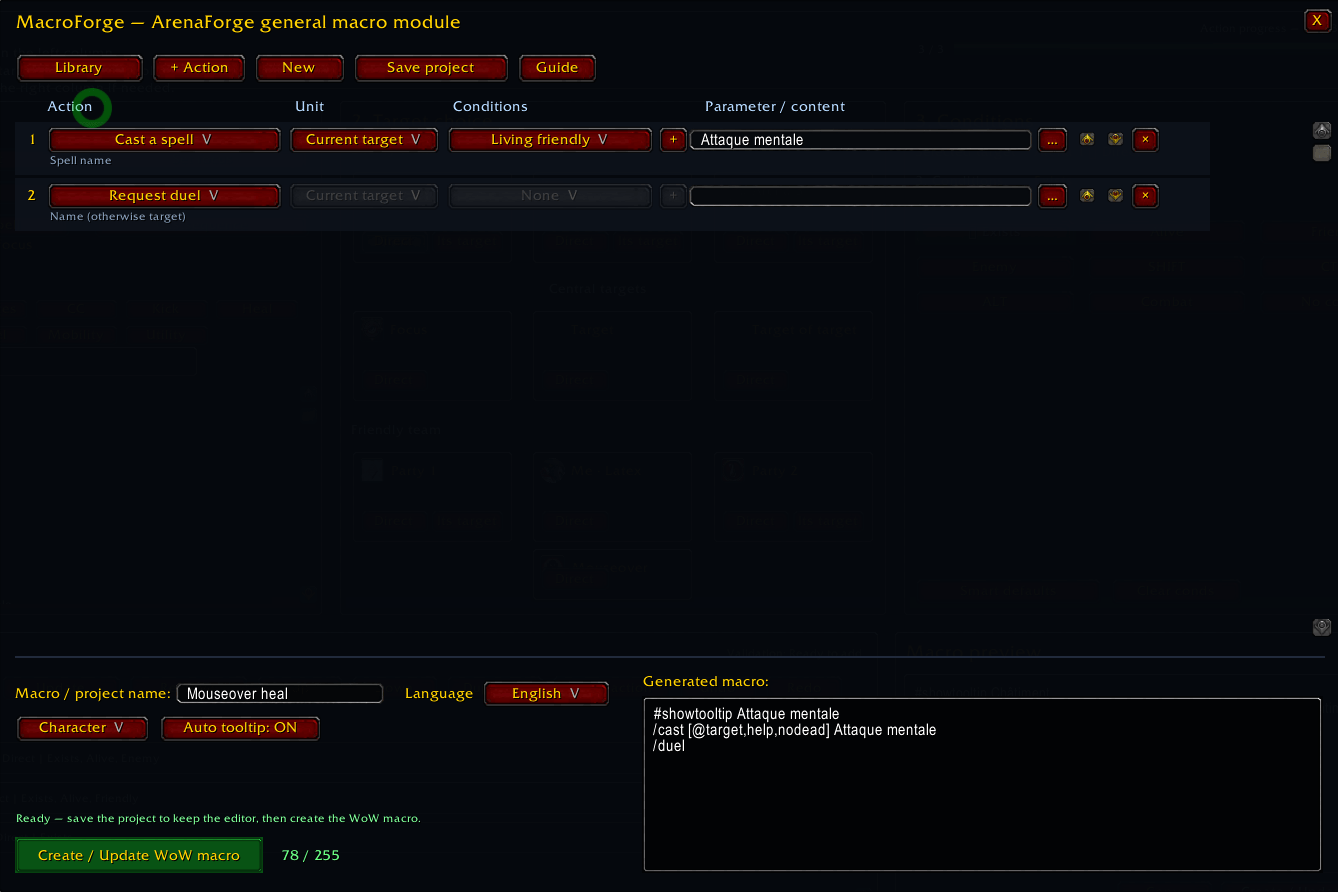
Macroforge.png
Manager.png
Description
ArenaForge — Visual No-Code PvP Macro Studio
ArenaForge is a visual macro editor built around one idea: you should not need to memorize WoW macro syntax to build useful arena macros.
Instead of writing /cast [@arena1,exists,nodead,harm] ... by hand, ArenaForge uses a guided workflow:
1. Choose an action or spell → 2. Choose the target graphically → 3. Add conditions → 4. Add the action to the macro.
The editor is designed primarily for Arena and PvP, while the bundled MacroForge module gives access to a much broader general-purpose WoW macro editor.
Main features
-
Visual Arena target editor for Arena 1 / 2 / 3, Party 1 / 2, Player, Focus, Target, Target of Target, Mouseover, and unit-target relationships.
-
Direct selection of spells from your character's spellbook.
-
Clear visual feedback for the selected spell, target, conditions, and current build progress.
-
Multi-action macro sequences with add, update, duplicate, remove, reorder, undo, and redo.
-
Dedicated Castsequence builder with target/condition support and reset rules.
-
Modifier matrix for building Normal / SHIFT / CTRL / ALT target variants.
-
Macro optimizer focused on staying under WoW's native 255-character macro limit.
-
Analyzer with validation, human-readable explanations, diagnostics, and a simple condition simulator.
-
Arena profiles for 2v2 / 3v3 / Solo Shuffle labeling and composition setup.
-
Project packs, history, import/export strings, favorites, and saved projects.
-
Class-oriented PvP templates and spell categorization for CC, kick, heal, defensive, dispel, mobility, and utility use cases.
-
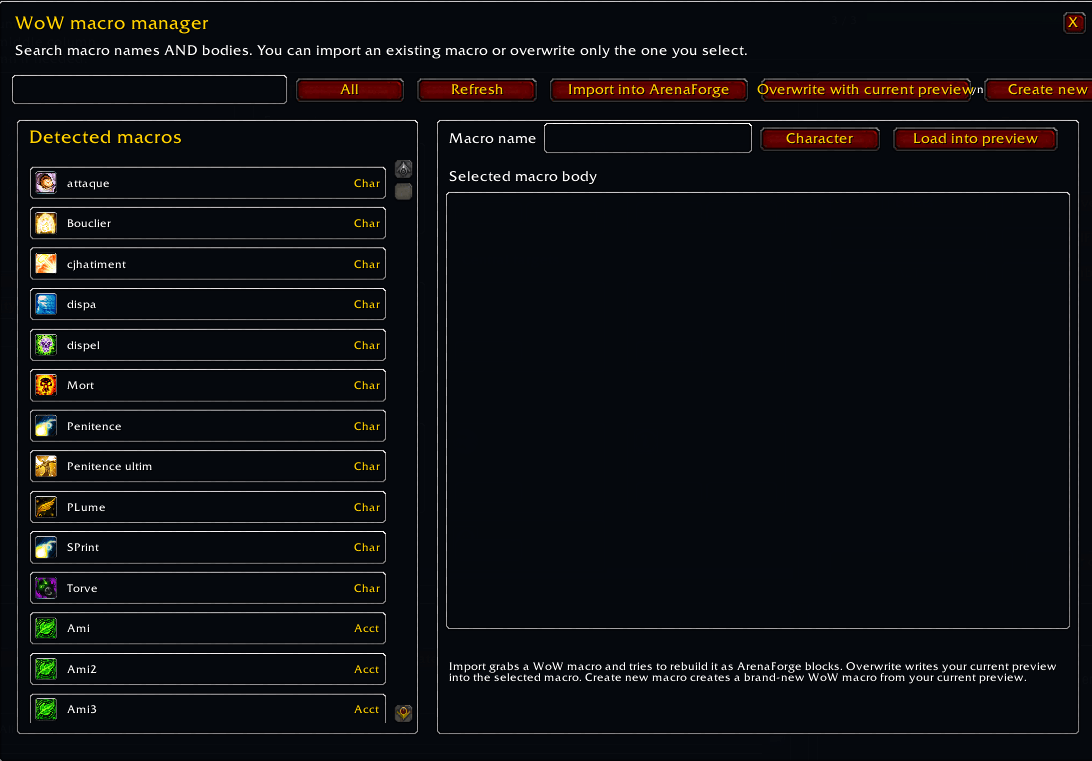
Native WoW Macro Manager for listing account/character macros, inspecting their content, importing them into ArenaForge, overwriting them with the current ArenaForge output, or creating new macros.
-
MacroForge module included for general macros outside Arena: items, toys, mounts, pets, equipment, targeting, chat, interface commands, spell/item sequences, and more.
-
French and English interface support.
-
Access through
/af,/arenaforge, the WoW AddOns settings page, and the Addon Compartment.
MacroForge module
ArenaForge focuses on Arena/PvP workflows. When you need something more general, click the orange MacroForge button.
MacroForge includes a broad command catalog, graphical condition builder, spell/item picker, action-bar reader, toys, mounts, bags, equipment sets, pet actions, saved projects, generic templates, and class macro templates.
You can also open it directly with:
/mf
or
/macroforge
PvP Studio
The blue PvP Studio button opens the advanced tools:
-
guided PvP assistant
-
Normal / SHIFT / CTRL / ALT modifier matrix
-
Castsequence builder
-
optimizer
-
macro analyzer
-
human-readable macro explanation
-
condition simulator
-
arena profiles
-
macro packs
-
import/export
-
project history
WoW Macro Manager
The purple Macros button opens ArenaForge's native macro manager.
It can read the macros already present in the WoW macro interface, distinguish account and character macros, search their names/content, show their body, import supported syntax back into ArenaForge, and push the current ArenaForge preview back into a native macro.
Blizzard limitations
ArenaForge works within Blizzard's normal secure macro system.
-
Native macro bodies are limited to 255 characters.
-
Macros cannot be created or edited while in combat.
-
ArenaForge does not automate combat, make protected decisions for the player, or bypass Blizzard's secure-action restrictions.
-
A
/castsequencestill requires one player input for each step of the sequence.
Commands
/af or /arenaforge — open ArenaForge
/afstudio — open PvP Studio
/mf or /macroforge — open the bundled MacroForge general editor
Feedback
ArenaForge is actively developed. If you find a macro that does not compile correctly, a UI element that overlaps at your UI scale, or a useful PvP macro workflow that is missing, please report it with the macro you were trying to build and, if possible, a screenshot.
The Arena Visual Macro Team

