Angler Biggins
- By
Automates Underlight Angler water walking, fish form, swim speed, and underwater breathing without bag clutter, item juggling, or dungeon gear-swapping loops.
Description
Angler Biggins
Angler Biggins is an ultra-lightweight, dedicated World of Warcraft addon that automates the Underlight Angler artifact fishing pole's water walking, fish form, swim speed, and underwater breathing without bag clutter, item juggling, or gear-swapping loops.
Prerequisite: Requires the Legion artifact Underlight Angler to be socketed directly in your character's Fishing Profession Equipment slot (Slot 28). Angler Biggins operates purely on your slotted fishing equipment without touching your bags.
Features
- Zero-Taint Event-Driven Architecture: Operates purely on native WoW events (
MOUNT_JOURNAL_USABILITY_CHANGED,MIRROR_TIMER_START,PLAYER_REGEN_ENABLED) with zero background frame polling or memory churn. - Dedicated Slot 28 Integration: Operates directly on your character's dedicated Fishing Profession Tool slot (slot 28), eliminating bag shuffling.
- Dragonflight & The War Within Trait Wakeup: Resolves Blizzard's dormant profession equipment trait bug cleanly when entering water, activating Underlight Angler traits without breaking your UI.
- Instance & Dungeon Resilience: Fully functional across Dungeons, Raids, and Delves without getting caught in gear-swapping loops.
- Underwater Delve & Submerged Breath Support: Detects active breath timers in underwater Delves (such as The Sinkhole and Tak-Rethan Abyss), maintaining fish form and infinite water breathing even when walking on the sea floor.
- Persistent Water Walking & Stand-on-Water Fishing: Never strips the Underlight Angler upon transitioning from deep water to surface walking or dry land, allowing you to walk across lakes and fish directly on top of deep water pools.
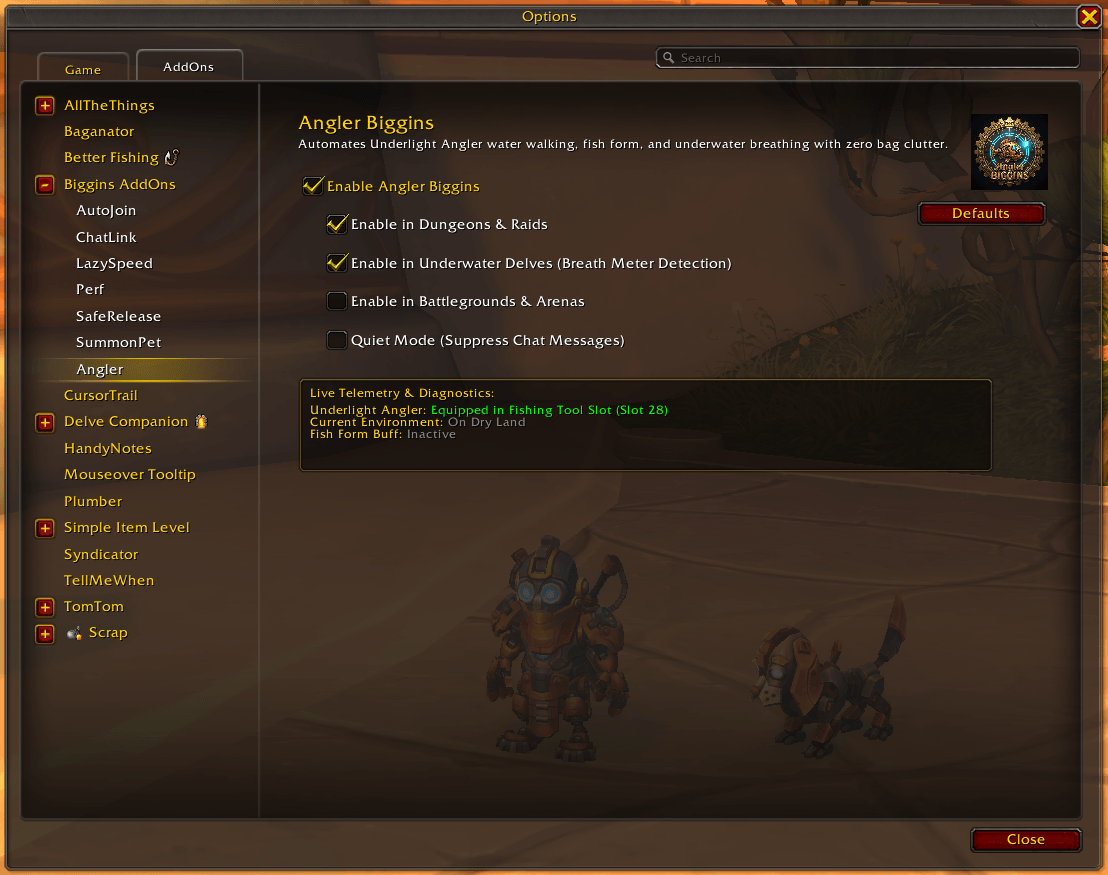
- Modern Blizzard Canvas Settings UI: Integrated into Game Menu -> Options -> AddOns -> Biggins AddOns -> Angler with master enable toggle, live telemetry diagnostics, and top-right
[ Defaults ]button. - Slash Commands: Quick toggles, configuration, and diagnostics via
/anglerb.
In-Game Configuration
Configure your preferences via the native Blizzard Settings panel (Game Menu -> Options -> AddOns -> Biggins AddOns -> Angler) or by typing:
/anglerbAngler Biggins Team