Alturrency
- By
Keep Blizzard’s Show on Backpack currency selections synced across your characters.
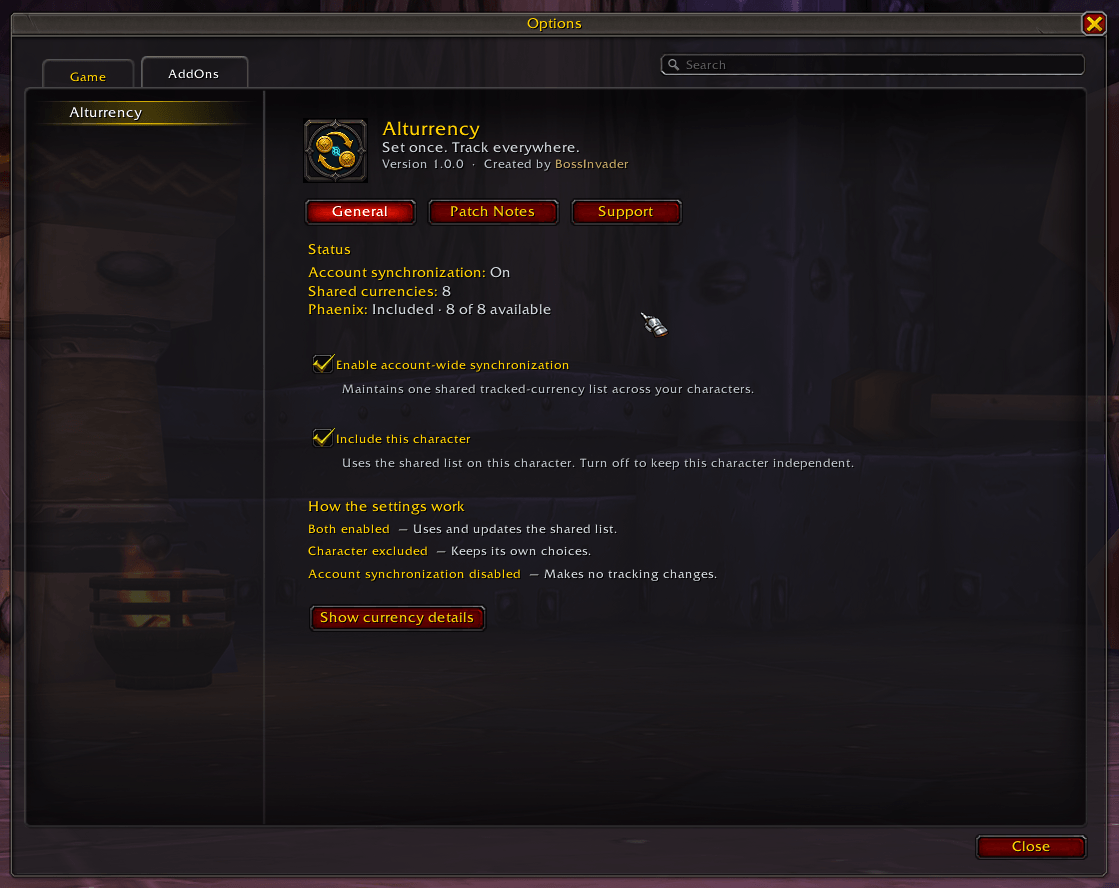
Keep Blizzard's tracked backpack currencies synchronized across your characters, with an optional per-character setting for characters you want to keep independent.
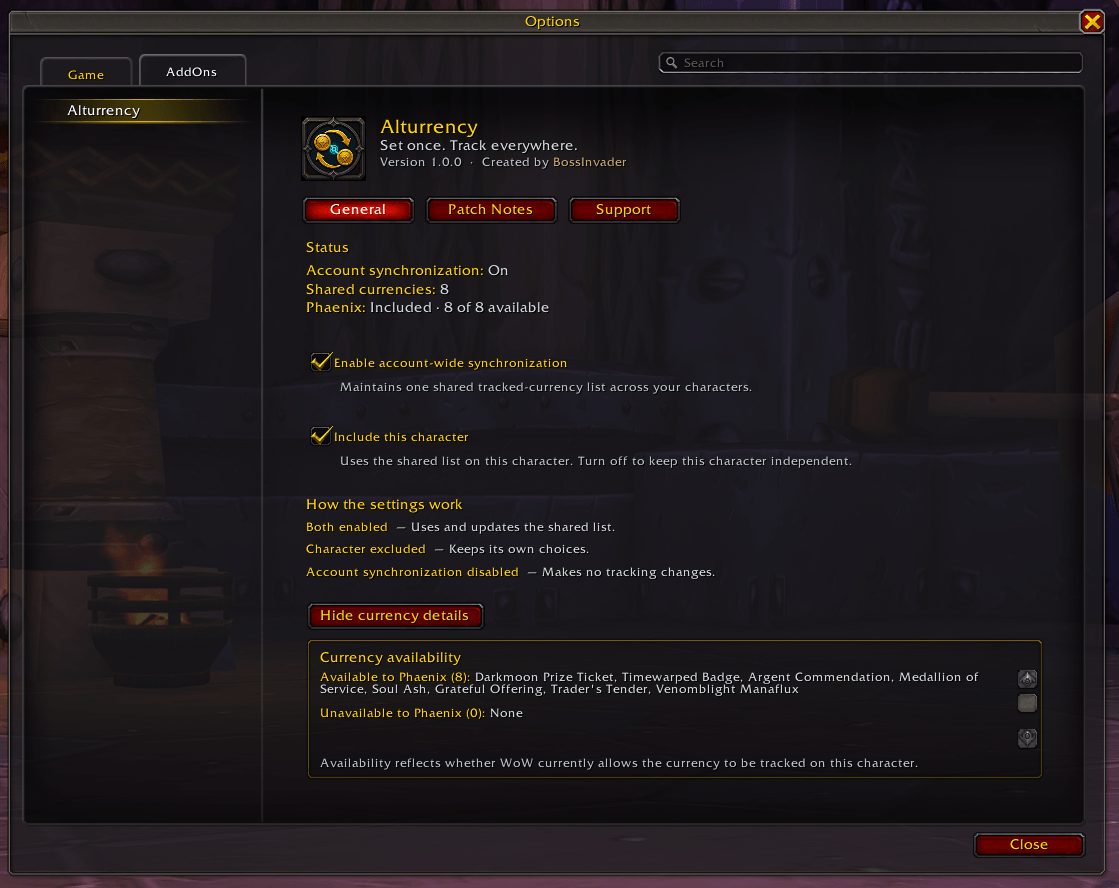
See which shared currencies WoW currently allows the active character to track and which currencies are unavailable on that character.
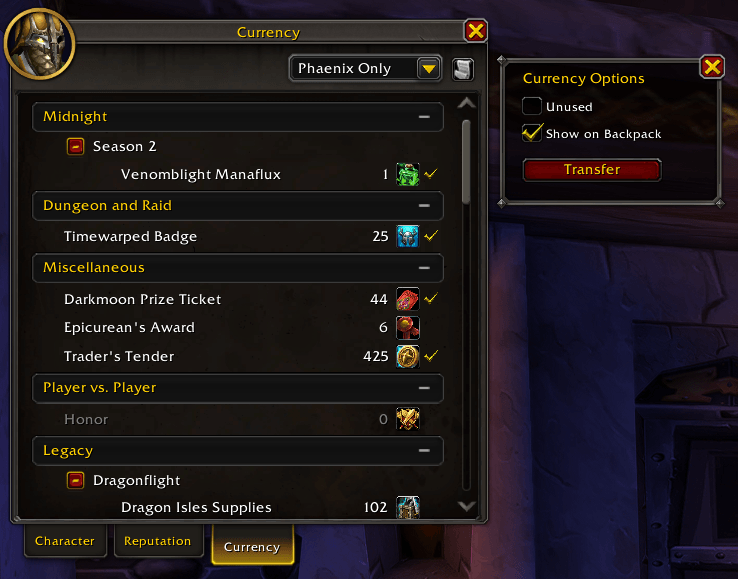
Alturrency works directly with Blizzard's Show on Backpack system, allowing multiple currencies to remain tracked without replacing the native Currency interface.
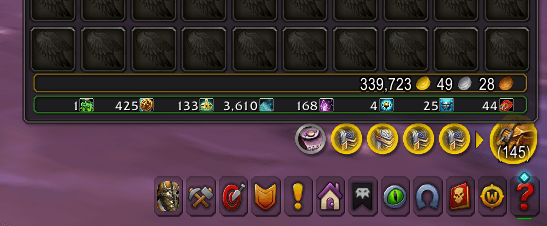
Your synchronized currencies appear directly in Blizzard's default backpack interface, with no custom currency bar or replacement bag display.
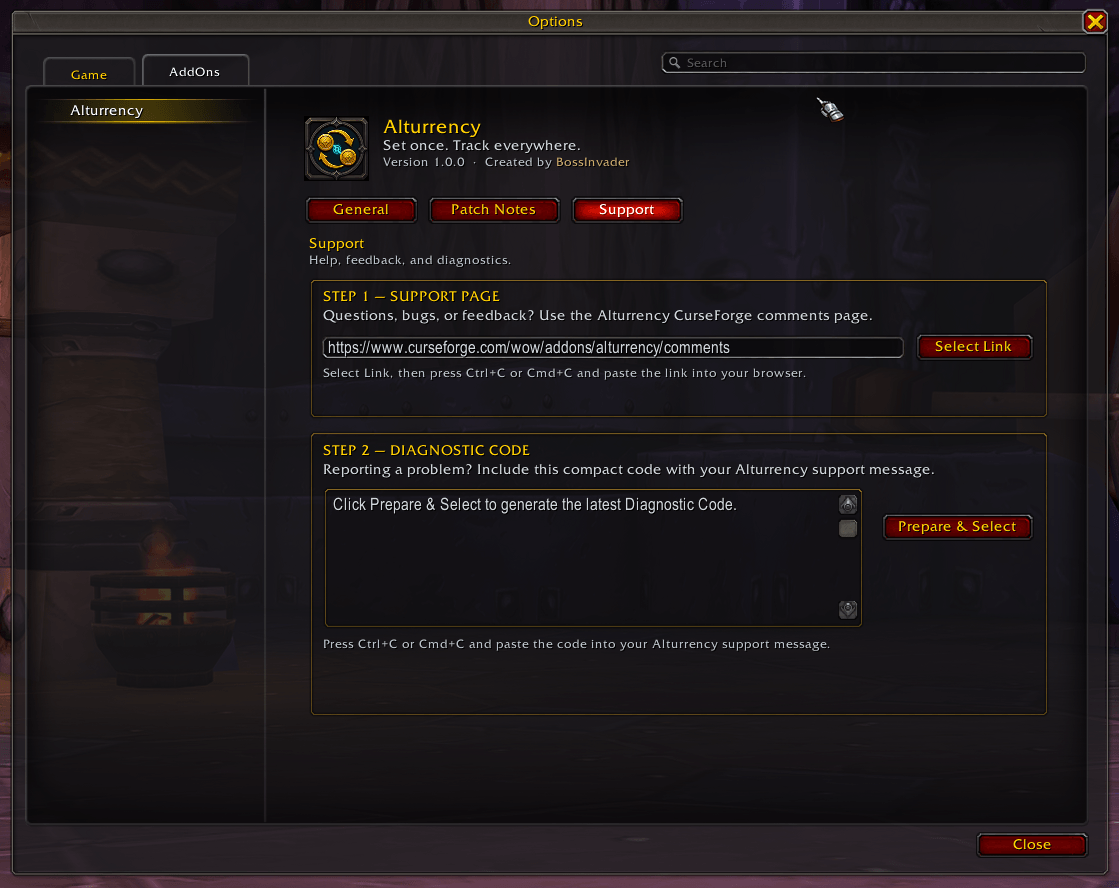
Access the Alturrency support page and generate a compact, privacy-friendly Diagnostic Code for troubleshooting and bug reports.
Description
Alturrency
Set once. Track everywhere.
Alturrency is a lightweight Retail addon that keeps Blizzard's Show on Backpack currency selections synchronized across your characters.
Choose the currencies you want to track on one included character, and Alturrency automatically keeps that same selection across the others.
Features
- Synchronizes tracked backpack currencies across included characters
- Two-way syncing — changes on any included character update the shared list
- Per-character opt-out for characters you want to manage separately
- Preserves currencies that are temporarily unavailable to a character
- Applies deferred selections automatically when WoW allows them
- Works with Blizzard's native currency tracking system
- No custom currency bar, inventory database, minimap button, or external libraries
- Built-in currency details, patch notes, support tools, and privacy-friendly diagnostics
How It Works
Use Blizzard's Currency window normally and select Show on Backpack.
Alturrency remembers those selections and applies them across your included characters automatically.
If a currency cannot currently be tracked by one character, it remains in the shared selection instead of being removed.
Alturrency synchronizes currency tracking settings only. It does not transfer currency between characters.
Display Limits
Alturrency does not limit how many currencies can be synchronized.
The number of tracked currencies visible on your bags at once is controlled by Blizzard's UI or your bag addon and may vary with layout and UI scale.
Settings
Open:
Options → AddOns → Alturrency
Or use:
/altc
/alturrency
Settings include character inclusion, synchronization controls, currency details, patch notes, and support diagnostics.
Privacy-Friendly Diagnostics
Alturrency's Diagnostic Code contains technical information used for troubleshooting.
It does not include your character name, realm name, or character GUID.
Compatibility
Designed for World of Warcraft Retail.
Alturrency does not replace or modify your bag interface, so your chosen bag UI remains responsible for displaying tracked currencies.
Support
For questions, bugs, or feedback, use the CurseForge Comments page.
When reporting a problem, include the Diagnostic Code found on Alturrency's Support page.
Alturrency Team