AutoDexT
- By
Lightweight Guild Bank sorting with whole-bank modes, per-tab item assignments, stack handling, saved preferences, verified transfers, and Safe Stop.
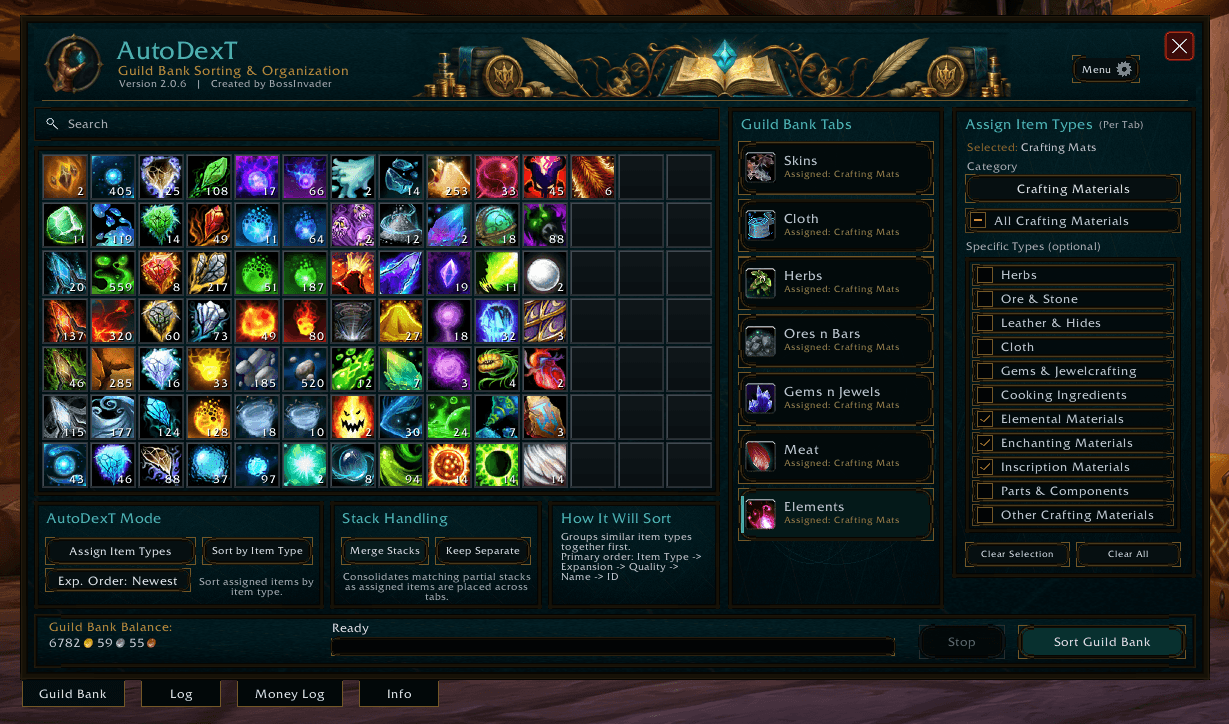
Complete Guild Bank interface with sorting controls and tab management.
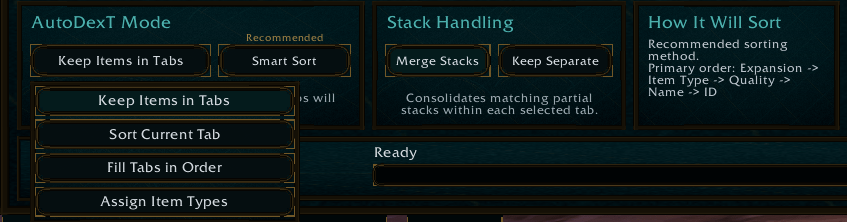
Choose how items are organized across your Guild Bank tabs.
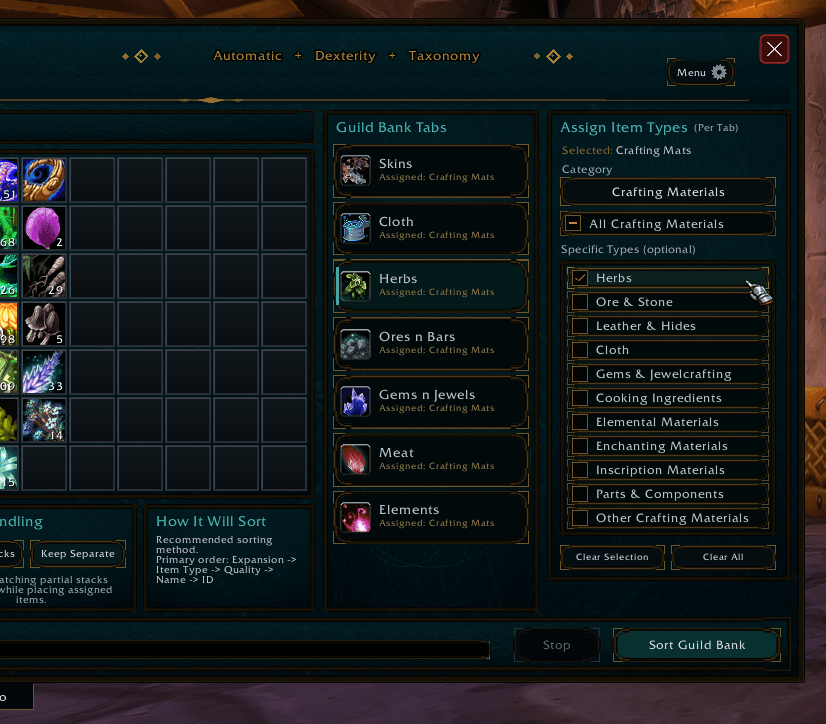
Assign specific item types to individual Guild Bank tabs.
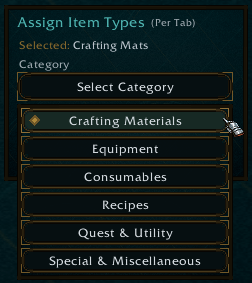
Select from multiple item categories for customized tab assignments.
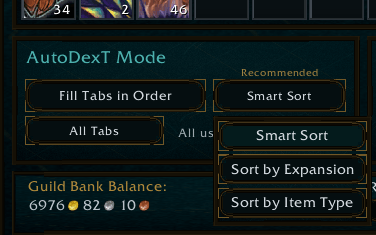
Choose Smart Sort, Expansion, or Item Type sorting.
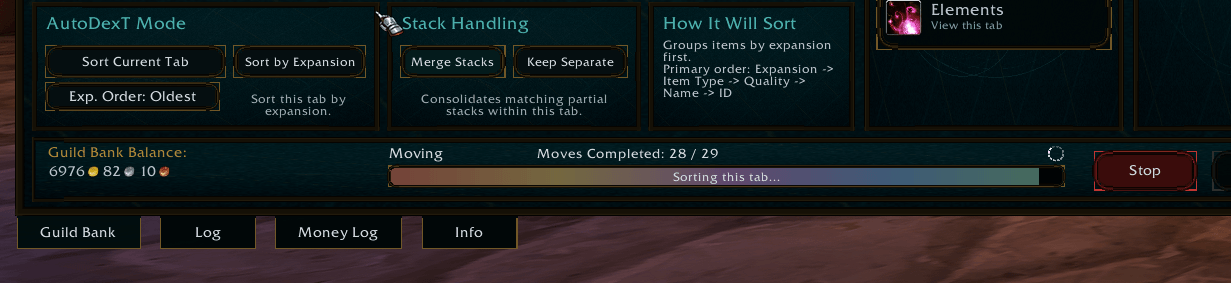
Monitor live sorting progress and safely stop an active sort.
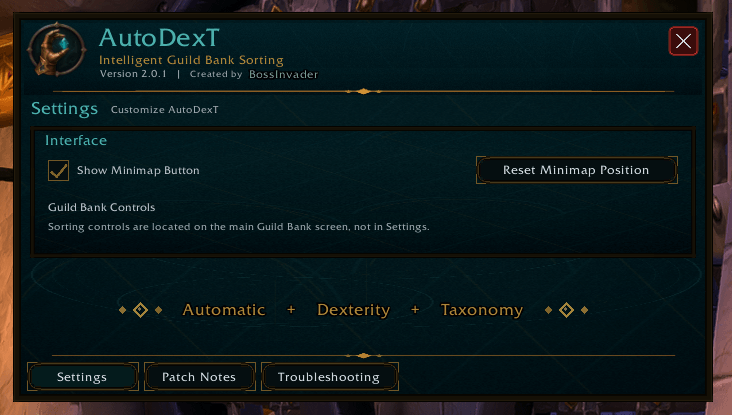
Customize AutoDexT settings and minimap access.
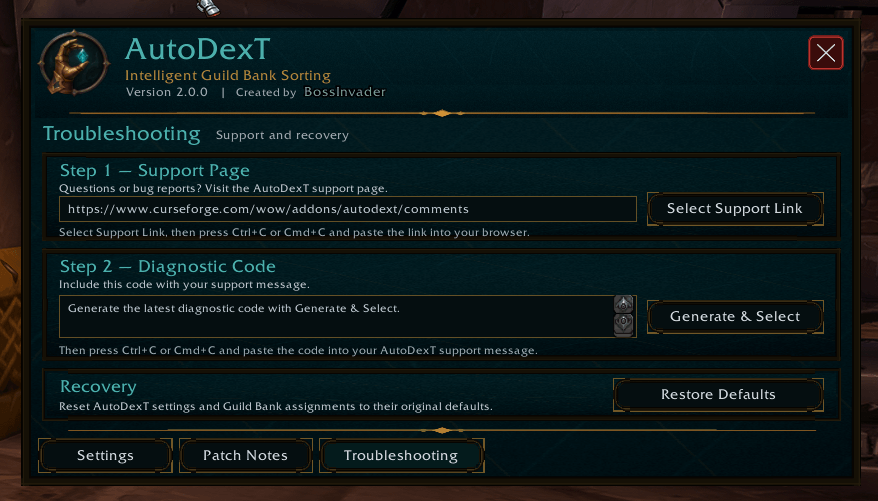
Access troubleshooting, diagnostics, and recovery tools.
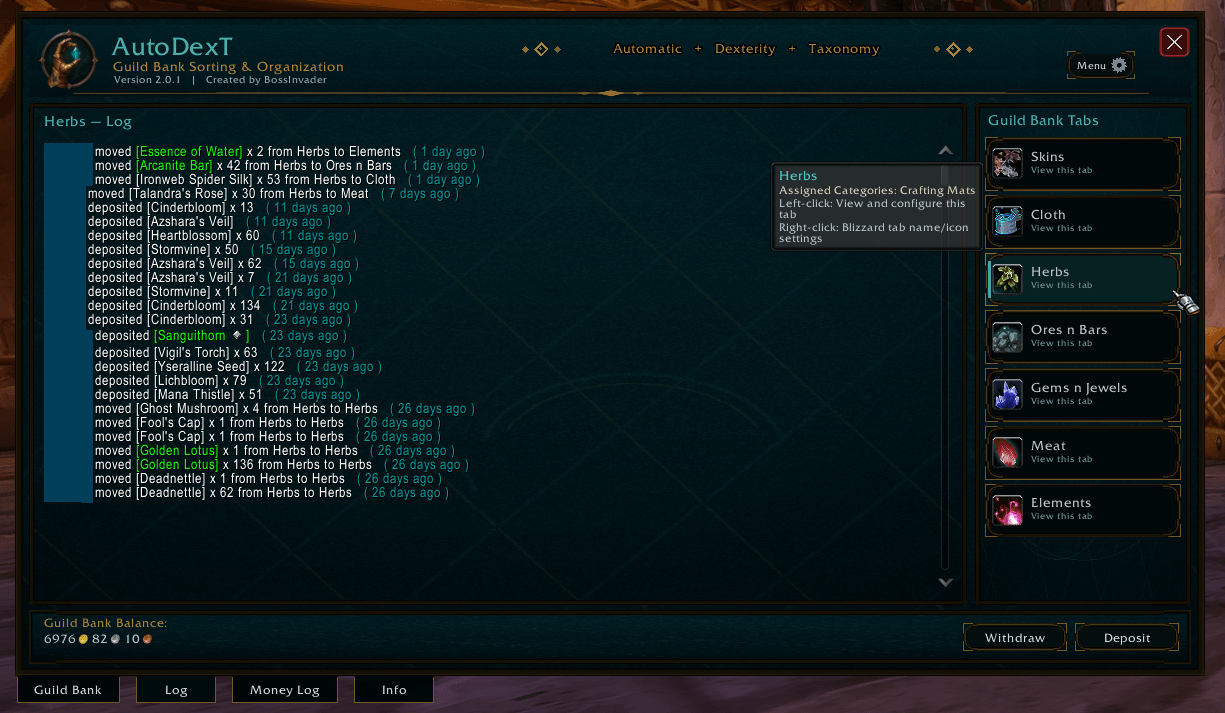
View Guild Bank item transactions and activity history.
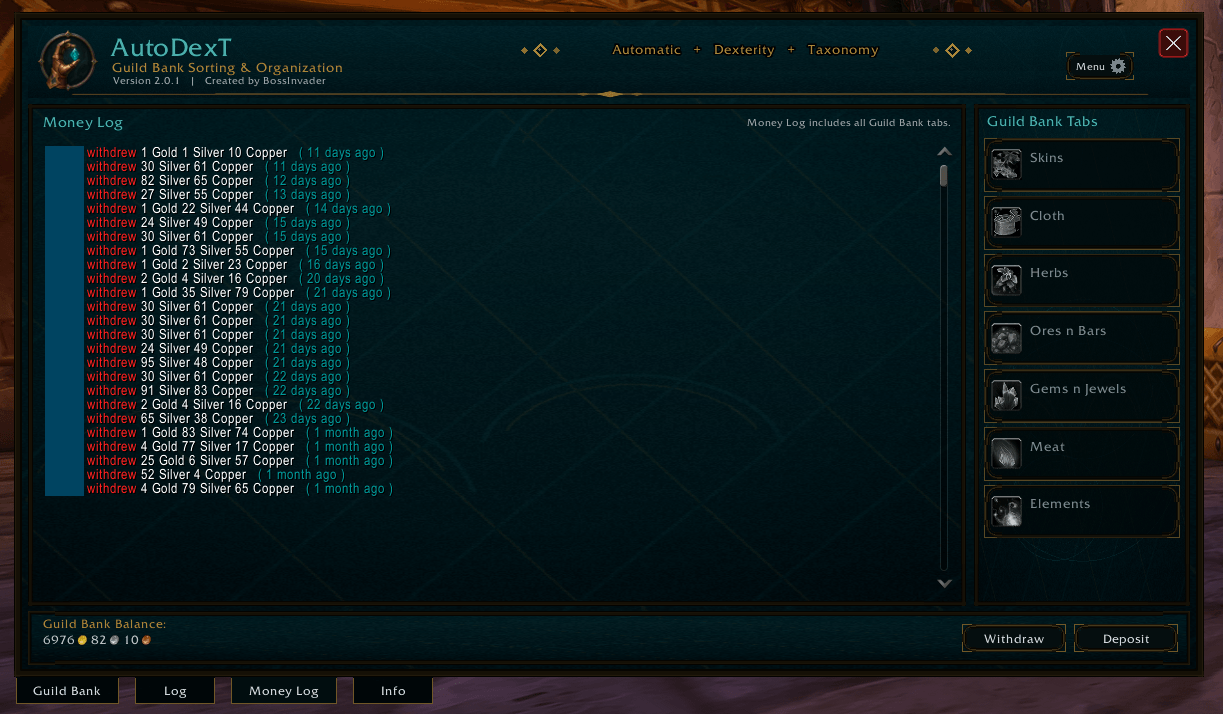
Review Guild Bank deposits, withdrawals, and money history.
Description
AutoDexT
Guild Bank Sorting Made Simple
AutoDexT automatically organizes your World of Warcraft Retail Guild Bank. Sort a single tab, selected tabs, or your entire bank without manually moving hundreds of items.
Choose where your items should go, how they should be organized, and click Sort.
Quick Start
- Open your Guild Bank.
- Choose which tabs to sort: Current Tab, Select Tabs, or All Tabs.
- Choose how items should move between tabs:
- Keep Items in Tabs — organizes items without changing which tab they are stored in.
- Fill Tabs in Order — fills the selected tabs from first to last.
- Assign Item Types — lets you decide what types of items belong in each tab.
- Choose how items should be organized: Smart Sort, Expansion, or Item Type.
- Choose whether matching partial stacks should be combined.
- Click Sort.
Assign Item Types — How To
Want Recipes in one section, Equipment in another, and Crafting Materials somewhere else?
- Select Assign Item Types.
- Click the Guild Bank tab you want to configure.
- Open Category and choose what belongs in that tab.
- Repeat for your other tabs.
- Click Sort.
You can assign the same category to multiple tabs. For example, Tabs 1, 2, and 3 can all be assigned Recipes. AutoDexT will use those tabs together in order, giving that category additional space as needed.
You do not need to assign every possible item type. Items that do not match one of your chosen categories are automatically placed under Any Remaining Items in the last assigned tab.
Sorting Options
Smart Sort
Automatically organizes items using AutoDexT's sorting hierarchy.
Expansion
Groups items by World of Warcraft expansion. Choose whether newer or older expansions come first.
Item Type
Groups similar types of items together.
Safe, Server-Aware Sorting
Guild Banks do not always update instantly, so AutoDexT verifies item transfers instead of blindly moving items at a fixed speed.
- Verified Moves — confirms transfers before continuing.
- Adaptive Timing — adjusts safety waits to the Guild Bank's response time.
- Safe Stop — stops safely instead of continuing when a move cannot be verified.
Reliability is prioritized over rushing through unconfirmed transfers.
More Features
- Search across your Guild Bank.
- Sort completely full tabs without manually clearing space.
- Merge matching partial stacks.
- Respects Guild Bank permissions and withdrawal limits.
- Live sorting progress and status.
- Built-in troubleshooting and diagnostic tools.
- Minimap access and
/adxcommand.
Need Help?
Open the in-game Troubleshooting page or leave a comment on CurseForge.
If reporting a sorting problem, include your Diagnostic Code so the issue can be traced more easily.
AutoDexT Team