Alt Macros - Character Specific Macro Archive
- By
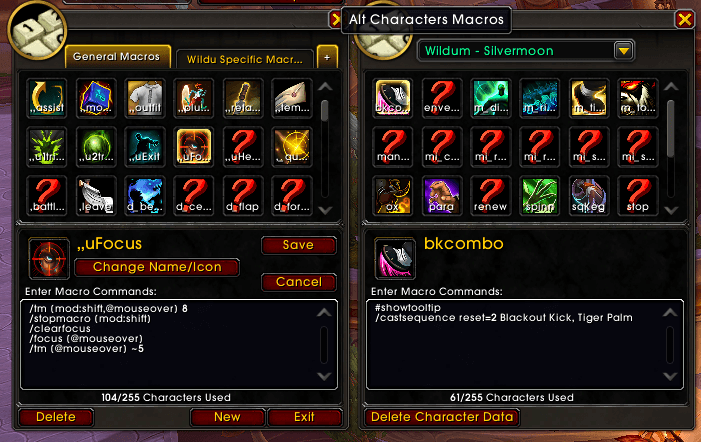
Shows the character specific macros of your other characters next to the macro window.
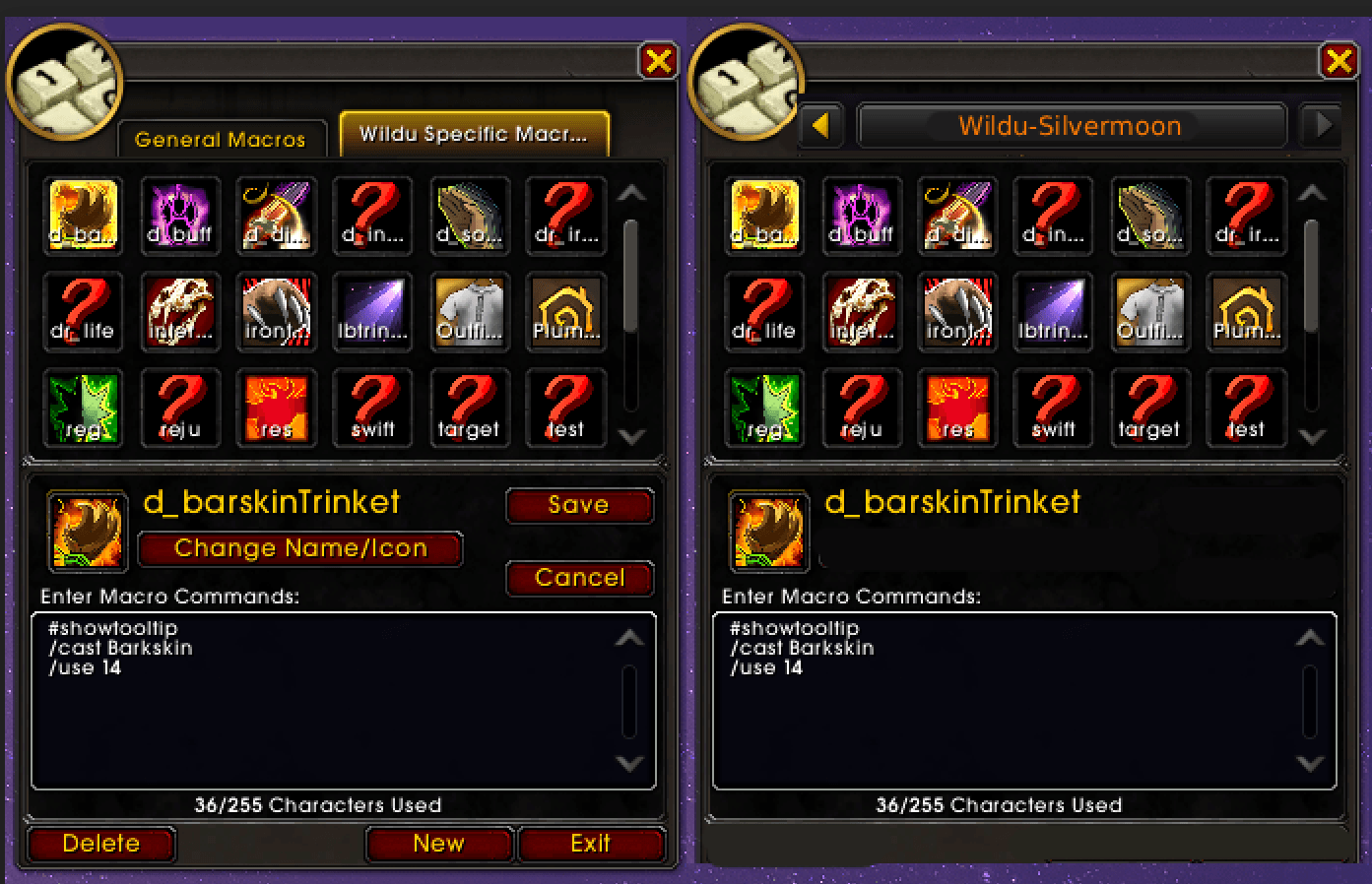
Screenshot 2026-10-08 174009.png
Description
AltMacros
Shows the character-specific macros of your other characters next to the macro window.
Features
- A small tab on the Blizzard macro window opens the Alt Characters Macros panel.
- Pick one of your other characters from the dropdown and browse their character-specific macros.
- The macros are read-only but selectable, so you can copy it into your own macros.
- Macros are saved automatically whenever you log in to a character or change its macros.
- Delete Character Data removes a character data you no longer want to see.
Usage
Open the macro window (/macro or /m), click the AltMacros tab (+), then choose a character.
Log in to each of your characters once so their macros are saved.
Alt Macros - Character Specific Macro Archive Team

Owner