Whats the difference from substring blocks in the code and the word blocks?

AddOnQuietLogin
- By
Suppresses addon login and initialization messages from cluttering your chat when you log in or reload.
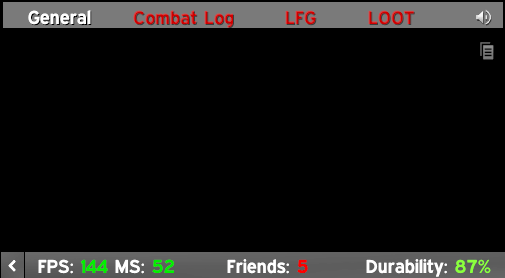
Serenity logging in and having a clean chat window!
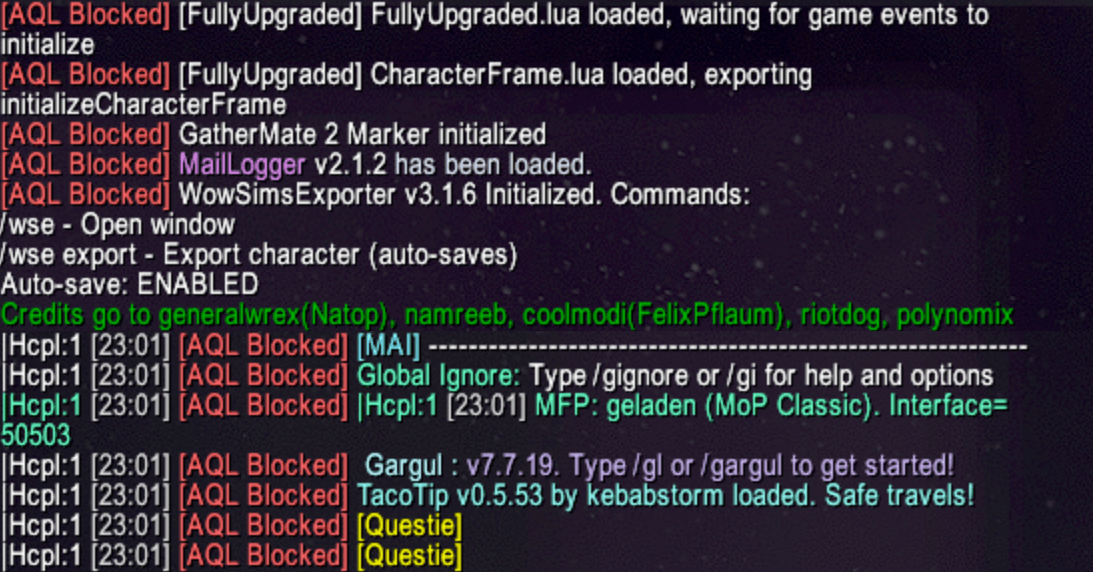
Display a message when you block an addon
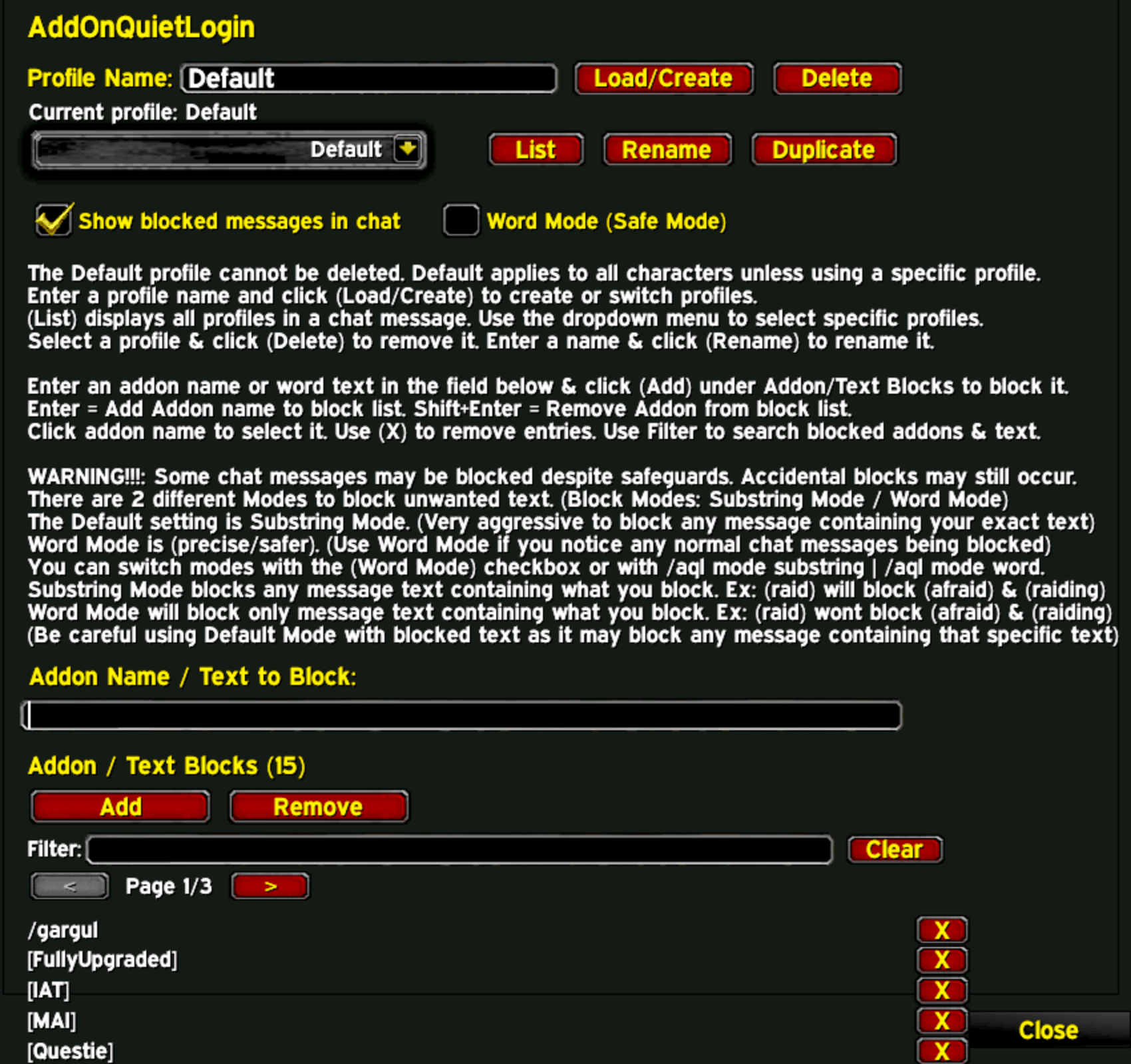
Very simple AddOn Options!
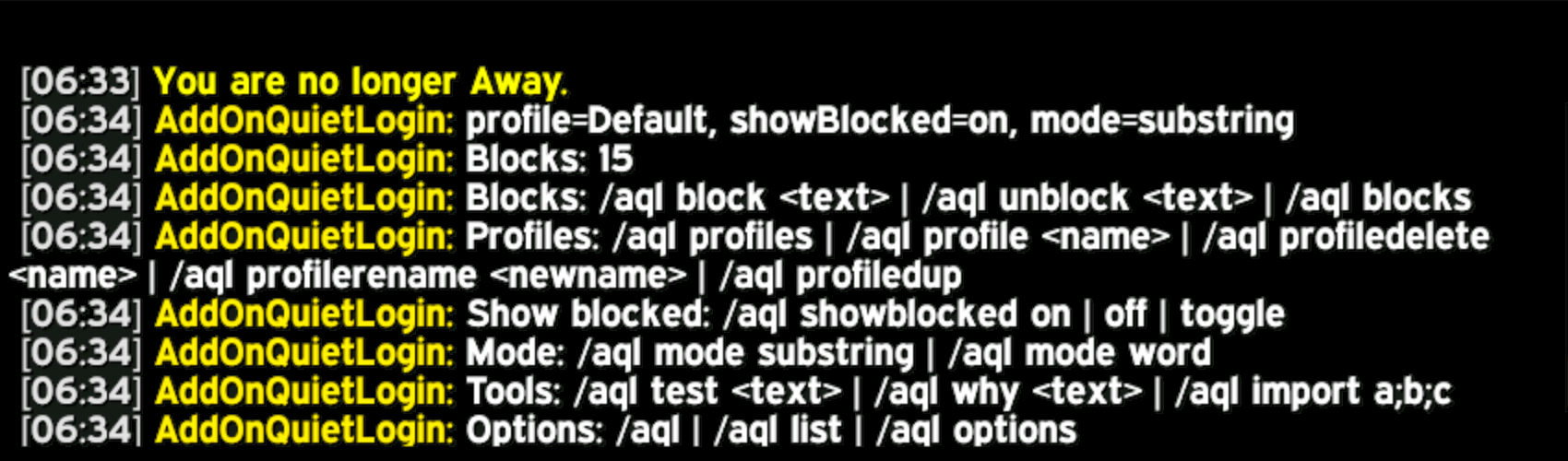
Full Command List
Description
Updated for Wow Forever
AddOnQuietLogin is a lightweight quality-of-life addon that suppresses addon initialization and login messages from appearing in chat when you log in or reload the UI. (Can permanently block unwanted messages of your choice throughout gameplay in new options settings!)
Works for WoW Classic: Mists of Pandaria & TBC Anniversary.
Many addons print startup messages such as “loaded”, “initialized”, or version notices. AddOnQuietLogin keeps your chat clean by hiding most of this noise automatically, without affecting normal player, system, or combat messages. For any addon login messages that are not automatically hidden, use the options menu to block unwanted messages or use the slash commands below to supress seeing them on future logins. All messages are automatically suppressed for first 10 seconds upon entering world. If any unwanted messages slip through at login, add them to the block list, its bulletproof and will block any message or phrase throughout your entire login & gameplay experience that are from those pesky addon messages!
Improved Slash Commands:
/aql
Opens the AddOnQuietLogin options panel & Displays current profile + block counts
/aql options
Opens the AddOnQuietLogin options panel & Displays current profile + block counts
/aql list
Opens the AddOnQuietLogin options panel & Displays current profile + block counts
/aql hardmode substring
Match if text appears anywhere in messages (Default Settings)
/aql hardmode word
Match only whole words (safer for chat)
Profile Commands:
/aql profiles
Lists all saved profiles
/aql profile <name>
Load or create a profile
/aql profiledelete <name>
Delete a profile (Default cannot be deleted)
/aql profilerename <newname>
Rename the active profile
/aql profiledup
Duplicate the active profile
AddOn Block List Commands:
/aql block <text>
Add a Hard Block entry
/aql unblock <text>
Remove a Hard Block entry
/aql blocks
List all Hard Block entries
/aql import a;b;c
Allows multiple blocks to be entered simultaneously
Blocked Message Preview Commands:
/aql showblocked on
Enable blocked-message previews for this profile
/aql showblocked off
Disable blocked-message previews
/aql showblocked toggle
Toggle previews
Tools:
/aql test <text>
tests to see if a certain message will be blocked or not
/aql why <text>
explains why certain messages will be blocked or not
/aql import a;b;c
Allows multiple blocks to be entered simultaneously
AddOn Features:
- Blocks are immediately active when created
- Suppresses addon startup and initialization chat messages
- Hides most addon spam during login and /reload
- Explicitly suppresses most addon messages
- Lightweight and efficient
- Little to none configuration required
- No optional dependancies needed
- Suppressed chat taint & interference with normal chat behavior
Addon Options Panel:
- Access it via Options → AddOns → AddOnQuietLogin
- Or instantly open it with /aql commands
- Manage chat message blocks without editing Lua files
User-Configurable Chat Message Blocker:
- Block specific addon messages by text or addon name
- Add or remove blocks anytime using the options panel or slash commands
- Changes persist across logins and reloads
Block Mode Selector:
- Choose how aggressive blocking should be:
- Substring Blocks (Default) – Blocks matching messages at all times (Extremely Aggressive)
If your blocked text appears anywhere inside the message, it gets blocked. - Word Blocks – blocks chat messages during login/reload only
Your blocked text must appear as a separate whole word.
Good question — this setting controls how strictly your Blocks match text.
Example — Substring Block:
"test"
Blocked messages:
This is a test
testing something
latest update
Why?
Because “test” exists inside those words.
Very aggressive
Good for addon spam / tags / prefixes
Can accidentally block normal chat depending on the text entered
(To help avoid accidentally blocking normal chat messages through a substring block, try adding the messages ecactly as they appear in the addon spam messages).
Example: "Gargul Version update 1.2.3.4 Use /gargul to open the menu".
(You should block the substring "/gargul" instead of just "gargul" to help it not block normal chat messages that may appear in normal chatusing the same word).
Addon chat suppression is pretty aggressive in default mode to help block those addon messages, but just be aware it may also block normal chat messages depending what your substring text is.
Example — Word Block:
"test"
Blocked messages:
This is a test
test complete
Allowed messages:
testing something
latest update
Why?
Because “test” is not a standalone word there.
Much safer for player chat
Prevents accidental filtering
Slightly less aggressive
Practical rule of thumb
Use substring for: Addon
Improved Message Suppression:
- Enhanced targeted blocking:
New dynamic blockers work alongside them seamlessly - Always-On Suppression:
Fully suppresses multi-line initialization spam
Works even outside the login window
Survives addon updates (no file edits required)
Hard coded in the lua file, so it always blocks messages in the blocked list
Smarter & Safer Behavior:
- Addon folder name auto-detection:
Prevents AddOnQuietLogin from detecting or muting itself - Compatible with both Classic and newer Settings UIs:
Automatically registers in whichever options system is available - No global chat hooks:
Remains ElvUI-safe and avoids chat taint issues
Quality of Life:
- No more manual Lua edits:
Everything can now be managed in-game - Clearer control over noisy addons:
Easily fine-tune what gets hidden without affecting important messages
Known Limitations:
Some addons display messages during very early initialization, before other addons can intercept them. In these cases the login message must be disabled in the addon’s own options if available, (for example: BagSync, Attune). These addons have individual settings (in the Options > AddOns tab) that have specific checkboxes to enable or disable these messages from loading at login rather than blocking them at login with this addon enabled and may not be blocked by this addon alone unless they are added to the blocked list of addons. This is a limitation of the World of Warcraft addon loading system, not a bug, and further additions to the lua script would require old code that is no longer supported or against the rules.
Compatibility:
World of Warcraft Classic: Mists of Pandaria (5.5.3) & World of Warcraft Classic Anniversary Edition: The Burning Crusade (2.5.5)
Support:
This addon has been tested with most of popular addons and works perfectly with all of them to block unwanted login chat messages. Certain addons have been permanently blocked in the addon code upon logging in and can only be changed by disabling the AddOnQuietLogin addon or changing the hard lua code in the addon folder. If you encounter an issue or have a suggestion for any addon that is still loading unwanted chat messages, please open an issue or leave a comment on the project page.
AddOnQuietLogin Team