Achievements Back Button
- By
Adds a back button to the achievements frame that works like a browser history.
Adds a back button to the achievements frame that works like a browser history.
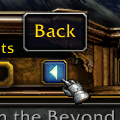
Every achievement you open, every category you visit and every tab you switch to is remembered. One click takes you back one step, and it keeps taking you back for as long as there is history left - all the way to where you started.
"Doesn't Blizzard have a back button now?"
Yes. Patch 12.1.0 added one to Retail, and it does its job well - but it is deliberately narrow. It only remembers the chain of links you followed inside a meta achievement, and it throws that history away the moment you click a category or switch tabs. On the Statistics tab it is not shown at all.
That covers the single most common case, which is arguably the main reason anyone wants a back button in the first place. But if you like to wander through the achievement tree - jumping between categories, following a meta achievement, hopping over to the Statistics or Guild tab - and then want to retrace your steps, Blizzard's button will not bring you back. This one will.
It remembers all three tabs (Achievements, Guild and Statistics), switches back to the right one for you, and restores the scroll positions of both the category list and the list on the right, so you land exactly where you were.
Three ways to use it
Right-click the back button to open the options menu and pick one:
Hide Blizzard's back button (default)
Blizzard's button is removed, and the search box and filter dropdown move back to where they sat before patch 12.1.0. That gives the achievements list back the strip of space Blizzard's new button row took away, so you see more achievements at once. Only this addon's button remains.
Show both back buttons
Both buttons are shown side by side. Blizzard's button keeps doing its one step, this addon's button takes you all the way back. Using Blizzard's button also moves this addon's history back by one step, so the two never drift apart.
Use Blizzard's back button
This addon's button is hidden and Blizzard's button is given the addon's full browsing history, so it takes you all the way back instead of just one step. Right-click Blizzard's button to get back to these options.
Classic
Blizzard has only added a back button to Retail so far. On Classic there is no back button in the achievements frame at all, so this addon remains the only way to retrace your steps there, and it behaves exactly as it always has. The options menu is not shown on Classic, because there is nothing to choose between.
Compatibility
The button positions itself correctly alongside ElvUI's achievement skin.
Krowi's Achievement Filter is not compatible, and does not need to be. It rebuilds the achievements frame from the ground up, which leaves this addon unable to see which achievement or category you are looking at, and it already comes with a browsing history of its own that has both a back and a forward button. Achievements Back Button notices when it is enabled and stays out of its way, so you can leave both installed and simply use Krowi's buttons.
Feedback
Bug reports and suggestions are very welcome. If something does not work together with another addon you are using, please say which one. That is usually enough for me to fix it.
Acknowledgements
Inspired by and dedicated to Taliesin:
https://www.youtube.com/watch?v=H8fVzxmEiOA&t=64s
The Achievements Back Button Team


Owner