Absolute Unit Frames
- By
26 frame styles for your player, target, target of target, focus, party and raid frames, all switched from one selector. Retail & WoW Forever.
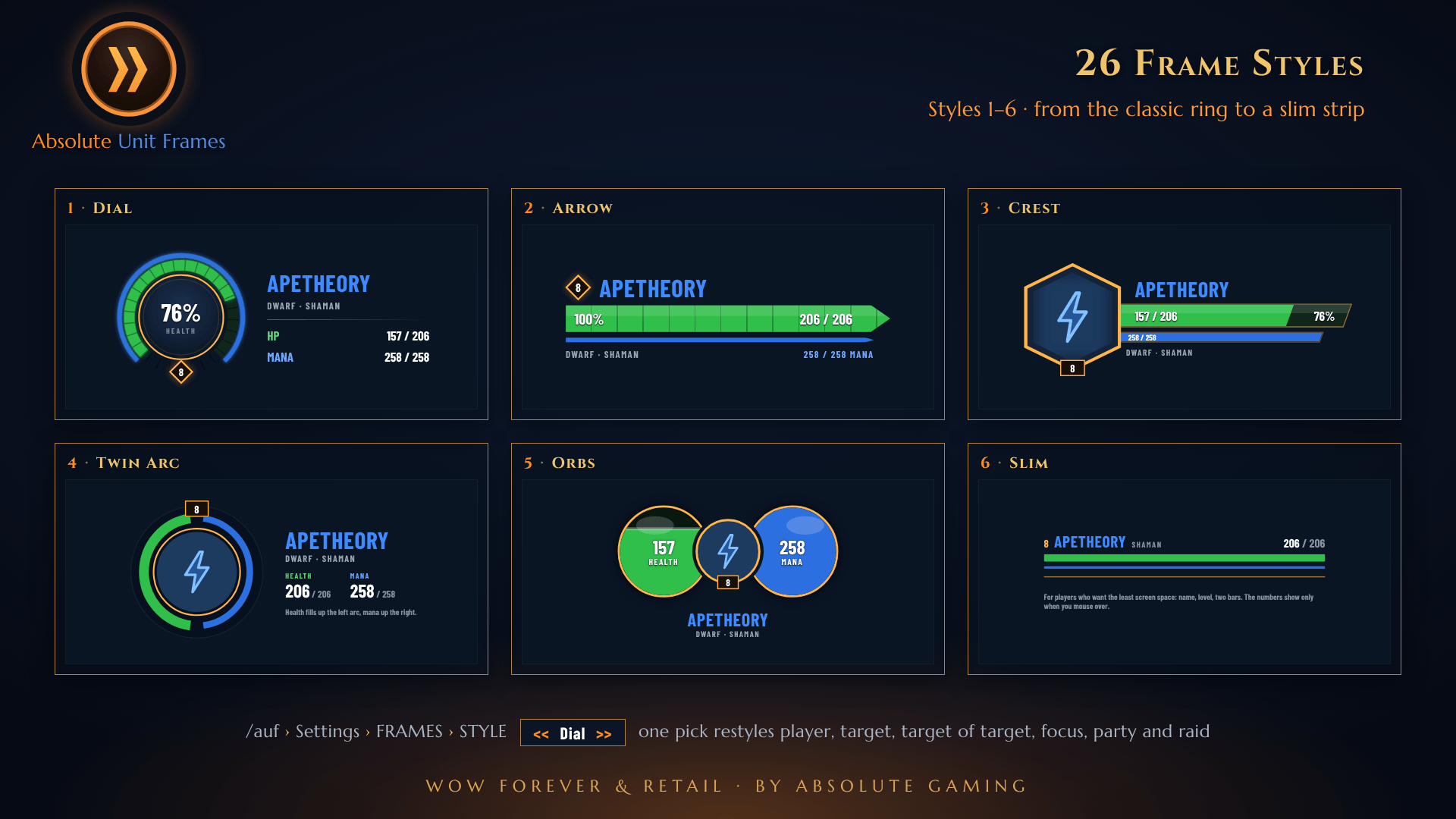
01-frame-styles.png
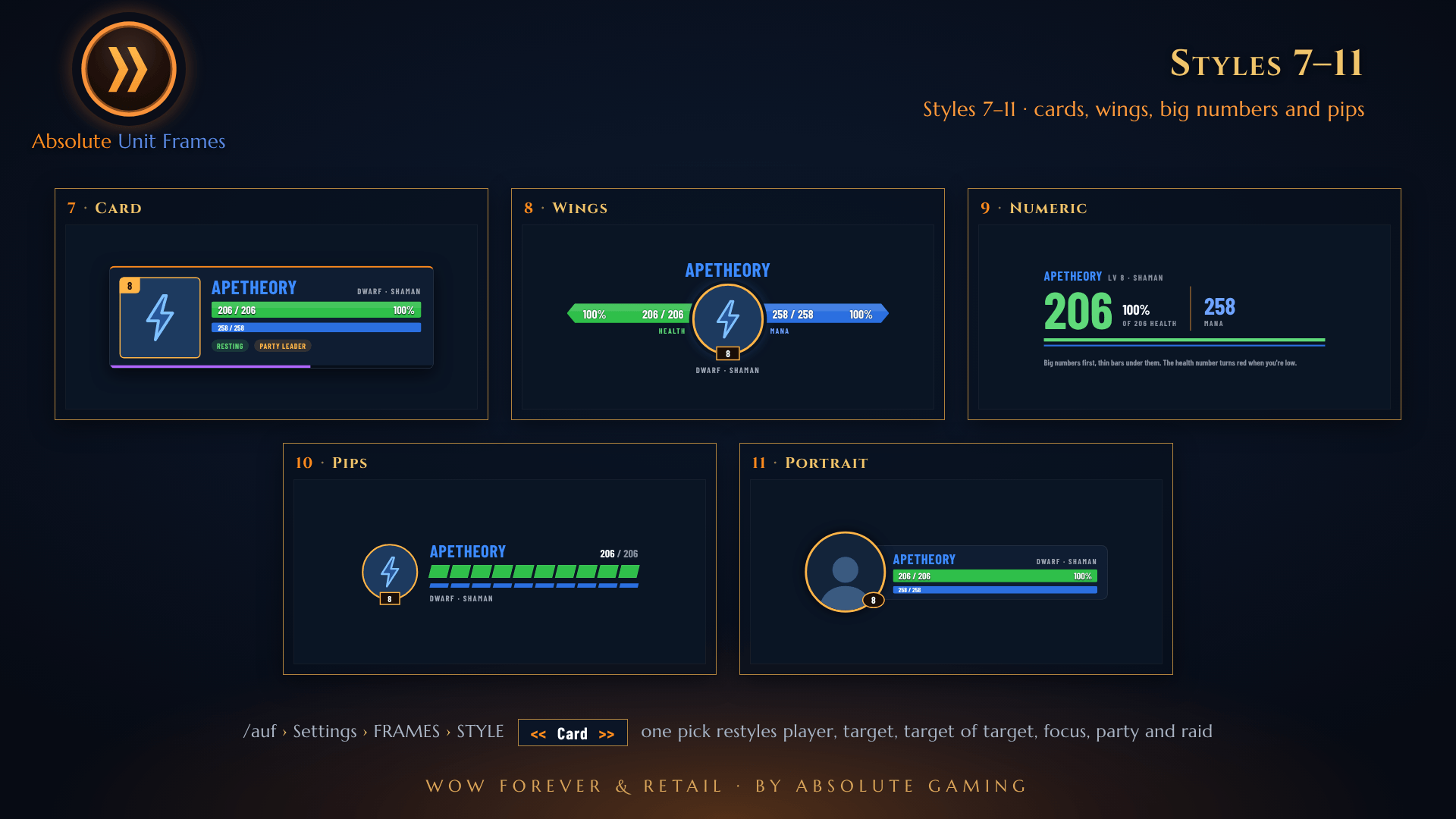
02-styles-7-11.png
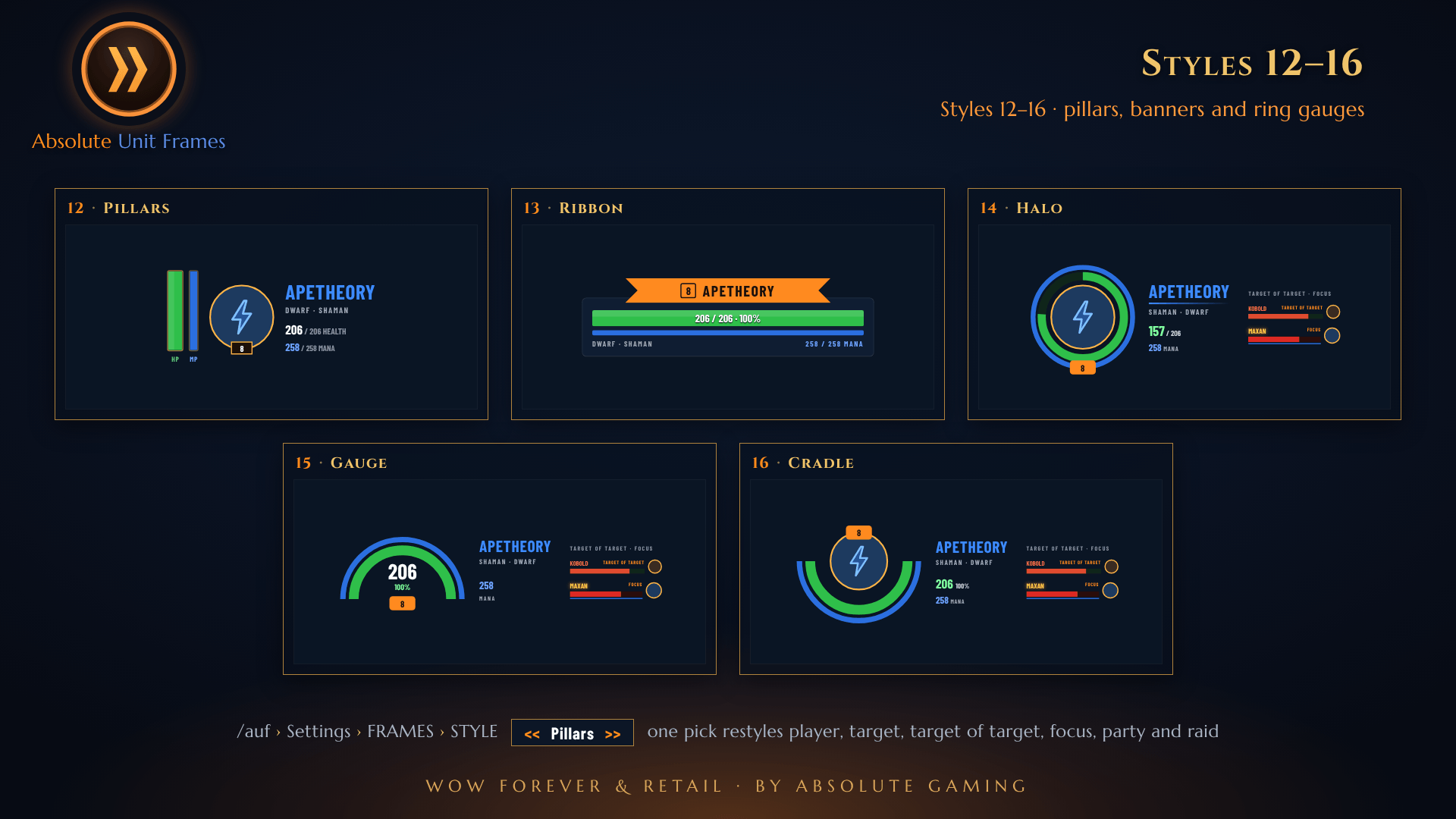
03-styles-12-16.png
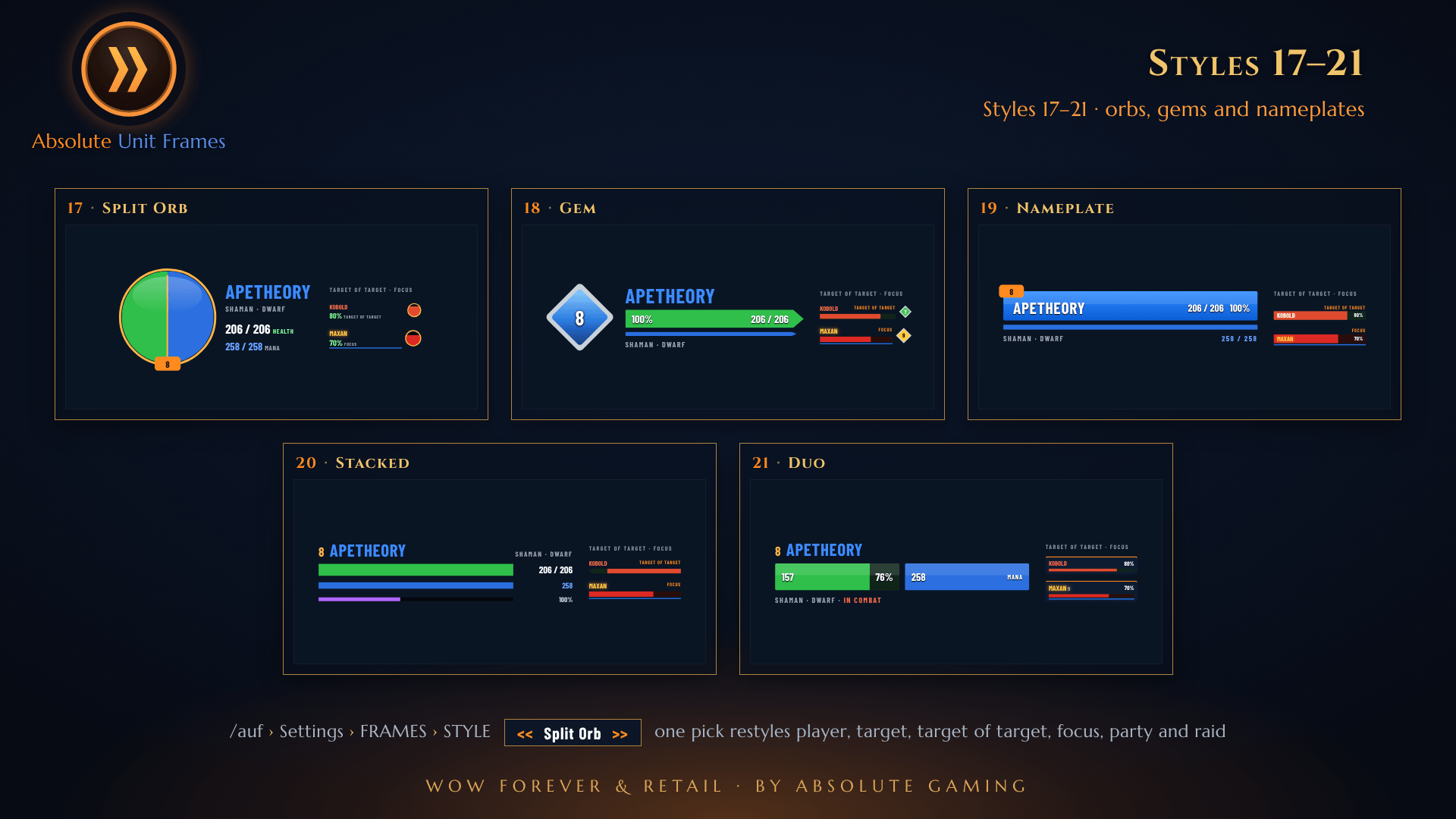
04-styles-17-21.png
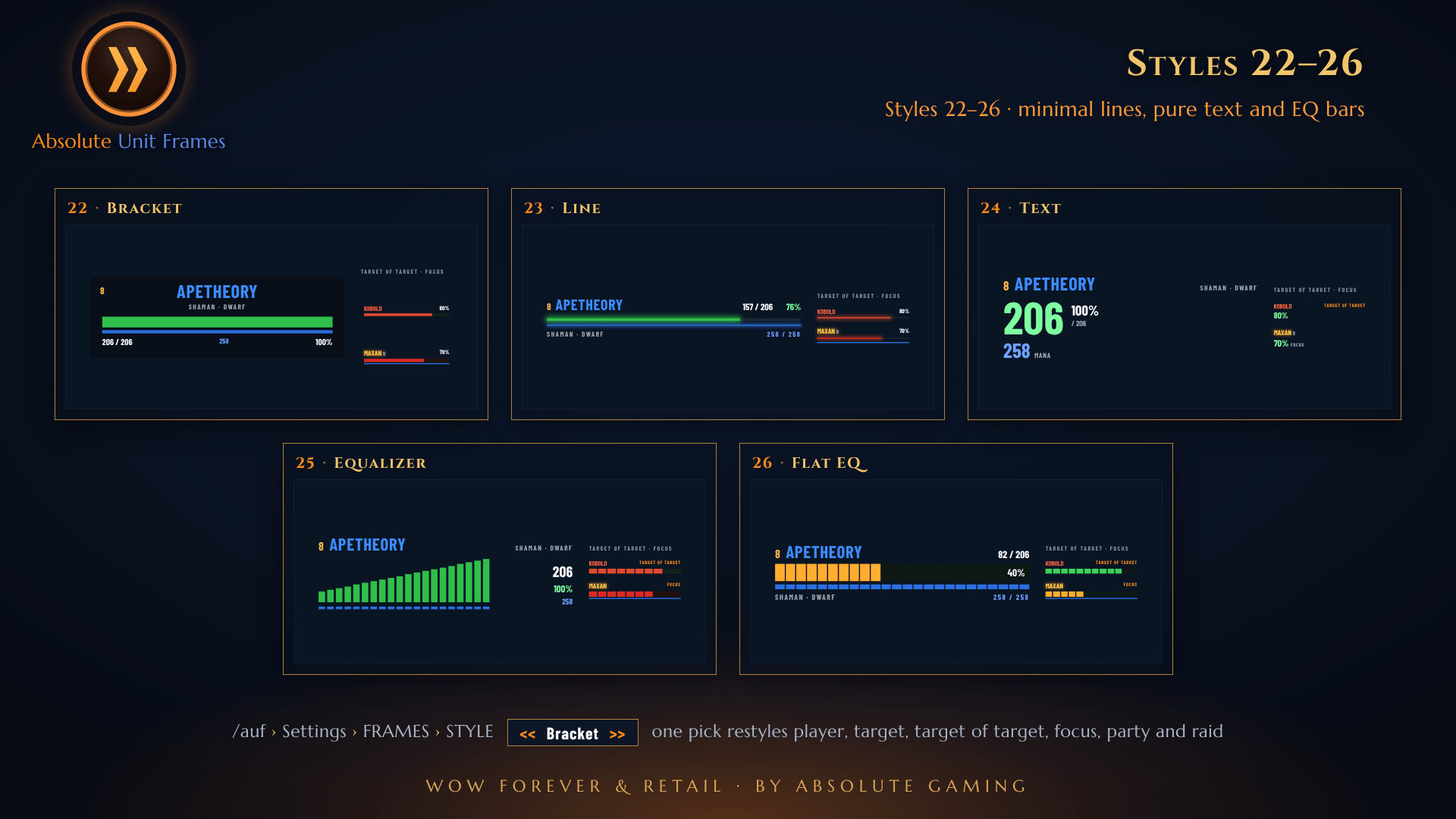
05-styles-22-26.png
Description
Absolute Unit Frames replaces your player, pet, target, target of target, focus, party and raid frames with translucent, border-free frames in the Absolute style. Choose from 26 looks; one pick changes every frame at once. A single download works on Retail and WoW Forever.
26 frame styles
Dial · Arrow · Crest · Twin Arc · Orbs · Slim · Card · Wings · Numeric · Pips · Portrait · Pillars · Ribbon · Halo · Gauge · Cradle · Split Orb · Gem · Nameplate · Stacked · Duo · Bracket · Line · Text · Equalizer · Flat EQ
- One choice styles everything. The player, target, target of target, focus, party and raid frames all change together.
- Easy to switch. Open the Frames tab and use the << Style >> selector: click either half, or scroll the mouse wheel over it.
- Flat EQ uses flat segments that go from green to amber to red as health drops. Power goes from its own colour to amber to red.
- Party and raid versions of each look, sized to fit. Test frames show the style while you're solo.
- Checked for fit. Names, levels, values and status text stay inside their bars and never overlap.
The frames
- Player: health and power, level, name, status (Resting / In Combat / Dead), an optional built-in cast bar and a low-health pulse.
- Pet: shown under your frame while you have one. Left-click targets it; right-click opens its menu.
- Target: difficulty-coloured level, name in reaction or class colour, health with a damage ghost, and power. It stays up with nothing targeted, showing NO TARGET (you can turn this off).
- Target of target and focus: match your style and dock neatly under the target frame.
- Party and raid: the party is one block, and every raid group (1–8) moves on its own. One slider sizes them all. Frames grey out when dead or offline and fade when out of range.
Make it yours
- Move, resize, fade and lock every frame separately. Frames lock themselves when combat starts.
- By default the player and target frames move as one mirrored pair. You can untick this to move them separately.
- You can hide the default Blizzard frames and switch between the built-in cast bar and the default one.
- Secret-value safe on Retail 12.
Commands
/auf lists everything · /auf options · /auf unlock / /auf lock · /auf reset · /auf group · /auf test party · /auf test raid 40 · /auf test off · /auf about
Part of the Absolute family
Want the whole Absolute interface, with action bars, bags, minimap, chat, game windows and the other Absolute addons? Get Absolute View, which has these frames built in. Absolute Unit Frames stands by automatically while Absolute View is loaded.
ApeTheory - Admin for Absolute Gaming LLC · https://absolutegaming.store · support@absolutegaming.store Copyright © 2026 Absolute Gaming LLC. All rights reserved.
Absolute Unit Frames Team