Absolute Character
- By
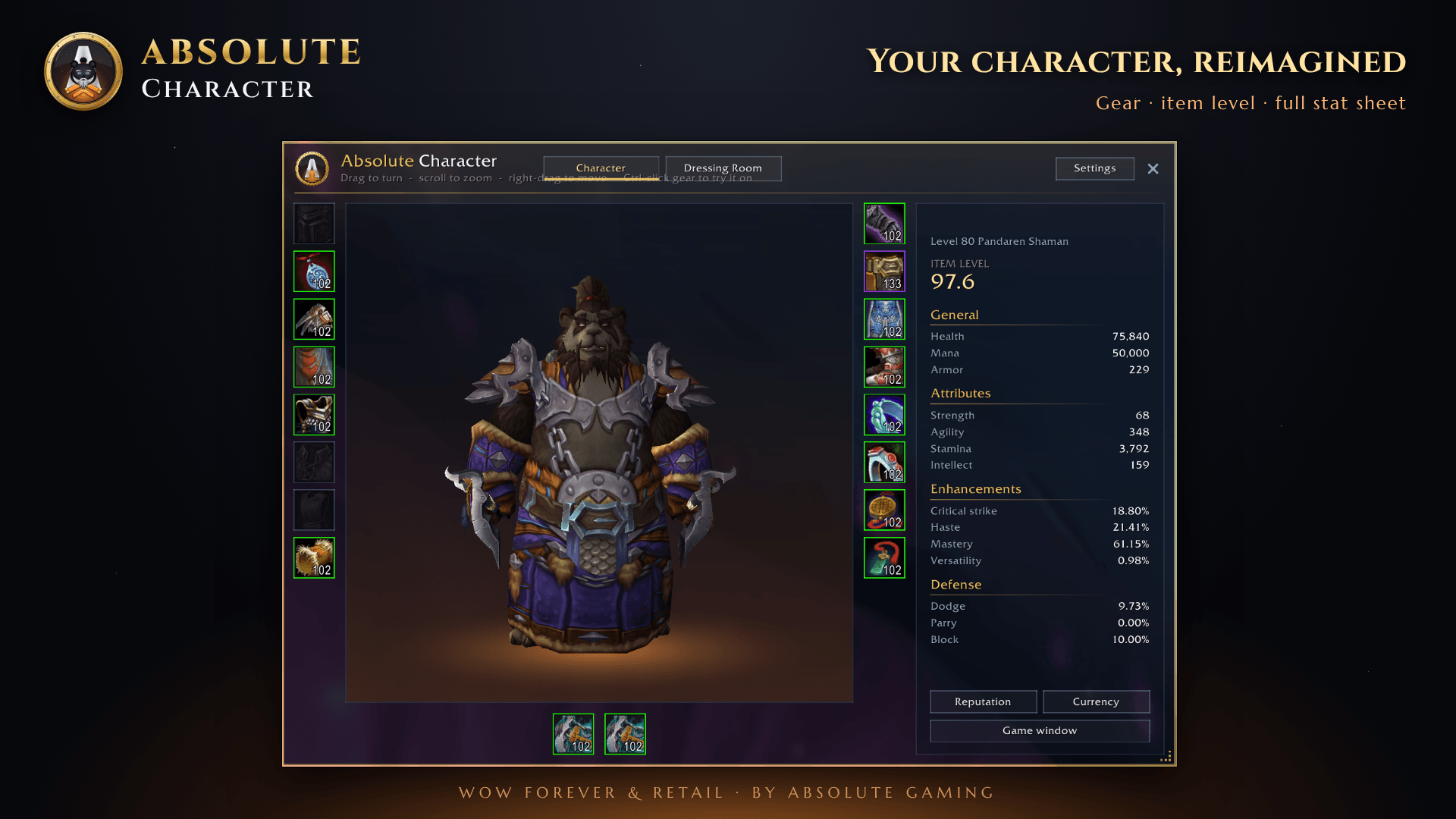
Your character window, reimagined: gear, stats, reputation, currency and a dressing room in one translucent, resizable window that opens from the same keys. Free.
AbsoluteCharacter_Screenshot_1_Overview.png
AbsoluteCharacter_Screenshot_2_Stats.png
AbsoluteCharacter_Screenshot_3_Gear.png
AbsoluteCharacter_Screenshot_4_DressingRoom.png
Description
# Absolute Character
**Your character window, reimagined.** Gear, stats, reputation, currency and a dressing room in one translucent, resizable window. Absolute Character replaces the game's character window completely and opens from the same keys, even in combat.
Free, for **WoW Forever** and **Retail**. Download the file for the game you play.
## A true replacement
- Your character (C), reputation (U) and currency keys open the matching tab
- The menu bar button and other addons open it too
- Prefer the game's window? Turn the replacement off any time in Settings or with `/achar replace`
## Character
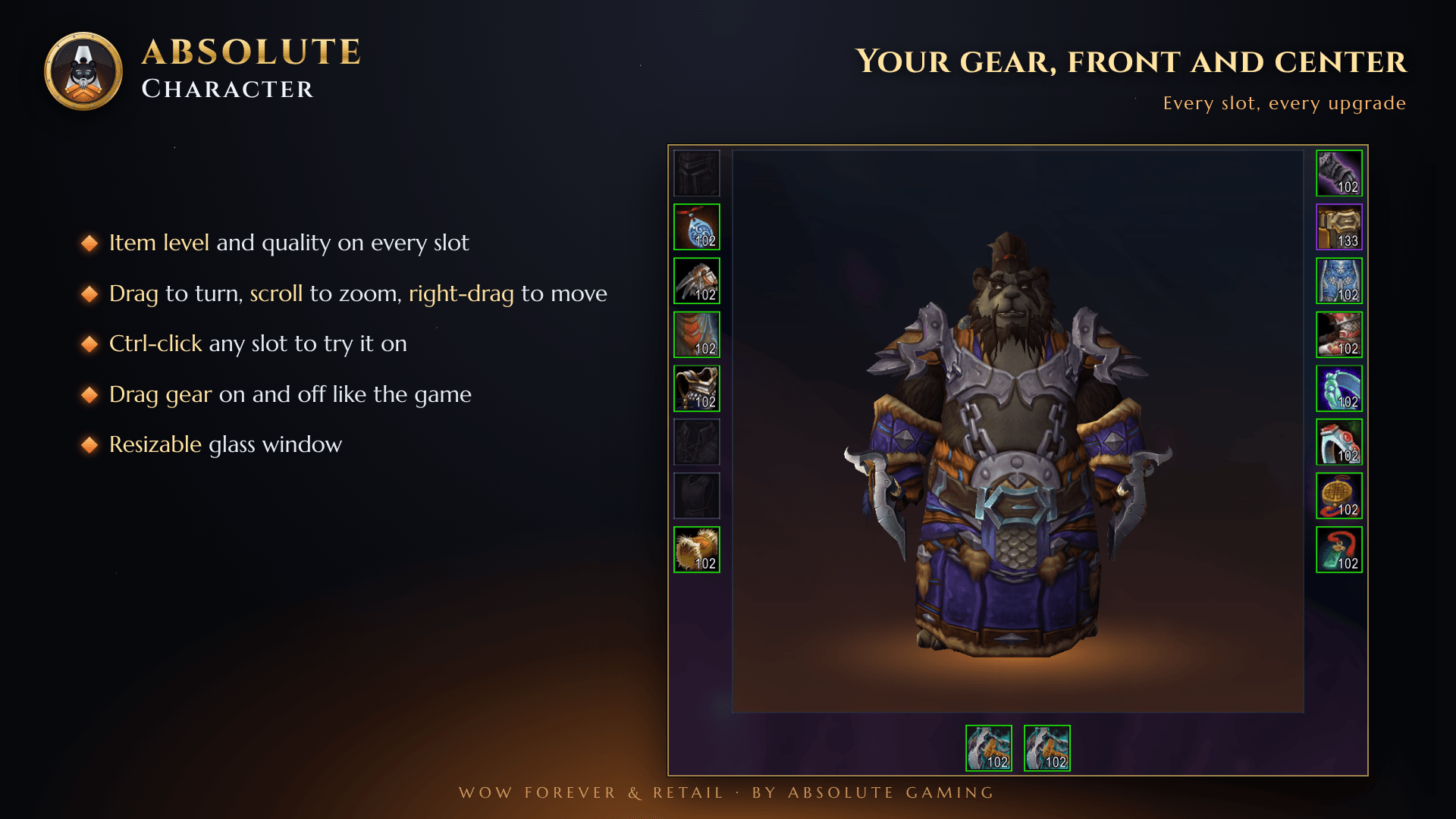
- Every equipment slot with item level and quality borders (WoW Forever adds the ranged slot)
- Your model: drag to turn, scroll to zoom, right-drag to move
- Drag gear on and off, just like the game's window
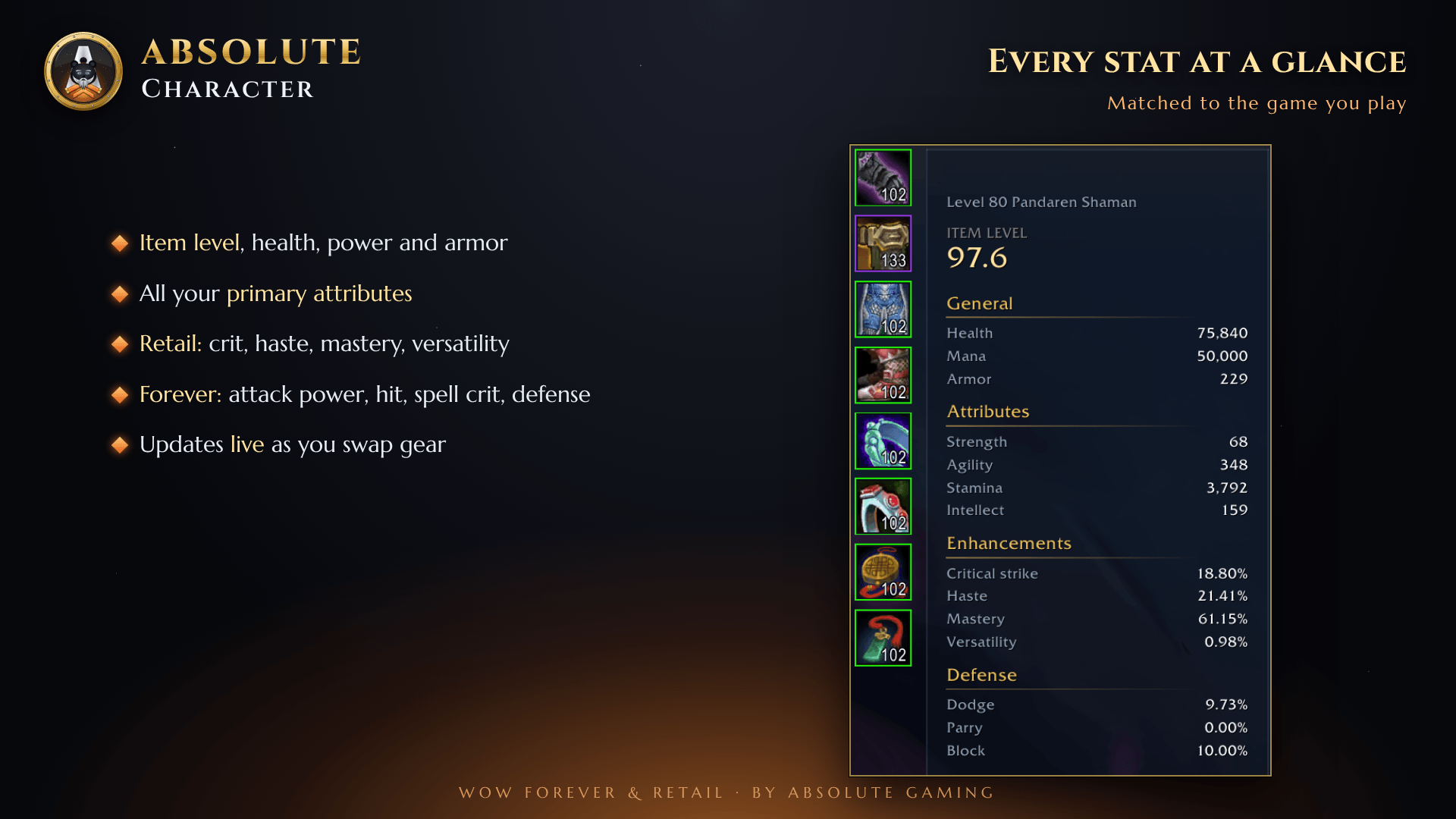
## Stats for the game you play
- **Retail:** crit, haste, mastery and versatility
- **WoW Forever:** Spirit, attack power, hit, spell crit and defense
- Updates live as you swap gear
## Reputation
- Every faction, renown, friendship and paragon standing
- Collapsible headers with Expand all and Collapse all
- Show as experience bar, At war and Move to inactive
## Currency
- Every currency with its amount, cap and weekly progress
- Shift-click to link a currency in chat
- Show on backpack and Move to Unused
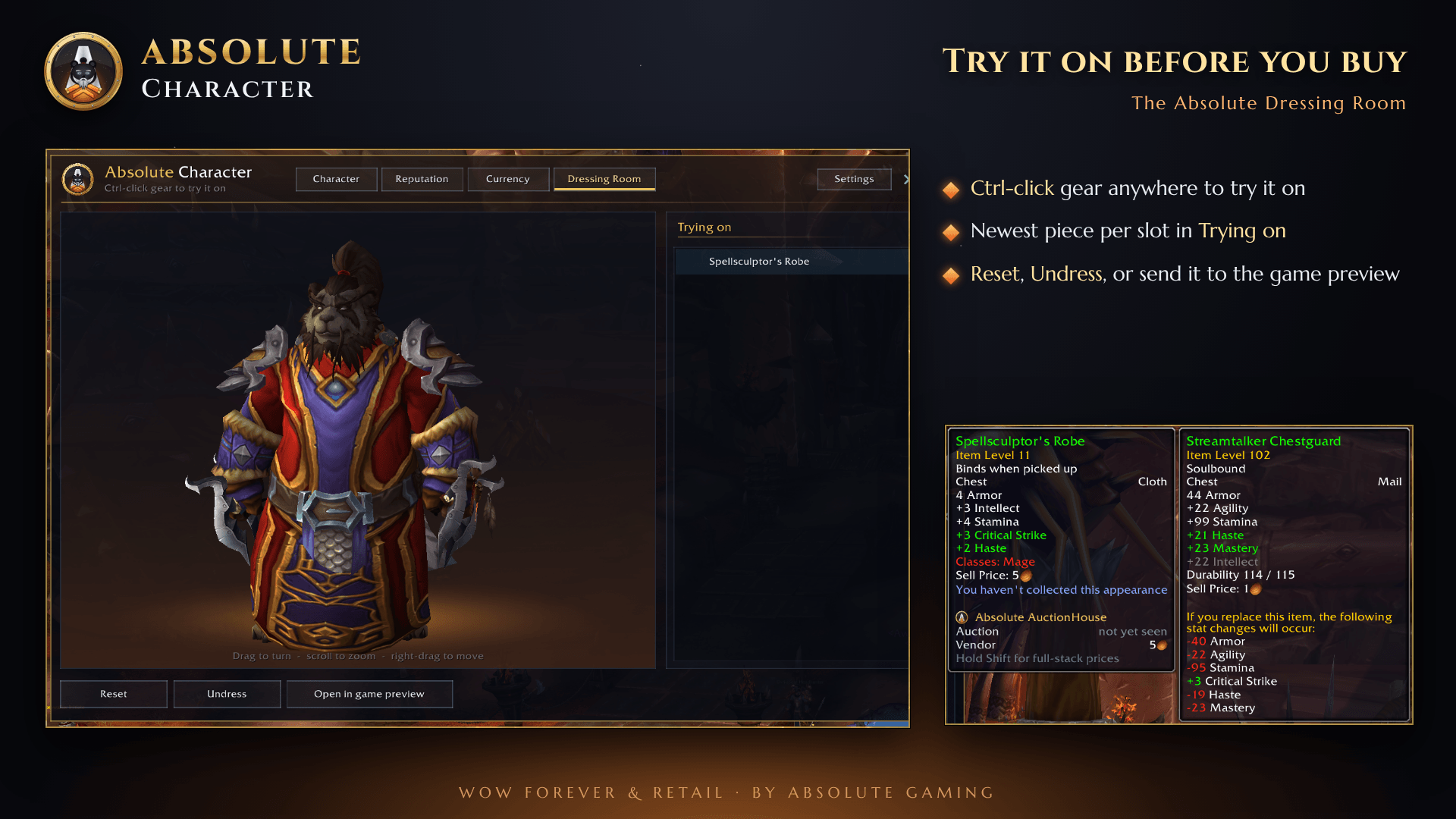
## Dressing Room
- Ctrl-click gear anywhere to try it on
- A "Trying on" list with the newest piece per slot
- Reset, Undress, or send the outfit to the game's preview
## Skills (WoW Forever)
- Weapon, armor, language and profession skill lines, with bonuses
## Your window, your way
- Move and resize it; size and position are remembered
- **Compact mode:** click the gold chevron handle to fold the side panel away and narrow the window
- Glass opacity from 30% to 100%
- Minimap button (left-click opens the window, right-click opens the dressing room) and an addon compartment entry
## Commands
| Command | What it does |
|---|---|
| `/achar` | Open or close the window (also `/adr`) |
| `/achar char` | Open the Character tab |
| `/achar rep` | Open the Reputation tab |
| `/achar currency` | Open the Currency tab |
| `/achar skills` | Open the Skills tab (WoW Forever) |
| `/achar dress` | Open the Dressing Room |
| `/achar compact` | Fold or unfold the side panels |
| `/achar replace` | Turn the character window replacement on or off |
| `/achar minimap` | Show or hide the minimap button |
| `/achar reset` | Reset the window size and position |
| `/achar about` | Version, website and support email |
## Install
1. Download the file for your game: **Forever** or **Retail**.
2. Unzip it into that game's `Interface\AddOns` folder, so you have an `AbsoluteCharacter` folder there.
3. Start the game, or type `/reload`.
4. Press your character key.
Updating? Replace the old folder. Your settings are kept.
## Support
Found a bug or have an idea? Report it at **[absolutegaming.store](https://absolutegaming.store/bug-report.html)** or email **support@absolutegaming.store**. Every report is reviewed, and fixes ship in the next update.
More free addons from the same team: **[absolutegaming.store](https://absolutegaming.store)**
---
Absolute Character is made by ApeTheory - Admin for Absolute Gaming LLC. Copyright © 2026 Absolute Gaming LLC. All rights reserved.
World of Warcraft and Blizzard Entertainment are trademarks or registered trademarks of Blizzard Entertainment, Inc. This addon is not affiliated with or endorsed by Blizzard Entertainment.
Absolute Character Team