Description
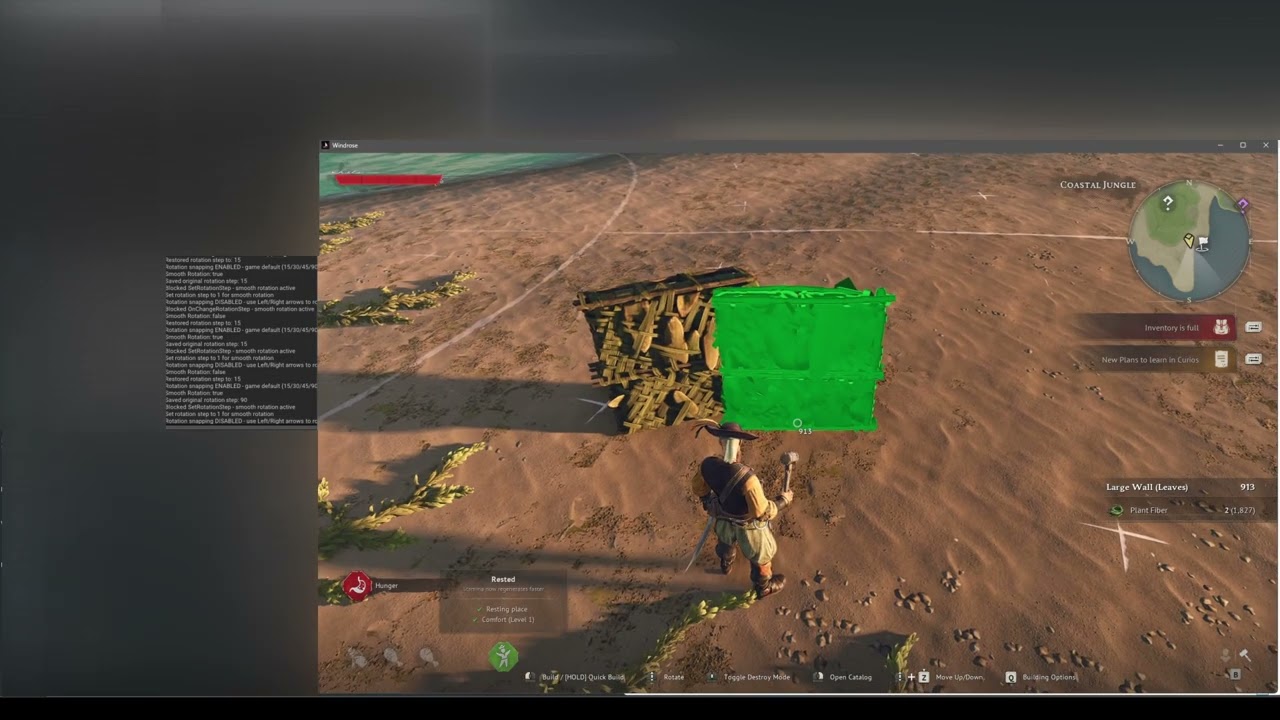
This is a client only mod that allows the user to press SHIFT+F2 to activate "Smooth Rotation Mode" (AKA SRM).
It works fine on servers even if the server doesn't have it.
USAGE INSTRUCTIONS
- Press SHIFT+F2 to activate "SRM"
- Once you're in "SRM" you can rotate building pieces left/right in 1° increments instead of the game's default 15°, 30°, 45° and 90° increments by simply using your scroll wheel.
- The game's default rotation increments are disabled once SRM is activated.
- To restore the default increments, simply press SHIFT+F2 again to deactivate "SRM" or press "B" and rotate the preview actor one time and it will "snap back to it's original behavior."
Installation instructions
THIS MOD REQUIRES UE4SS TO BE INSTALLED AND CONFIGURED IN ORDER TO USE IT!
UE4SS INSTALLATION INSTRUCTIONS:
Download UE4SS from the link:
UE4SS LINK HERE
- Navigate to your game installation directory ( \Windrose\R5\Binaries\Win64 )
- Place the UE4ss folder, and "dwmapi.dll" file into your Windrose\R5\Binaries\Win64 folder
- Open the "ue4ss" folder you just copied into Windrose, and within it edit the "UE4SS-settings.ini" file
- Find the section titled " [EngineVersionOverride] "
- Within that section, define the following as shown:
[EngineVersionOverride]
MajorVersion = 5
MinorVersion = 6
- Save and exit the file.
- Extract the mod folder into the sub-directory:
" Windrose\R5\Binaries\Win64\ue4ss\Mods "
It should look like this when installed correctly:
Windrose\R5\Binaries\Win64\ue4ss\Mods /
└── SmoothRotation\
|   ├── Scripts\
|       └── Main.lua
|       └── config.txt (will be generated on first launch)
└── enabled.txt
You can also verify that UE4SS is running properly and loading by enabling the console within the " [Debug] " section of "UE4SS-settings.ini" file.
To do this set the following:
[Debug]
; Whether to enable the external UE4SS debug console.
ConsoleEnabled = 1
Requirements
UE4SS (Outlined Above)
Server owners
You do not need this mod on your server. Clients will be able to build freely using this purely as a client mod. The information will sync automatically with the server since it's using native systems already on the server.
Known Issues
- Due to the game not recognizing the string value for the 1° angle you will receive a message that says <MISSING STRING TABLE ENTRY> when you activate & deactivate "SRM". There's probably a way to hide this, but it's not necessary since it isn't game-breaking and isn't really a "concern" to try to bother with since it would add a lot of widget handling code I see no reason to add.
- The building pieces will not return to their original behavior if you don't rotate it once after disabling "SRM" mode - I've yet to find a way to force the preview actor to update while it "exists" within the world (meaning it hasn't been altered.) This doesn't BREAK anything but keep in mind what you see is what you get, so make sure you rotate after disabling.