Description
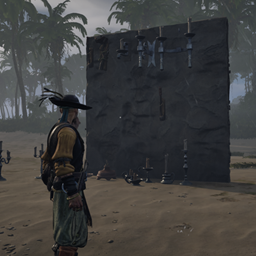
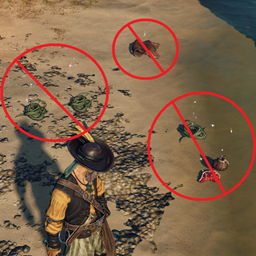
This mod aims to fix the hundreds of thousands of times you're left thinking "Where'd my %&*$ drop go?"
By removing the velocity from the lootActor upon spawn and a few other
Installation instructions
THIS MOD REQUIRES UE4SS TO BE INSTALLED AND CONFIGURED IN ORDER TO USE IT!
UE4SS INSTALLATION INSTRUCTIONS:
Download UE4SS from the link:
UE4SS
- Navigate to your game installation directory ( \Windrose\R5\Binaries\Win64 )
- Place the UE4ss folder, and "dwmapi.dll" file into your Windrose\R5\Binaries\Win64 folder
- Open the "ue4ss" folder you just copied into Windrose, and within it edit the "UE4SS-settings.ini" file
- Find the section titled " [EngineVersionOverride] "
- Within that section, define the following as shown:
[EngineVersionOverride]
MajorVersion = 5
MinorVersion = 6
- Save and exit the file.
- Extract the "DeadDrop" folder into the sub-directory:
" Windrose\R5\Binaries\Win64\ue4ss\Mods "
It should look like this when installed correctly:
Windrose\R5\Binaries\Win64\ue4ss\Mods /
└── DeadDrop\
|   ├── Scripts\
|       └── Main.lua
└── enabled.txt
You can also verify that UE4SS is running properly and loading by enabling the console within the " [Debug] " section of "UE4SS-settings.ini" file.
To do this set the following:
[Debug]
; Whether to enable the external UE4SS debug console.
ConsoleEnabled = 1
Main features
This script monitors loot actors and directly manipulates their movement physics to control how they behave when thrown preventing them from being "cast out" from the drop location, and causing them to simply "drop to the ground" below where they spawn into the world.
This behavior modification changes drops from:
- Containers
- Players
- Mobs
- Entities such as Trees, bushes, ships, etc.
Requirements
UE4SS
Server Installation:
To install onto your server you'd place this into the same directories as you would for the client.
Clients do NOT need to have this installed if the server does - HOWEVER, there is a sync time between client and server whereas single-player worlds would not experience this. That means, on occasion it will "throw" the lootActor, then pull it back to the spawn point, and then drop it.
IMPORTANT NOTE ABOUT DROPS ON SHIPS
Items that are dropped on ships from containers, and player storage will maintain their current world position when they drop - This means they "move" because the ship is moving, so don't drop things on ships!!!