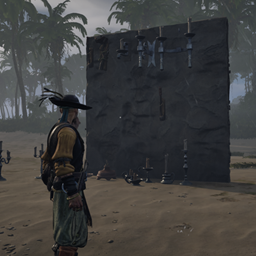
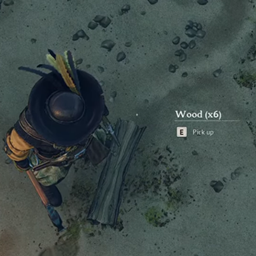
Description
This mod (in short) "removes" persistent loot actors within the world
There is a caveat worth mentioning - While this will help reduce visual strain on clients by preventing them from having to render all the effects and models, and will reduce memory on the server by preventing the loot actor from constantly being tracked it is only temporary in the sense that it is removing them visually from THAT server instance. Once the world is reloaded by the server (if it's on a server) or your client (if you're on a single-player world) they will return. However, they'll be removed again after the age-check completes if they're "stale".
This is a technical limitation of the game's design. I've tried COUNTLESS methods over the course of the last week to battle numerous subsystems within the game and due to it's design it is (afaik) impossible to "permanently remove a loot actor from the world."
This WILL still improve memory and cpu usage on servers and / or single-player / co-op worlds.
It WILL still improve FPS in areas that had lots of drops which have been removed by this system.
It will NOT remove them permanently and prevent them from respawning if your game crashes, or the server crashes.
It WILL remove the ones that were there before once you've "activated them" by being in range.
Important note for headless server owners:
This will work fine in a headless scenario - However, it's important to note that a player HAS to be on for the loot actors to be recognized due to how the game's designed.
Installation instructions
THIS MOD REQUIRES UE4SS TO BE INSTALLED AND CONFIGURED IN ORDER TO USE IT!
UE4SS INSTALLATION INSTRUCTIONS:
Download UE4SS from the link:
UE4SS LINK HERE
- Navigate to your game installation directory ( \Windrose\R5\Binaries\Win64 )
- Place the UE4ss folder, and "dwmapi.dll" file into your Windrose\R5\Binaries\Win64 folder
- Open the "ue4ss" folder you just copied into Windrose, and within it edit the "UE4SS-settings.ini" file
- Find the section titled " [EngineVersionOverride] "
- Within that section, define the following as shown:
[EngineVersionOverride]
MajorVersion = 5
MinorVersion = 6
- Save and exit the file.
- Extract the "AutoDispose" folder into the sub-directory:
" Windrose\R5\Binaries\Win64\ue4ss\Mods "
It should look like this when installed correctly:
Windrose\R5\Binaries\Win64\ue4ss\Mods /
└── AutoDispose\
|   ├── Scripts\
|       └── Main.lua
|       └── autodispose_config.json
└── enabled.txt
You can also verify that UE4SS is running properly and loading by enabling the console within the " [Debug] " section of "UE4SS-settings.ini" file.
To do this set the following:
[Debug]
; Whether to enable the external UE4SS debug console.
ConsoleEnabled = 1
Main features
Removes Loot Actors from the world (Until the world is reloaded) after a configurable amount of time.
Generates configuration file on first run alongside the mod inside UE4SS' "Mods" folder located at:
Windrose Dedicated Server\R5\Binaries\Win64\ue4ss\Mods\AutoDispose\Scripts
The default configuration file is configured as follows:
{
  "CLEANUP_INTERVAL": 300,
  "DEBUG_MODE": false,
  "BATCH_SIZE": 10,
  "BATCH_DELAY": 150
}
If you want your cleanup interval LONGER than 5 minutes you'll need to change "CLEANUP_INTERVAL" to whatever value you desire (in seconds)
Requirements
This mod REQUIRES UE4SS
Dedicated Server owners:
Clients do NOT need this mod.
Co-Op Players: Only the host needs the mod
Single-Player: Obviously, you need the mod...LOL
Shout outs
I want to give a HUGE shoutout to DDrX on the Windrose Modding Discord. Unfortunately although the information we discussed didn't bring us to a full resolution it did allow me to experiment with new ideas, and explore areas of this engine that I was formerly unfamiliar with that may help with future designs / assisting other mod developers. You're amazing, man!