Description
This addon allows you to add custom sounds and sprites to LUI Aura and other addons, so that updating these addons will not overwrite / delete all your costum files.
How to add images:
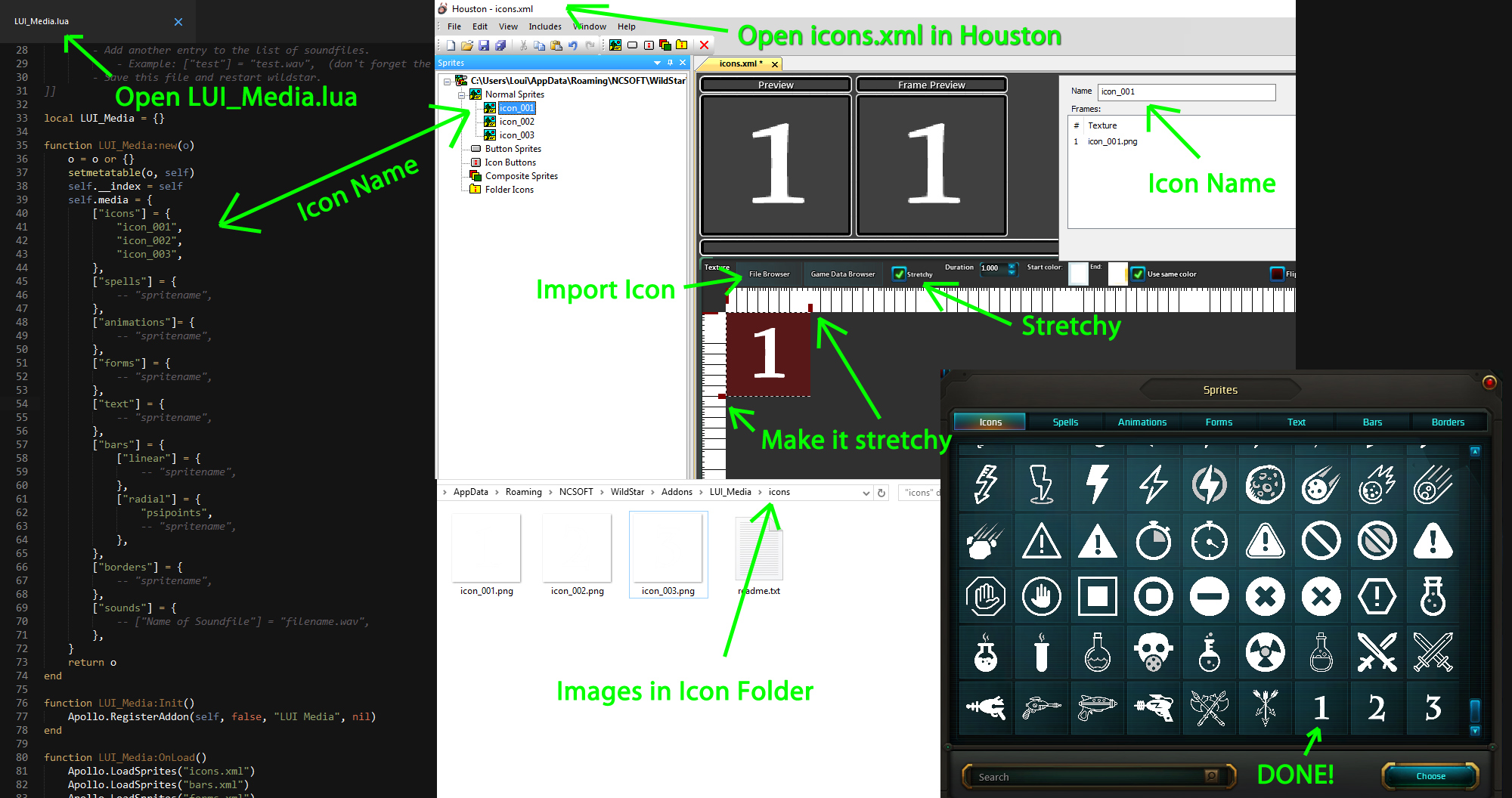
- Put your images into LUI Media's sub-directories.
- Open Houston.exe which is in your WildStar Directory.
- Go to "File" -> "Open" to open one of XML files, depending on which type of sprite you want to add:
- animations.xml
- bars.xml
- borders.xml
- forms.xml
- icons.xml
- spells.xml
- text.xml
- After you opened the file, click on the New Sprite Button (which looks like an image of a landscape - 6th button from right)
- Next click on File Browser, import your desired image and give your sprite a fitting name.
- Make sure the image you are importing is located within LUI Media's sub-directories.
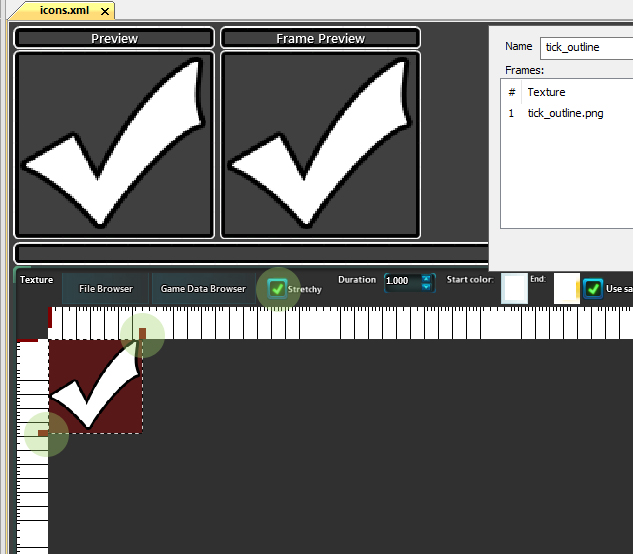
- Now move the brown square buttons like on the image "stretchy.jpg" which is in the addon directory.
- Check the "Stretchy" Checkbox.
- Save the XML file.
- Add another entry to the list of sprites in LUI_Media.lua. (don't forget the comma at the end)
- Save this file and restart wildstar.
How to add costum sounds:
- Open Houston.exe which is located in your WildStar Directory.
- Create a new addon! (Name and Author can be anything).
- Go to Includes -> Edit Sound and add your audio files (can be .wav or .mp3)
- You can find the converted audio files within the addon directory of your newly created addon.
- Now move your converted audio file into LUI Medias's sounds subdirectory (Addons/LUI_Media/sounds)
- Add another entry to the list of soundfiles.
- Example: ["test"] = "test.wav", (don't forget the comma at the end)
- Save this file and restart wildstar.
LUI Media Team

Owner