LinkEquippedItems
- By
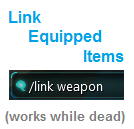
Adds command /link to link equipped items. e.g. "/link weapon". Works when character is dead.
Logo
Description
(In the Drop 3 compatible version, "/link all" has been removed. It no longer works, because when you use /link now, you get a dialog popup. In case of "all" it would only show the dialog for the last item.)
This small addon adds the command "/link" which allows you to link your equipped items to chat. For example "/link weapon". It also works when your character is dead.
The reason for building this addon is that you normally first need to unequip an item before you can link it. Typing "/link weapon" for example is faster, and there is no risk of forgetting to re-equip your item. Furthermore, you cannot unequip items when you are dead, possibly preventing you from linking your current item when loot is distributed in a raid, but you are dead.
There is no GUI for this addon. You use it by typing "/link <item slot>" (/linkequippeditem(s) and /lei work too). The names for the item slots are listed below. When you use /link, you get a dialog-popup at your mouse cursor, which allows you to put the item-link in your chat input bar. The message is not immediately sent, allowing you to edit the message. By default, if your previous chat-message was to /g (guild), for example, the chat message with the [Item Link] would go to /g as well (the Carbine chat addon works this way).
Item slot dictionary:
- weapon | w | weap | psyblade | shotgun | gun(s) | heavy gun | heavygun | pistol(s) | claw(s) | (great)sword | blade | resonator(s)
- energy shield | es | sh | shield | energyshield
- head | h | he | helm(et) | hat | cap
- shoulder(s) | s | spaulder(s)
- chest | c | ch | jacket | coat | chestplate
- hand(s) | ha | gl | glove(s)
- leg(s) | l | pants | trousers
- feet | f | foot | b | boot(s) | shoe(s)
- weapon attachment | wa | weaponattachment | at | attach | attachment
- support system | ss | supportsystem | support
- implant | i | imp
- gadget | g | gad | trinket
Development disclaimer:
Judging from the Carbine Addon API at the moment, it is not possible to make linking equipped items work with Shift+Right-click.
No extra functionality will be added to this addon. The only possible adjustments to this addon will be bug-fixes (if any), and/or adding "item slot words" to the dictionary (for example for French or German clients).
LinkEquippedItems Team