matun020 - Inventory Search UI
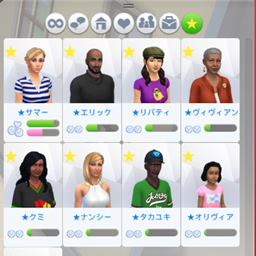
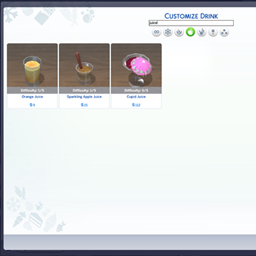
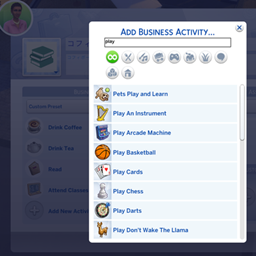
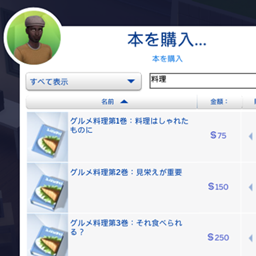
Adds a search box to your Sim's inventory and to refrigerators and containers. Enter the name of an item to instantly filter inventory.
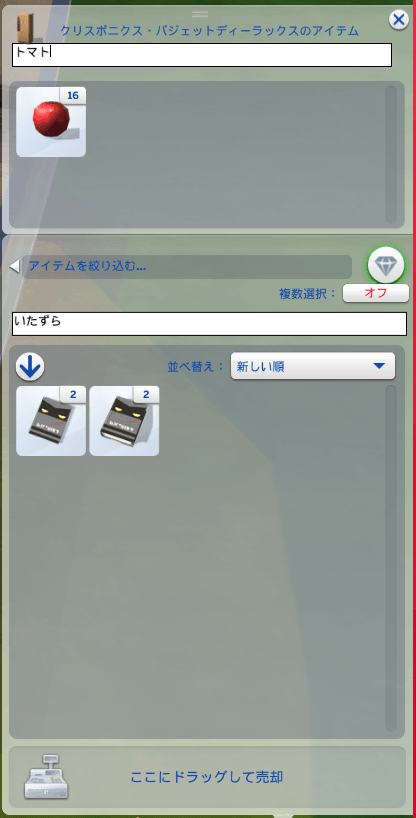
ã¹ã¯ãªã¼ã³ã·ã§ãã 2026-06-23 201516.png
Description
Tired of scrolling through a cluttered inventory? InventorySearchUI adds a real, in-game search box to The Sims 4 inventory panels. Just start typing an item's name and the grid filters in real time.
WHERE IT WORKS - Your Sim's personal inventory (the backpack panel) - Object inventories opened from the world (refrigerators, and other containers that show an inventory)
FEATURES - Real-time filtering by item name as you type - Works alongside the game's built-in category filters and sorting.
Fully localized: the search field uses the game's own font system and a built-in localized placeholder, so it displays correctly in every language -
INSTALL
1. In Game Options > Other, enable "Enable Custom Content and Mods".
2. Copy matun020-InventorySearchUI.package into your Mods folder: Documents\Electronic Arts\The Sims 4\Mods (it may be up to one subfolder deep).
3. Start the game. UNINSTALL Delete matun020-InventorySearchUI.package from your Mods folder.
matun020 - Inventory Search UI Team