Dynamic CAS Columns with Thumbnail Size Slider
- By
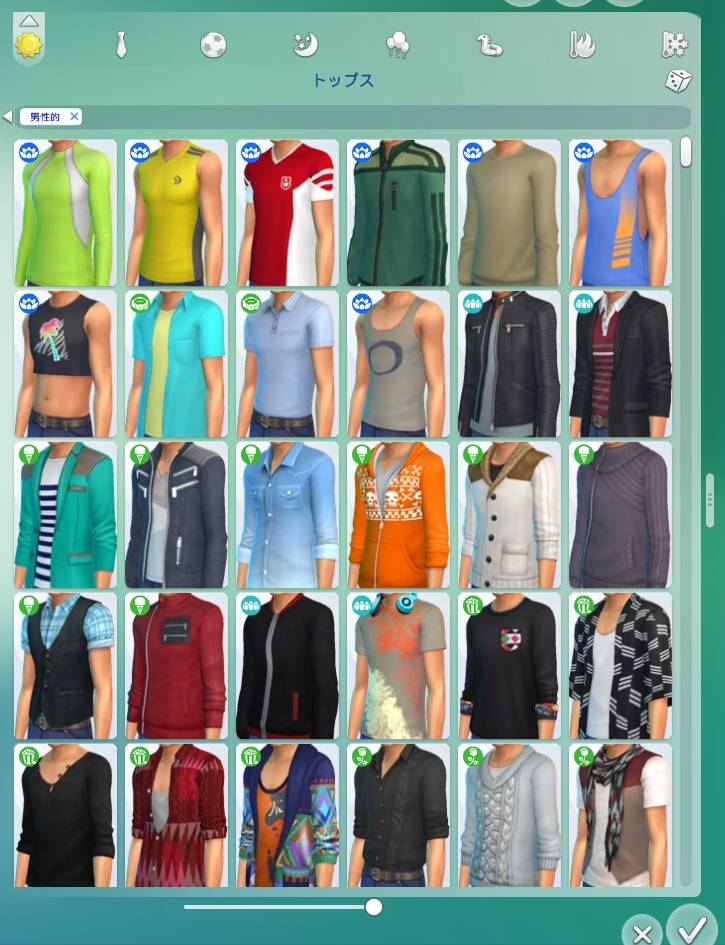
Dynamically resize the Create-a-Sim catalog from 2 to 6 columns by simply dragging its edge.
Dynamic Column Resizing
Dynamic CAS Columns allows you to resize the Create-a-Sim catalog from 2 to 6 columns simply by dragging the right edge of the panel.
The catalog resizes in real time, so you can quickly switch between a compact view and a wider layout depending on how much space you want for browsing CAS items.
Thumbnail Size Slider
You can also adjust the size of CAS catalog thumbnails using the slider at the bottom of the catalog. Thumbnail size can be changed from 50% to 100%, and the catalog automatically rearranges the items to make use of the available space.

Favorites
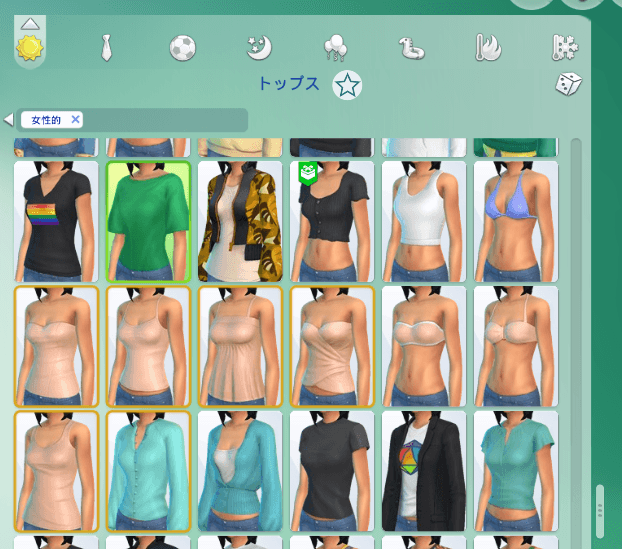
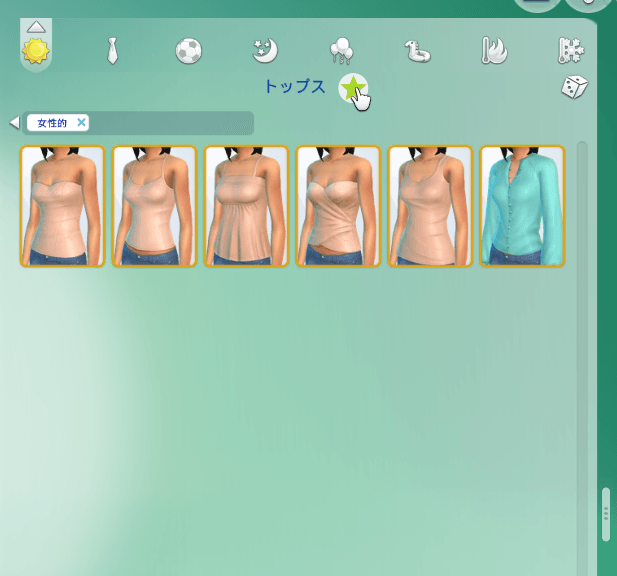
Right-click any CAS item thumbnail to add it to your favorites.
Click the star icon next to the category name to filter the catalog and display only your favorited items.
To remove an item from your favorites, simply right-click its thumbnail again.
CAS Playback Controls
Playback controls are also available on the bottom navigation bar. Use the pause button to stop your Sim’s movement in CAS, and the play button to resume it whenever you want.
You can also press the Space key to quickly toggle between pause and play.

Saved Settings
Your selected column count and thumbnail size are saved automatically and restored the next time you open CAS.
The settings are stored in UserSetting.ini under [uiaccountsettings] as:
dynamic_cas_columns.columns#number = N
dynamic_cas_columns.thumbnail_scale#number = S
where N is the selected number of columns and S is the saved thumbnail scale.
The Dynamic CAS Columns with Thumbnail Size Slider Team


Owner