Auto Makeup
- By
Applies cohesive tone-matched makeup to female Sims on spawn and age up, plus pie menu interactions to apply full makeup, change individual makeup parts/colors, and remove makeup
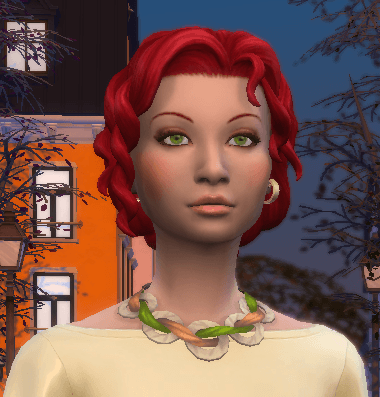
Screenshot 2026-05-29 at 12.30.11â¯PM.png
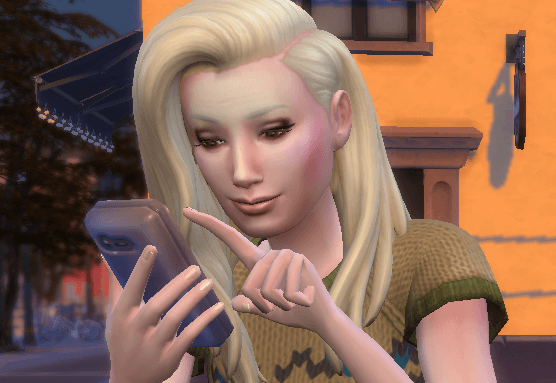
Screenshot 2026-05-29 at 12.30.32â¯PM.png
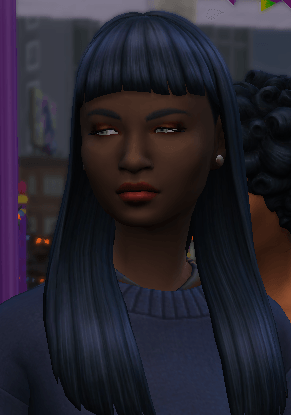
Screenshot 2026-05-29 at 12.39.21â¯PM.png
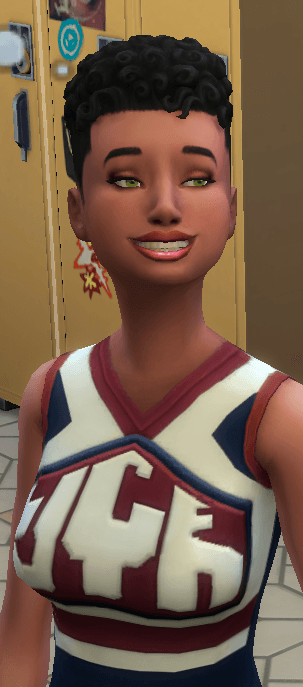
Screenshot 2026-05-30 at 10.20.23â¯PM.png
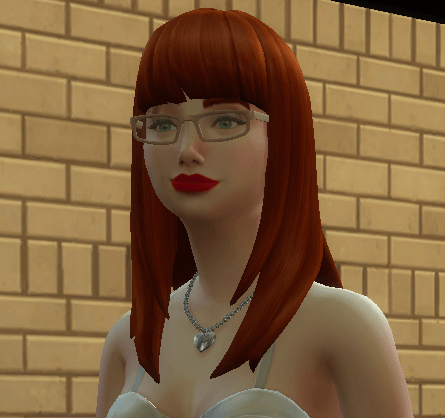
Screenshot 2026-05-30 at 10.30.32â¯PM.png
Description
⚠️ Status: TESTED & COMPATIBLE with the September 22nd, 2026 Patch (PC/Mac: 1.128.90)
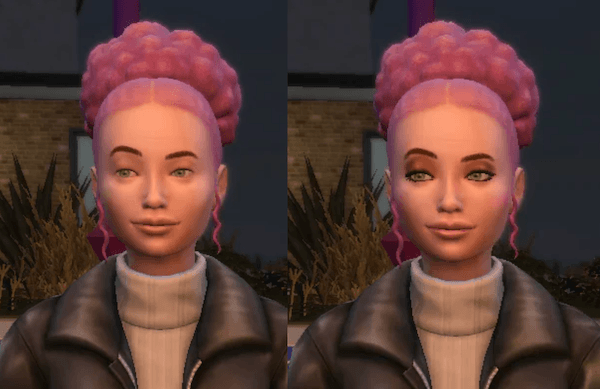
Auto Makeup
by deadlystingnyc
Your Sims have great outfits, great hair, great nails - and then you zoom in and half of them are completely bare-faced because the game never gave them makeup to begin with, while the other half look like Juggalo wannabees. Auto Makeup fixes that, applying tone-matched makeup to female Sims on appropriate outfit categories automatically so every face looks finished.
Why You Need This
When The Sims 4 does apply makeup to Sims by default, the results are rarely cohesive or intentional looking. The game pulls from the full catalog at random with no regard for skintone, outfit, or whether any of the pieces belong together. Until now the best workarounds were mods that prevent makeup from appearing on randomized Sims entirely, or carefully curated saved outfit lists in MCCC/MC Dresser with "use saved outfits only" toggled on, both of which are a lot of work just to avoid the problem rather than solve it.
Auto Makeup seeks to solve it. Rather than pulling at random, it selects lipstick, eyeshadow, eyeliner, blush, and eyelashes that actually suit each Sim's skintone, applied consistently across every appropriate outfit category, without you having to think about it.
How It Works
Click any Sim and run Auto Makeup → Build Makeup Config to scan your owned CAS parts and build the makeup catalog. From there, use Apply Makeup to apply tone-matched makeup to any Sim on demand, or enable auto-fix in the config to have it run automatically in the background on Sim spawn, age up, or both.
The tone-matched Apply Makeup and auto-fix functions draw from a small, hand-selected pool of styles and color swatches from the base game and Essential Glam Kit. If Essential Glam Kit is not installed those styles are skipped automatically. CC is not used for tone-matched application unless it directly overrides one of those specific styles or swatches. Results may range from subtle to more dramatic, but nothing garish or mismatched. Auto-fix and Apply Makeup fill empty makeup slots only, they will not overwrite existing makeup.
The scanned catalog, used by the individual randomization options like Change Lipstick and Change Eyeshadow, pulls from every makeup part in your installed catalog, including CC if it has been toggled on via the menu or config file.
What's excluded:
- Athletic, Sleep, Bathing, and Swimwear outfits are never modified by auto-fix — you can still apply tone-matched or randomized makeup on these outfits manually via the pie menu
- Males and Sims with fantasy skintones are not eligible for auto-fix or Apply Makeup. The manual makeup randomization tools work on anyone regardless of gender or skintone
- Auto-fix functions work on female Sims Teen and up
Auto-fix is off by default. When enabled, each Sim is fixed once and remembered so the mod doesn't re-apply makeup on every spawn. Deleting the mod's generated deadlystingnyc_auto_makeup_fixed.txt file resets this.
⚠️ CC makeup may produce unexpected results. CC is off by default for randomization. Enable it from the menu or config file if you want your CC in the mix for randomization features.
Click Menu Options
Click any Sim to open the Auto Makeup submenu:
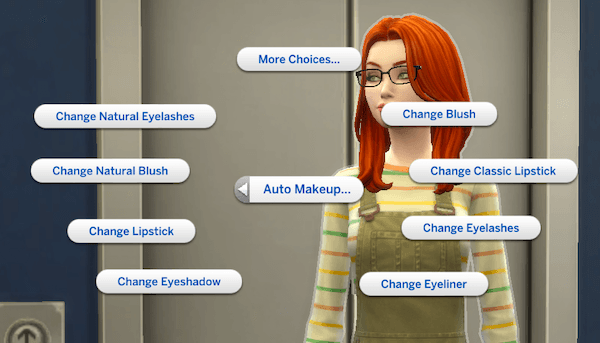
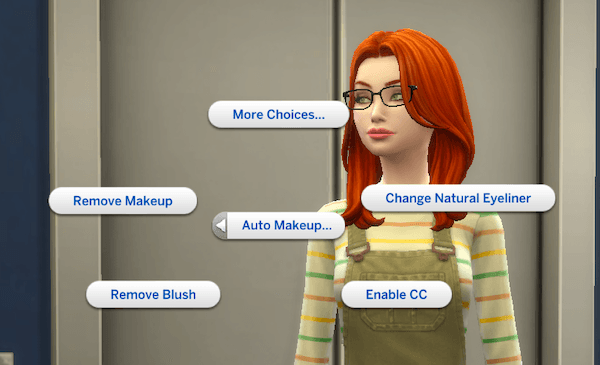
| Option | What It Does |
|---|---|
| Apply Makeup | Applies tone-matched makeup to any empty makeup slots on the Sim's current outfit. Hidden on males, fantasy skintones, and Sims whose current outfit already has all makeup slots filled. |
| Build Makeup Config | Scans CAS parts and builds the catalog. Run once after installing or updating. Hidden if the catalog already exists. |
| Change Blush | Randomizes blush from the full installed catalog, replacing whatever is currently worn. |
| Change Classic Lipstick | Applies a lipstick from a curated pool ranging from natural to bold classic styles. Available to all Sims including males. |
| Change Eyelashes | Randomizes eyelashes from the full installed catalog, replacing whatever is currently worn. |
| Change Eyeliner | Randomizes eyeliner from the full installed catalog, replacing whatever is currently worn. |
| Change Eyeshadow | Randomizes eyeshadow from the full installed catalog, replacing whatever is currently worn. |
| Change Lipstick | Randomizes lipstick from the full installed catalog, replacing whatever is currently worn. |
| Change Natural Blush | Randomizes tone-matched blush from the full installed catalog (excluding GTW alien styles if installed), replacing whatever is currently worn. |
| Change Natural Eyelashes | Randomizes black or brown eyelashes from select lash styles, replacing whatever is currently worn. |
| Change Natural Eyeliner | Randomizes black or brown eyeliner from select eyeliner styles, replacing whatever is currently worn. |
| Enable / Disable CC | Toggles whether CC makeup parts are included in the randomization catalog. |
| Remove Blush | Removes blush from the current outfit. Only shown if blush is present. |
| Remove Makeup | Removes all makeup from the current outfit. Only shown if makeup is present. |
Requirements
- The Sims 4 (base game only, no packs required)
Recommendations
- Essential Glam Kit (SP72) - Optional but strongly recommended for widest tone-matching style availability
- EA Lash Remover (e.g., by Wightspider) - Highly recommended so your Sims' eyeliner and lashes display cleanly without chunky default meshes clashing.
Installation
- Download and unzip
deadlystingnyc_auto_makeup.zip - Drop the unzipped folder into your Mods folder:
Documents/Electronic Arts/The Sims 4/Mods/ - In-game, go to Game Options → Other and make sure Script Mods are enabled
- Click any Sim and run Auto Makeup → Build Makeup Config to finish setup
⚠️ Both the
.ts4scriptand.packagefiles are required. The mod will not work if either is missing.
Configuration
Create deadlystingnyc_auto_makeup.cfg in your Mods folder alongside the .ts4script to customize behavior. A 0 value means the option is OFF by default, a 1 means the option is ON by default:
AUTO_FIX=0       ← 1 = apply makeup on first spawn and age-up
FIX_NPCS=1       ← 0 = include NPC Sims in auto-fix
FIX_PLAYER=0     ← 1 = include player household Sims in auto-fix
FIX_AGE_UP=0     ← 1 = auto-fix makeup when a Sim ages up
FIX_FEMALE=1     ← 0 = include female Sims in auto-fix
ALLOW_CC=0       ← 1 = include CC makeup parts in the randomization catalog
Config values can also be set in-game with console commands. This will automatically create the .cfg file and changes take effect immediately without restarting your game.
Troubleshooting
Open the cheat console with Ctrl+Shift+C, enter testingcheats true, then use:
| Command | What It Does |
|---|---|
am_config |
Show current config values |
am_config KEY 0|1 |
Set a config value immediately. Keys: AUTO_FIX, FIX_NPCS, FIX_PLAYER, FIX_AGE_UP, FIX_FEMALE, ALLOW_CC |
am_fix |
Manually apply makeup to all eligible loaded Sims |
am_scan |
Rebuild the makeup catalog |
am_log |
Write a full diagnostic log to your Sims 4 documents folder |
dsn_makeup_build |
Alias for Build Makeup Config |
Interactions not appearing? Make sure you've run Build Makeup Config first. Nothing works until the catalog has been built.
Having an issue? Leave a comment below with your setup and I'll help troubleshoot.
Compatibility
- No tuning overrides. Patches Python directly, making conflicts with other mods unlikely
- Compatible with CC makeup for randomization functions (toggle on via the menu or config file)
- Auto-fix does not modify Athletic, Sleep, Bathing, or Swimwear outfits
🌐 Supported Translations:
French: French Translation by ElianasDiaries
Spanish: Spanish Translation by Monisims
Gallery Credits / Visual Recommendations
The clean look seen on the townies in the screenshot images is achieved using:
- Skinblend: Lazarus by Grimcookies (Default Replacement)
- Eyes: Oasis Eyes by Pralinesims (Default Replacement)
- Lash Remover: EA Lash Remover by Wightspider
About This Mod
One of a growing set of mods I'm making for The Sims 4, ranging from small quality-of-life fixes to more fully featured tools like this one. If Auto Makeup makes your game look the way you want it to, a rating helps other players find it. Thanks for the support!
If you enjoy my mods, consider supporting me on Patreon.
© 2026 deadlystingnyc. Free for personal use. Do not redistribute or reupload without permission.
Auto Makeup Team

Owner