

Journal Lookup
Hover over an item and press F9 to take you straight to it's Journal entry.
- 3
- October 22, 2026

Journal Lookup
Hover over an item and press F9 to take you straight to it's Journal entry.
- 3
- October 22, 2026


Screenshot 2026-10-22 202033.png
Named after Old School RuneScape's iconic "Withdraw All-but-1" bank option.
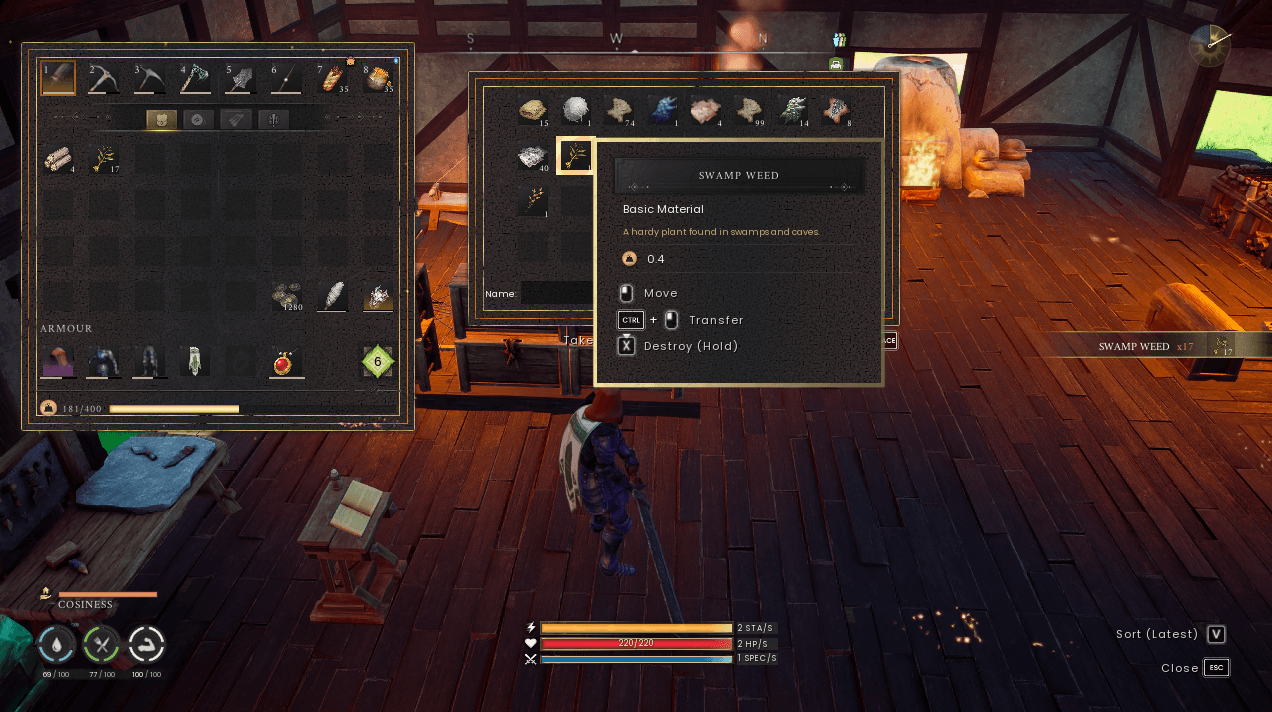
Tired of re-sorting your chests every time you grab a full stack? Withdraw All-but-1 moves an entire stack in or out of a chest or your inventory but leaves one item behind. The slot stays reserved, and your chests stay organised.
| Action | Input | Hover over |
|---|---|---|
| Move stack, leave 1 behind | Middle Mouse Button |
A stack in your inventory or a chest |
| Take +1 into your inventory | Mouse Wheel Down |
A stack in a chest |
| Put −1 back into the chest | Mouse Wheel Up |
A stack in a chest |
Middle-click works just like Ctrl + Click, except it leaves one item in the slot.
Note: Mouse wheel transfers currently only work while hovering a stack in a chest. Hovering items in your inventory isn't supported yet.
\steamapps\common\RSDragonwilds\RSDragonwilds\Binaries\Win64\ue4ss\Mods\You should end up with:
   Mods\WithdrawAllBut1\Scripts\main.lua
   Mods\WithdrawAllBut1\enabled.txt
3. Launch the game. If the UE4SS console shows [WithdrawAllBut1] v1.0.0 loaded, the install worked.
Delete the WithdrawAllBut1 folder from:
\steamapps\common\RSDragonwilds\RSDragonwilds\Binaries\Win64\ue4ss\Mods\Open Scripts\main.lua and edit the config block at the top of the file.
| Setting | What it does | Default |
|---|---|---|
WithdrawButton |
Button used for "move all but 1" | Middle Mouse |
WithdrawModifiers |
Modifier keys needed with the button. For example, { ModifierKey.SHIFT } means Shift + button |
None |
KeepAmount |
How many items are left behind | 1 |
WheelEnabled |
Turns on mouse wheel transfers for chest stacks | true |
InvertWheel |
Swaps the mouse wheel up and down actions | false |
Found a bug or have a suggestion? Leave a comment and let me know!


Hover over an item and press F9 to take you straight to it's Journal entry.
Hover over an item and press F9 to take you straight to it's Journal entry.