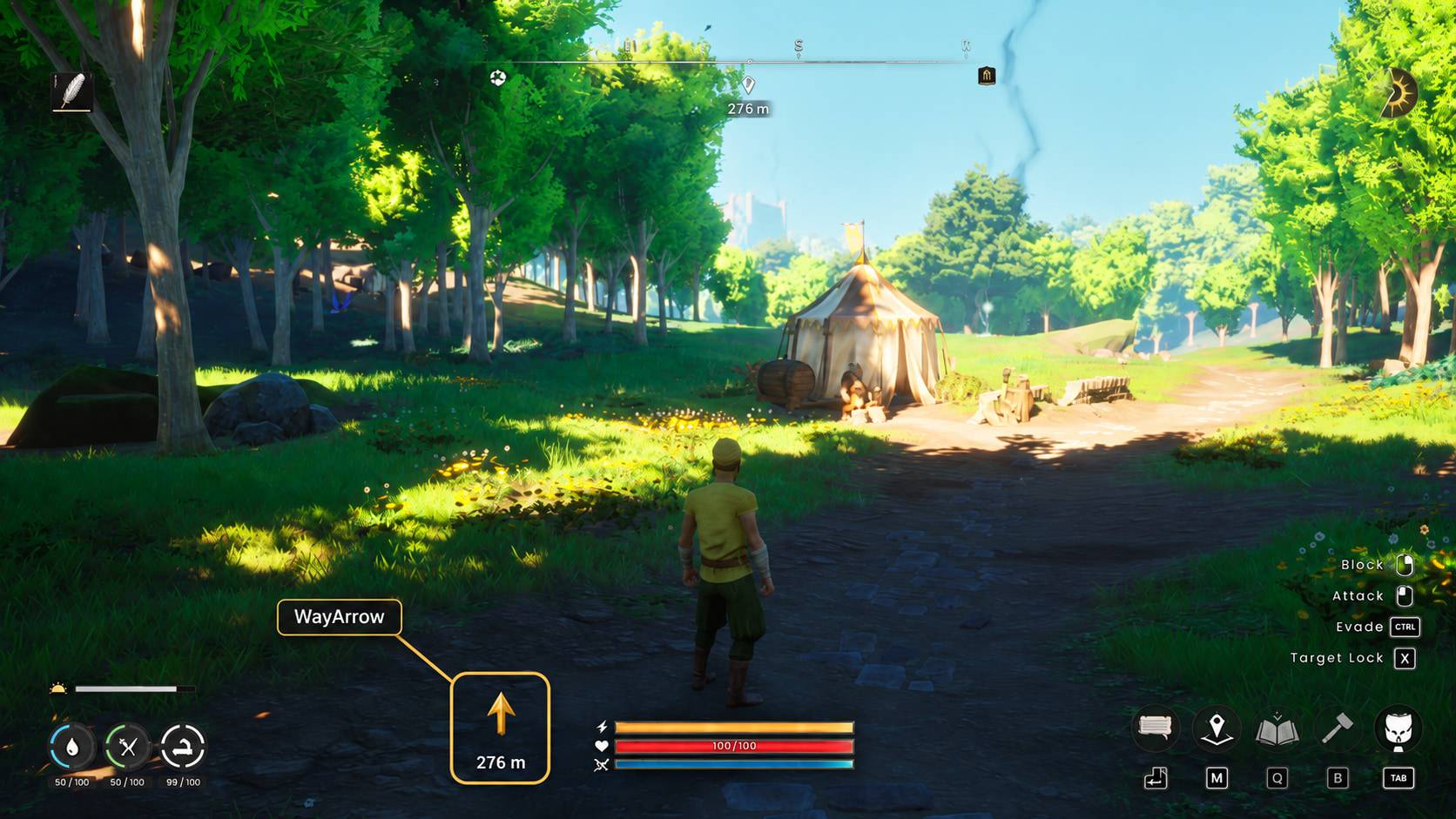
Follow your active Waypoint with a gold navigation arrow and distance in meters.
How to use
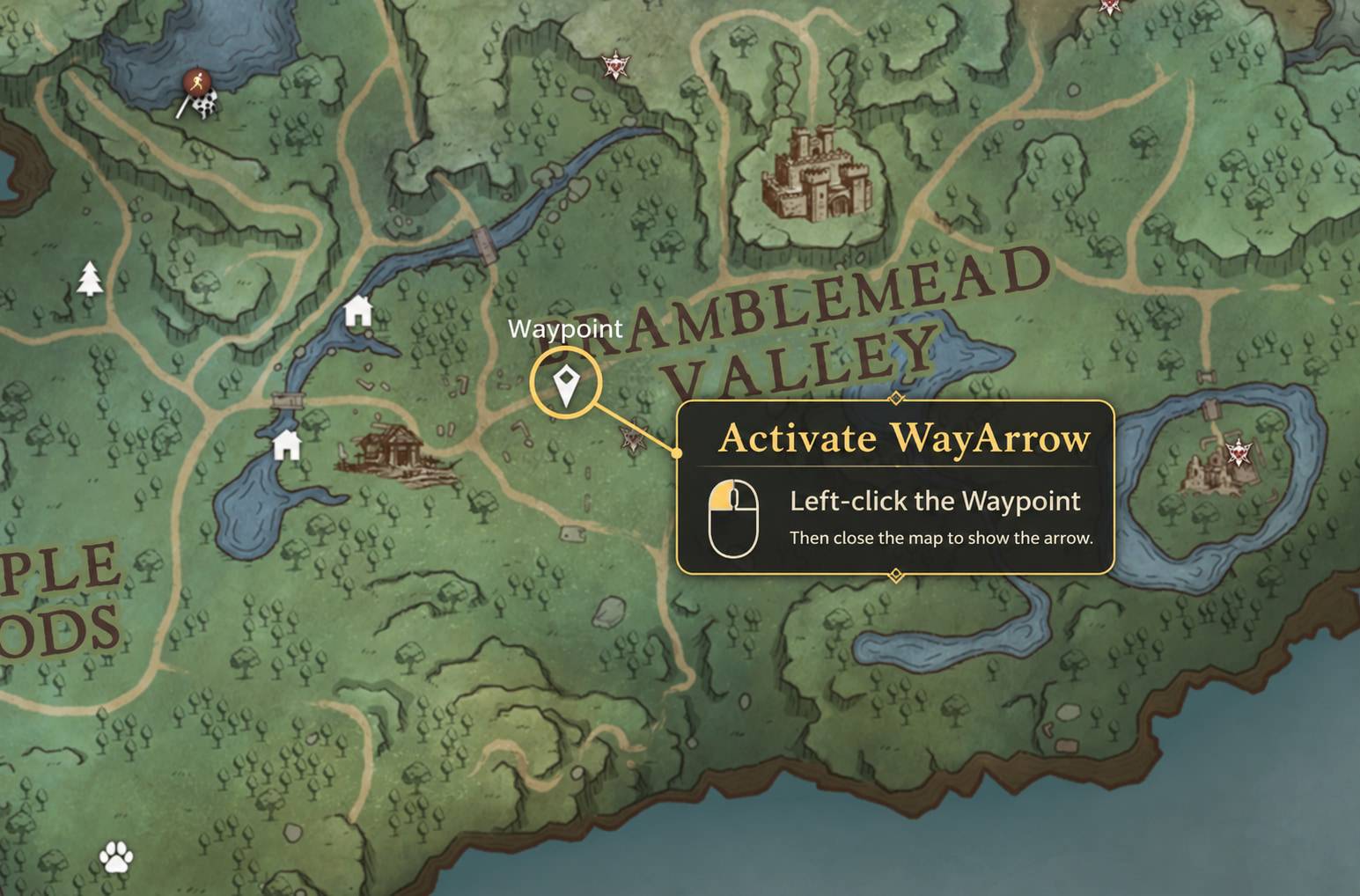
Open the map → Left-click the white Waypoint icon → Close the map
The arrow points directly toward your selected Waypoint and shows the distance in meters.
Ordinary pins and quest markers do not activate the arrow. Changing, moving or removing the Waypoint cancels navigation. Select it again after a change or game restart.
Features
- Smooth direction — the arrow rotates as you turn the camera.
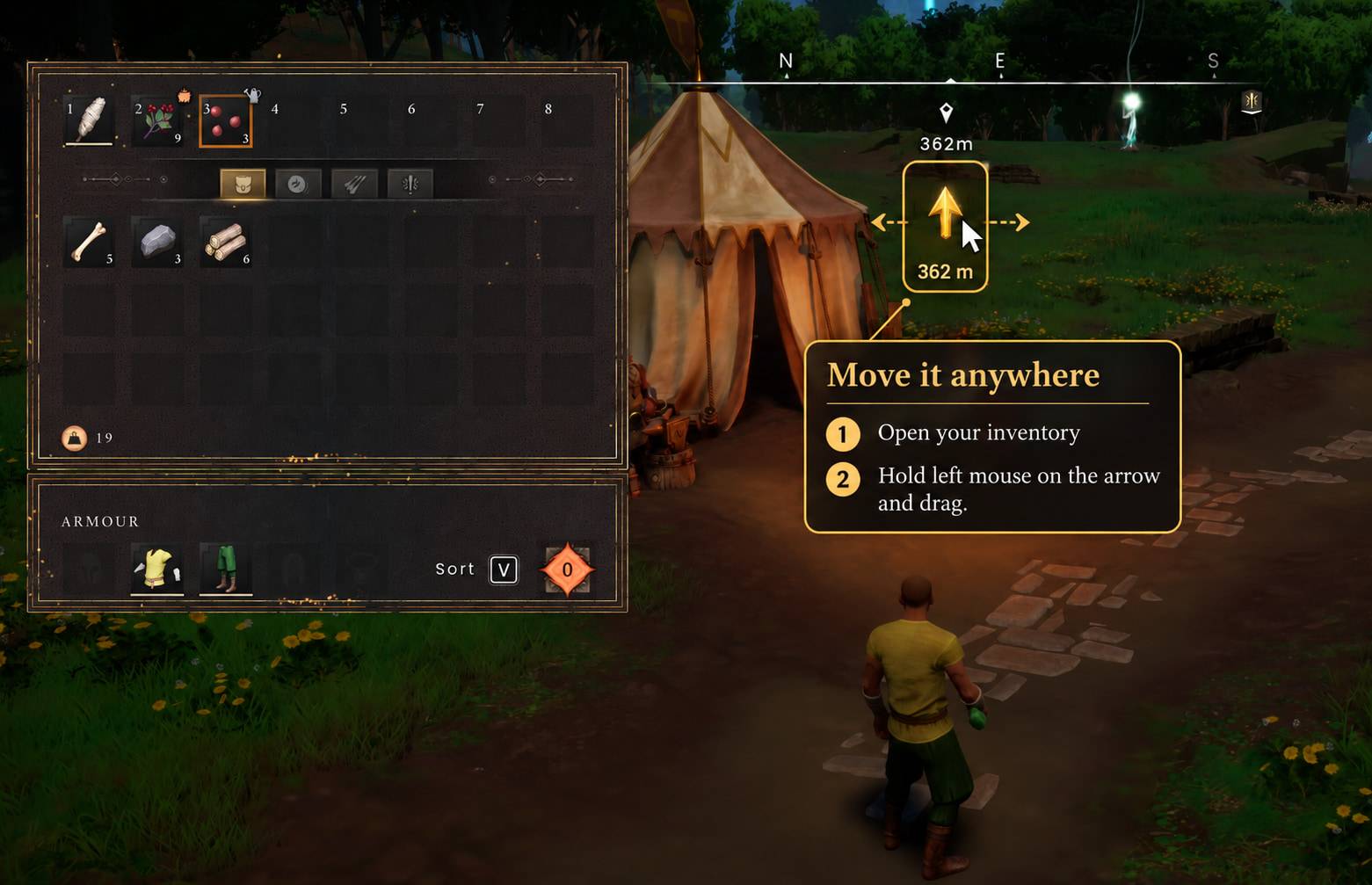
- Arrow and distance together — move the complete display anywhere on your HUD.
- Saved position — your chosen display position is remembered.
- Direct navigation — points toward the target, with no pathfinding.
Move it where you like
Open your inventory → Hold left mouse on the arrow → Drag → Release
Use your assigned inventory key. Release the mouse button before closing the inventory.
Requirements
UE4SS 3.0.1 Beta (f6d5f942) is required and is the tested loader build.
Get UE4SS. The loader is not included.
Installation
- Close the game.
- Install UE4SS in:
<game>/RSDragonwilds/Binaries/Win64/
If updating UE4SS, preserve your existing mods and settings.
- Extract WayArrow-1.0.0.zip and copy its WayArrow folder into:
<game>/RSDragonwilds/Binaries/Win64/ue4ss/Mods/
Updating
Back up your existing WayArrow folder before updating.
With the game closed, merge the update into the same WayArrow folder. Keep settings.dat, its .bak and .tmp recovery files, and logs.