RuneSchema Doctor
Find out why your RuneSchema mods are not working
A read-only checker. Each launch it looks over your RuneSchema install and tells you in plain words what is wrong and how to fix it.
Needs UE4SS. Does NOT need RuneSchema. Mod Menu is optional.
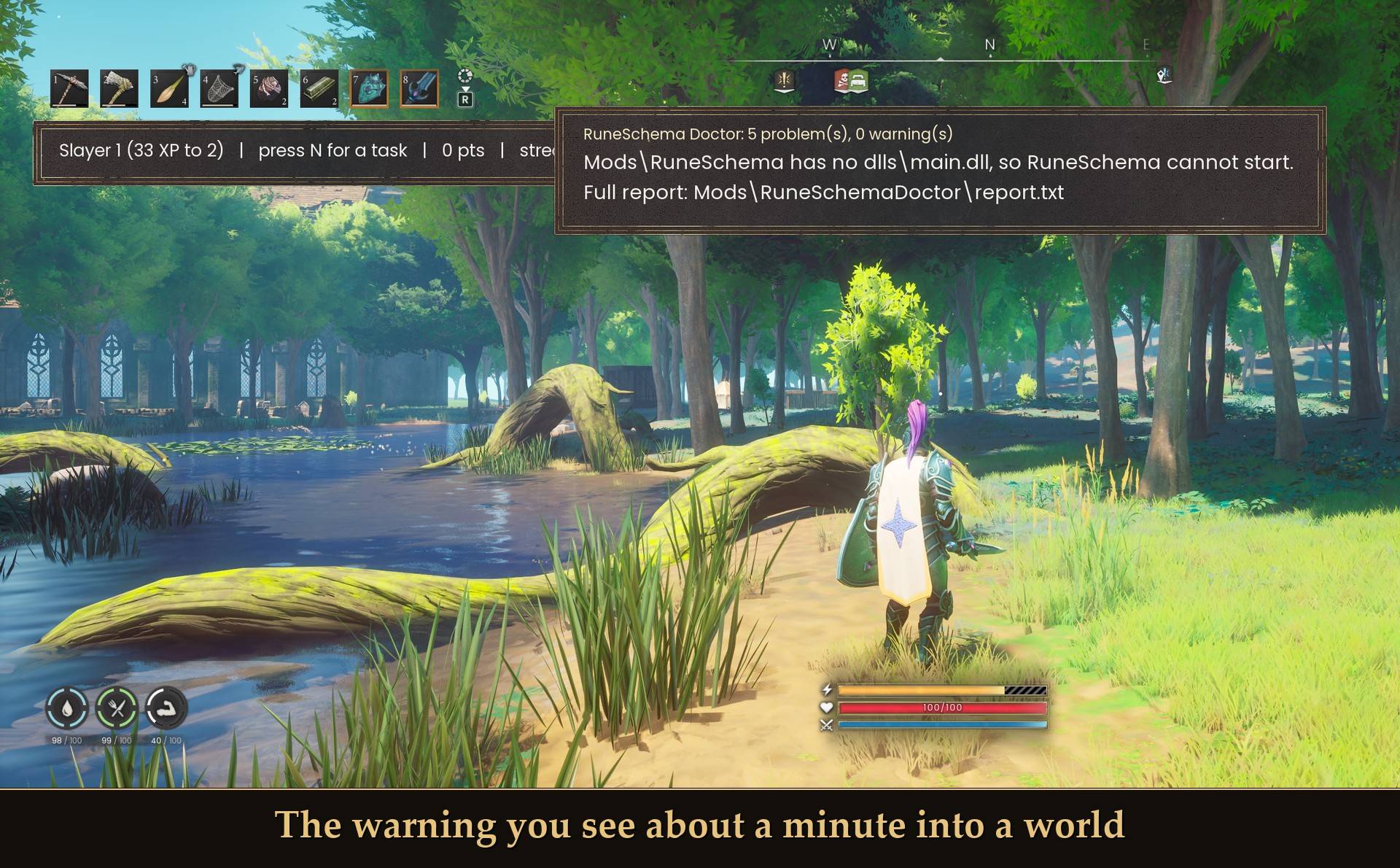
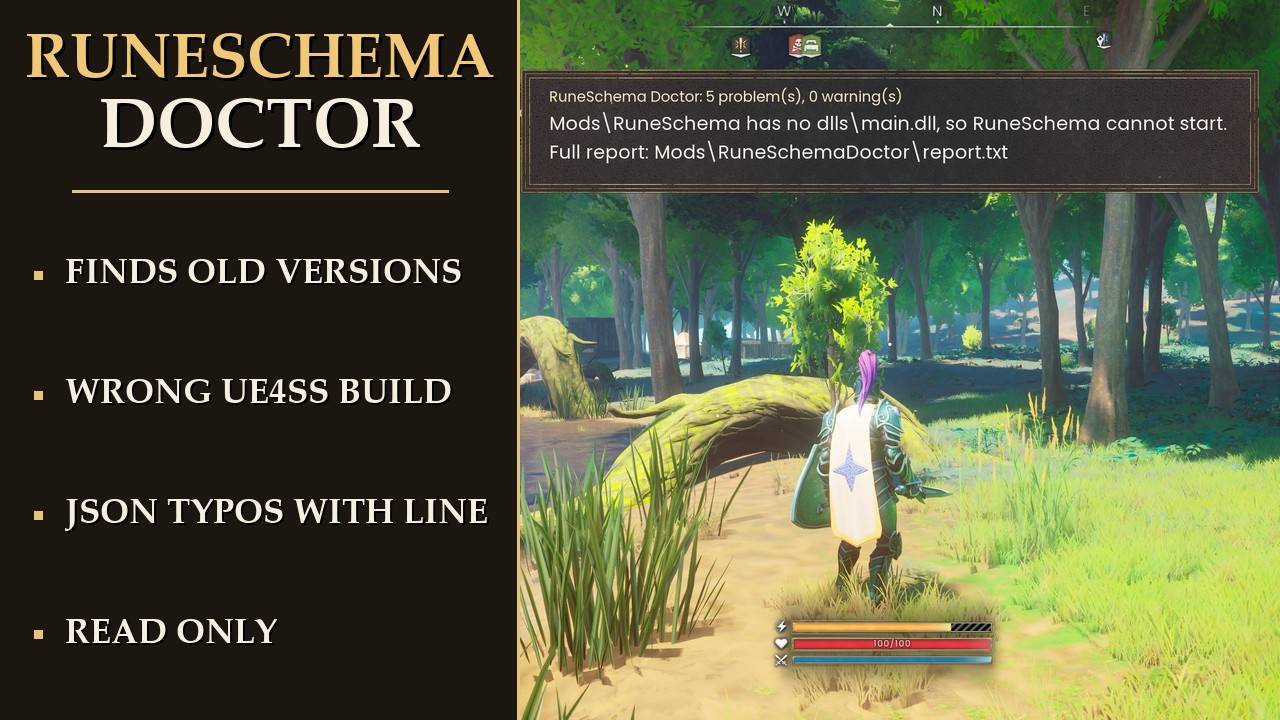
The warning you see about a minute into a world
RuneSchema lets a lot of great JSON mods add content to the game. When one of them does nothing, the questions on those mod pages are nearly always the same few: the old RuneSchema is still installed, the UE4SS build is not the one RuneSchema is built for, or a JSON file has a small typo. So I made a mod that checks those things for you and writes down what it found.
I'm not affiliated with RuneSchema or its team. This is just a helper for players. It never changes RuneSchema, UE4SS or any mod, and it doesn't fix anything by itself: it tells you what to fix. If you don't have RuneSchema installed, it writes one line saying so and does nothing else.
What it checks
- The old RuneSchema: 0.6 from Nexus mod 492 stopped working at game 1.0 with "Failed to find signature for UDataTable::Serialize". The Doctor names it and points you to the current community version, Nexus mod 570 (link at the bottom).
- The UE4SS build: RuneSchema 0.7 is built for UE4SS 3.0.1 Git SHA f6d5f942 (the "latest" build). The Doctor reads your build from UE4SS.log. If it's a different build and RuneSchema did not start, that's a problem. If RuneSchema started anyway, it's a warning.
- A broken install: no
dlls\main.dll in the RuneSchema folder, or "RuneSchema : 0" in mods.txt, which turns it off.
- RuneSchema's own error lines: it reads RuneSchema's [DISABLED], [PARTIAL], [UNAVAILABLE], [DEGRADED], [INVALID] and [FAILED] lines, plus [RuneSchema] [error], and lists the first 12 of each. A [MOD:name] part in a line tells you which mod caused it.
- JSON mistakes: every .json and .jsonc file in
Mods\RuneSchema\mods\<Mod>\<loader></code> is checked the way RuneSchema reads it. Comments are fine, trailing commas are not. You get the file, the line, the column and a plain reason, for example "line 1, column 15: trailing comma before '}'".
- Folders RuneSchema won't read: folders from 0.6 that 0.7 no longer reads (items, translations, appearance, skins), folders it doesn't know, and mods unzipped one folder too deep.
- Errors that show up later: vendors, NPCs and events report their errors once you are in a world, so about 60 seconds in, it reads the new part of UE4SS.log again.
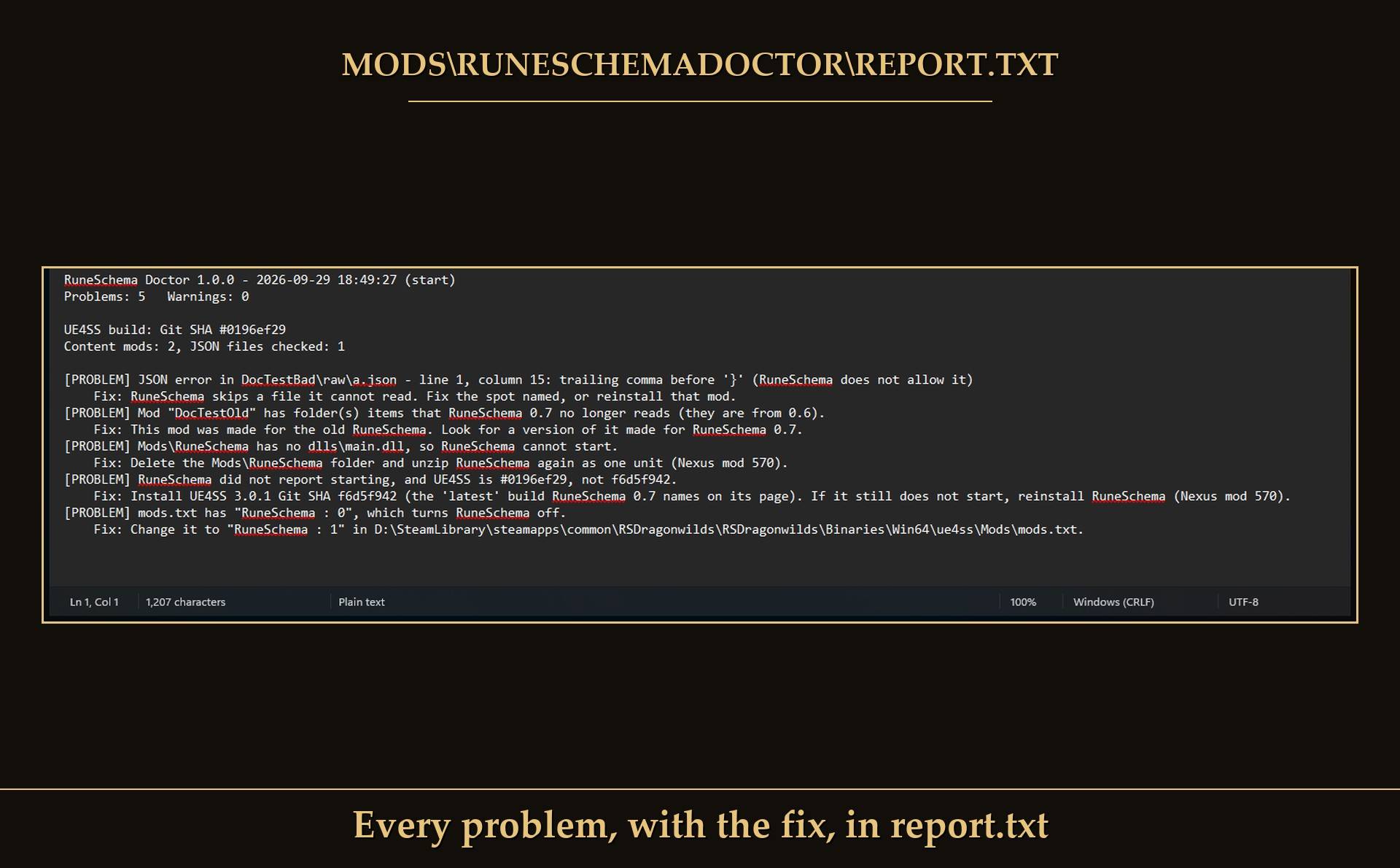
Every problem, with the fix, in report.txt
Where to see the results
- report.txt in
Mods\RuneSchemaDoctor</code>: every problem and warning, each with a fix. It's rewritten every launch.
- UE4SS.log: a summary and each problem, on lines starting with
[RuneSchemaDoctor].
- On screen: a short panel at the top center, about 60 seconds after you enter a world. It shows how many problems and warnings there are, the first problem, and where the report is. It goes away after 14 seconds. It only shows up when something is wrong, unless you turn on the all-clear message.
The checks run once, about 20 seconds after launch, while you're at the main menu.
What to do with each message
- "RuneSchema is not installed": nothing to do. You only need RuneSchema if you use RuneSchema mods, and then get it from Nexus mod 570, not the old mod 492.
- "has no dlls\main.dll": delete the
Mods\RuneSchema folder and unzip RuneSchema again as one unit.
- "mods.txt has RuneSchema : 0": change that line to
RuneSchema : 1.
- "the old version from before game 1.0" or "could not start: Failed to find signature": that's the old RuneSchema from mod 492. Delete
Mods\RuneSchema and install mod 570.
- "UE4SS is #..., not f6d5f942": install UE4SS 3.0.1 Git SHA f6d5f942, the "latest" build RuneSchema 0.7 names on its page. If RuneSchema still doesn't start, reinstall it.
- "installed but did not report starting": reinstall RuneSchema as one unit, with the Steam zip for Steam and the Game Pass zip for Game Pass.
- "RuneSchema error line(s)": the first ones are listed at the bottom of report.txt. A [MOD:name] part names the mod that caused it.
- "part(s) turned off or incomplete": each listed line says which loader or mod. The rest of RuneSchema keeps working.
- "JSON error in ...": RuneSchema skips a file it can't read. Fix the spot named, or reinstall that mod.
- "folder(s) that RuneSchema 0.7 no longer reads": the mod was made for the old RuneSchema. Look for a version of it made for 0.7.
- "folder(s) RuneSchema does not read": check the mod was unzipped in the right place.
- "has no RuneSchema loader folder": it's probably unzipped one folder too deep. It should be
Mods\RuneSchema\mods\<ModName>\raw\..., not ...\<ModName>\<ModName>\raw.
Settings
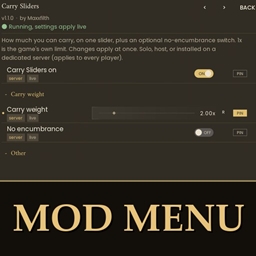
All live in Mod Menu (Esc > MODS > RuneSchema Doctor), or in config.txt in the mod folder:
- Show warnings on screen (ShowOnScreen): on by default. The report file is written either way.
- Also show all-clear message (ShowAllClear): off by default.
- Message time (seconds) (MessageSeconds): 14 by default (5 to 60).
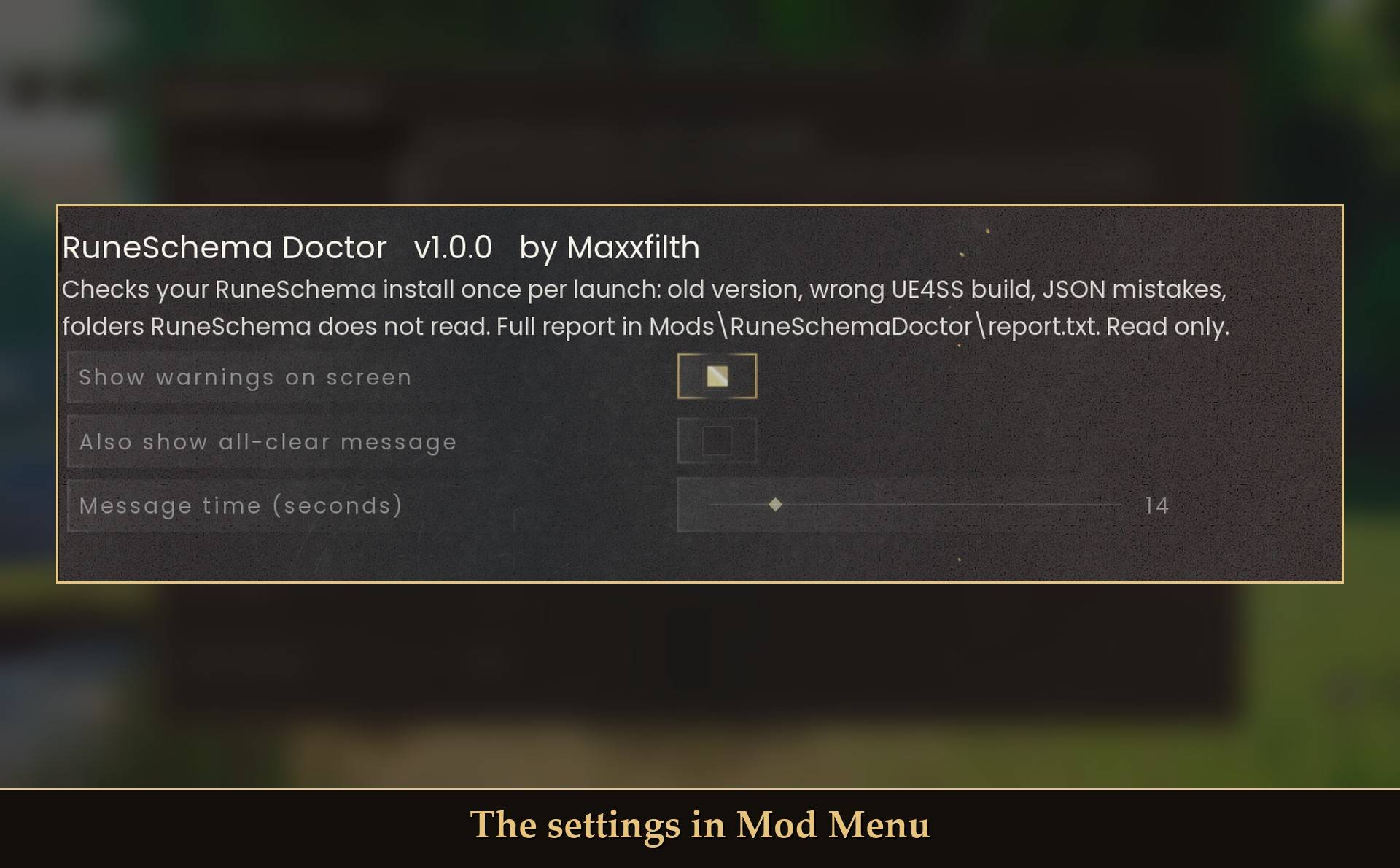
The settings in Mod Menu
Install
- Install UE4SS for RSDragonwilds. Any build works for the Doctor itself.
- Drop the
RuneSchemaDoctor folder into RSDragonwilds/Binaries/Win64/ue4ss/Mods/
- Optional: install Mod Menu to change the settings in game.
On Game Pass: use the BE version of UE4SS with the SCO signature, the normal build does not load there. Game Pass also installs the game under Binaries/WinGDK/ instead of Binaries/Win64/, so the RuneSchemaDoctor folder goes in RSDragonwilds/Binaries/WinGDK/ue4ss/Mods/. The Doctor is written to find RuneSchema in that layout too, but I haven't tested it on Game Pass.
To uninstall, delete the RuneSchemaDoctor folder.
Good to know
- It only reads. The one file it writes is its own report.txt. It never changes RuneSchema, UE4SS, mods.txt, any mod or your save.
- It does not need RuneSchema. Without it, report.txt just says RuneSchema is not installed, and the mod stops there.
- It doesn't fix things for you. Every message comes with the fix, but you make the change.
- Not sure it's running? UE4SS.log shows
[RuneSchemaDoctor] v1.0.0 loaded, and about 20 seconds later a line with the number of problems and warnings.
What I tested
Tested on RuneScape: Dragonwilds 1.0 on Steam with UE4SS 3.0.1 stable (0196ef29), using a RuneSchema folder I broke on purpose: no main.dll, "RuneSchema : 0" in mods.txt, a JSON file with a trailing comma, and a mod with an old items folder. It found all 5 problems about 20 seconds after launch, with the right line and column for the comma, and left a valid file with comments alone. The panel showed up about a minute into the world on 3 of 3 world entries and was gone when I checked 26 seconds later, and turning the message off hid it. Not tested yet: a working RuneSchema 0.7 install in game (only checked offline), Game Pass, co-op.
Links
- RuneSchema, current community version: Nexus mod 570 (not made by me; I'm not affiliated with it).