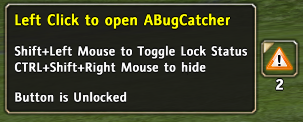
Showing the Error Icon when you have placed your mouse pointer over it.
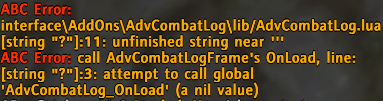
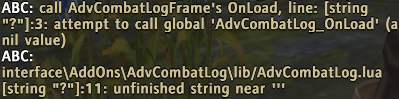
When you have ABC toggled On to display errors in the chat frame. Here is the results when errors are encountered.
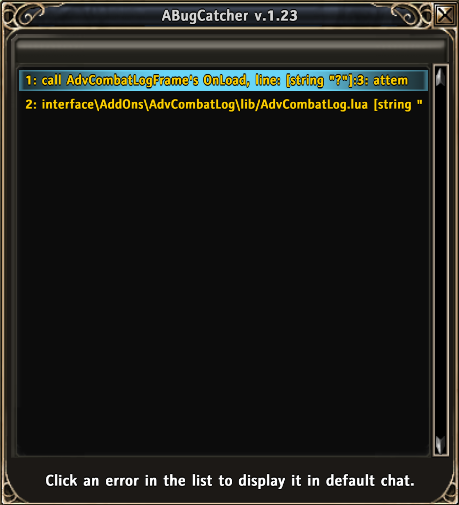
Here is an easy to view error list with stored errors ABC has caught.

Icon that is displayed in AddonManager when you have it installed.

Error Icon displaying number of unique errors caught.
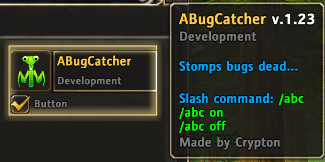
Addon Manager Supported by ABC.
Tired of scrolling up in your chat frame to find errors? With ABC you can easily click an error in the error list of ABC's UI and display it again in the chat frame.
Description
What is ABugCatcher (ABC) ?
Besides the clever name, ABugCatcher is designed to prevent those
annoying error message popups and even hide the messages
completely should you wish them to be hidden. In "some" cases, the
default ingame error window cannot be closed at least not with a
simple click of a button. It tends to want to take over your game
preventing you from doing anything. ABC will rescue you from frustration.
Usage
Use /abc to open the UI
Use /abc on to turn on showing errors in Chat Frame
Use /abc off to turn off showing errors in the Chat Frame
Use Left Click to print an error in chat screen
Use Right Click to copy error message to the clipboard
Use Shift + Left Click to clear/delete a single Bug Message
Use CTRL + Shift + Left Click to clear/delete all Bug Messages
Feel free to translate ABC, you may translate online at: CurseForge
ABugCatcher is useful for Players and Developers alike.
Features
- UI to easily look through errors. Click an error to display the full error in chat frame.
- ABugCatcher will only log a specific error once making it easier to look through error
messages. This helps isolate a specific issue so you do not need to look though hundreds
of the same error message. - Moveable error icon showing the number of unique errors ABC has caught. Error icon only
shows when errors exist. - Addon Manager Support
- Easily delete a single or all bug messages from the list.
- Copy bug messages to the clipboard to paste outside of game or into chat when seeking help or debugging to isolate an issue.
Developers:
ABugCatcher is useful for developers whom need a way to catch bug messages in
order to address the issues of their addons or even find if conflict between
other addons is causing the issue. See Readme.txt included with the package
for further information.
ABugCatcher_ErrorList array in SaveVars is cleared if you exit the game and
come back, keep that in mind if you wish to save the list, copy them out of SaveVars
before starting the game again. This prevents the SaveVariables.lua from becoming
bloated with old messages.
ABC declares a global: _G.ABugCatcher
Inside the global contains a key defining the running version of ABC
_G.ABugCatcher["ver"] (or _G.ABugCatcher.ver for those who prefer to write it this way)
You can use this to determine if ABC is installed and allow it to control Bug Messages
if your addon has built in error detection features.
Example:
	if (ABugCatcher == nil) then
		my_bug_handler();
	end
You can also send custom error messages to be logged by ABC. To utilize this feature send the error
message to ABC's ABugCatcher_CheckErrors function. Be sure to check first that ABC is at least 1.23
as this function was not available in older versions.
Example:
	if (ABugCatcher ~= nil) then
		if (ABugCatcher["ver"] ~= nil) then
			if (ABugCatcher["ver"] >= 1.23) then
				ABugCatcher_CheckErrors("Here is a bug, log it!");
			else
				my_bug_msg_handler();
			end
		else
			my_bug_msg_handler();
		end
	else
		my_bug_handler();
	end
The ABugCatcher Team


Owner