Description
CraftHub is the core of a modular crafting-profit suite. It provides the modern interface, the settings and the price integration. The features themselves live in separate module addons, so you install only what you need.
⚠️ The core does nothing on its own. Install at least one module to see crafting data. All modules require this core.
✨ What the core provides
- 🎨 Modern flat UI. A clean, draggable and resizable window with a sidebar.
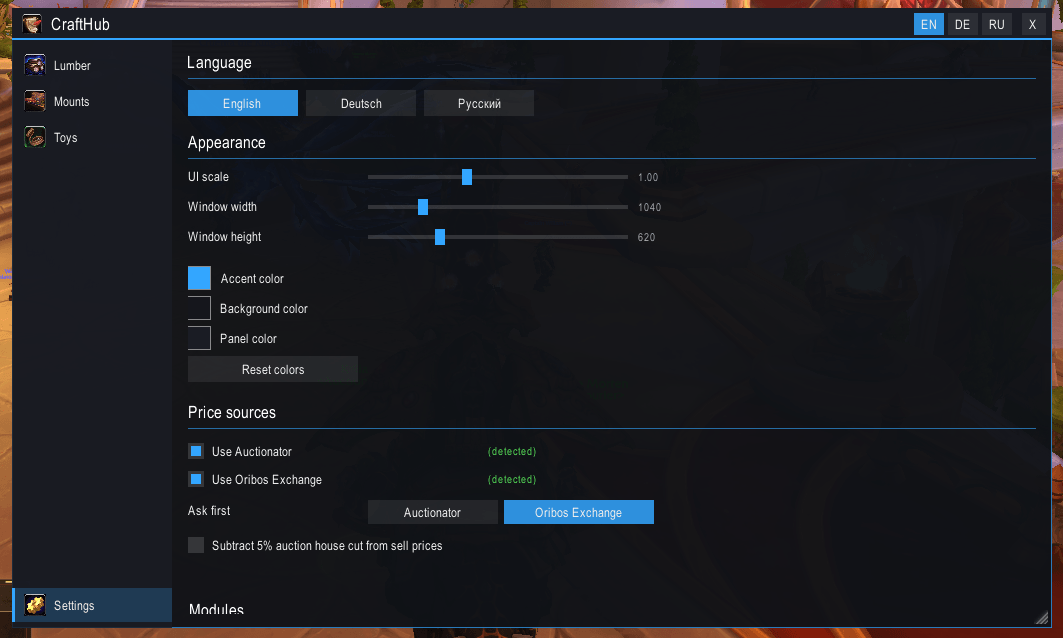
- 🖌️ Color customization. Accent, background and panel colors with opacity, plus UI scale and window size.
- 🌍 Live language switching. English (default), German and Russian, with no
/reloadneeded. - 💰 Auctionator and Oribos Exchange support. Use one or both, choose which is asked first, and optionally subtract the 5% auction house cut.
- 🧩 Automatic module detection. Installed modules are listed in the settings, each with a one-click Enable / Disable button.
🧩 Available modules
| Module | Summary |
|---|---|
| 🪵 CraftHub: Lumber | Ranks recipes by profit per lumber used, grouped by expansion. |
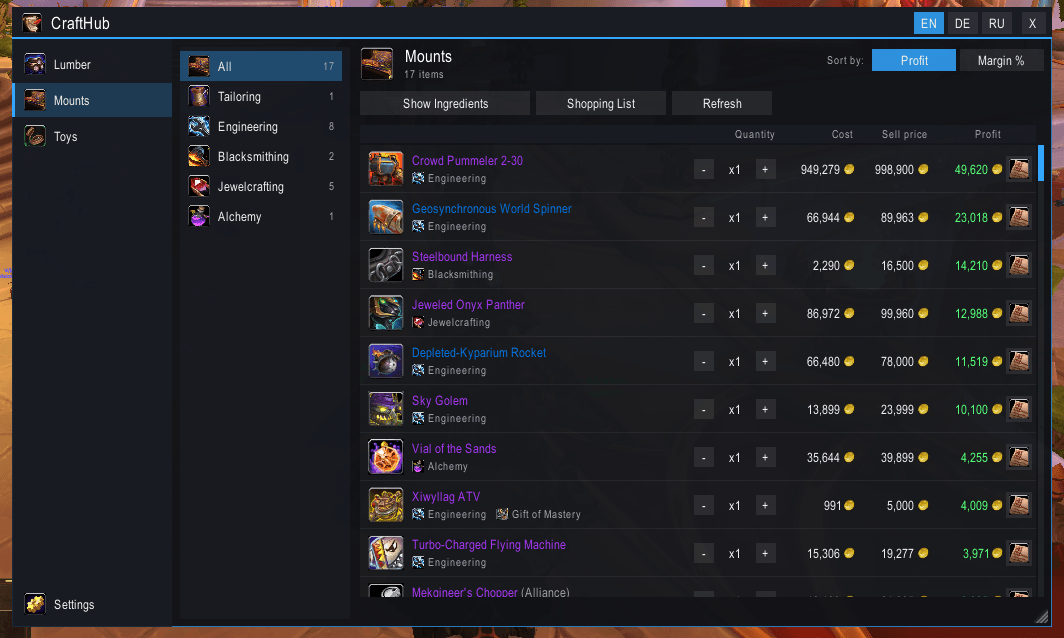
| 🐎 CraftHub: Mounts | Cost, sell price and profit for crafted mounts, with a quantity calculator and shopping lists. |
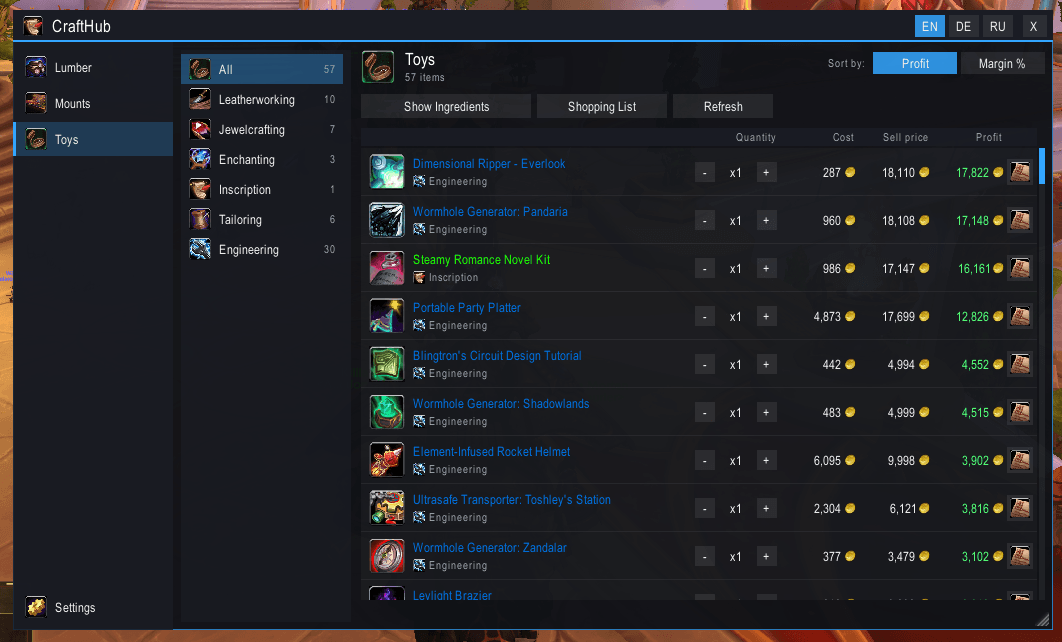
| 🧸 CraftHub: Toys | Cost, sell price and profit for crafted toys, with a quantity calculator and shopping lists. |
| 🐾 CraftHub: Pets | Cost, sell price and profit for crafted pets, with a quantity calculator and shopping lists. |
Each module is a separate download and will not work without CraftHub (core).
📦 Installation
- Install CraftHub (this addon).
- Install the module addons you want.
- Launch the game and type
/crafthub(or/chub).
Optional but recommended: Auctionator and/or Oribos Exchange for live prices.
⌨️ Commands
| Command | Action |
|---|---|
/crafthub or /chub |
Open or close the window |
/crafthub settings |
Open the settings |
You can also open it from the addon compartment button.
❓ FAQ
I installed CraftHub but see no data. Install a module, for example CraftHub: Lumber, and reload the UI.
I see no prices. Install Auctionator or Oribos Exchange and make sure it has scanned data. CraftHub shows a warning when no price addon is found.
Can I disable a module without uninstalling it? Yes. Use the Enable / Disable button in the core's settings.
CraftHub: Core Team

Owner