RQE - Rhodan's Quest Explorer
- By
Navigate and conquer your quests with unparalleled precision! This advanced quest helper and tracker is designed to streamline your adventure, offering detailed guidance, automated waypoints, and tailored macros for each focused quest in World of Warcraft
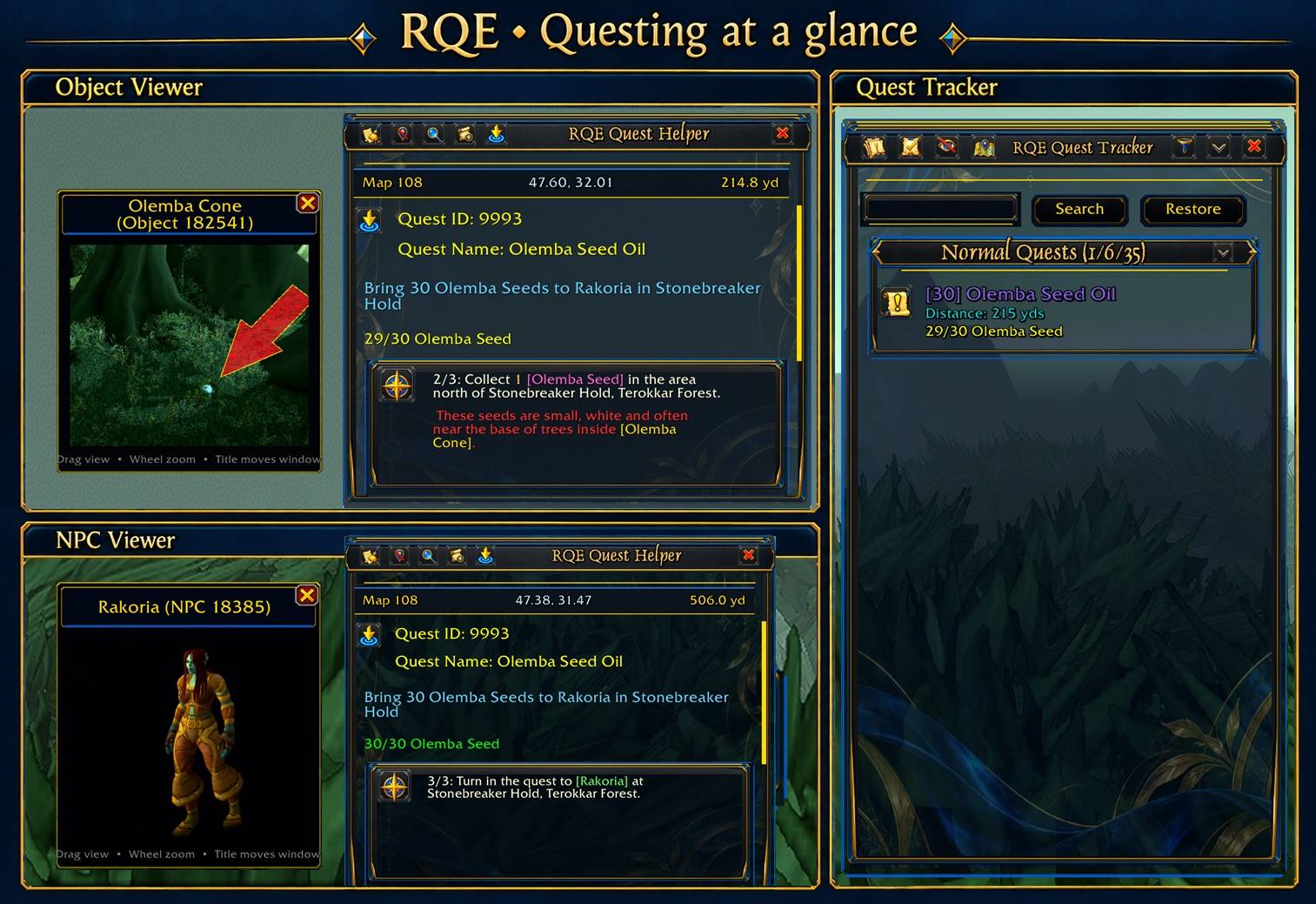
Preview NPC models and object images directly from quest-step links, alongside RQE’s quest guidance and Azure & Gold Quest Tracker.
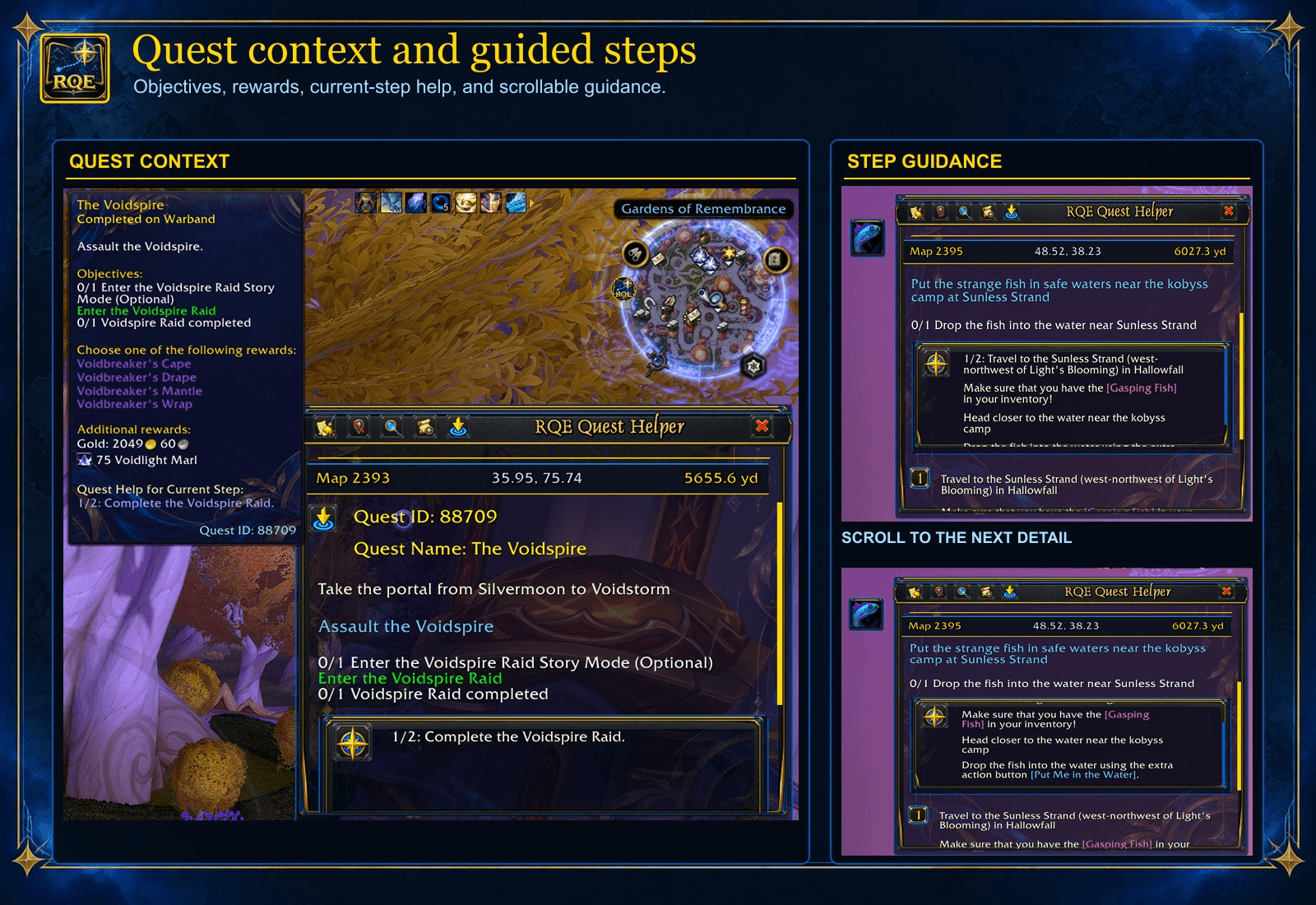
See quest objectives, rewards, and the current guided step together. Scroll the Quest Helper for more authored guidance; step coverage varies by quest.
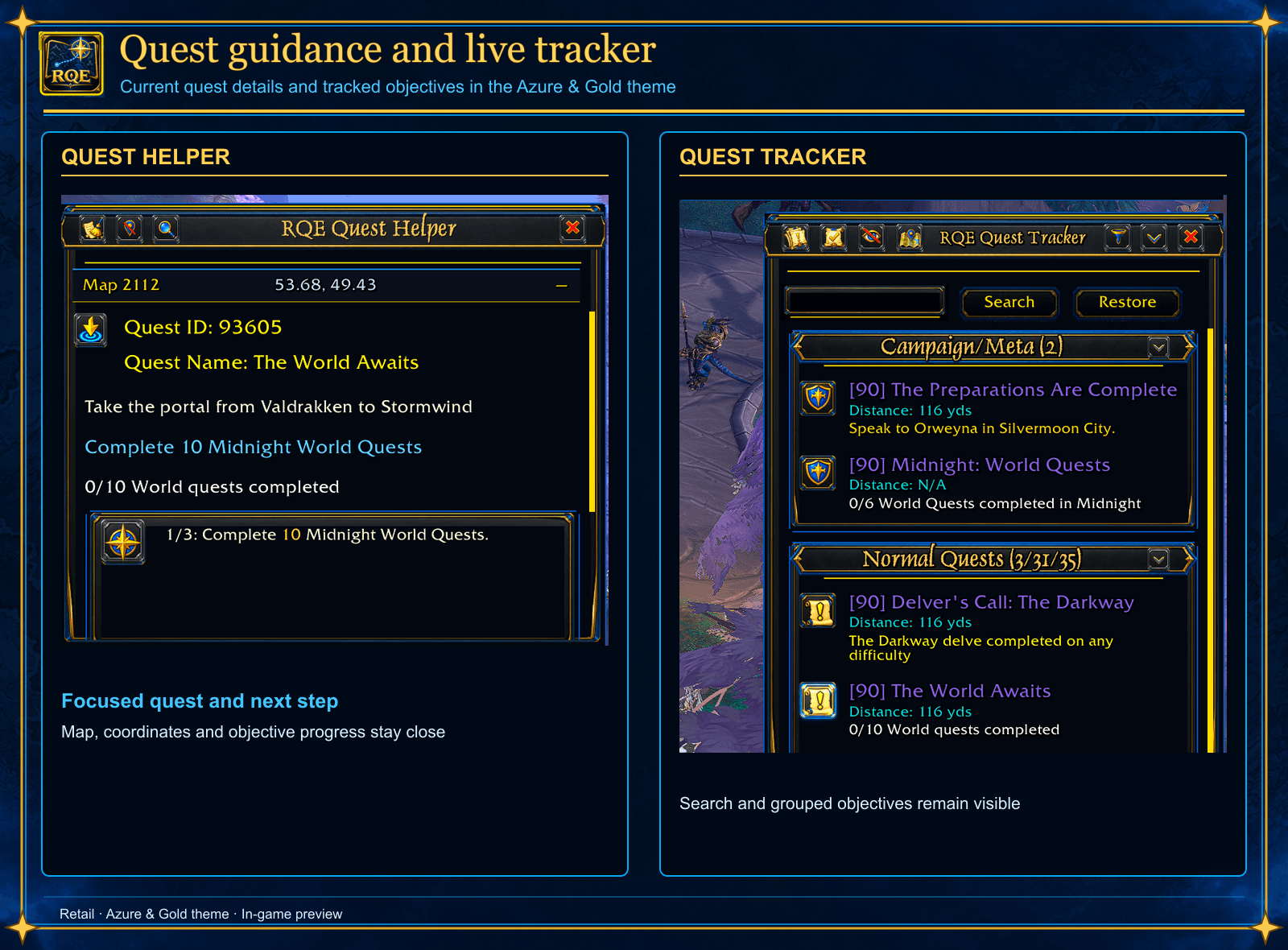
The Azure & Gold Quest Helper keeps the focused quest, coordinates, objectives, and next guided step beside a searchable Quest Tracker with grouped quest progress.
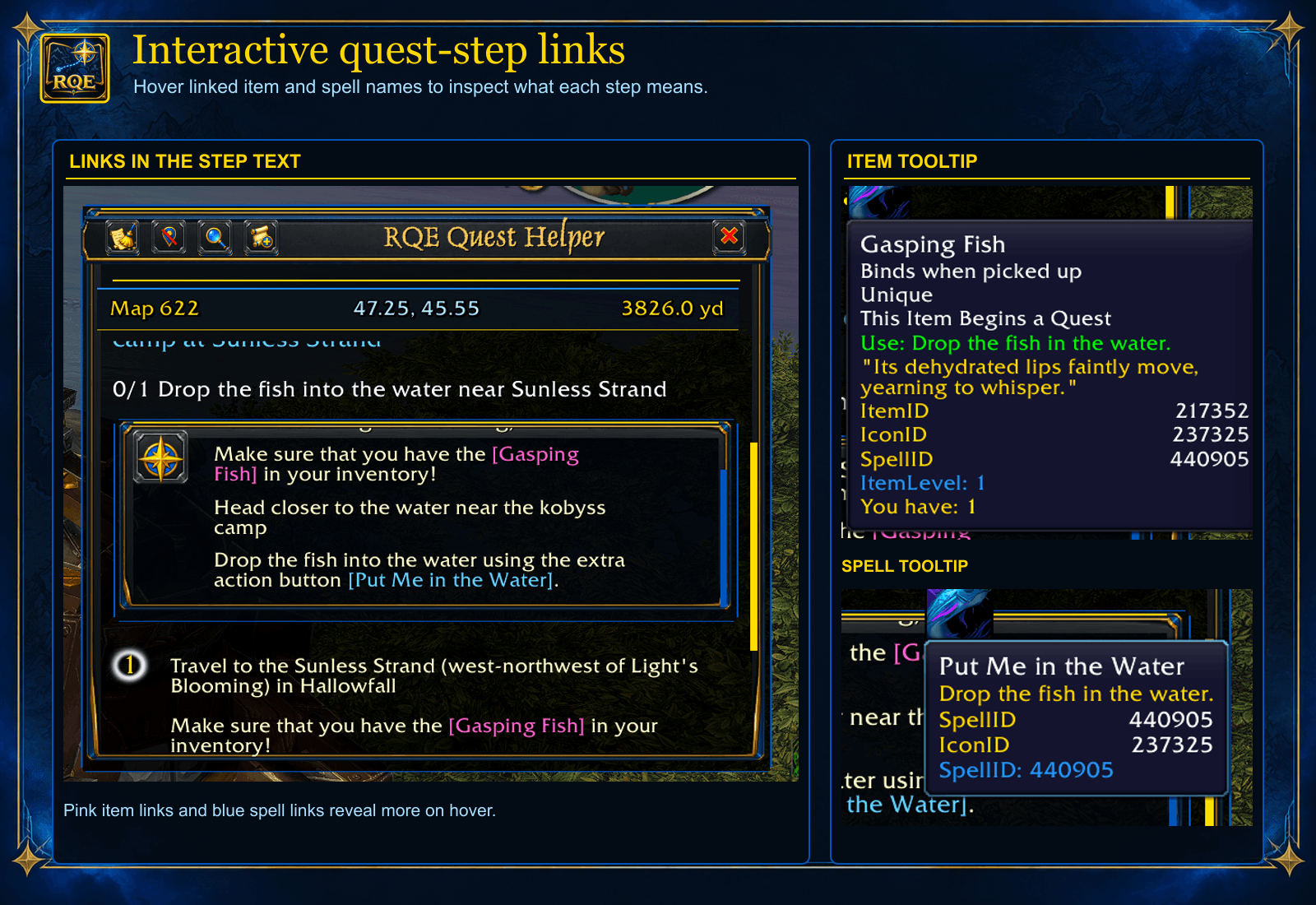
Hover highlighted item and spell names in guided steps to inspect their in-game tooltips before acting.
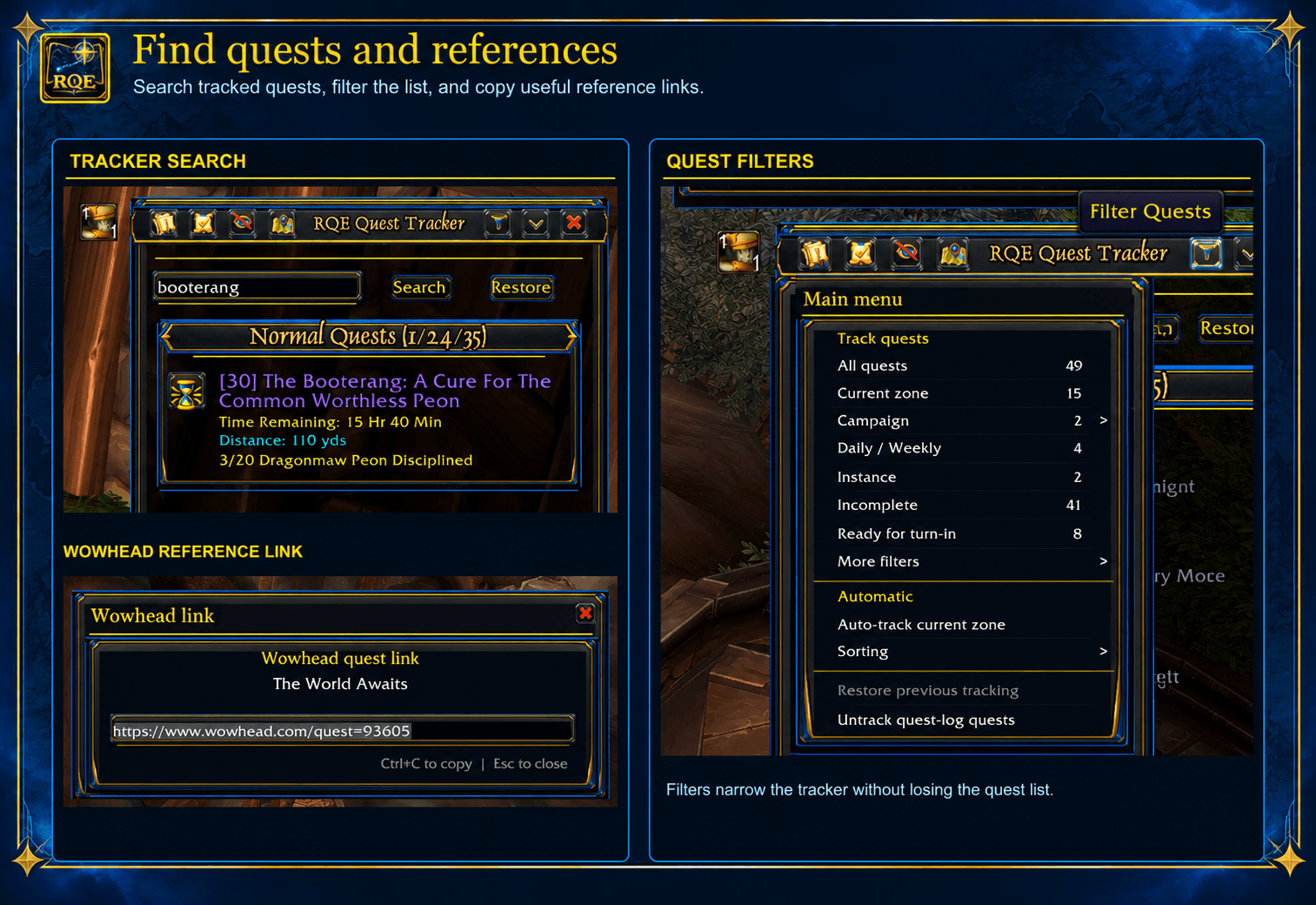
Search tracked quests, narrow the Quest Tracker with its filter menu, and copy a selected Wowhead quest link or search Warcraft Wiki. Restore returns to the full quest list.
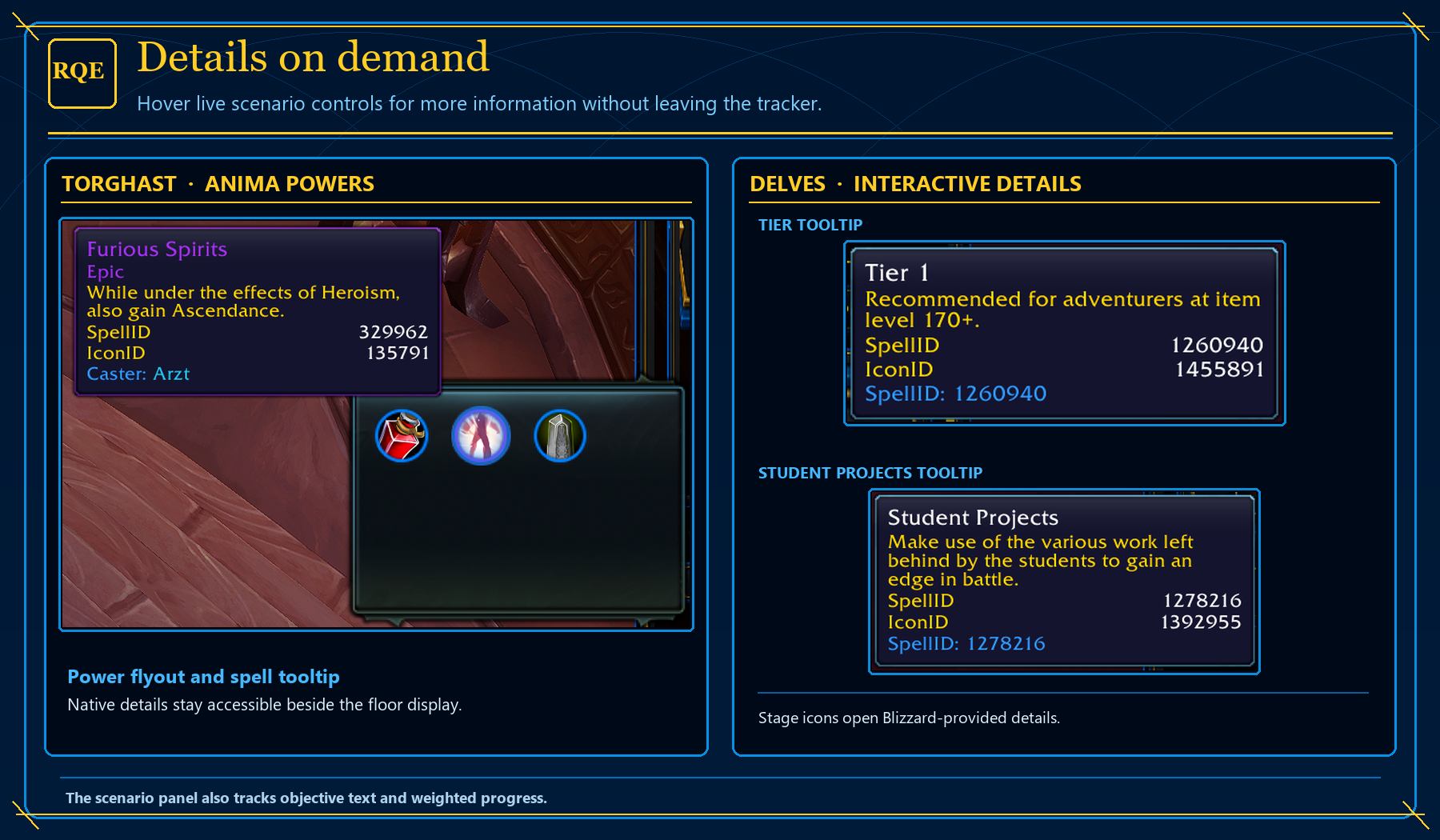
Open Torghast’s Anima Powers flyout and hover powers or Delve stage icons for Blizzard’s tooltips, all from RQE’s Quest Tracker.
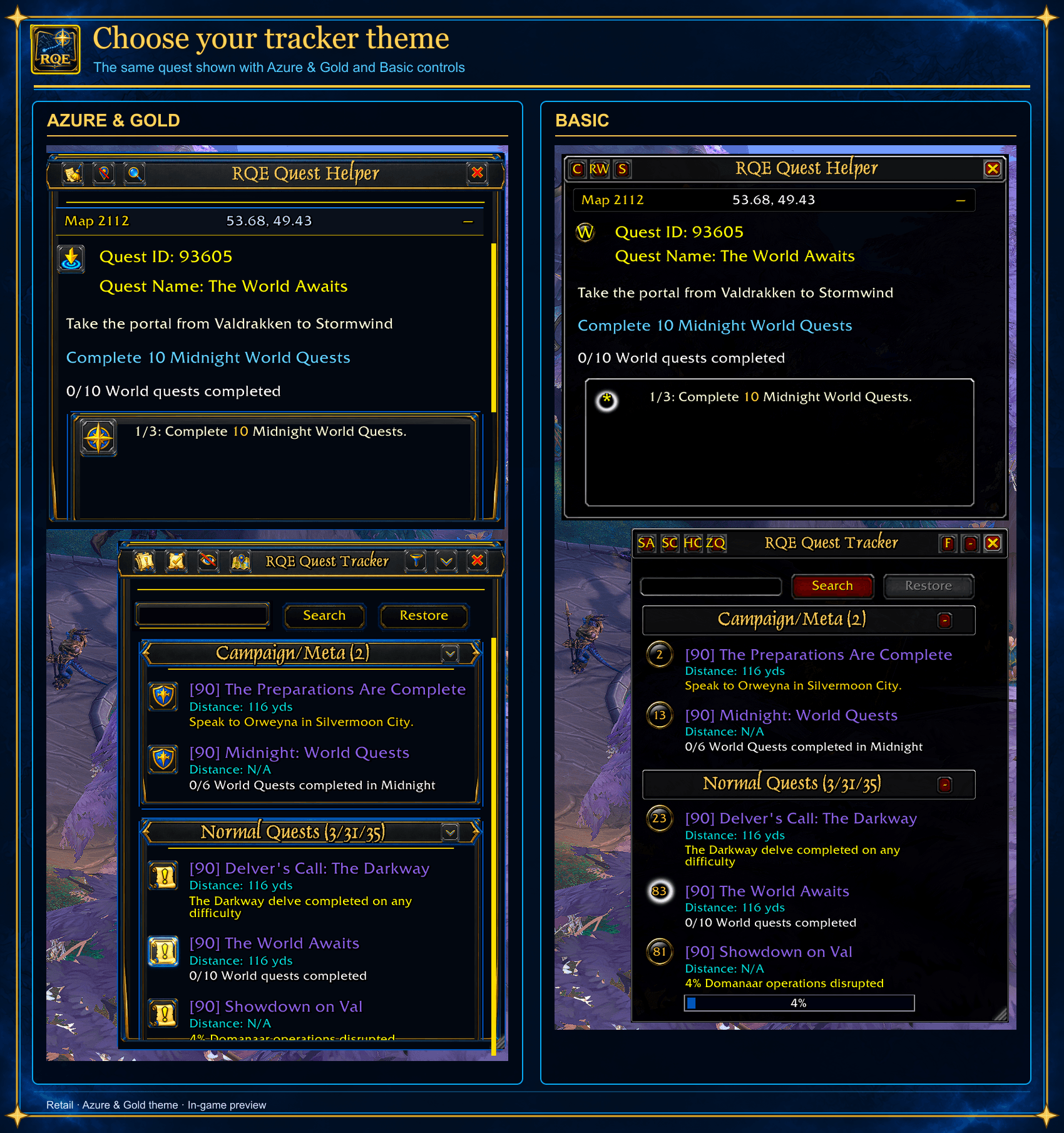
The same quest shown in Basic and Azure & Gold. Both layouts keep the live Quest Helper and Quest Tracker data while frames, controls, and section headers change.
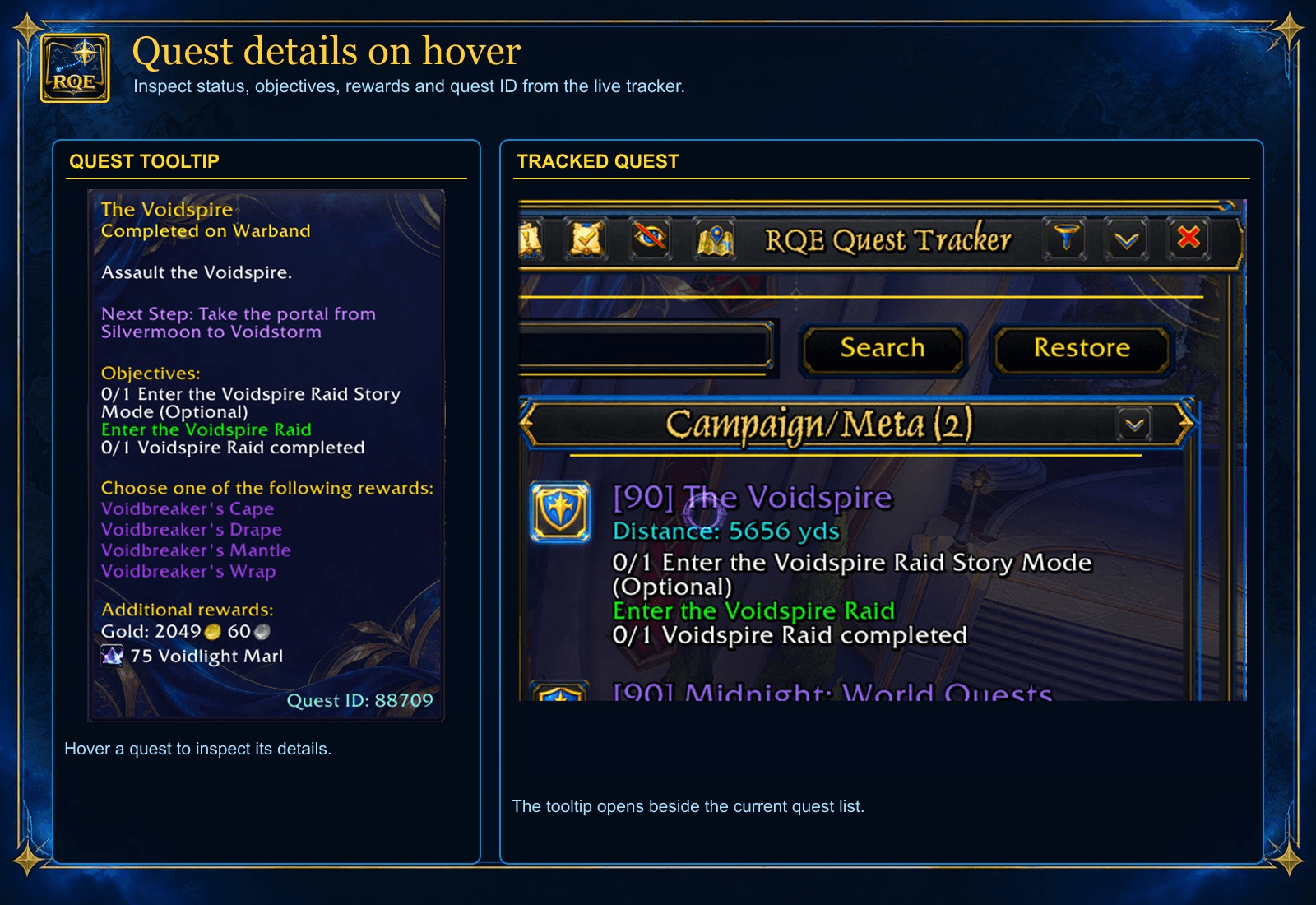
Hover a tracked quest to inspect its completion status, objectives, reward choices, and quest ID without opening the quest log.
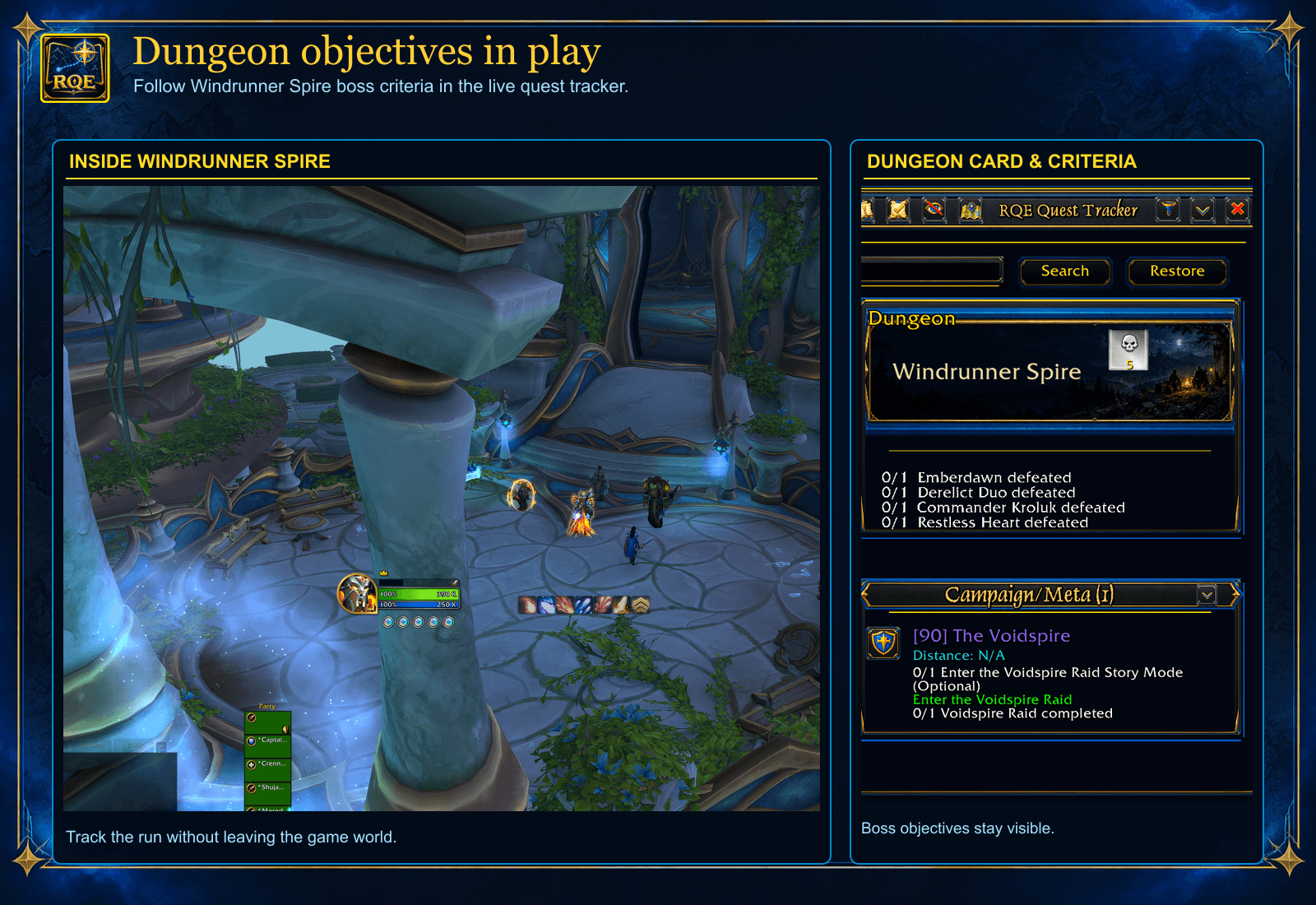
Windrunner Spire’s dungeon card and boss criteria stay visible in the RQE Quest Tracker during play.
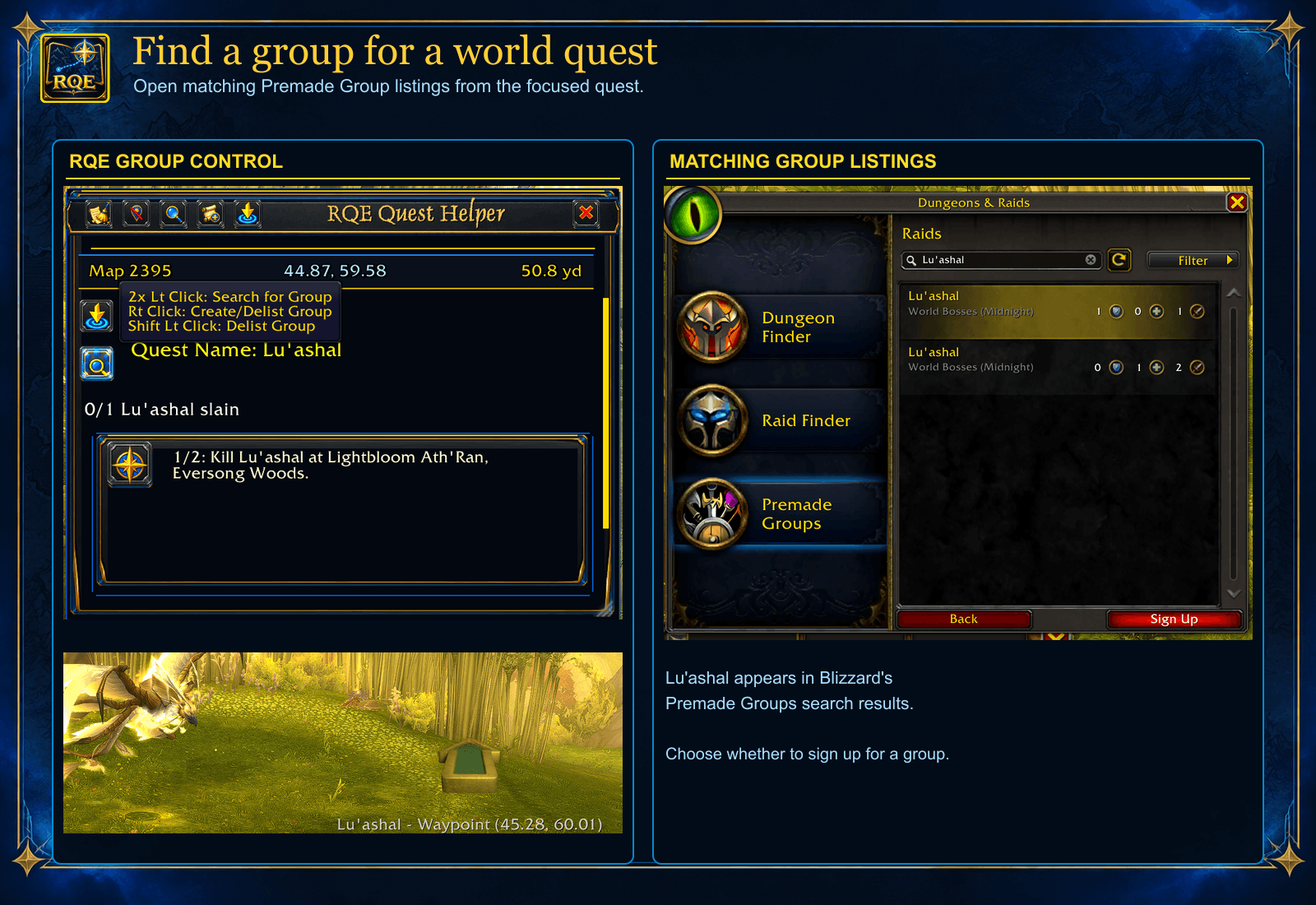
Use the focused world quest’s group control to search for matching Blizzard Premade Groups listings. The Lu’ashal example shows the in-game group control and search results; you decide whether to sign up.
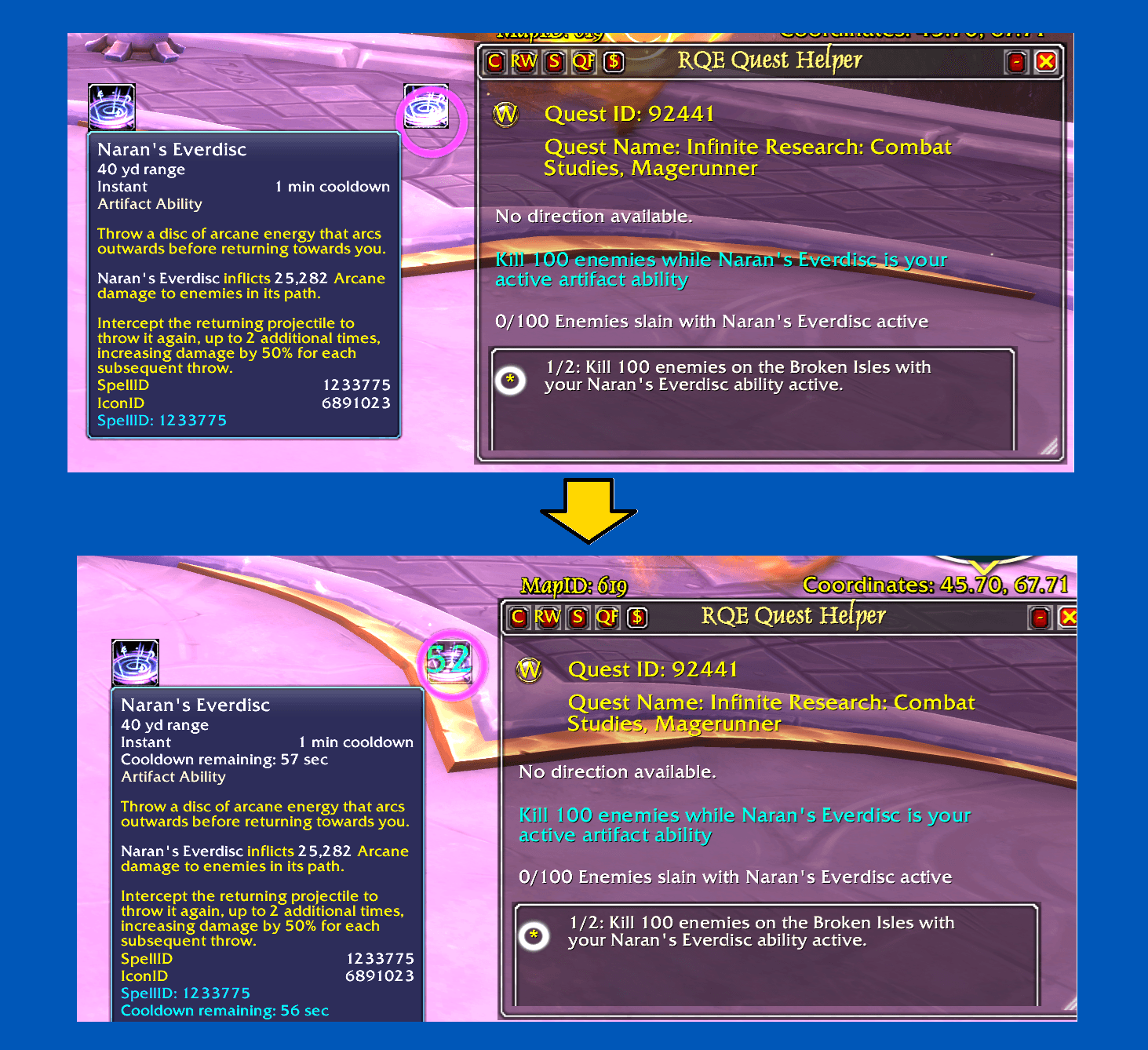
When a guided step provides a usable quest spell or item, RQE’s macro button can show its cooldown so you can see when the action is ready again.
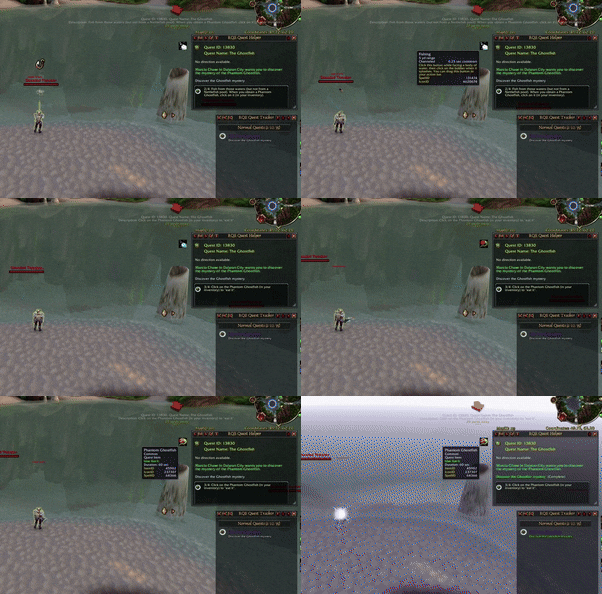
In The Ghostfish, RQE updates its quest macro button when the short-lived Phantom Ghostfish becomes available, putting the item action close at hand.
Description
RQE - Rhodan's Quest Explorer | Questing At-A-Glance
(Complete with smart tracking, step-by-step guidance, waypoints and macros to help you on your journey)
Hover highlighted NPC or object names in quest steps to see what you’re looking for, while RQE guides you with objectives, waypoints, and a customizable tracker.
What does the add-on do?
Find tracked quests on Wowhead and Warcraft Wiki, view quest lines and tooltips, and locate quest givers.
How RQE Helps
Rhodan’s Quest Explorer helps you follow supported quests with clear steps, objective tracking, waypoints, and tools for finding what you need along the way.
Key Features
- Guided quest steps: See objectives, locations, and instructions for each stage. Move between steps manually when needed.
- Waypoints and coordinates: Follow map points toward your next destination.
- NPC and object previews: Hover linked names in quest steps to see the creature or object you’re looking for.
- Quest-aware macros: Use helpful targeting and quest-item macros where available.
- Quest tracking: Keep current objectives and progress visible in the Quest Helper and Quest Tracker.
- Customizable frames: Adjust appearance, size, position, and locking to suit your setup.
- Group finder: Find groups for eligible quests from the quest interface.
The quest macro button updates automatically when you obtain the required item.
Known Compatibility Issue:
When RQE and World Quest Tracker are enabled together, some quests may appear as both world quests and regular quests. I have not reproduced this with either add-on running alone. You can still use both, but you may see duplicate entries for affected quests. There is no confirmed workaround yet.
RQE Themes expansion: https://www.curseforge.com/wow/addons/rqe-themes
Other projects by Rhodan
RQE - Rhodan's Quest Explorer Team