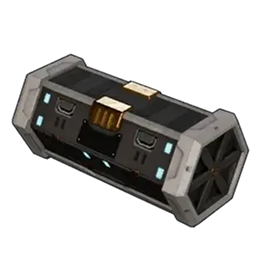
Z's Chunk Loader
Z's Chunk Loader helps Palworld keep distant guild bases loaded and active instead of streaming them out when no player is nearby.
It is designed for dedicated servers with specialized bases spread across the map. Keeping those bases available allows remote production systems, storage mods and other base automation to continue seeing their actors and containers after server startup.
Version 1.0.0
Features
- Discovers Palworld base camps after a world starts.
- Fairly selects the smallest useful MainGrid world-partition cells around every discovered base.
- Requests cold base cells to load without requiring a player to visit each base first.
- Keeps selected base cells resident after they load.
- Enables each loaded Palbox's native MainGrid streaming source.
- Reduces distance-based throttling so remote bases can continue receiving full base updates.
- Does not increase the building boundary or change base ownership.
- Includes configurable safety limits for forced cells, padding, timing and base tick rate.
- Uses a one-time world discovery pass; maintenance operates only on cached objects and does not repeatedly scan every Unreal object.
- Works alongside Universal Base Storage to make distant storage containers available after startup.
Why Use It?
Palworld normally streams distant world cells out of memory and reduces base simulation when players move away. A base may still exist in the save while its Palbox, containers and other actors are unavailable to mods or gameplay systems.
Z's Chunk Loader requests the relevant base cells through Palworld's world-partition streaming system, keeps those cells resident and adjusts remote-base update throttling. This helps distant bases become available without manually teleporting to every base after each restart.
Requirements
- A Palworld-compatible UE4SS installation with Lua mod support.
- Installation on the dedicated server.
- Installation on connecting clients is recommended so their local world and interface receive the same base-streaming support.
UE4SS Experimental for Palworld is recommended. Follow the UE4SS installation instructions appropriate for your Palworld version.
Installation
Close Palworld and stop the dedicated server before installing or updating.
Extract the archive into the UE4SS Mods folder on the server. For dedicated-server play, install the same version on each client as well.
The completed structure should be:
Mods/
  ZsChunkLoader/
    enabled.txt
    Scripts/
      main.lua
      config.lua
Common client location:
Palworld/Pal/Binaries/Win64/ue4ss/Mods/
Common dedicated-server location:
Pal/Binaries/Win64/ue4ss/Mods/
Restart the server and clients after installation.
Configuration
The default configuration is intended to be conservative and usable without editing anything. Advanced users may edit:
ZsChunkLoader/Scripts/config.lua
Available settings control:
- Base-cell pinning.
- Forced cold-cell loading.
- Padding around base boundaries.
- The maximum number of forced cells.
- Palbox native streaming sources.
- Remote-base significance and tick intervals.
- Startup delay and maintenance timing.
- Optional custom world locations.
Large padding values can select many cells and severely increase memory or CPU use. Change one setting at a time and keep backups of the original configuration.
Universal Base Storage Compatibility
Z's Chunk Loader is strongly recommended with Universal Base Storage on dedicated servers. Universal Base Storage can connect only the real containers that Palworld currently has available. This loader helps cold or distant base cells materialize so those containers can join the shared resource pool.
The two mods remain separate: Z's Chunk Loader manages world streaming and remote-base activity, while Universal Base Storage manages shared material access and consumption.
Current Limitations and Known Issues
- Startup discovery intentionally waits for the Palworld world and base data to settle, so remote bases may take several seconds to become available.
- Large worlds, enlarged base-radius mods or many bases can require more cells and more server resources.
- Keeping distant bases active may increase server CPU and memory usage compared with vanilla Palworld.
- Very large base counts and multiple simultaneous players need broader beta testing.
- Compatibility with other chunk loaders, world-streaming mods or remote-base tick modifications is not guaranteed. Use only one chunk-loading solution at a time.
- The mod does not expand the visible building boundary and does not merge storage by itself.
Troubleshooting
Check UE4SS.log and search for ZChunkLoader.
Healthy startup logging should report discovered bases, selected cells, loaded or visible cells, Palbox sources and per-base readiness.
If a distant base does not load:
- Confirm `ZsChunkLoader/enabled.txt` exists.
- Confirm both Lua files exist inside `ZsChunkLoader/Scripts`.
- Wait at least 30 seconds after joining before judging cold-base availability.
- Check whether the log reports the configured forced-cell safety cap.
- Temporarily enable `debug = true` in `config.lua` and include the resulting log lines in a report.
- Check for conflicts with another chunk-loading or base-distance mod.
Updating
Stop the server and game, replace the ZsChunkLoader folder everywhere it is installed, and restart.
If you customized config.lua, save a copy before replacing the folder and reapply settings carefully after reviewing the new defaults.
Uninstalling
Stop the server and game, then remove or disable the ZsChunkLoader folder.
The mod stores no separate base or inventory data in the savegame. After removal, Palworld returns to its normal streaming and distance-throttling behavior.
Reporting a Beta Issue
Please include:
- Palworld version.
- UE4SS version.
- Dedicated server, co-op or single-player.
- Number of bases and whether a base-radius mod is installed.
- Your `config.lua` settings.
- Relevant `ZChunkLoader` lines from `UE4SS.log`.
- Approximate server CPU and memory use before and after installation, when available.