Description
vanilla bugfix: Global Palbox C/F/M hotkeys stay live after mouse unhover
When Palworld fixes the "Global Palbox" bugs
- keep it up and update mod title "Fixed in [Palworld version here]" so anyone who is still on a dated pal version for any reason can still make use of this mod
- delete/ hide this mod
vanilla bugs in Global Palbox
- open "global palbox" in-game window, mouse hover/select pal slot with pal, unhover/de-select:
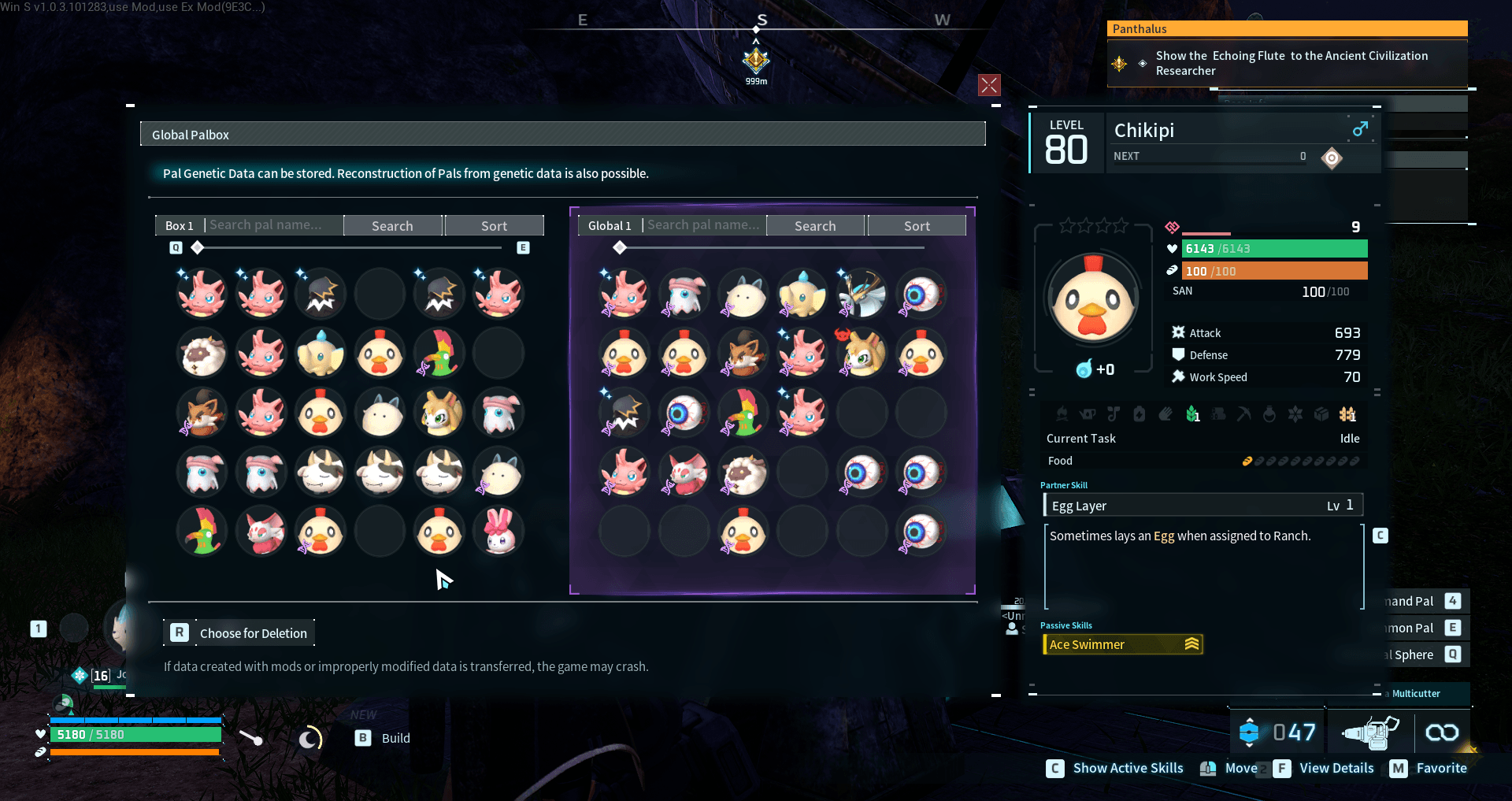
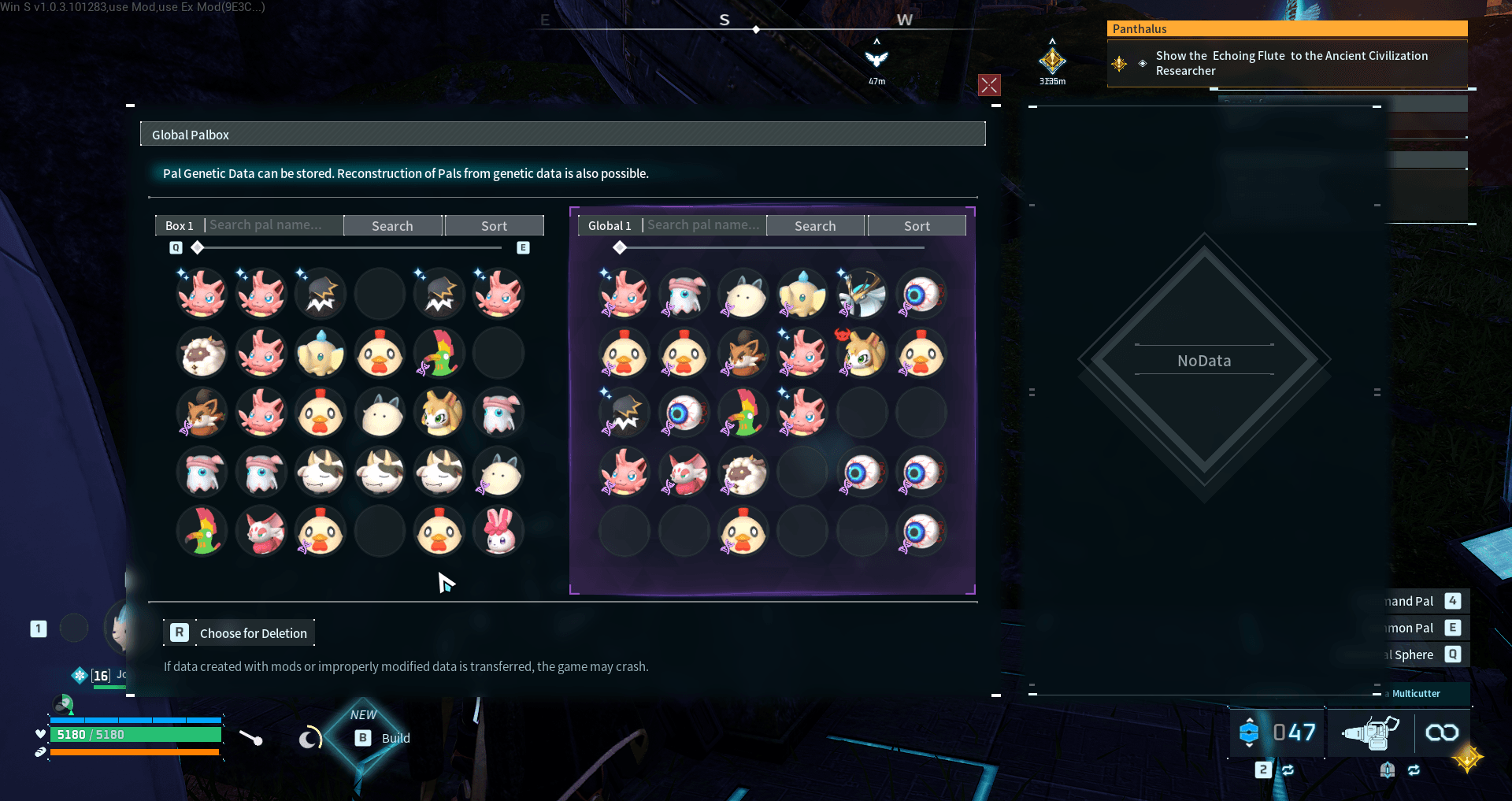
- unhover: "pal details pane" still displays previously selected pal: expected behavior: "pal details pane" to show "nodata".
- unhover: "keybinds legend/guide" at the bottom right of palworld game window, still visible: expected behavior: hidden on unhover.
- unhover: hotkey "[C] Show Active Skills", triggers for previously selected pal, toggling the "Show Active Skills" in the "pal details pane". expected behavior: on unhover, hotkeys for previously selected pals are disabled.
- unhover: hotkey "[F] View Details", opens the "view details" in-game window for previously selected pal. expected behavior: hotkeys for previously selected pals are disabled.
- unhover: hotkey "[M] Favorite", apply "favorite" (a yellow lock icon), to the previously selected pal. expected behavior: hotkeys for previously selected pals are disabled.
GamePass
- i dont have game pass or a way to test, will wait for user report to update
Multiplayer | ✅⬜❌
- will be able to test more soon
- ✅ windows, steam, singleplayer
- ⬜ windows, steam, steam multiplayer join code
- ✅ windows, steam, steam dedicated server
- ⬜ Cachyos(arch), steam, singleplayer
- ⬜ Cachyos(arch), steam, steam multiplayer
- ⬜ Cachyos(arch), steam dedicated server
After: with mod installed - .gif is 5fps to maintain 8mb limit
Installation instructions
Steam Manual: Extract the bugfix_global_palbox_hotkeys_after_unhover.zip folder to:
C:\Program Files (x86)\Steam\steamapps\common\Palworld\Pal\Binaries\Win64\ue4ss\Mods
should look like:
C:\Program Files (x86)\Steam\steamapps\common\Palworld\Pal\Binaries\Win64\ue4ss\Mods\bugfix_global_palbox_hotkeys_after_unhover\Scripts\main.lua
C:\Program Files (x86)\Steam\steamapps\common\Palworld\Pal\Binaries\Win64\ue4ss\Mods\bugfix_global_palbox_hotkeys_after_unhover\enabled.txt
might need to add: "bugfix_global_palbox_hotkeys_after_unhover : 1" to:
C:\Program Files (x86)\Steam\steamapps\common\Palworld\Pal\Binaries\Win64\ue4ss\Mods\mods.txt
worse case: ask in chat, dont be shy.
Source
not yet uploaded to GITLAB
Support
Dev Notes
This took way longer then it should have, i did not want to
vanilla bugfix in
my search textfield mod, as palworld should/could update next week. but my gut is telling me this is a low, very low priority for them. Also i dont see why it would not work with any search mods that use global palbox. This mod was pretty much a procrastination technique as im hitting wall after wall looking for a
reasonable solution to send data from client to server on my
my search textfield mod to get
dimensional 9600 pal storage working in multiplayer. best ive found so far was using in-game chat to relay commands to server. but anything with sending data is just opening the gates to potential rewrites for malware abuse. if anybody dident know any lua mod can run literally any executable like ".exe" on your system, think log4j minecraft.
OOF. in lua one of the code you can look for is "
os.execute". Hopefully nexus mods(virustotal so probably already does basics) and
curseforge(
lengthy approve process) and other mod managers scan for bare minimum basics like powershell and cmd. if your reading this; what can you do? firewall block all powershell and cmd executables as a low hanging fruit fix. next better thing, firewall block by default. | rant over, back on track: Im thinking im going to end up deleting or hiding this mod after palworld update fixes it, hmm maybe i will keep it up and just update mod title "
Fixed in [Palworld version here]" so anyone who is still on a dated pal version for any reason can still make use of this mod. stay safe and if you got anything from this: look into firewalls, "portmaster", "fort firewall", "simple wall", look up firewalls on
alternativeto.net.
Before: vanilla