
Keep Inventory
Keep inventory data pack: tools and armor stay on death, other items drop.
- 4
- November 19, 2026

Keep Inventory
Keep inventory data pack: tools and armor stay on death, other items drop.
- 4
- November 19, 2026

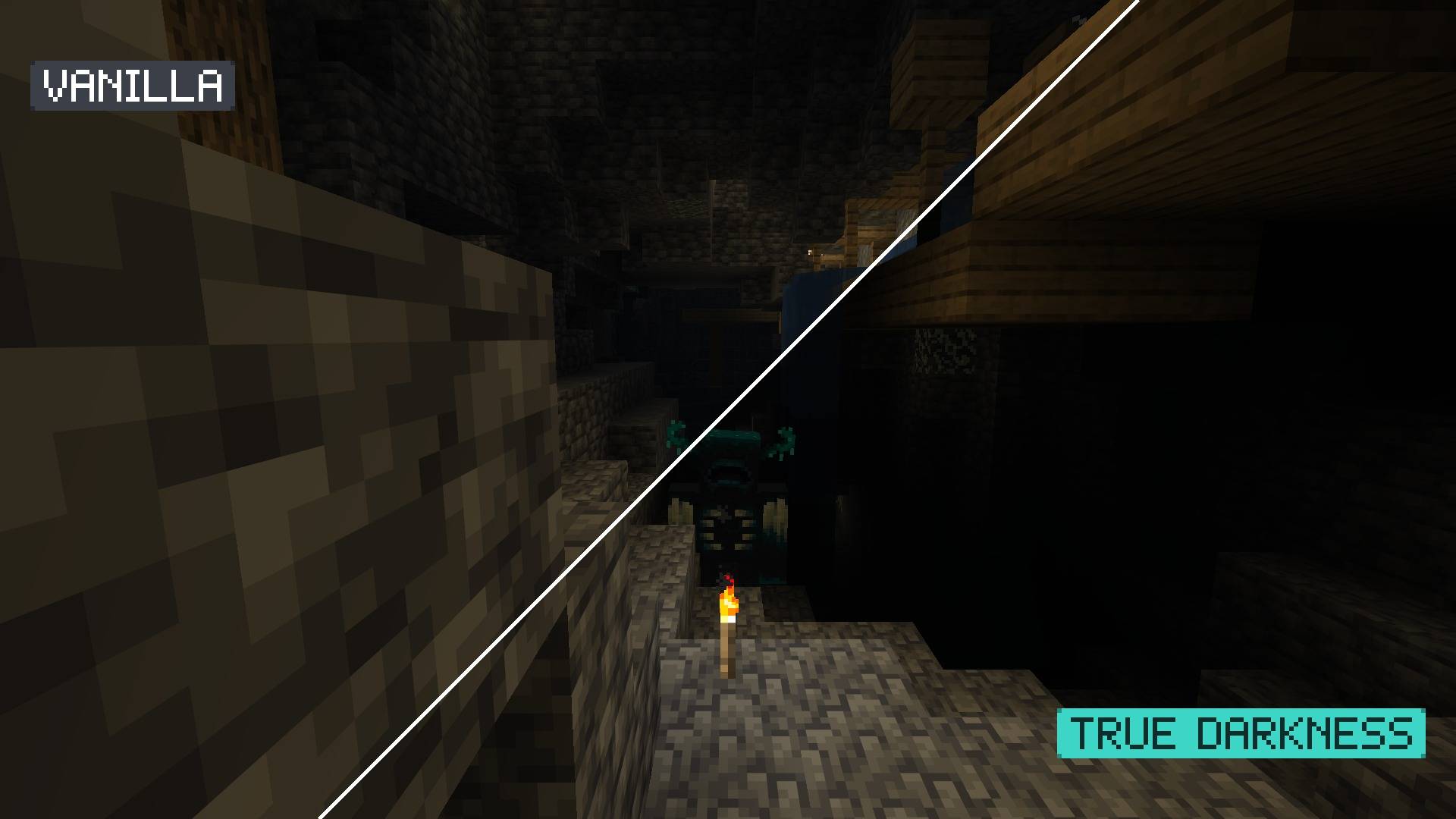
A cave with one torch and a Warden at the edge of its light, without and with True Darkness.
True Darkness makes darkness real: where no light reaches, the screen goes black. Caves stay black beyond your torchlight and moonless nights get truly dark. No mods needed.
Is it the True Darkness mod? No. This is a separate resource pack that gives a similar result without installing a mod.
Does it work on servers? Yes. It is a client-side resource pack, so it only changes what you see.
Does it work with Sodium? Yes (tested in game with Sodium 0.9.3 on 26.3).
Does it work with shader packs (Iris, OptiFine)? No. Shader packs replace the vanilla shaders.
Does the moon phase matter? No. The darkness depends on the light level and the time of day, not on the moon phase.
Can I still see with Night Vision? Yes. Night Vision works exactly as in vanilla.
Why not for older versions? Before 26.1 the game builds its lighting differently. Support for 1.21 may follow.
Small, single-purpose packs that each change one thing and keep everything else vanilla:

Keep inventory data pack: tools and armor stay on death, other items drop.
Keep inventory data pack: tools and armor stay on death, other items drop.