Flashlight
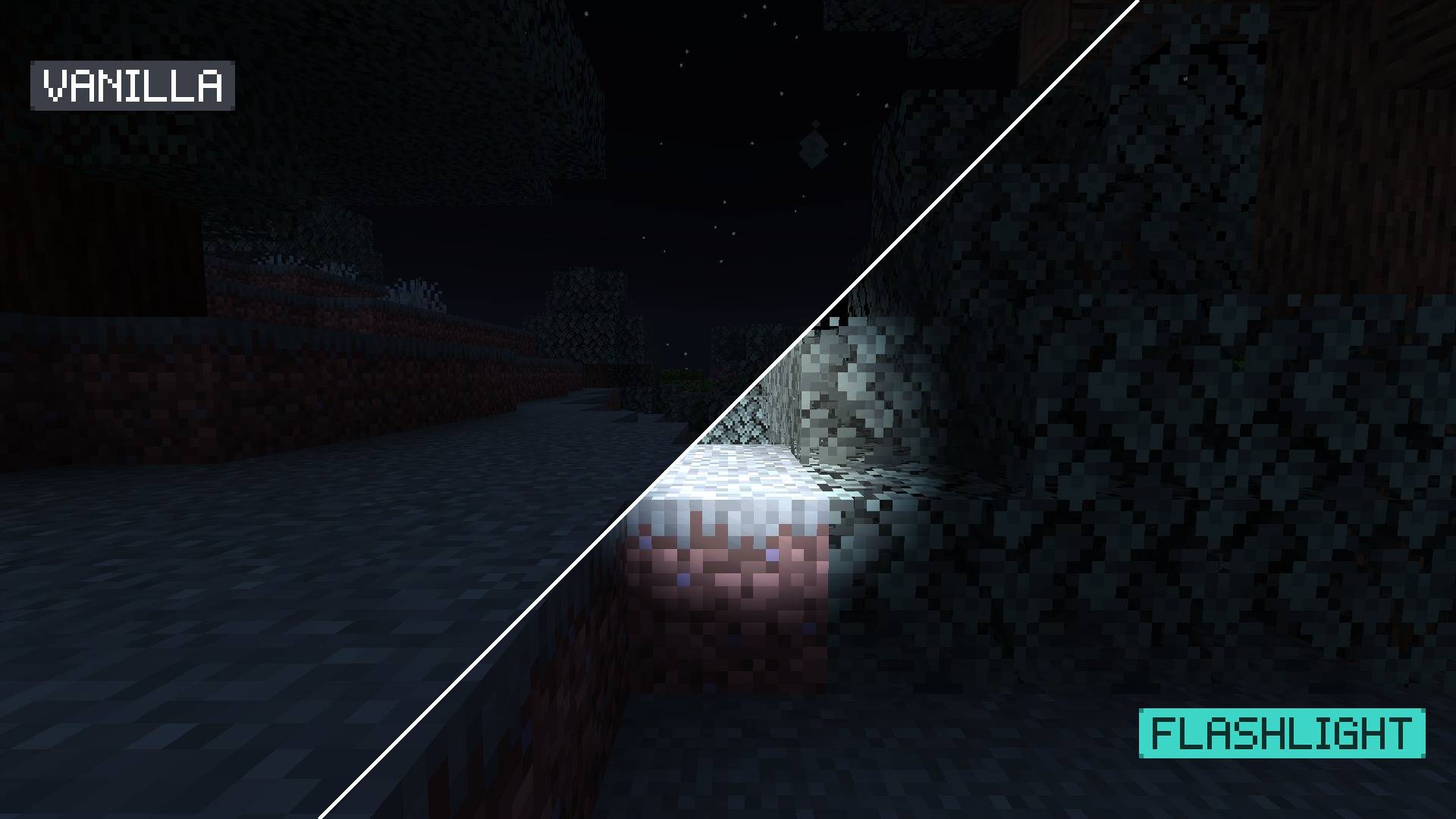
Flashlight gives you a flashlight in Minecraft. A cone of light follows your view and lights up whatever is too dark to see: caves, forests at night, the Deep Dark. Everything else stays vanilla. It is an Iris shader pack that changes nothing but the light.
What changes
- A soft cone of light from your view, slightly right of and below the screen centre, like a handheld lamp.
- The light fades with distance, so close blocks are bright and far ones stay dark.
- It only lights poorly lit areas. In daylight, near torches and with Night Vision it adds nothing.
- Textures, colours and the sky stay vanilla. There are no shadows, waving plants or water effects.
Settings
Open Options → Video Settings → Shader Packs → Shader Pack Settings (Iris) to change:
| Setting |
What it does |
| Beam angle |
Width of the cone |
| Beam range |
How far the light reaches |
| Beam brightness |
How strongly dark blocks are lit |
| Darken outside beam |
Optional: darker nights and caves outside the cone |
Compatibility
- Minecraft: Java Edition 26.3, with Iris and Sodium.
- Tested in game on 26.3 with Iris 1.11.7 and Sodium 0.9.2. Other versions are not tested yet.
- Client-side: works in singleplayer and on any server.
- Iris loads one shader pack at a time, so Flashlight replaces other shader packs while it is selected.
FAQ
Does it follow where I look? Yes. The cone points in your view direction.
Does it work without Iris? No. Shader packs need Iris (with Sodium).
Does it work with OptiFine? It is not tested with OptiFine, so it is not listed for it.
Does it change daytime? Blocks look like vanilla in daylight: in our test, terrain pixels were identical. The sky is slightly deeper blue.
Does it make the game darker? Not by default. Turn on Darken outside beam in the settings if you want darker nights and caves.
Does it work on servers? Yes. It only changes what you see.
Can I combine it with another shader pack? Iris loads one shader pack at a time. Use Flashlight alone.
Installation
- Install Iris and Sodium for your Minecraft version.
- Download the file. Do not unzip it.
- In Minecraft, open Options → Video Settings → Shader Packs → Open Shader Pack Folder and drop the file in.
- Select Flashlight in the shader list.
More by Tweakwell
Small, single-purpose projects that each change one thing and keep everything else vanilla: