Scribble
- By
Minecraft, drawn in marker. Every vanilla pixel kept, every line wobbling, one outline around whole builds.
Scribble
Minecraft, drawn in marker.
Scribble makes the whole game look like a hand-drawn sketch. It keeps every pixel of the vanilla textures and their colours, then goes over the edges with a wobbly marker line, the kind you get when someone traces a drawing by hand. The lines also move slightly, so the world looks like an animated cartoon that never sits completely still.
It is not a "simplified" or "cartoony" repaint. A grass block still looks like a grass block, a diamond still looks like a diamond, and you can still tell oak from birch at a glance. The difference is that everything now looks like it was drawn on paper.
What you will see in game
Hand-drawn edges everywhere. Every edge between pixels gets a small wobble, so stone, wood, ore and every other block look sketched instead of printed. You notice it most on bright blocks like gold, copper and wool.
Lines that boil. The outlines shift a little every 0.15 seconds, the same trick animated sketches use. Stand still and look at a wall and you will see the ink quietly move. It is subtle enough to play with for hours.
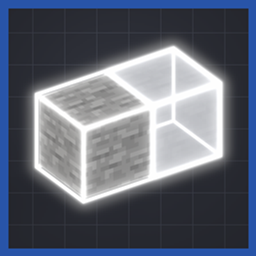
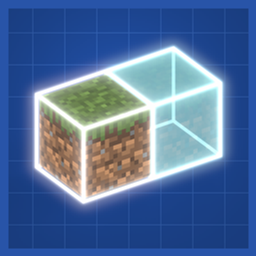
One outline around a whole build, not around every block. This is the part that makes Scribble feel different from other sketch packs. Build a 4x4 wall of stone bricks and you get one line around the outside of the wall, with no grid of lines inside it. Your house reads as one drawn shape instead of a pile of cubes. Glass joins into one big window, a hedge of leaves into one bush, and fences and walls into one long barrier.
Every block shape, not just cubes. Stairs, slabs, fences, walls, doors, trapdoors, flower pots, anvils, bells, lanterns and the rest get a line around the shape you actually see. A staircase gets a stepped outline, not a box around it.
Items and plants. Swords, tools, food, flowers, torches, saplings and crops each get one clean outline around their shape, in your hand, in item frames and in your hotbar.
Mobs and entities. Cows, zombies, creepers, villagers, the ender dragon and every other mob are outlined face by face, so a cow looks like someone drew a cow. Chests, shulker boxes, banners, armour, bells, decorated pots, boats, minecarts, paintings and your own hand are drawn the same way.
Menus. The inventory, crafting table, furnace, buttons, hotbar, hearts, hunger and even the letters of the text get the marker look, so the screens match the world.
Sky and clouds (Minecraft 26.3). The sky becomes flat bands of colour with wavy ink lines between them, and clouds get inked sides. The sun and moon wobble along with everything else. (With an Iris shaderpack on, the shaderpack draws its own sky instead; all the textures and outlines still apply.)
How it changes playing
- Building feels more like drawing. Because the outline follows the whole build, a castle or a farmhouse comes out as one clean shape, which makes builds look tidy and makes screenshots look like illustrations.
- It is easy on the eyes in caves and at night. The dark outlines make blocks and mobs stand out against each other, so a creeper in the shadows is easier to spot.
- Nothing about the game changes. No new items, no recipes, no gameplay changes. It is purely how the world looks, so it is safe to add to any world, server or modpack, and safe to remove again.
- It is great for videos and screenshots. The moving lines read well on camera and give footage a hand-made look.
Getting the full look
- Continuity (Fabric) draws the joined outlines around whole builds. Install it alongside Scribble for the full effect. Without Continuity the pack still works: every block still has the hand-drawn wobble, and items, mobs and menus are fully drawn, but blocks do not get the outline around the outside of your builds.
- Works with Sodium, and with Iris shaderpacks (the shaderpack provides the sky).
- To turn it on: put the zip in your resourcepacks folder, then Options > Resource Packs > move Scribble to the right.
Performance
- Block textures use about 700 MB of video memory, and your graphics card needs to support 16384-pixel textures, which most cards from the last ten years do.
- In testing it ran about 8% below vanilla's frame rate.
- The first load of a world takes a little longer than vanilla while the textures are prepared.
Versions
This file is for Minecraft 26.3. Files for other Minecraft versions will be added to the Files tab as they are finished.
Tips
- Smooth Lighting darkens inside corners a little on top of the line. If corners look heavy to you, set Smooth Lighting lower.
- Leaves and water get the wobble but no outline on purpose, so forests and oceans do not turn into a mess of lines.
- Banner and shield patterns keep their vanilla look, because they are colour masks and an outline would break them.
Scribble Team