Pasty Client Side
- By
Pasty for servers that don't have it: select, copy, save and lay out builds with a ghost preview, client only.
# Pasty Client Side
**Pasty for servers that don't have Pasty.** Select, copy, save, and lay out builds with a ghost preview — on any vanilla or plugin server, with nothing installed on the server side. It's the same tool as Pasty, minus the things a server would never let a client do.
No commands. No config. One key opens a menu, and everything lives in it. The tool is Minecraft's own **Brush**.
---
## How it works on a server
Everything happens on your computer. Your selection, your clipboard and your saved structures never leave your machine, so the server sees a normal player placing normal blocks.
1. **Select** — click blocks with a Brush in hand
2. **Copy** or **Save**
3. **Paste** — a translucent ghost of your build appears
4. **Position it** with drag handles, a nudge pad, or the drone camera
5. **Confirm location** — the ghost freezes, and you build it
### Building by hand
There's no "place it" button, because the server wouldn't allow one. Instead the frozen hologram becomes your guide:
- Place blocks the ordinary way; the ghost you fill disappears and the counter ticks up — **Built 128 / 400**
- **Middle-click a ghost** to grab the block it needs (from your inventory in survival, conjured in creative)
- Break a wrong block and the count goes back down; the mod is scoring, not placing
- When nothing is left: **Structure complete!**
It works exactly the same in creative and survival — you're always the one placing.
---
## Three ways to select
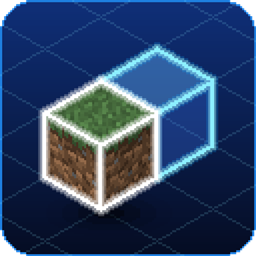
**Box** — right-click one corner, left-click the far one. The selection shows as a holographic cube that grows to meet your second click.
**Precision** — pick individual blocks. Left-click adds, right-click removes, both repeatable. Pasting places exactly the blocks you chose — no filler.
**Wand** — one click grabs every connected block of the same type, flood-filled in six directions, capped at 10,000 blocks.
---
## Placing things properly
- **Drag handles** on each face slide the structure a block at a time
- **Rotation ring** — hold the rotate key to turn 90°
- **Mirror**, and **Tip X / Tip Z** to roll a structure onto its side
- **Overlap warning** when the ghost sits inside existing blocks
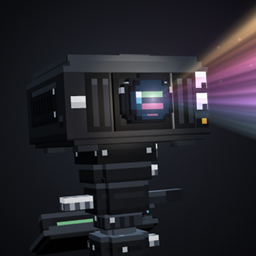
- **Drone view** — a detached camera that orbits your structure while your character stays put, so it's safe on servers
---
## A library that shows you what's inside
Saves go to a **global folder** on your computer, not per-server — a house saved on one server loads on any other, and in singleplayer. They're vanilla structure files, shared with the full edition of Pasty, so anything you copy here pastes instantly there.
The library shows every save as a **rotating 3D preview** with its size and block count. **Share** puts the file on your clipboard for Discord; drop a friend's `.nbt` onto the library to import it.
---
## What's different from Pasty
These need a mod on the server, so they aren't here:
- **No instant paste** — every block goes in by your hand
- **No Cut, no Undo** — you never edited the world; the server did
- **No Paint Tool** and no custom items — the Brush is the tool
And two limits of being a client:
- **Chests copy empty.** Servers never send container contents to clients. Signs, banners, heads and beds copy fine. The mod tells you at copy time when a selection contains containers.
- **Entities aren't copied** — item frames, paintings and armour stands can't be placed from the client.
---
## The rest of it
- **Four clipboard slots**
- **Material swap** — replace every block of one kind in the clipboard; stair facing and slab types preserved
- **Grow / shrink** a box selection by one block on every side
- **Include-air toggle** — copy a room hollow, or let terrain show through
- **Shopping list** — the placement panel shows what the build needs and what you're short
- **Optional hotkeys**, all rebindable and all **unbound by default**
- **Archaeology still works** — aim the Brush at suspicious sand or gravel and it brushes
---
## Controls
**X** opens the menu while holding a Brush. Rebindable from the menu's Settings button.
| Input | Does |
|---|---|
| `X` | Open / close the menu |
| Right-click | **Box:** first corner · **Precision:** remove a block |
| Left-click | **Box:** far corner · **Precision:** add a block · **Wand:** flood-fill |
| Middle-click a ghost | Pick the block it needs |
---
## Getting the tool
Any vanilla **Brush**: feather + copper ingot + stick, or the Tools & Utilities tab in creative.
---
## Which edition do I want?
- **Pasty Client Side** (this one) — you play on servers that don't run mods, or you want a tool the server can't see.
- **Pasty** — singleplayer, LAN, or a server that installs it. Adds instant paste, survival costs, undo, cut, the Paint Tool.
Install one or the other, not both.
---
## Modpacks
**Yes.** Include it in any modpack, public or private, without asking. A credit and a link back is appreciated but not required.
Pasty Client Side Team