



Smaller Totem Pops By PeakMC6725
Make the Totem of Undying pop smaller and reduce particle clutter to keep more of your screen visible during PvP. A client-side resource pack for Minecraft Java Edition 1.21.11+. Check out PeakMC6725's Ultimate PvP Utilities.
- 26
- October 26, 2026
No Carved Pumpkin Blur By PeakMC6725
Remove the dark carved pumpkin overlay in Minecraft and keep a clear first-person view . A client-side resource pack for Java Edition 1.21.11+. Check server rules before competitive use. Explore PeakMC6725's Ultimate PvP Utilities.
- 12
- October 26, 2026
Low on Fire By PeakMC6725
Lower Minecraft's first-person fire overlay to keep more of your screen visible during PvP and survival. A lightweight, client-side resource pack for Java Edition 1.21.11+. Also check out other features in PeakMC6725's Ultimate PvP Utilities.
- 16
- October 26, 2026
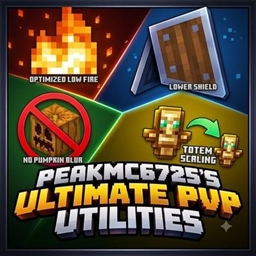
PeakMC6725's Ultimate PvP Utilities (Low on Fire, Lower Shields, No Carved Pumpkin Blur, Smaller Totem Pops)
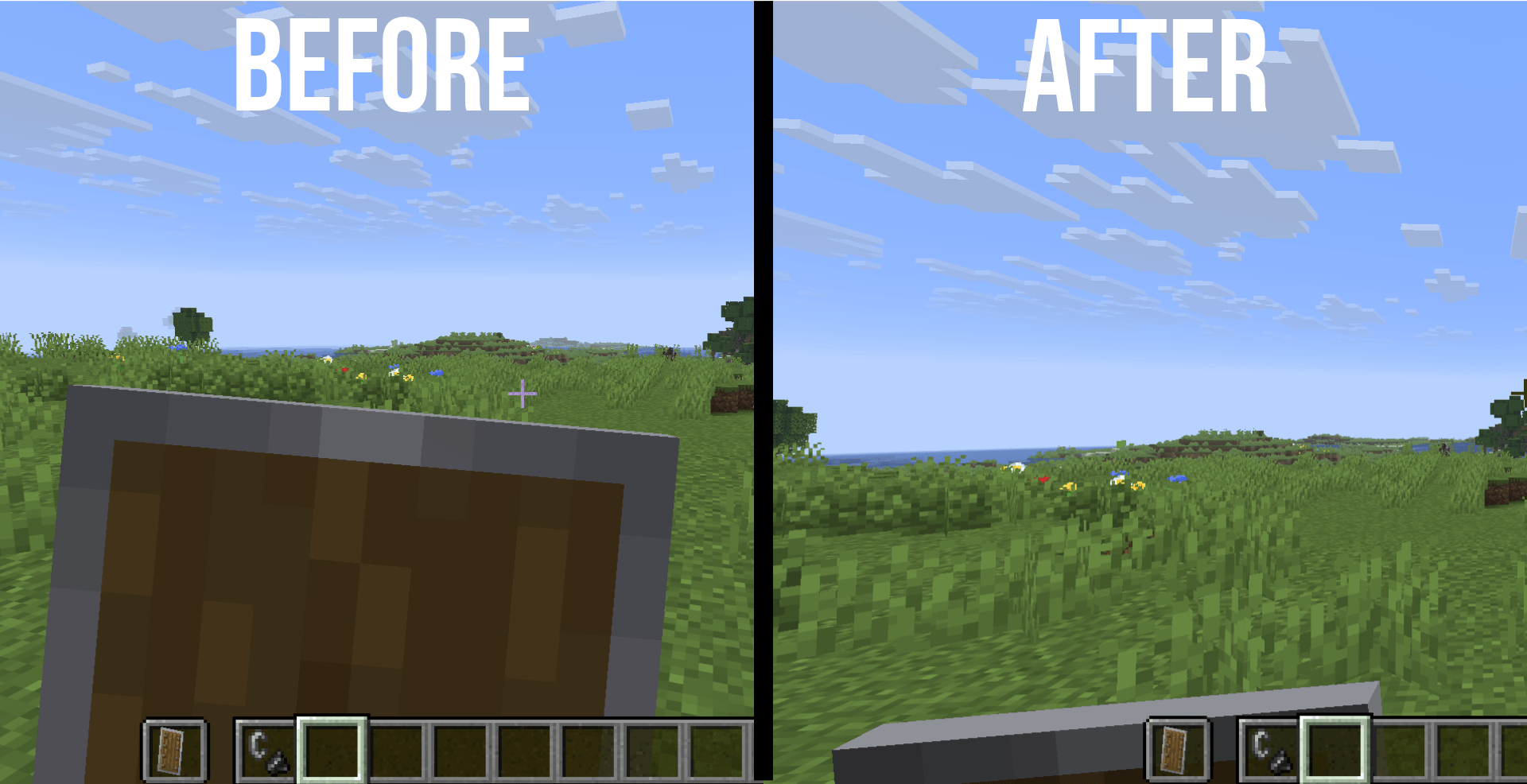
Boost your Minecraft PvP with PEAKMC6725'S ULTIMATE PVP UTILITIES! Enjoy 4 handy features: fire effects, a lower shield, no carved pumpkin overlay, and Smaller Totems. Designed to improve your PvP experience with useful tweaks for smoother, clearer fights!
- 169
- October 26, 2026
Smaller Totem Pops By PeakMC6725
Make the Totem of Undying pop smaller and reduce particle clutter to keep more of your screen visible during PvP. A client-side resource pack for Minecraft Java Edition 1.21.11+. Check out PeakMC6725's Ultimate PvP Utilities.
- 26
- October 26, 2026
No Carved Pumpkin Blur By PeakMC6725
Remove the dark carved pumpkin overlay in Minecraft and keep a clear first-person view . A client-side resource pack for Java Edition 1.21.11+. Check server rules before competitive use. Explore PeakMC6725's Ultimate PvP Utilities.
- 12
- October 26, 2026
Low on Fire By PeakMC6725
Lower Minecraft's first-person fire overlay to keep more of your screen visible during PvP and survival. A lightweight, client-side resource pack for Java Edition 1.21.11+. Also check out other features in PeakMC6725's Ultimate PvP Utilities.
- 16
- October 26, 2026
PeakMC6725's Ultimate PvP Utilities (Low on Fire, Lower Shields, No Carved Pumpkin Blur, Smaller Totem Pops)
Boost your Minecraft PvP with PEAKMC6725'S ULTIMATE PVP UTILITIES! Enjoy 4 handy features: fire effects, a lower shield, no carved pumpkin overlay, and Smaller Totems. Designed to improve your PvP experience with useful tweaks for smoother, clearer fights!
- 169
- October 26, 2026