🎃 No Carved Pumpkin Blur By PeakMC6725
Wear a pumpkin. Keep your vision.
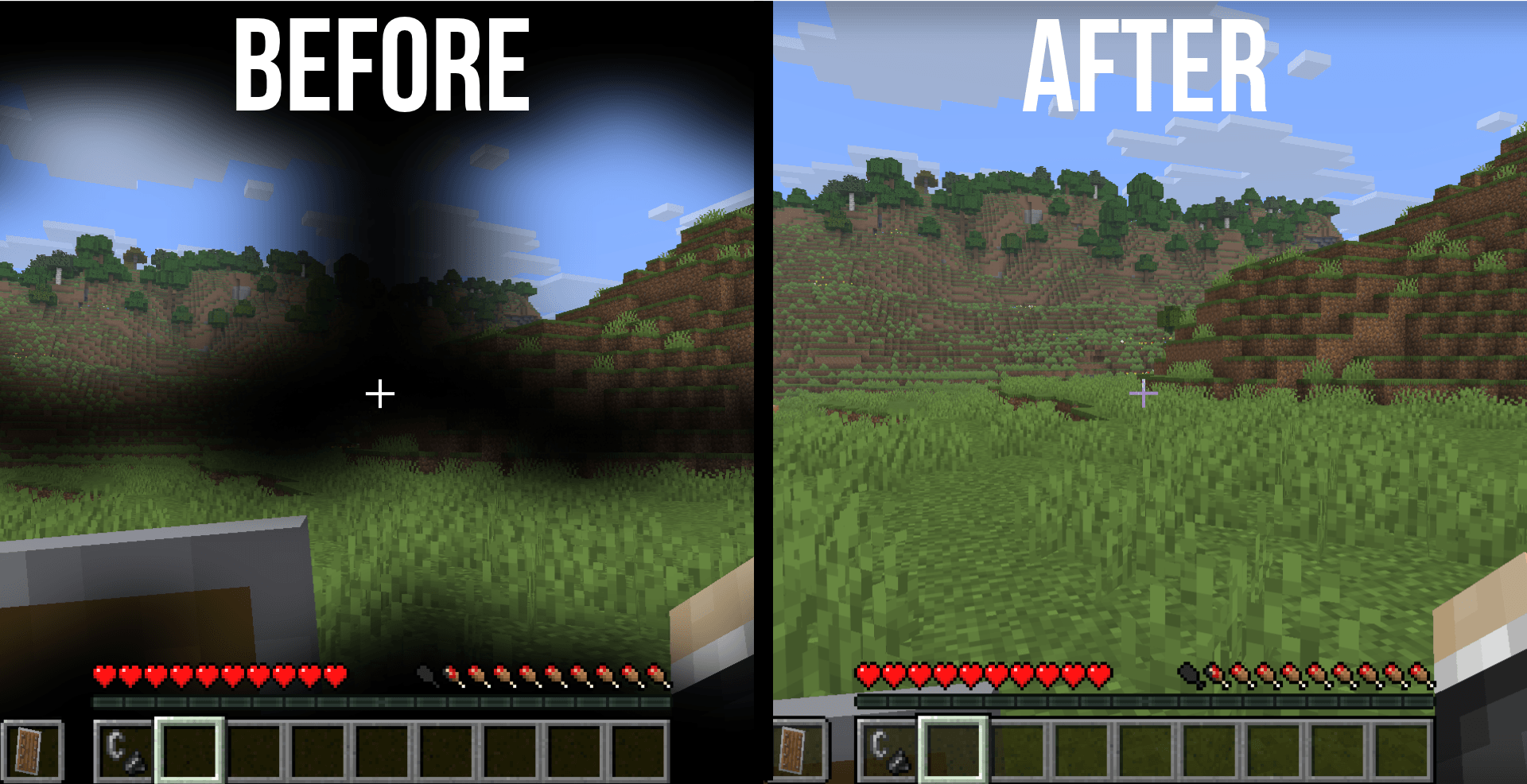
Carved pumpkins have a useful purpose in Minecraft, especially when dealing with Endermen. But there's one little problem: that dark first-person overlay can make it difficult to see anything clearly. 🎃
Whether you're exploring the End, travelling through your Survival world, playing mini-games, or simply wearing a pumpkin for its intended purpose, the dark border can cover a large part of your screen and make the experience less comfortable.
That's where No Carved Pumpkin Blur By PeakMC6725 comes in!
This resource pack removes the obstructive black carved pumpkin overlay, giving you a much clearer first-person view while wearing a carved pumpkin. It retains only a faint edge around the screen, preserving a subtle visual indication that you're wearing one without letting the overlay dominate your view.
Keep the pumpkin. Lose the obstruction. See more of your world.
🎃 Features
👁️ Clear Pumpkin View
The usual dark carved pumpkin overlay can make it harder to see your surroundings. This pack removes that obstructive overlay so you can enjoy a clearer view while wearing a carved pumpkin.
🌑 Faint Edge
Instead of leaving the screen completely untouched, the pack retains a faint edge around the screen. This provides a subtle visual indication that you're wearing a pumpkin without covering your view with the usual dark overlay.
🧟 Normal Pumpkin Mechanics
Your carved pumpkin continues to work as it normally does in vanilla Minecraft.
-
Pumpkin functionality remains unchanged.
-
Enderman-related mechanics remain unchanged.
-
No gameplay abilities are added or removed.
-
Only the appearance of the first-person overlay changes.
You still get the normal gameplay behaviour of a carved pumpkin, just with a less obstructed view.
🌍 Useful in Survival and Mini-Games
Whether you're exploring dangerous areas, wearing a pumpkin around Endermen, or participating in mini-games, No Carved Pumpkin Blur helps keep more of your surroundings visible.
It's a simple visual improvement for players who want to use carved pumpkins without having their screen dominated by the dark overlay.
📦 Two Version Options
No Carved Pumpkin Blur is available for two Minecraft Java Edition version ranges:
Both versions are provided separately. Make sure you download the file that matches your Minecraft version.
💻 Client-Side Resource Pack
No server installation is required. Simply install and enable the pack on your own Minecraft client.
Other players don't need to install it for you to see the modified pumpkin overlay.
⚡ Lightweight Design
The pack uses resource-pack changes and is designed to have minimal performance impact. It focuses on changing the appearance of the carved pumpkin overlay without introducing additional gameplay systems.
🎮 Visual Change Only
No Carved Pumpkin Blur changes how the overlay looks, not how carved pumpkins work.
Your normal Minecraft gameplay remains intact, with no changes to the underlying game mechanics.
⚠️ Check Your Server's Rules
Important: Some Minecraft servers, PvP tournaments, or competitive events may restrict clear pumpkin overlays because they provide a visibility advantage.
Before using this pack in competitive play, check the rules of the server or event you're participating in.
Make sure the resource packs you use comply with the rules of your chosen server.
🎮 Compatibility
-
Edition: Minecraft Java Edition
-
Supported versions: 1.21.11 and newer, and 1.8.9
-
Type: Client-side resource pack
-
Installation: Minecraft's Resource Packs menu
Download the file that matches your Minecraft version. Other versions are not officially supported, and compatibility is not guaranteed.
📦 Part of PeakMC6725's PvP Utilities
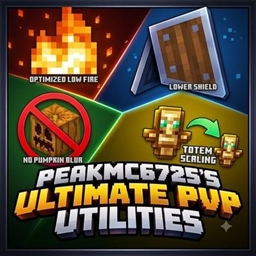
No Carved Pumpkin Blur By PeakMC6725 is the standalone version of the Clear Pumpkin feature from PeakMC6725's Ultimate PvP Utilities.
You don't need to install the entire collection if all you want is a clearer view while wearing a carved pumpkin. This standalone pack lets you use that specific visual improvement without installing every other feature.
Looking for more visual improvements? Check out these other projects by PeakMC6725:
-
🔥 Low on Fire By PeakMC6725 — Lowers the first-person fire overlay.
-
🛡️ Lower Shields By PeakMC6725 — Moves shields lower in first-person view. Available for Minecraft 1.21.11+.
-
⚔️ Lower Sword Blocks By PeakMC6725 — Moves swords lower in first-person view while blocking. Available for Minecraft 1.8.9.
-
💚 Smaller Totem Pops By PeakMC6725 — Makes the Totem of Undying activation animation and particles smaller. Available for Minecraft 1.21.11+.
-
🔥 PeakMC6725's Ultimate PvP Utilities — Combines the available visual improvements into one resource pack.
Search for these project names on my CurseForge profile to find the other releases.
Want just a clearer pumpkin overlay? Choose this standalone pack.
Want multiple visual improvements together? Check out the combined Ultimate PvP Utilities pack.
🛠️ Installation Instructions
Follow these steps to install No Carved Pumpkin Blur:
-
Download the correct file: Choose the .zip file for your Minecraft version.
-
Keep it zipped: Do not unzip or extract the file.
-
Open Minecraft: Launch Minecraft Java Edition.
-
Open Resource Packs: Navigate to Options → Resource Packs.
-
Open the pack folder: Click Open Pack Folder.
-
Install the pack: Place the downloaded .zip file inside the folder that opens.
-
Enable the pack: Return to Minecraft and move the pack from Available to Selected.
-
Apply the changes: Click Done and let Minecraft load the resources.
Once enabled, the modified carved pumpkin overlay should appear when you wear a carved pumpkin.
⚙️ Using Other Resource Packs
If the overlay doesn't change as expected, another resource pack may be overriding the same files.
Try the following:
-
Move No Carved Pumpkin Blur above other packs that modify the carved pumpkin overlay.
-
Check that the pack is enabled in the Resource Packs menu.
-
Press F3 + T to reload resources.
Resource-pack priority can affect which textures Minecraft displays, so make sure this pack has the appropriate priority.
🐞 Bugs and Feedback
Found a problem, noticed an unexpected visual effect, or have an idea for improving the pack?
Leave a comment on the project page!
When reporting a problem, please include:
-
Minecraft version: 1.21.x or 1.8.9.
-
Other resource packs: Mention any packs that modify the carved pumpkin overlay.
-
Screenshot: If possible, include one showing the issue.
This information can help identify potential resource-pack conflicts and compatibility problems.
Feedback, bug reports, and suggestions are always welcome!
👤 Created By
PeakMC6725
A Minecraft creator making resource packs and datapacks for the community.
Thanks for checking out No Carved Pumpkin Blur By PeakMC6725!
Whether you're exploring, playing mini-games, or simply tired of the dark pumpkin overlay, I hope this pack makes your Minecraft experience clearer and more enjoyable.
See more. React faster. Fight cleaner. 🎃⚔️