Factory Fantasy
- By
Create x Magic x Combat - a NeoForge 1.21.1 pack blending Create automation, Iron's Spells, Epic Fight combat and 290 guided quests.
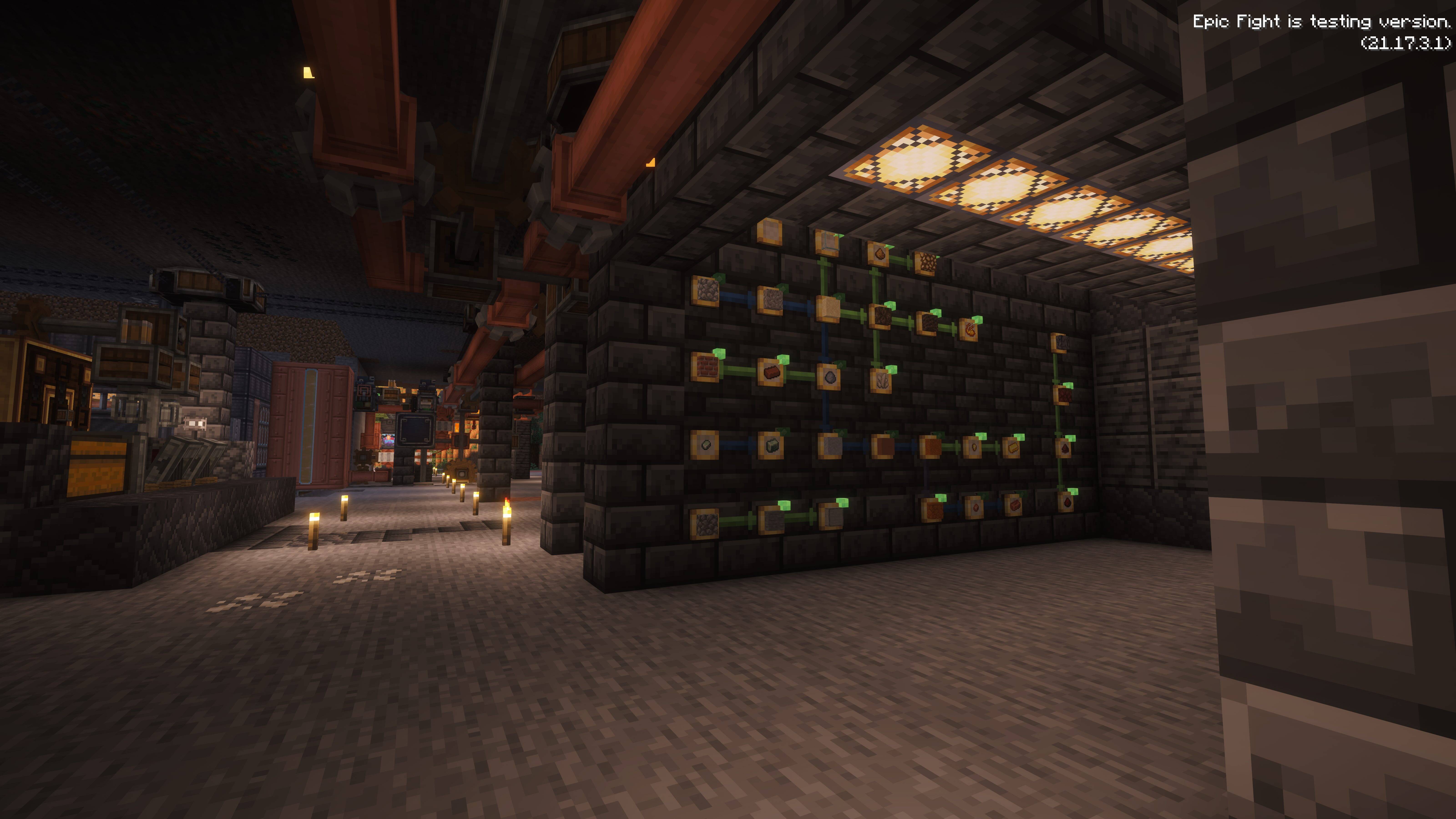
Working create as POST PRODUCT
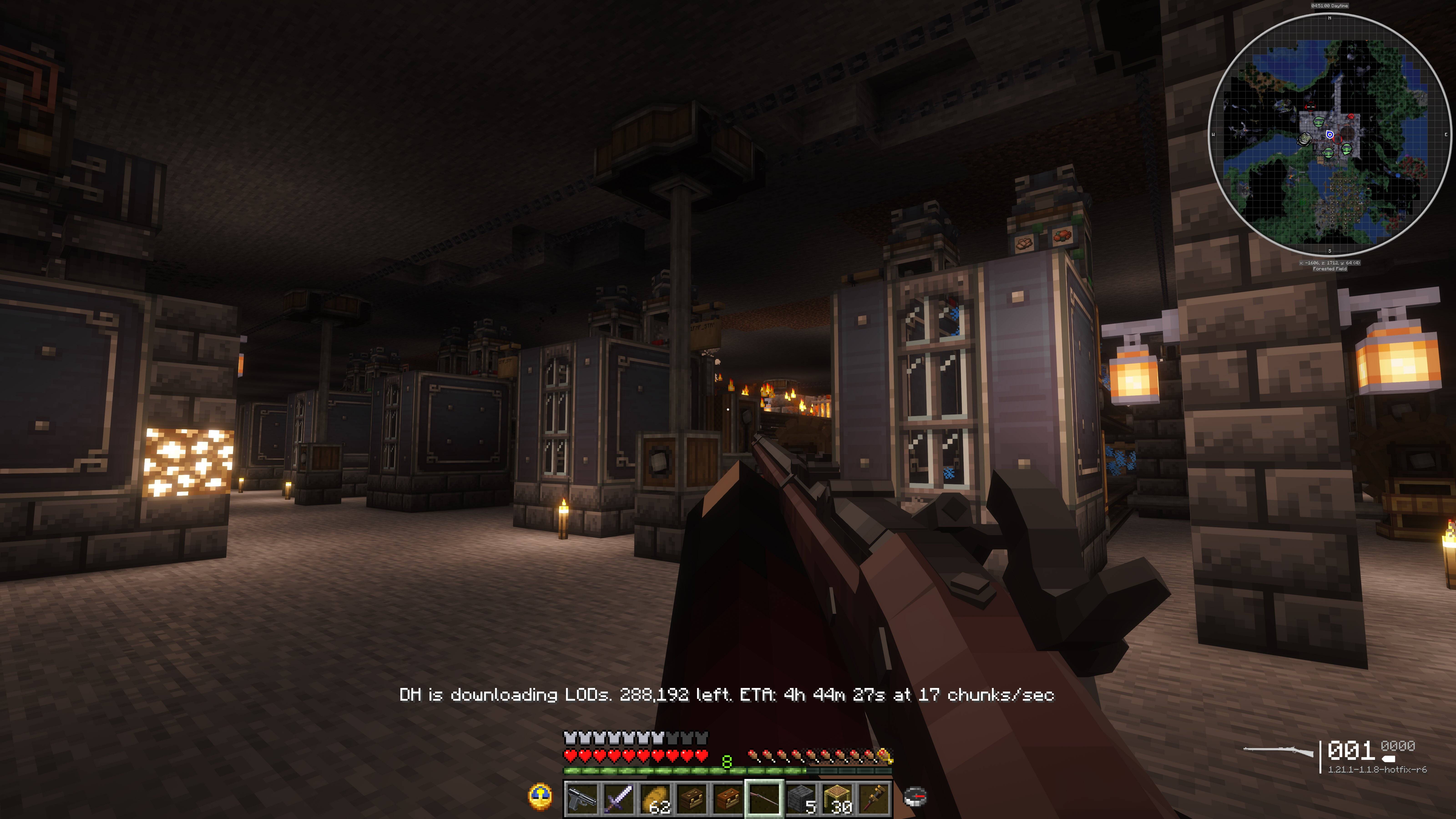
TacZ unofficial port has be imported and FPS worked with Epicfight
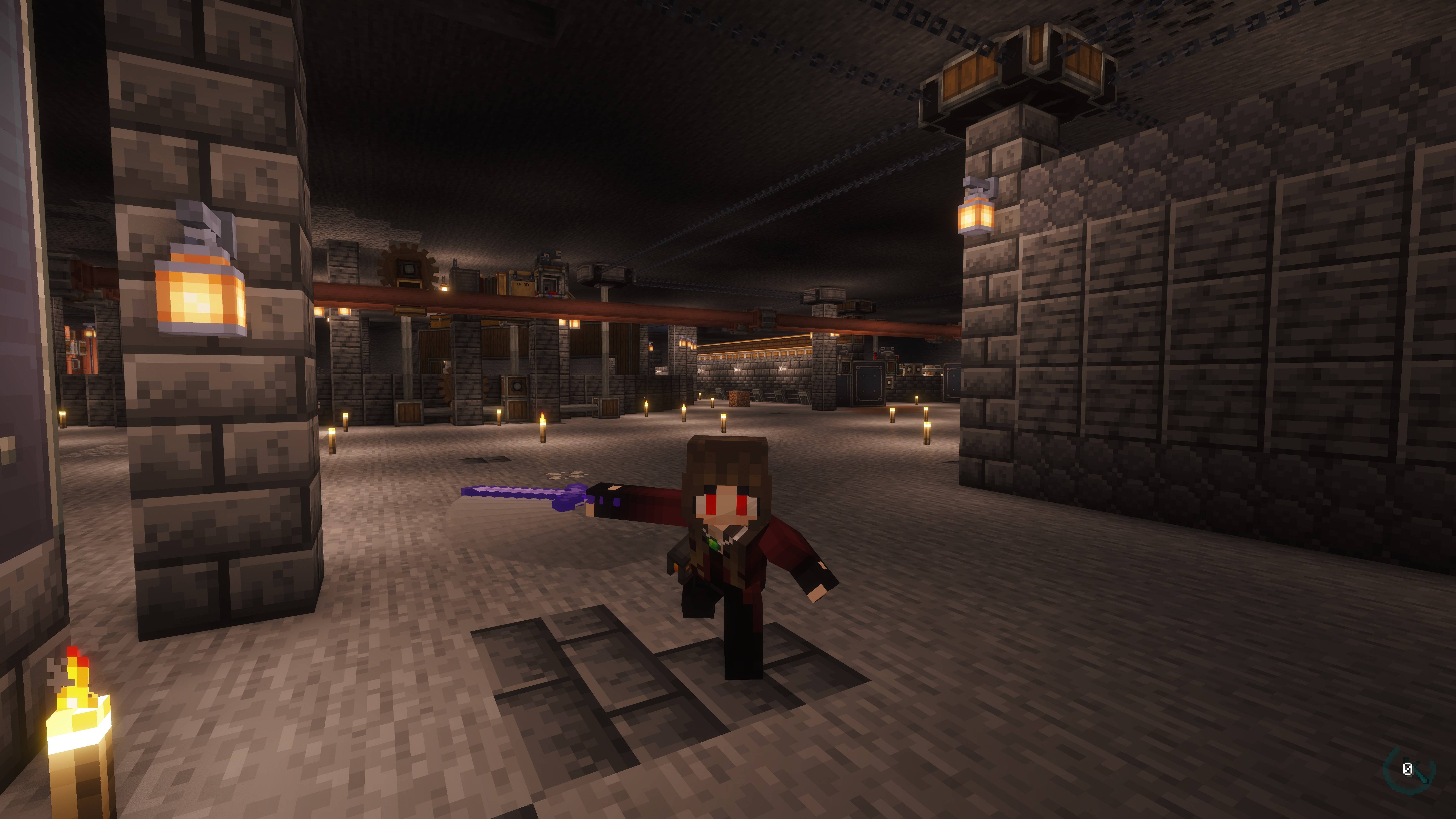
Epic fight and more combat mod that related magic, fantasy and more imported.
Description
Create × Magic × Combat — build sprawling factories, master arcane magic, and fight your way through legendary bosses. Minecraft 1.21.1 / NeoForge.
⚠ Before you launch: give it enough RAM
Set the memory allocation to at least 8 GB — 16 GB is recommended.
This pack has over 370 mods. Launchers default to about 4 GB, and at that size the game does not crash with an error — it simply stops responding on the loading screen while the garbage collector runs forever. If your first launch appears to hang, this is almost certainly why.
| Launcher | Where to set it |
|---|---|
| CurseForge app | Instance → three dots → Profile Options → Allocated Memory |
| GDLauncher | Instance → Settings → Java → Memory |
| Prism | Instance → Edit → Settings → Java → Memory |
Also switch the garbage collector to ZGC if you can (-XX:+UseZGC -XX:+ZGenerational on Java 21) and remove any -XX:+UseG1GC flags. Distant Horizons warns about G1GC because it causes stutter during LOD generation.
Highlights
- 290 hand-made quests across 11 chapters, guiding you from your first Andesite Alloy all the way to end-game gear
- Create ecosystem — Create 6.0.10 with 40+ addons (Aeronautics, Big Cannons, Diesel Generators, Steam 'n' Rails and more)
- Magic — Iron's Spellbooks, Ars Nouveau, Ars Elemental and Somake Spells
- Combat — Epic Fight, L_Ender's Cataclysm, TaCZ firearms, Born in Chaos
- Exploration — Alex's Caves, Towns & Towers, When Dungeons Arise, Biomes O' Plenty
- Colony building — MineColonies with Create integration (citizen logistics linked to Create stock networks)
- Visuals — bundled Mizuno add-on packs (Better Leaves, Fresh Animations tie-ins and more), Modern Font Pack typography
- QoL — EMI (alongside JEI), Effortless Building, Tom's Simple Storage, Immersive Paintings, Vista (TVs and mirrors)
- Guide book — an original bilingual guide "Factory Fantasy" handed to every player on first join
- Distant Horizons 3.2.0-b for LOD terrain far beyond your render distance
- Shaders bundled: Complementary Reimagined / Unbound (Reimagined enabled by default — press O to switch)
Recommended settings
| Item | Value |
|---|---|
| JVM arguments | -XX:+UseZGC -XX:+ZGenerational |
| Heap | 8–16 GB (16 GB recommended) |
| Java | Java 21 (any build — Amazon Corretto 21, Zulu 21, etc.) |
Remove -XX:+UseG1GC and any G1-specific flags. With G1GC, Distant Horizons warns you on world join and you are more likely to see stutter during LOD generation.
If the title screen UI looks too large or small, adjust Options → Video Settings → GUI Scale. The layout auto-scales with resolution, but display scaling varies by monitor.
No required manual downloads
Everything the pack needs to run ships with it. Install it and play. Mizuno's 16 Craft below is strictly optional.
Optional: about Mizuno's 16 Craft
This pack bundles the Mizuno add-on resource packs (Modern Mizunos, Better Leaves, Fresh Animations tie-ins and more) enabled by default, but the base Mizuno's 16 Craft pack itself is not bundled for distribution reasons.
It is not required — the pack plays fine without it. Installing it pairs with the bundled add-ons and adds a lot of charm to the world.
- To install: on the author's blog https://mizunomcmemo.blogspot.com/, use the download found right under the "Modern Mizuno's Pale Oak House" post to get the 1.20 version, drop it into your
resourcepacksfolder, enable it in the resource pack screen, and order it below the bundled Mizuno packs (lower priority). - If the official blog links 404, the 1.20.6–1.20.2 version can also be downloaded from https://resourcepack.net/mizunos-16-craft-resource-pack/ — an unofficial mirror, so use at your own risk.
If you want a different shader, Iris is already set up: press O in game and pick one. Complementary Unbound is bundled alongside Reimagined, and you can drop any other shaderpack into shaderpacks/ yourself.
Performance
This pack is tuned rather than just stacked. On the client you get Sodium, Iris, More Culling, ImmediatelyFast, Entity Culling, ModernFix and FerriteCore.
The Server Pack goes further and bundles C2ME, which parallelises chunk generation, chunk I/O and lighting across CPU cores, plus Lithium, Saturn, Ksyxis, Structure Layout Optimizer and Create: Threaded Trains.
On a 4-vCPU test server this measured +19% chunk generation throughput (1681 chunks: 1m41s -> 1m25s). The shipped config/c2me.toml uses globalExecutorParallelism = 2 because on low-core machines that beats the default of 3 — see the server README for per-core guidance.
spark is bundled server-side, so you can diagnose lag yourself: /spark tps, /spark healthreport, /spark profiler start --timeout 60.
Multiplayer
A Server Pack is available from the Files tab. Client and server must run the same version, otherwise the connection is rejected. Java 21 is required.
The Server Pack does not contain the mods — most of them are All Rights Reserved and cannot be redistributed. The installer downloads them straight from CurseForge for you, so there is no client install to copy from and nothing to fetch by hand.
Setting up a server:
- Extract the Server Pack zip on your server.
- Run
./install.sh(Linux/macOS) orinstall.bat(Windows). It downloads every mod from CurseForge, verifies each file size, and installs the matching NeoForge version. If it is interrupted, just run it again — only the missing files are fetched. - Open
eula.txtand seteula=true. - Start the server with
./run.sh nogui(orrun.bat).
For a server you actually play on, start it inside screen or tmux, or run it in the background — launched directly it is tied to your terminal and stops the moment you close the session:
screen -S minecraft ./run.sh nogui (Ctrl-A then D to detach, screen -r minecraft to return)
tmux new -s minecraft './run.sh nogui'
nohup ./run.sh nogui > server.log 2>&1 & (simplest, but you lose the console and cannot type /stop etc.)
screen or tmux is preferable, since you keep the console and can still detach safely. For a machine that should recover after a reboot, wrap it in a systemd unit.
The installer also accepts --mods-only (skip NeoForge) and --verify (check the mods you already have). Exact versions, memory tuning and the full walkthrough are in README.txt inside the Server Pack.
Known issue (macOS)
On macOS, maximizing the window while you are in a world can crash the game inside Apple's Metal-backed OpenGL driver. Set your window size or go fullscreen before joining a world. Windows and Linux are unaffected.
Credits
- Complementary Shaders (Reimagined / Unbound) — EminGT. Bundled and enabled by default; all rights to the shaders belong to EminGT.
- Cosmetic Armor Reworked — LainMI (Minecraft Mod Public License 1.0.1). Source: https://www.curseforge.com/minecraft/mc-mods/cosmetic-armor-reworked
- This pack bundles many mods; all rights belong to their respective authors. Please see the Relations tab for the full list.
Reporting issues
Open an issue here and attach logs/latest.log, plus anything in crash-reports/ if the game crashed. A report form is prefilled for you.
(The Issues tab does not currently show up in the new CurseForge layout, so please use the link above.)
Factory Fantasy
Create × Magic × Combat — 工場を築き、魔法を極め、伝説のボスに挑む Minecraft 1.21.1 / NeoForge 向け Modpack です。
⚠ 起動前に: メモリ割り当てを増やしてください
最低 8GB、推奨 16GB を割り当ててください。
本パックは Mod を 370 個以上収録しています。ランチャーの既定値は 4GB 程度で、この設定だとエラーも出ないまま、ロード画面で応答が止まったように見えます (実際にはガベージコレクタが延々と動き続けています)。初回起動でフリーズしたように見える場合、原因はほぼこれです。
| ランチャー | 設定場所 |
|---|---|
| CurseForge アプリ | インスタンス → 「…」 → Profile Options → Allocated Memory |
| GDLauncher | インスタンス → Settings → Java → Memory |
| Prism | インスタンス → Edit → Settings → Java → Memory |
あわせて、可能であればガベージコレクタを ZGC にしてください (Java 21 で -XX:+UseZGC -XX:+ZGenerational)。-XX:+UseG1GC 系の引数は削除します。G1GC のままだと Distant Horizons が警告を出し、LOD 生成中にスタッターが出やすくなります。
特徴
- 11 チャプター・290 個の自作クエスト。最初の Andesite Alloy から 終盤装備まで、進行を丁寧に案内します
- Create 系 — Create 6.0.10 + アドオン 40 種以上 (Aeronautics / Big Cannons / Diesel Generators / Steam 'n' Rails ほか)
- 魔法 — Iron's Spellbooks / Ars Nouveau / Ars Elemental / Somake Spells
- 戦闘 — Epic Fight / L_Ender's Cataclysm / TaCZ (銃器) / Born in Chaos
- 探索 — Alex's Caves / Towns & Towers / When Dungeons Arise / Biomes O' Plenty
- 街づくり — MineColonies + Create 連携 (市民の物流が Create の在庫ネットワークと接続)
- 見た目 — Mizuno 系リソースパック同梱 (Better Leaves / Fresh Animations 連携ほか)。フォントは Modern Font Pack
- QoL — EMI (JEI 併用) / Effortless Building / Tom's Simple Storage / Immersive Paintings / Vista (TV・鏡)
- ガイドブック — 初回ログイン時に日英のオリジナルガイド「Factory Fantasy」を配布
- Distant Horizons 3.2.0-b — 描画距離のはるか先まで地形を表示
- シェーダー同梱: Complementary Reimagined / Unbound (Reimagined がデフォルト有効。ゲーム中 O キーで切替)
推奨設定
| 項目 | 値 |
|---|---|
| JVM 引数 | -XX:+UseZGC -XX:+ZGenerational |
| ヒープ | 8〜16GB (16GB 推奨) |
| Java | Java 21 (ディストリビューションは不問。Amazon Corretto 21 / Zulu 21 など) |
-XX:+UseG1GC と G1 固有の引数は削除してください。G1GC のままだと Distant Horizons が警告を出し、LOD 生成中にスタッターが出やすくなります。
タイトル画面の表示が大きすぎる / 小さすぎる場合は Options → Video Settings → GUI Scale で調整してください。 レイアウトは解像度に応じて自動調整されますが、モニタ環境によって 最適値が変わります。
必須の手動ダウンロードはありません
動作に必要なものはすべて同梱されています。インストールすればそのまま遊べます。下記の Mizuno's 16 Craft は任意です。
任意: Mizuno's 16 Craft について
本パックは Mizuno 系のリソースパック (Modern Mizunos / Better Leaves / Fresh Animations 連携ほか) を同梱・デフォルト有効にしていますが、ベースとなる Mizuno's 16 Craft 本体は配布の都合上同梱していません。
動作には必ずしも必要ありません — 未導入でもそのまま遊べます。導入すると同梱パックと組み合わさり、世界の見た目にぐっと彩りが加わります。
- 導入する場合: 作者ブログ https://mizunomcmemo.blogspot.com/ の記事「Modern Mizuno's Pale Oak House」直下にあるダウンロードから 1.20 用を入手し、
resourcepacksフォルダへ配置 → ゲーム内のリソースパック画面で有効化し、並び順は同梱の Mizuno 系パックより下 (低優先側) にしてください - 公式ブログのリンクが 404 になっている場合は、https://resourcepack.net/mizunos-16-craft-resource-pack/ から 1.20.6–1.20.2 用をダウンロードすることも可能ですが、非公式ミラーのため自己責任でお願いします
別のシェーダーを使いたい場合、Iris は設定済みです。ゲーム中に O キーで切り替えられます。Complementary Unbound も Reimagined と一緒に同梱していますし、お好みのシェーダーパックを shaderpacks/ に置いていただいても構いません。
パフォーマンス
Mod を積むだけでなく、実測に基づいてチューニングしています。 クライアントには Sodium / Iris / More Culling / ImmediatelyFast / Entity Culling / ModernFix / FerriteCore を同梱。
Server Pack にはさらに C2ME を同梱しています。チャンク生成・ チャンク I/O・光源計算を CPU コアに分散する mod で、あわせて Lithium / Saturn / Ksyxis / Structure Layout Optimizer / Create: Threaded Trains も 収録しています。
4 vCPU のテストサーバーで チャンク生成スループット +19% を実測しました (1681 chunks: 1分41秒 → 1分25秒)。同梱の config/c2me.toml は globalExecutorParallelism = 2 にしています。コア数が少ない環境では 既定の 3 より速いためで、コア数別の目安はサーバー README に記載しています。
サーバー側には spark を同梱しているので、ラグの原因をご自身で調べられます。 /spark tps / /spark healthreport / /spark profiler start --timeout 60
マルチプレイ
Files タブから Server Pack を配布しています。クライアントとサーバーのバージョンが一致しないと接続を拒否されます。Java 21 が必須です。
サーバーパックに mod 本体は入っていません。収録 mod の大半が All Rights Reserved で再配布できないためです。インストーラが CurseForge から直接ダウンロードするので、クライアントを用意する必要も、手動でファイルを集める必要もありません。
サーバーの立て方:
- Server Pack の zip をサーバーへ展開します。
./install.sh(Linux/macOS) またはinstall.bat(Windows) を実行します。mod を CurseForge から取得し、1 つずつファイルサイズを検証したうえで、対応する NeoForge を導入します。中断しても再実行すれば不足分だけを取得します。eula.txtを開きeula=trueに変更します。./run.sh nogui(またはrun.bat) でサーバーを起動します。
実際に運用する場合は screen や tmux の中で起動するか、バックグラウンドで実行してください。 そのまま起動するとターミナルに紐づくため、セッションを閉じた時点でサーバーも停止します。
screen -S minecraft ./run.sh nogui (Ctrl-A → D でデタッチ、screen -r minecraft で復帰)
tmux new -s minecraft './run.sh nogui'
nohup ./run.sh nogui > server.log 2>&1 & (最も手軽ですが、コンソールを失うため /stop などを打てません)
コンソールを保持したまま安全に切り離せるため、screen または tmux を推奨します。再起動後も自動で立ち上げたい場合は systemd のサービスとして登録してください。
インストーラは --mods-only (NeoForge を入れない) と --verify (手元の mod を検証) にも対応しています。正確なバージョン・メモリ調整・詳細な手順は、Server Pack 同梱の README.txt をご覧ください。
既知の問題 (macOS)
macOS では、ワールドに入った状態でウィンドウを最大化すると Apple の Metal ベース OpenGL ドライバ内でクラッシュすることがあります。 ワールドに入る前にウィンドウサイズを決めるか全画面にしてください。 Windows / Linux では発生しません。
クレジット
- Complementary Shaders (Reimagined / Unbound) — EminGT 氏 同梱かつデフォルト有効化しています。著作権は EminGT 氏に帰属します
- Cosmetic Armor Reworked — LainMI 氏 (Minecraft Mod Public License 1.0.1) ソース: https://www.curseforge.com/minecraft/mc-mods/cosmetic-armor-reworked
- 本 Modpack には多数の Mod が含まれます。各 Mod の著作権はそれぞれの 作者に帰属します。全一覧は Relations タブをご参照ください
不具合報告
こちらから報告できます。logs/latest.log を、クラッシュした場合は crash-reports/ の内容もあわせて添付してください。報告フォームには記入項目があらかじめ用意してあります。
(現在 CurseForge の新レイアウトでは Issues タブが表示されないため、上のリンクをご利用ください。)
The Factory Fantasy Team