Emberwild Journey
- By
A Fabric 26.3 adventure pack built around original mods: waystones, backpacks, runes, networked storage and fair villager trading. Quest book, vein mining, sorting, crops that replant. 82 mods, optional shaders and resource packs.
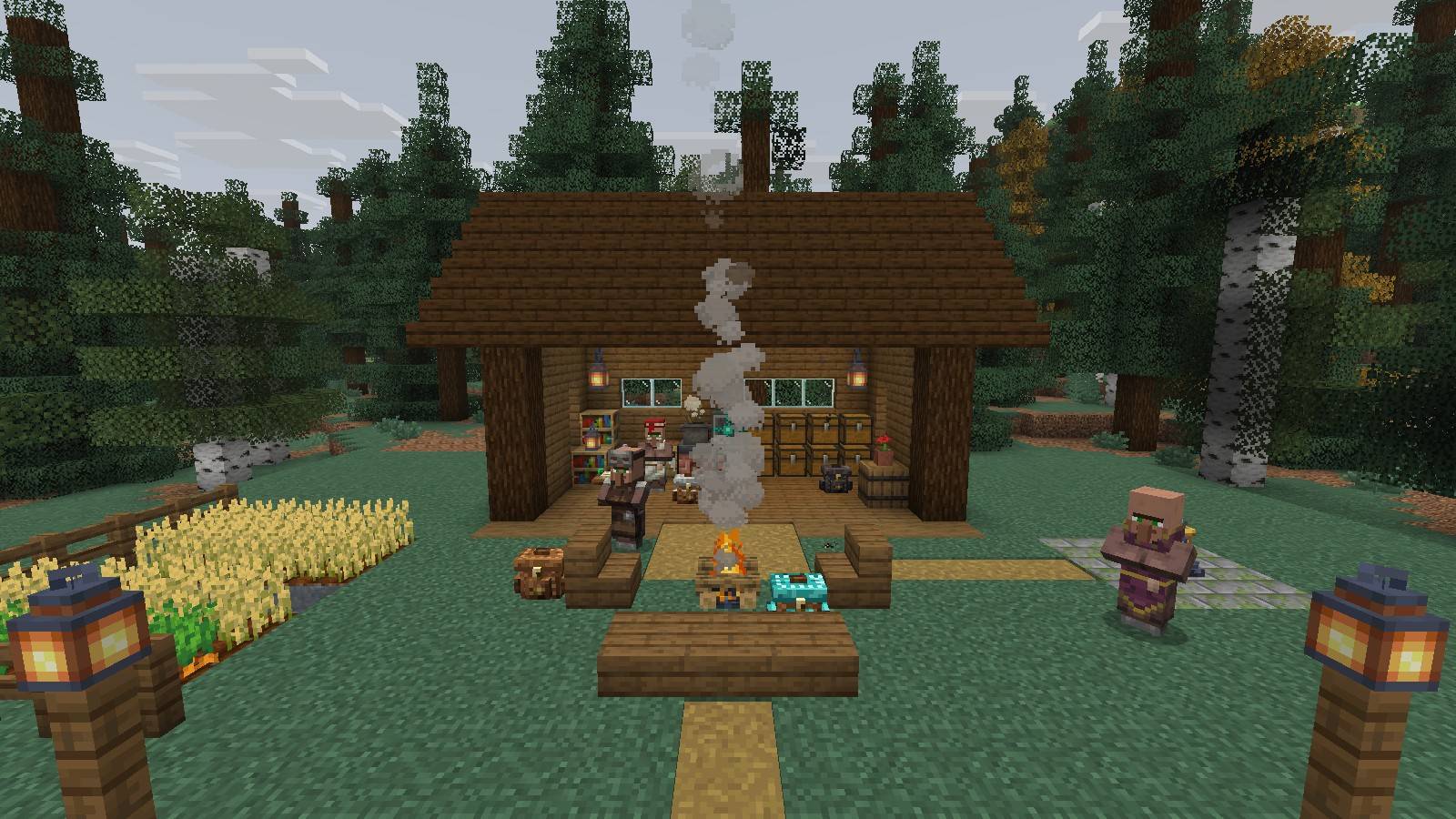
A cabin built with the pack: storage wall, rune altar, trade ledger, waystone and a field.
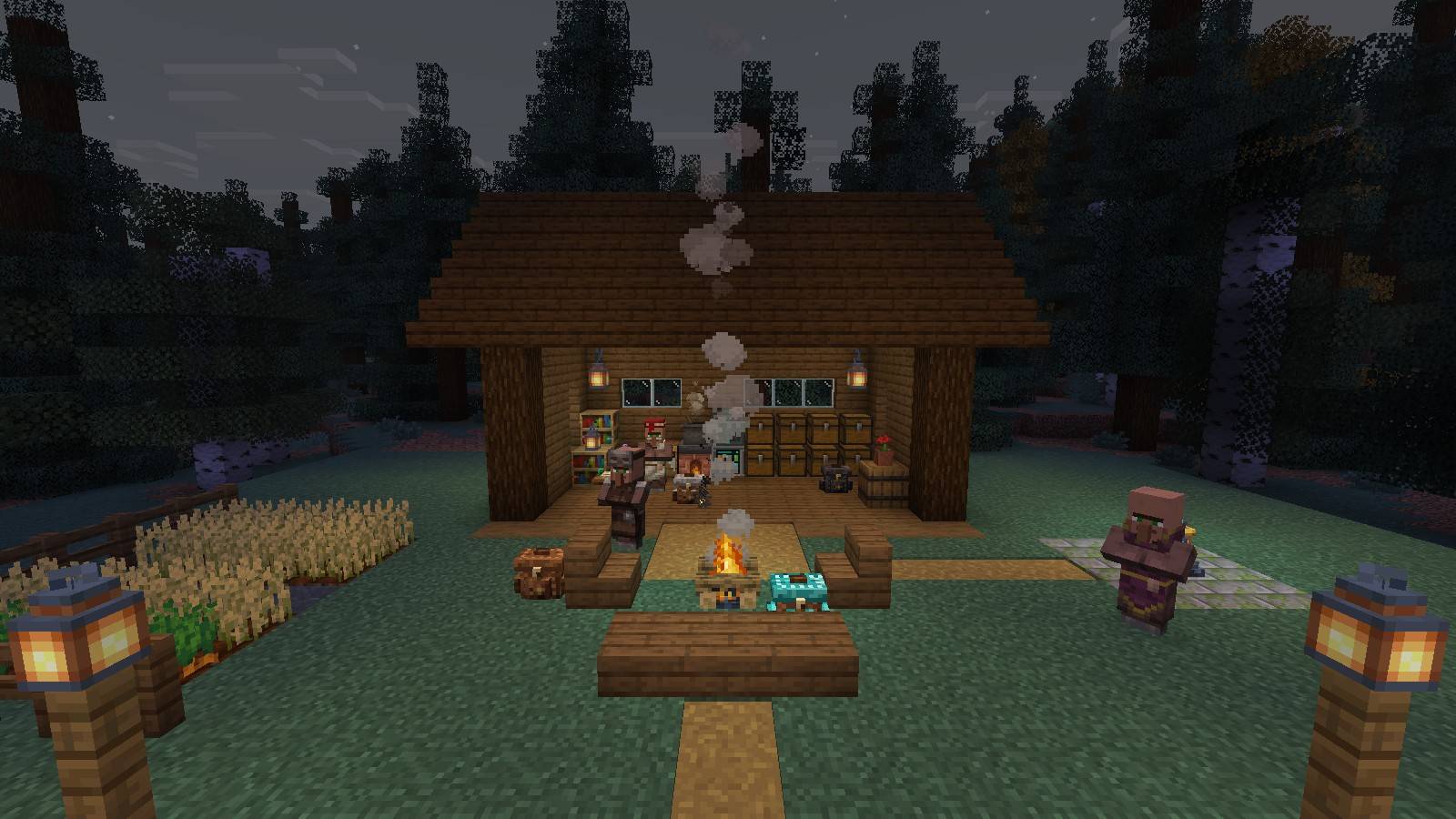
The same camp as the light goes.
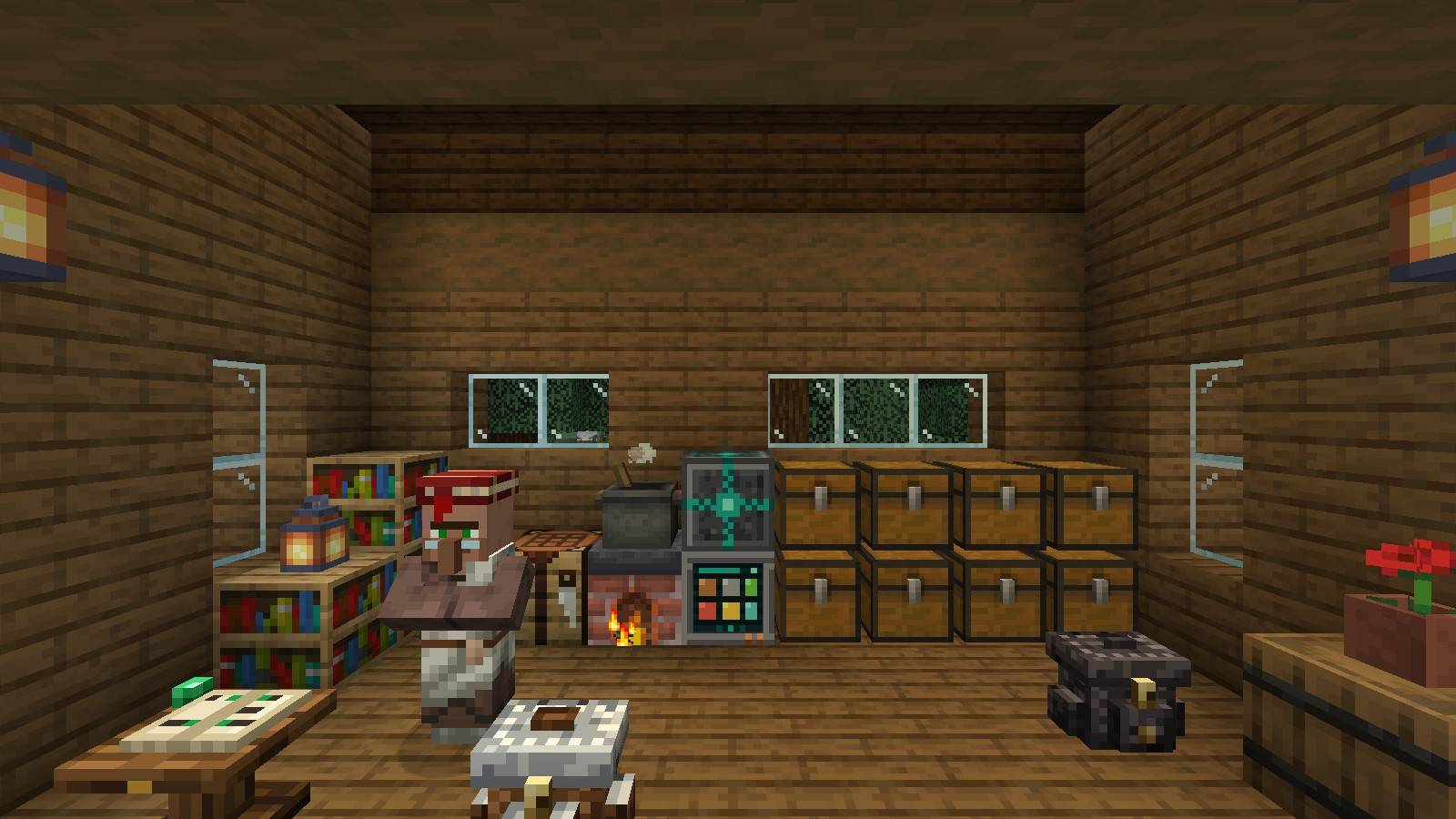
Chests wired to a Storage Terminal, a Farmer's Delight stove, the Rune Altar and the Trade Ledger.
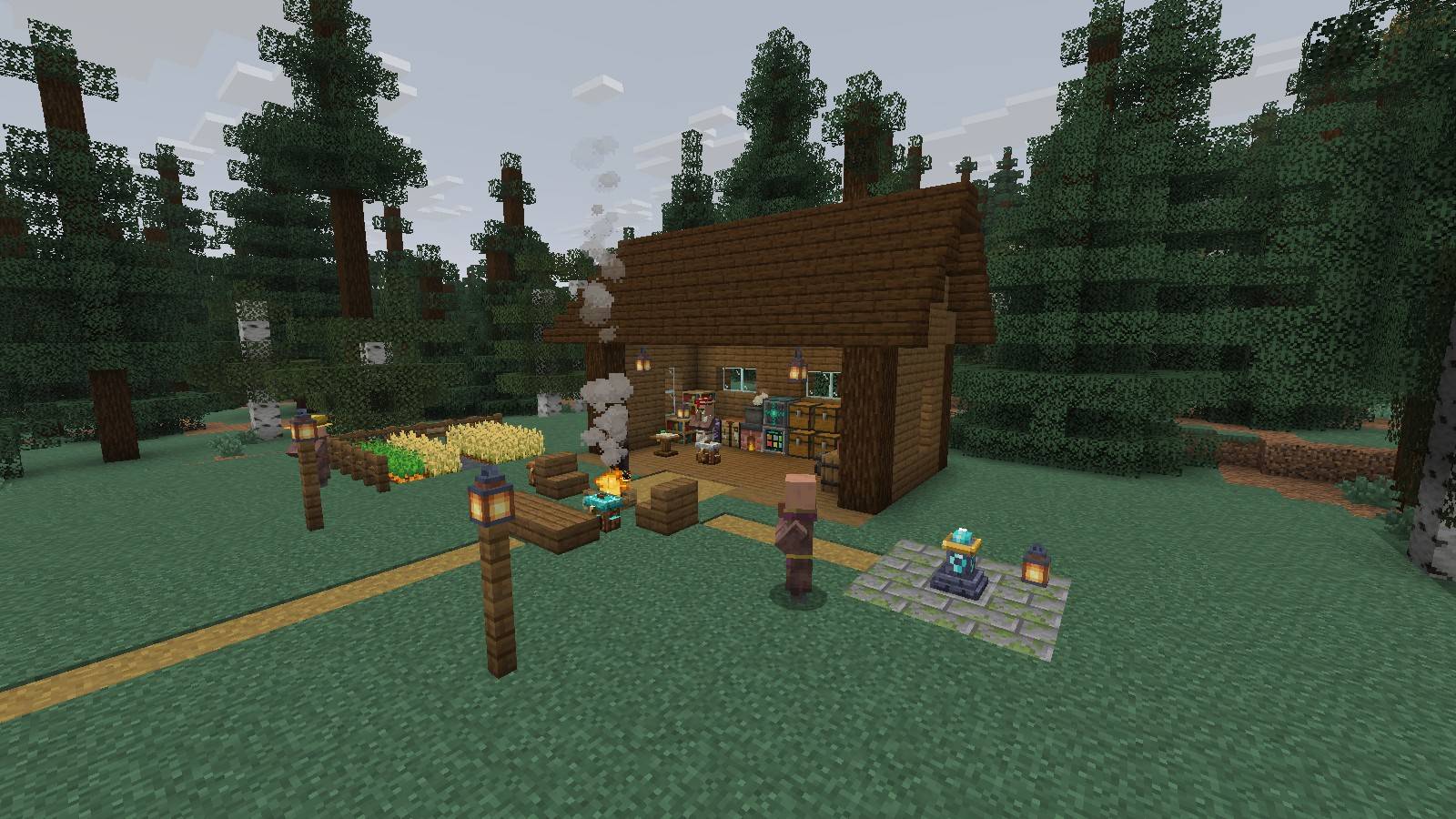
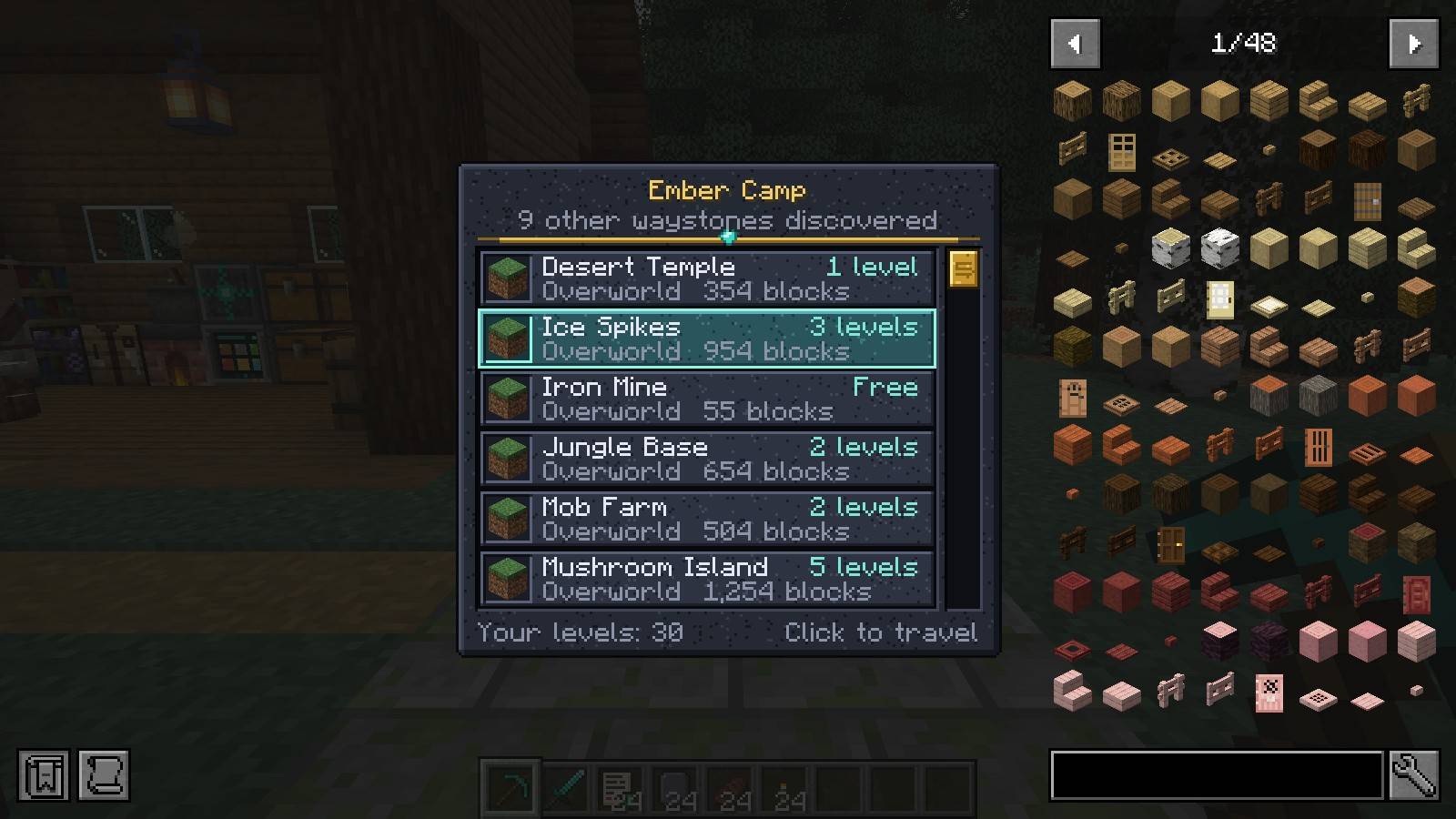
Lodeways: name a waystone and travel between them for experience.
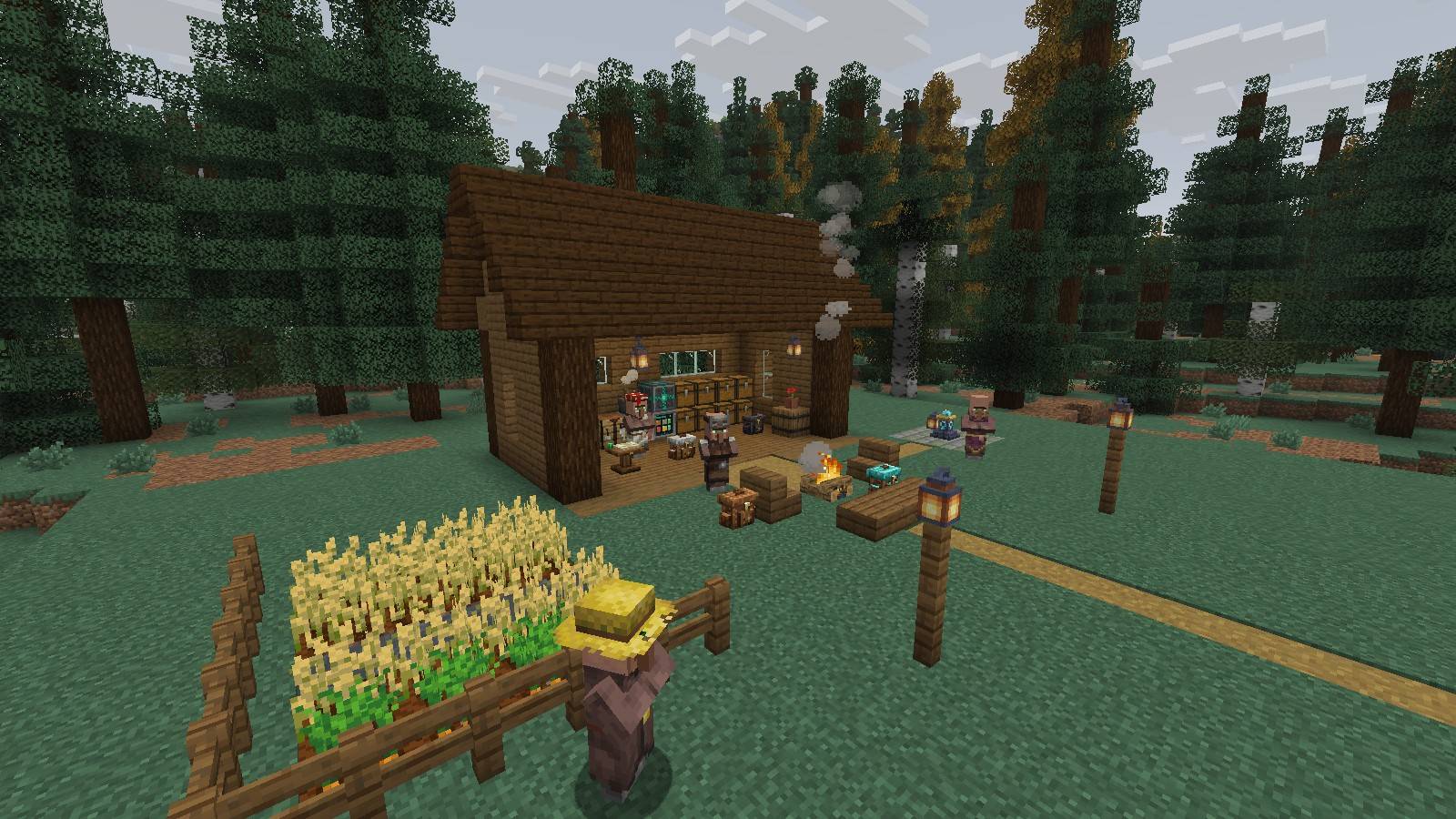
Farmers, crops and the cabin behind.
Description
Emberwild Journey
Light a fire. The wild is waiting.
Emberwild Journey is a Fabric 26.3 modpack about leaving home and coming back to it. A hundred new biomes to cross, a pack on your back, a waystone to bring you home, and a base where everything you own is one search away.
It is built around five original mods made for this pack. Where other packs bundle a waystone mod, a backpack mod, a storage mod, an enchanting mod and a villager mod from five different authors, Emberwild Journey has one of each, designed together, with matching art and screens, and nothing else in the pack doing the same job twice.
- 81 mods, hand-picked, every one on a stable release for 26.3 where one exists
- 8 shader packs and 6 resource packs included and switched off, so you choose how the game looks
- Tested as a whole: the full pack boots on a dedicated server and in the client, and the originals pass 111 automated checks with every other mod loaded
- A quest book that shows the way and never blocks it. No forced progression, no tech tree: still Minecraft, with more world and less busywork
The five originals
Lodeways: Waystones
- Craft a Waystone (amethyst, gold, an ender pearl, polished deepslate), place it and name it.
- Right-click any waystone to see the others in a scrolling list with distance and cost, and travel with one click.
- Travel costs experience by distance and has a short cooldown, so it is a choice and not a free teleport.
- Way Charts: use paper on a waystone to write a chart of it. A friend who reads the chart knows the waystone without the walk.
- Cost, cooldown and limits are in
config/lodeways.json.
Haversack: Backpacks
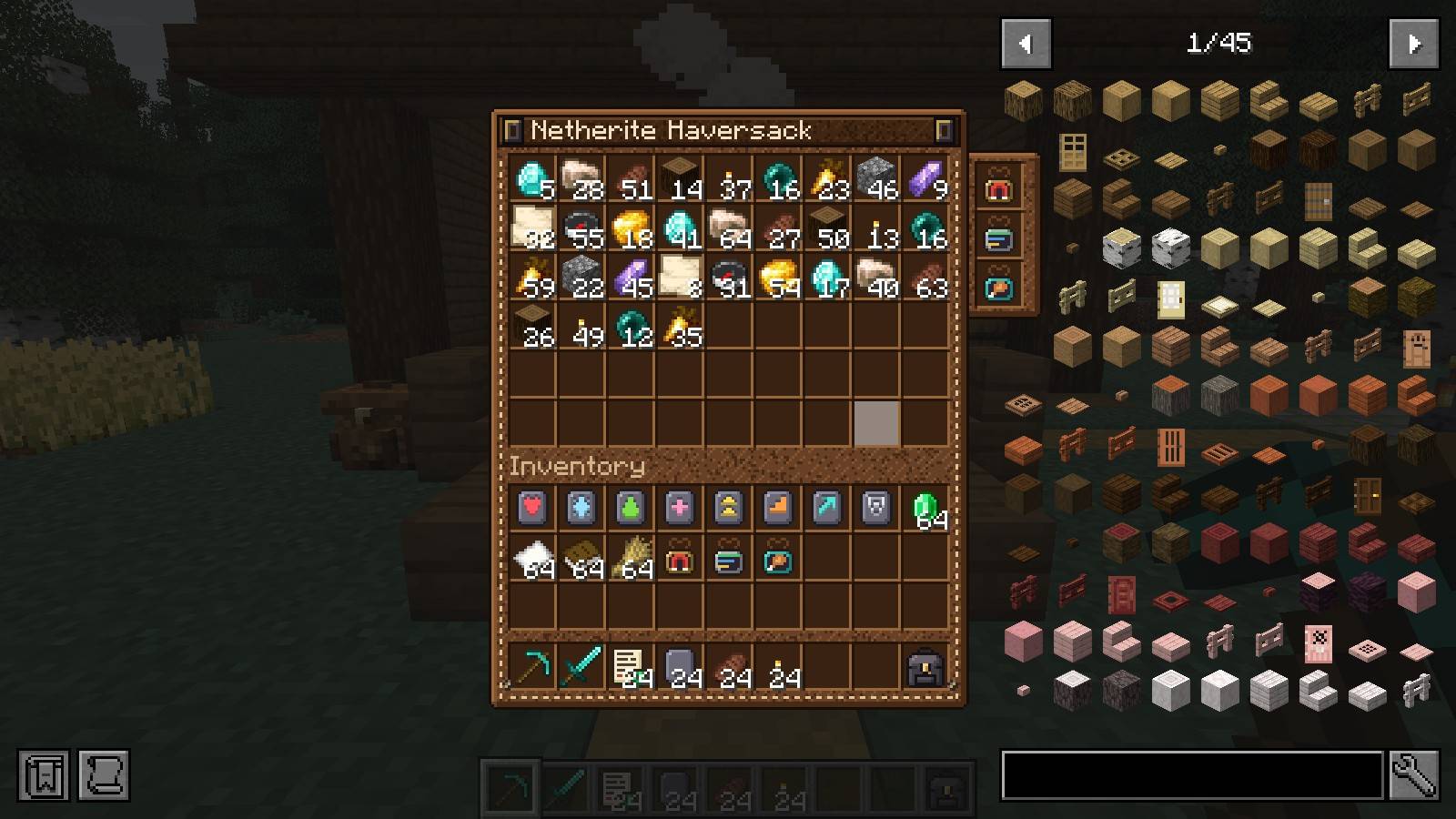
- Four tiers: Leather (18 slots), Iron (27), Diamond (36), Netherite (54). Upgrading keeps what is inside.
- Three charms that slot into the pack: Magnet (pulls in drops within 6 blocks), Sorting (tidies the pack when you open it), Feeding (feeds you and your tamed pets from the pack).
- Sneak and use to set the pack down as a block. It keeps its contents, works with hoppers, and joins a Stowage network.
- Each tier has its own screen and its own block model.
Sigilry: Runes
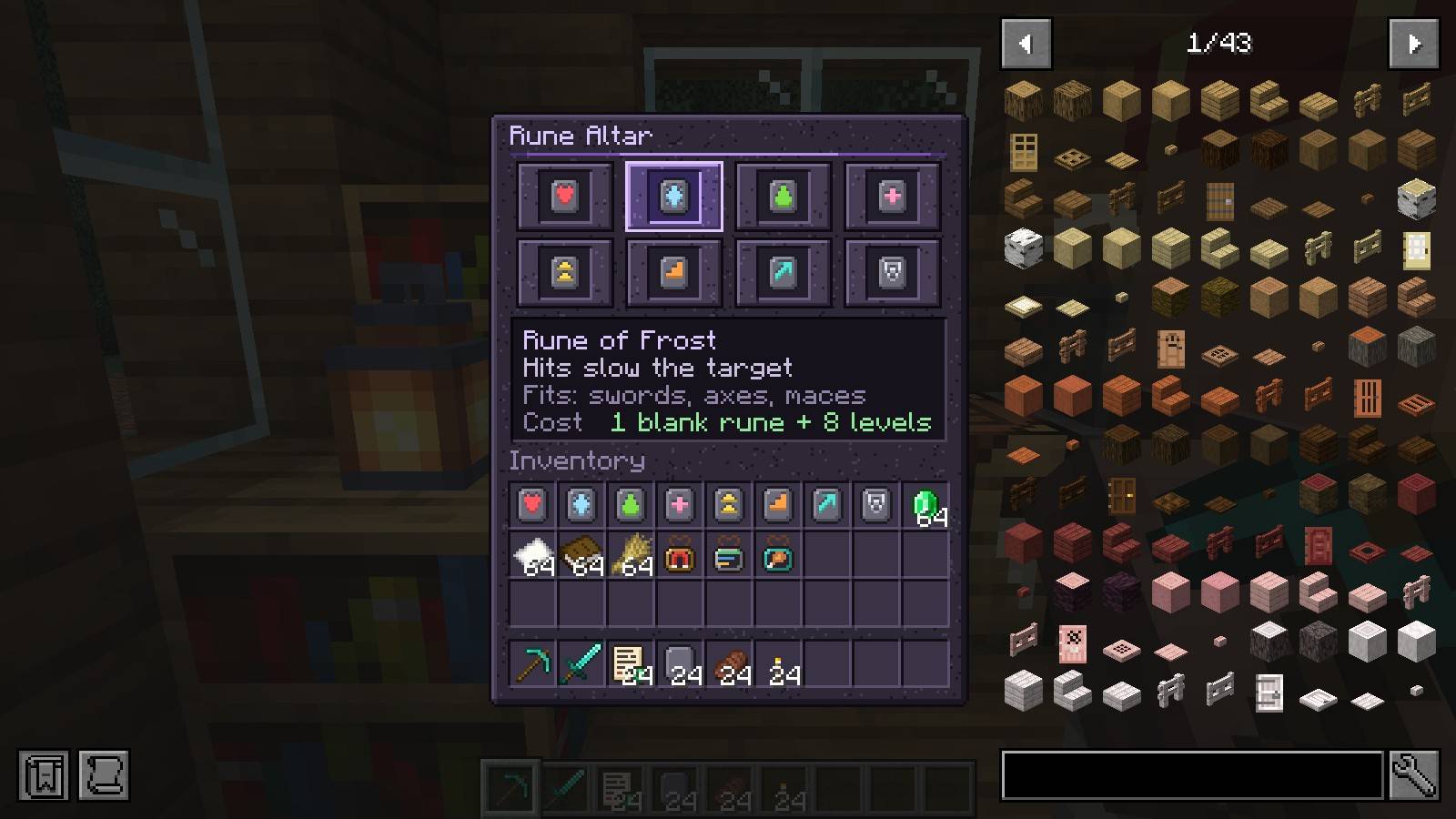
- The Rune Altar inscribes the rune you choose. No lottery: one Blank Rune and 8 levels buy exactly the rune you picked.
- Eight runes: Leech, Frost, Venom, Vitality, Swift, Stride, Reach, Tenacity, each with two levels.
- Apply a rune stone to gear in an anvil. One rune per item, so you have to decide.
- Runes are ordinary data-driven enchantments, so tooltips, JEI and Enchantment Descriptions all understand them.
Stowage: Networked storage
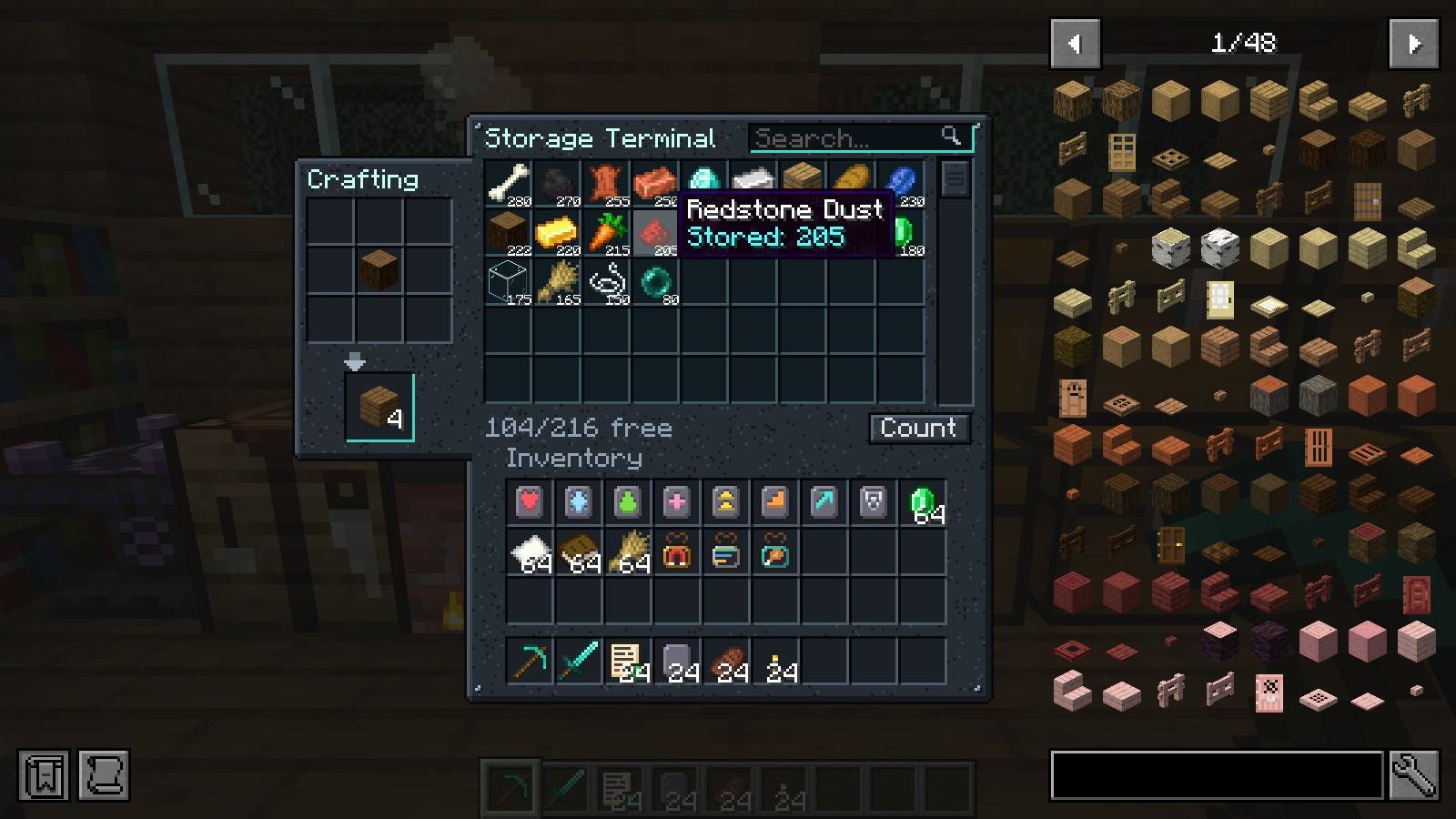
- Put a Storage Terminal against your chests. Every chest, barrel and shulker box touching it, each other, or a Storage Conduit becomes one searchable list.
- Search box, sort by amount or name, scroll through everything you own.
- Click to take a stack, right-click for half, shift-click your own items to store them. Items go to the chest that already holds that item.
- Craft straight from the network: the 3x3 grid refills itself from storage, shift-click crafts until you run out.
- Hoppers feed it: point a hopper at the terminal and whatever it pushes is sorted into the network. A full network leaves the items in the hopper.
- Nothing is stored in the terminal. Break it and every item is still in its chest.
Hearthfolk: Villagers
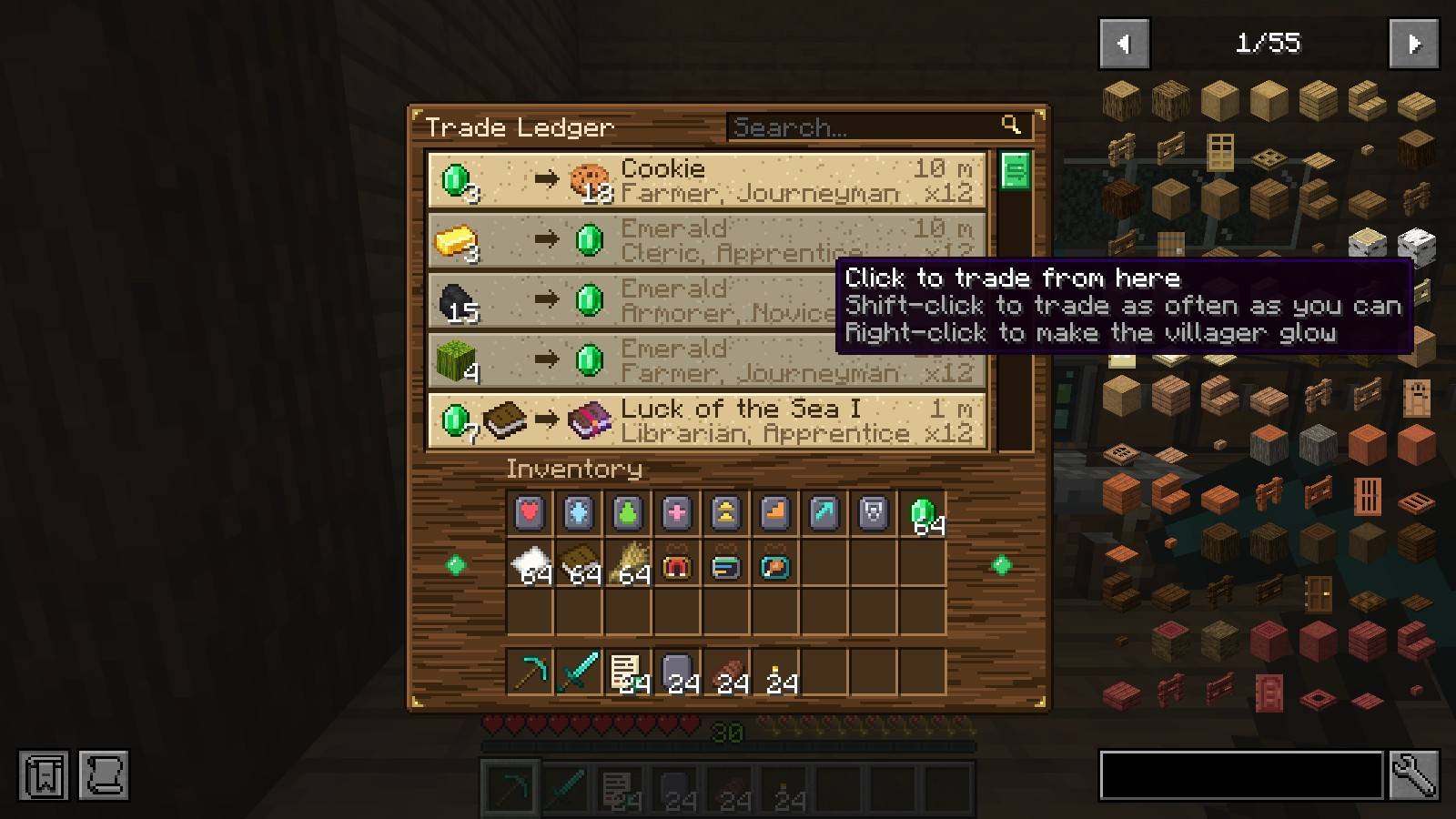
- The Trade Ledger lists every trade of every villager within 48 blocks, with prices and stock.
- Trade from the ledger: click a line to buy once, shift-click to buy as many as you can afford. No walking between stalls.
- Right-click a line and that villager glows, so you can find them.
- Discounts are capped at 30 percent. Curing zombie villagers no longer gets you one-emerald everything.
- Villagers stock more as they rank up, and a Trade Contract rerolls the offers of a villager you have not traded with yet.
The Journey Book
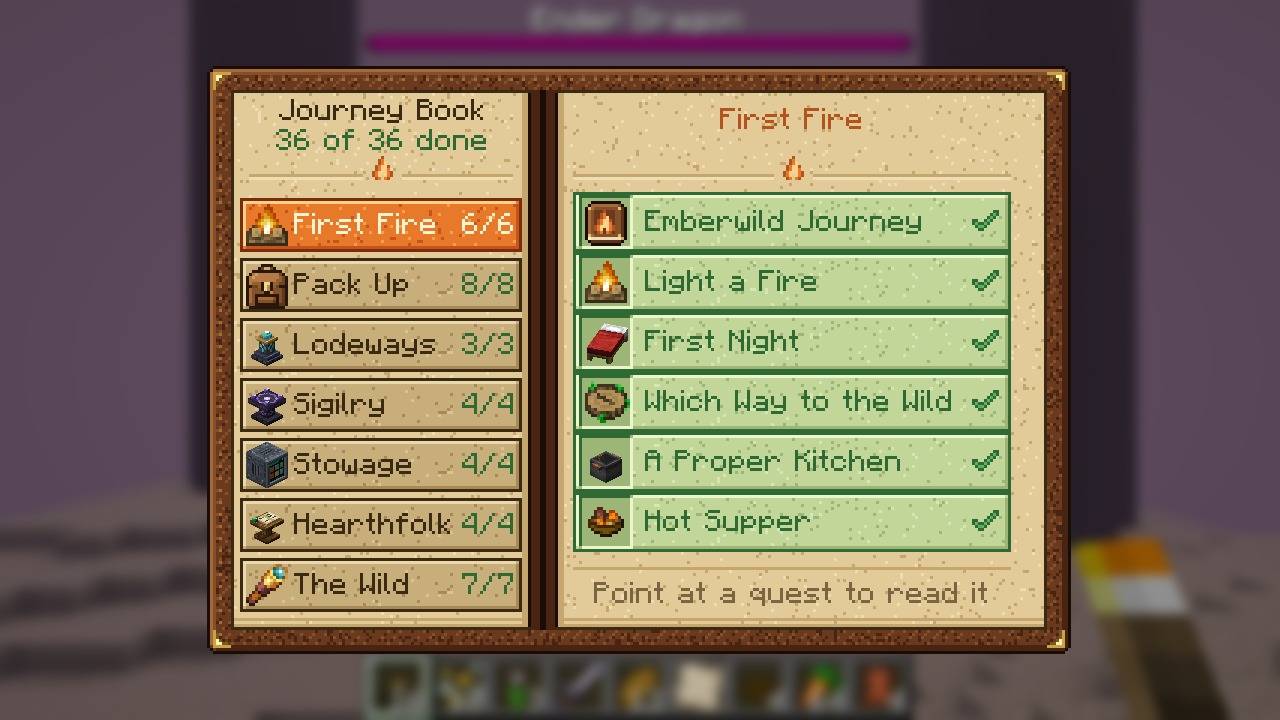
- You start with the Journey Book: 36 quests in seven chapters that walk through the pack, from the first campfire to the End.
- Each quest says what to do and pays a small reward. None of them is required, and nothing is locked behind them.
- Every quest is also an advancement, so the vanilla advancement screen shows the same trail. Lost the book? A book and a torch make a new one.
More of our own
Smaller mods, written for this pack like the rest.
Seamstrike: Vein mining
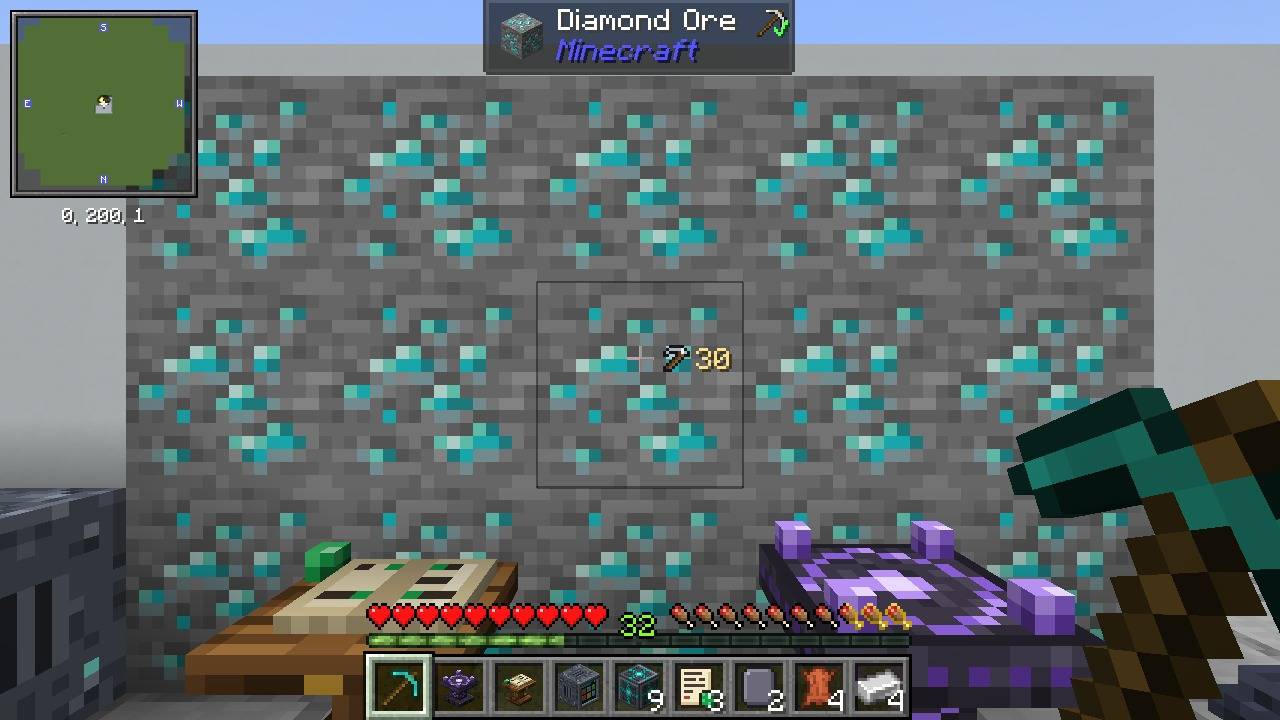
- Hold the Seamstrike key (` by default) and mine one block: every connected block of the same kind comes with it, up to 64. Any block: ore, stone, logs, leaves, gravel, crops.
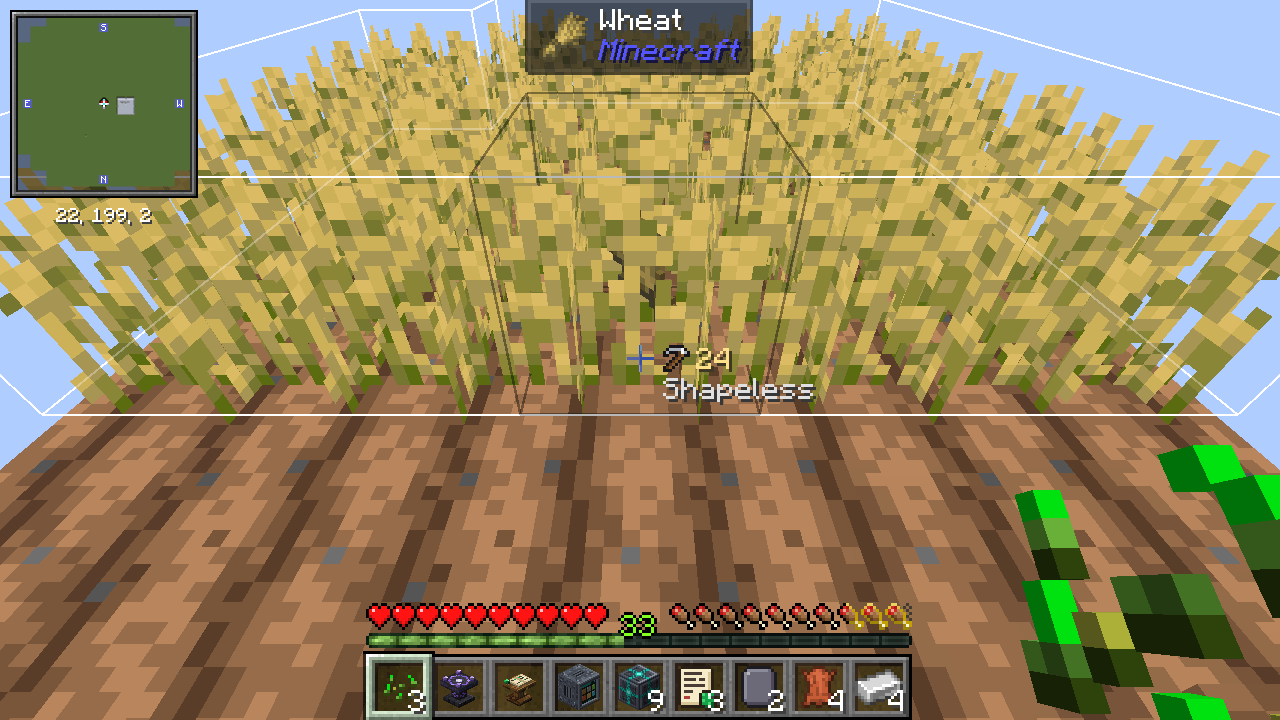
- The selection is outlined in the world before you swing, with the block count and the shape name beside the crosshair.
- Six shapes, picked with the mouse wheel while the key is held: Shapeless (the whole seam), Small Tunnel (1x1), Small Square (3x3), Large Tunnel (3x3 deep), Mining Tunnel (stairs down) and Escape Tunnel (stairs up).
- Right-click works too: a hoe tills, a shovel makes paths and an axe strips the whole selection. With Sowback installed, one right-click on any plant of a field, ripe or not, harvests and replants every ripe one.
- Nothing is free: the tool wears per block and stops before it breaks, Fortune and Silk Touch apply, hunger drains. Ore needs the right pickaxe.
- All the drops and experience land together at your feet, ready to pick up. The key is in Controls; limits are in
config/seamstrike.json.
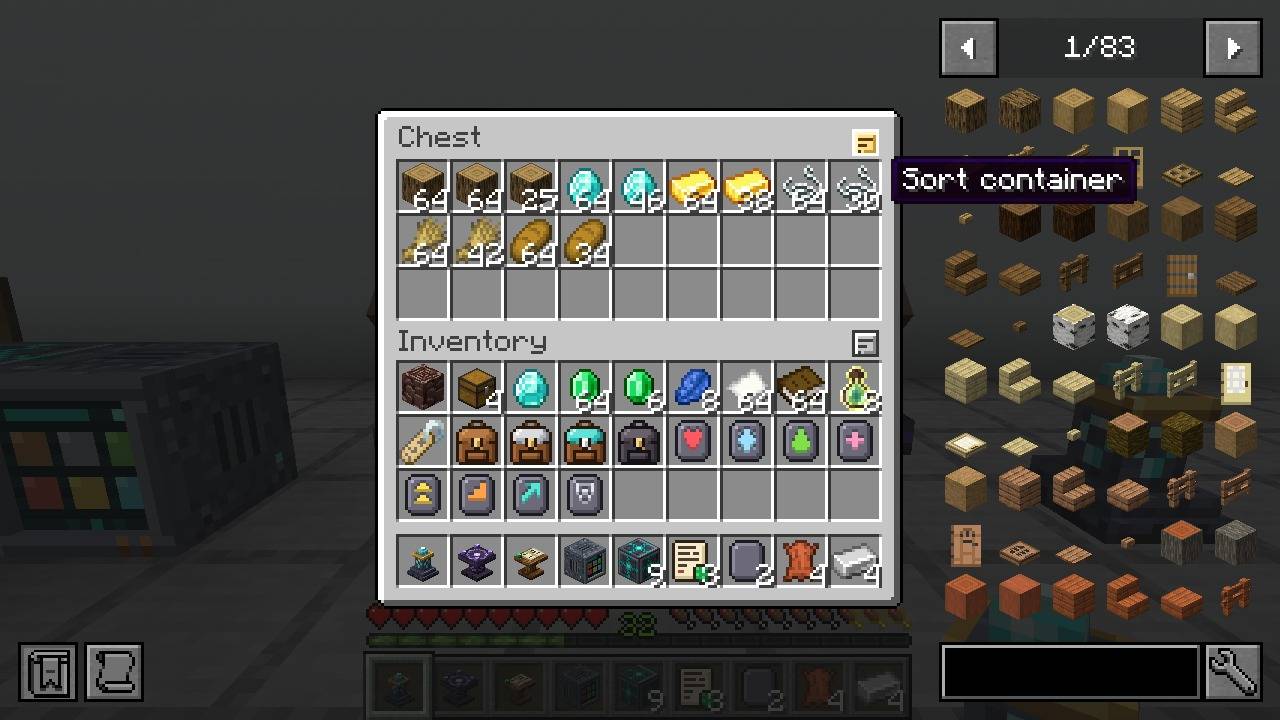
Neatfold: Inventory sorting
- Press the sort key (middle mouse button by default) over your inventory or over an open chest: stacks merge and everything lines up in order.
- A small button on the top-right of every sortable screen does the same.
- Your hotbar is never touched. Furnaces, crafting grids and other workstations are left alone.
- Works on chests, barrels, shulker boxes and Haversack packs. The key is in Controls > Inventory.
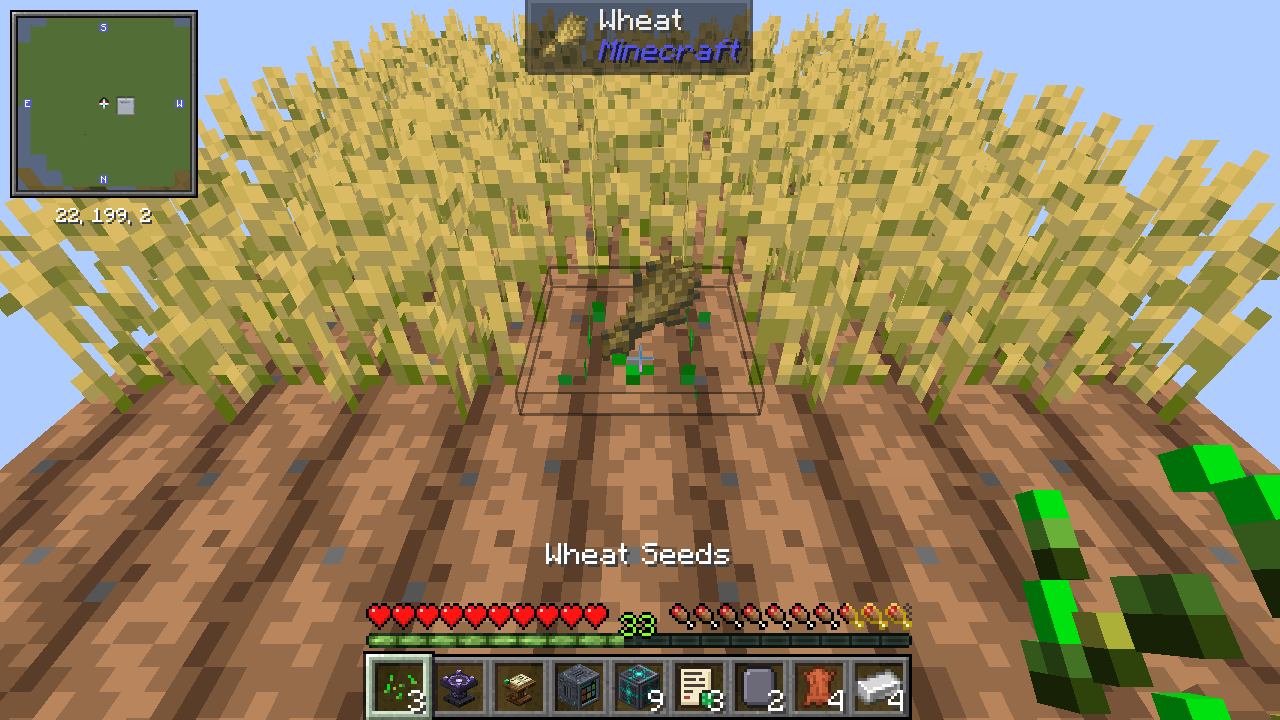
Sowback: Right-click harvest
- Right-click a ripe crop: it drops its harvest and is a seedling again. Nothing is broken, nothing needs replanting.
- One seed of the harvest goes back into the ground, so you get exactly what breaking and replanting would give.
- Wheat, carrots, potatoes, beetroot, nether wart, cocoa, and crops from other mods that are built on the vanilla crop.
- Unripe plants are left alone, so you can sweep a field without looking.
- Hold the Seamstrike key and one right-click anywhere in the field, even on a seedling, harvests every ripe plant in it.
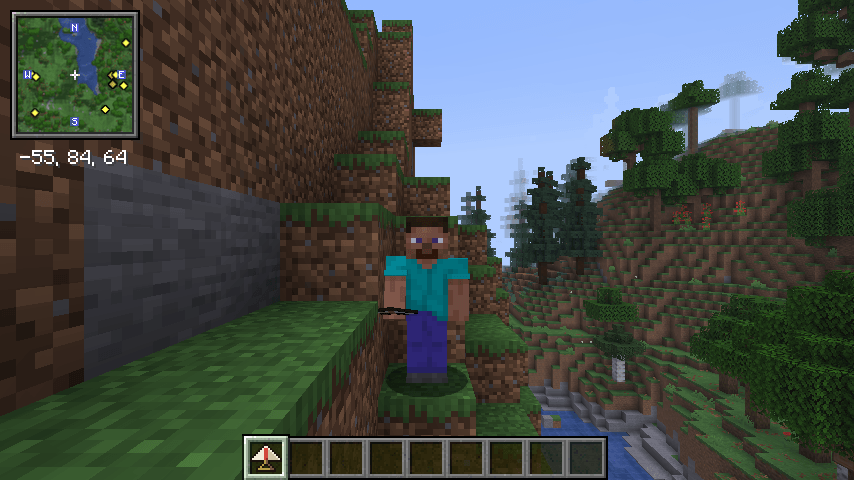
Farstride: Travel
- Roads are faster: dirt paths, stone bricks, bricks and other paving speed you up by 30 percent, so the road home is worth building.
- Walking Staff: in either hand you step up full blocks and walk a little faster.
- Climbing Claws: hold them and climb any wall you walk into, like a ladder.
- Glider: hold it and a fall becomes a slow float. It wears while it carries you; leather repairs it.
- Grappling Hook: aim at a block up to 24 blocks away and it pulls you to it.
- Horse Whistle: brings your nearest tamed horse, donkey or mule to you from up to 128 blocks.
- Saddlebags: put them on your own horse for 27 slots of storage. Sneak and right-click with an empty hand to open them.
- Boats row half again as fast.
- Homeward Scroll: read it and you stand at your bed, or at the world spawn if you have none.
Lapiskeep: Lapis stays in the table
- Lapis you leave in an enchanting table stays in that table. Close the screen, come back later, it is still there.
- The table keeps up to one stack. Break the table and the lapis drops.
- Works for everyone who uses the table, and two players can never take the same lapis twice.
What else is inside
World generation
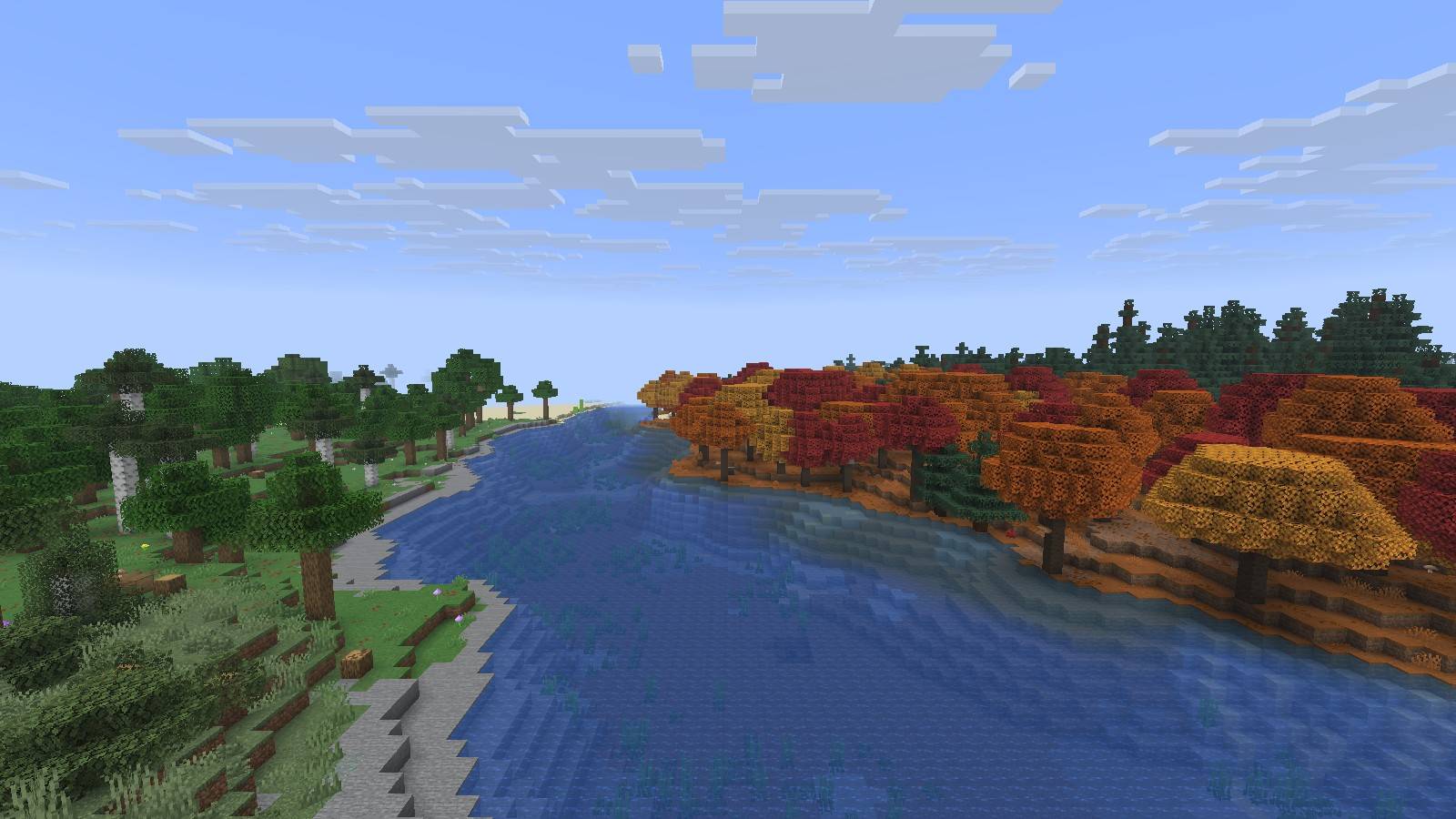
A new overworld, Nether and End, and far more to find in them.
| Mod | What it does |
|---|---|
| Terralith | Close to a hundred new overworld biomes, built from vanilla blocks. |
| Tectonic | Continents, mountain ranges and deep oceans on a grander scale. |
| Nullscape | A taller, stranger End. |
| Amplified Nether | A Nether twice as tall, with vast caverns. |
| Structory | Ruins, camps and small lore structures across the overworld. |
| Towns and Towers | New village and outpost styles for every biome. |
| Dungeons and Taverns | Taverns, dungeons and reworked vanilla structures. |
| Repurposed Structures - Fabric | Biome variants of vanilla structures: jungle fortresses, badlands villages, nether mineshafts. |
Content
Cooking, animals, forgotten mobs, and a full set of building blocks for the house you come home to.
| Mod | What it does |
|---|---|
| Farmer's Delight Refabricated | Cooking and farming: stove, cooking pot, cutting board, knives, new crops and meals. |
| Naturalist | Wild animals with real behaviour: bears, deer, snakes, fireflies, lions, elephants. |
| Friends&Foes (Fabric/Quilt) | The mobs that lost the mob votes: copper golem, glare, moobloom, iceologer and more. |
| Macaw's Bridges | Rope, log, stone and iron bridges. |
| Macaw's Doors | Doors in every wood, plus barn, shoji and garage doors. |
| Macaw's Fences and Walls | Picket fences, hedges, railings and stone walls. |
| Macaw's Roofs | Real roof blocks, gutters and chimneys. |
| Macaw's Windows | Windows, shutters, blinds and curtains. |
| Macaw's Furniture | Chairs, tables, wardrobes, desks, sofas and kitchen pieces. |
Quality of life
The chores, shortened.
| Mod | What it does |
|---|---|
| Clumps | Merges experience orbs into one, for less lag and faster pickup. |
| Leaves Be Gone | Leaves vanish quickly after the tree is cut. |
| Visual Workbench | Items stay on the crafting table and are shown lying on it. |
| NetherPortalFix | You come back out of the portal you went in through. |
| Crafting Tweaks | Rotate, balance and clear the crafting grid with a button. |
| FallingTree | Cut the bottom log and the whole tree comes down. |
| Carry On | Pick up chests, spawners and small mobs and carry them. |
| Lootr | Loot chests give every player their own loot. |
| Nature's Compass | A compass that finds any biome. Handy with a hundred new ones. |
| Universal Graves | Your items wait in a grave where you died. |
Interface
Information where you need it.
| Mod | What it does |
|---|---|
| Mod Menu | A list of installed mods, with their settings. |
| Jade | Shows what you are looking at: block, mob, health, contents. |
| Just Enough Items (JEI) | Every item and every recipe, searchable. Press R on an item for its recipe, U for its uses. |
| Xaero's Minimap | A minimap with waypoints and a death marker. |
| Xaero's World Map | A full-screen map of everything you have explored. |
| AppleSkin | Shows how much hunger and saturation a food restores. |
| Mouse Tweaks | Drag items across slots and scroll them between inventories. |
| Controlling | A search bar and conflict filter for key binds. |
| Searchables | Search library used by Controlling. |
| BetterF3 | A readable, colour-coded F3 screen. |
| Shulker Box Tooltip | Peek inside a shulker box from its tooltip. |
| No Chat Reports | Strips chat signatures so messages cannot be reported to Mojang. |
| Enchantment Descriptions | Says what each enchantment does on the book tooltip. Covers the Sigilry runes too. |
Visuals
Small touches that make the world feel alive, with or without shaders.
| Mod | What it does |
|---|---|
| Iris Shaders | Shader support. Loads the shader packs listed below. |
| Sodium Extra | Extra video options: fog, sky, particles, animations. |
| Reese's Sodium Options | A tidier video settings screen. |
| LambDynamicLights - Dynamic Lights | A torch in your hand lights the cave around you. |
| Continuity | Connected textures for glass, bookshelves and more. |
| EMF Entity Model Features | Custom mob models from resource packs (needed by Fresh Animations). |
| ETF Entity Texture Features | Random, glowing and custom mob textures from resource packs. |
| Falling Leaves | Leaves drift down from the trees. |
| Not Enough Animations | Your character actually holds the map, eats, rows and climbs in third person. |
Sound
| Mod | What it does |
|---|---|
| Presence Footsteps | Footstep sounds that match the ground you walk on. |
Performance
The pack is meant to run well on ordinary hardware.
| Mod | What it does |
|---|---|
| Sodium | The rendering engine. Most of the frame rate comes from here. |
| Lithium | Faster game logic: mob AI, physics, chunk ticking. Changes no behaviour. |
| FerriteCore | Cuts memory use, so the pack runs in less RAM. |
| Entity Culling | Skips drawing mobs and chests you cannot see. |
| ImmediatelyFast | Faster HUD, text and map rendering. |
| Krypton | A leaner network stack for multiplayer. |
| Dynamic FPS | Drops the frame rate while the game is in the background. |
| More Culling | Skips hidden block faces (leaves, item frames, signs). |
Shaders and resource packs: play it your way
Everything below is downloaded with the pack and switched off. Nothing changes until you turn it on, and you can switch at any time without restarting.
Shaders
Options > Video Settings > Shader Packs, pick one, press Apply. Press K in game to toggle shaders on and off.
| Shader | What it does |
|---|---|
| Complementary Shaders - Reimagined | The all-rounder. Keeps the Minecraft look, adds soft light, water and clouds. Start here. |
| Complementary Shaders - Unbound | Complementary with a more realistic sky and water. |
| BSL Shaders | Warm, bright and cinematic. A long-time favourite. |
| Photon Shaders | Clean, natural light with detailed skies. |
| Bliss Shaders | Moody and atmospheric, with heavy fog and deep shadows. Needs a strong GPU. |
| Sildur's Vibrant Shaders | Bold colours and god rays. |
| MakeUp - Ultra Fast | Shadows and waving plants for modest hardware. |
| Miniature Shader | The lightest one. Runs on integrated graphics. |
Resource packs
Options > Resource Packs, move the ones you want to the right. They can be combined.
| Resource pack | What it does |
|---|---|
| Fresh Animations | Mobs blink, look around and move like living things. |
| Faithful 32x | The vanilla textures at twice the resolution. |
| Default Dark Mode | Dark menus and inventories. |
| Fast Better Grass | Grass covers the sides of grass blocks. |
| Low On Fire | Lowers the fire overlay so you can see while burning. |
| Icons | Small icons in menus, buttons and tooltips. |
Installing
- Install the CurseForge App, or any launcher that installs CurseForge packs (Prism Launcher, ATLauncher).
- Find Emberwild Journey and press Install. The launcher downloads Minecraft 26.3, Fabric Loader 0.19.5 and every mod.
- Give the game 6 GB of memory (4 GB is the minimum, 8 GB if you use shaders with a long view distance).
- Play.
Playing on a server
Download the server pack from the Files tab, or copy the client mods folder and remove the client-only mods. Everyone who joins needs the pack installed, because the five originals add blocks, items and screens.
Good to know
- JEI only has a beta build for Minecraft 26.3. It has been stable in testing, and it is the one recipe viewer that runs alongside every other mod here.
- World generation is heavier than vanilla. The first minutes in a new world load slowly while the land around you is built.
- Do not add a second waystone, backpack, storage network, enchanting or villager trading mod. The pack is balanced around its own.
Libraries
Installed automatically. You never have to touch them.
| Library | What it does |
|---|---|
| Balm | Library for NetherPortalFix and Crafting Tweaks. |
| Cloth Config API | Settings screens for several mods. |
| Cristel Lib | Structure settings for Towns and Towers. |
| Fabric API | The base library nearly every Fabric mod needs. |
| Forge Config API Port | Config library for the Fuzs mods. |
| Lithostitched | World generation library for Terralith and Tectonic. |
| MezzConfig | Config library for JEI. |
| MidnightLib | Config library for Repurposed Structures. |
| Polymer | Lets Universal Graves work without a client mod. |
| Prickle | Config library for Enchantment Descriptions. |
| Puzzles Lib | Library for Leaves Be Gone and Visual Workbench. |
| Resourceful Lib | Library for Friends&Foes. |
Credits and licences
Every third-party mod, shader and resource pack is downloaded from its own CurseForge page and belongs to its authors. They are the reason this pack exists, and each one is linked above. The five original mods (Lodeways, Haversack, Sigilry, Stowage, Hearthfolk) are MIT licensed.
Found a bug? Say which mod it is in if you can, and include logs/latest.log.
Emberwild Journey Team