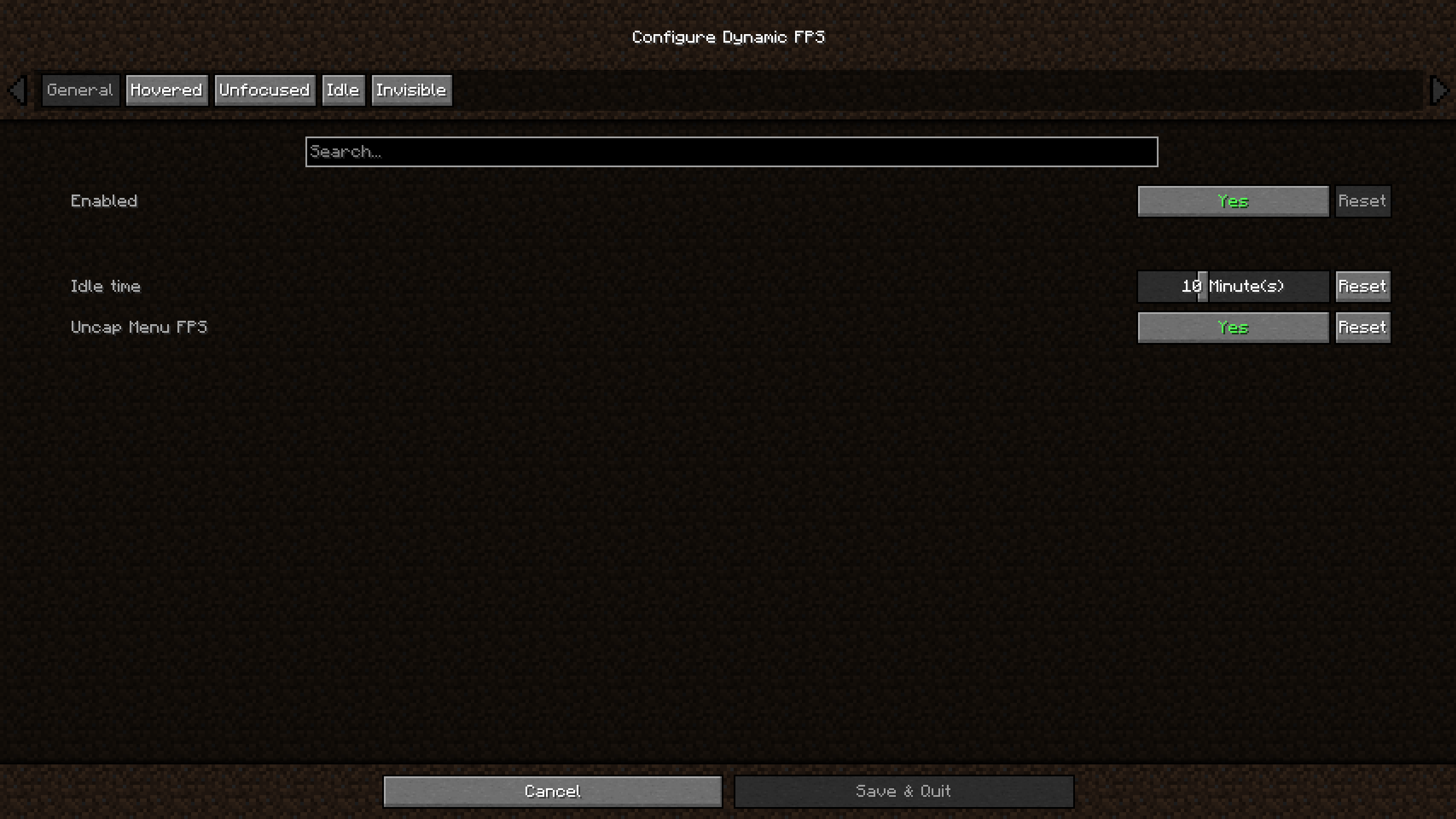
The main config screen allows disabling the mod, choosing an amount of time until the idle configuration is activated, and whether the 60 FPS limit in the main menu should be removed.
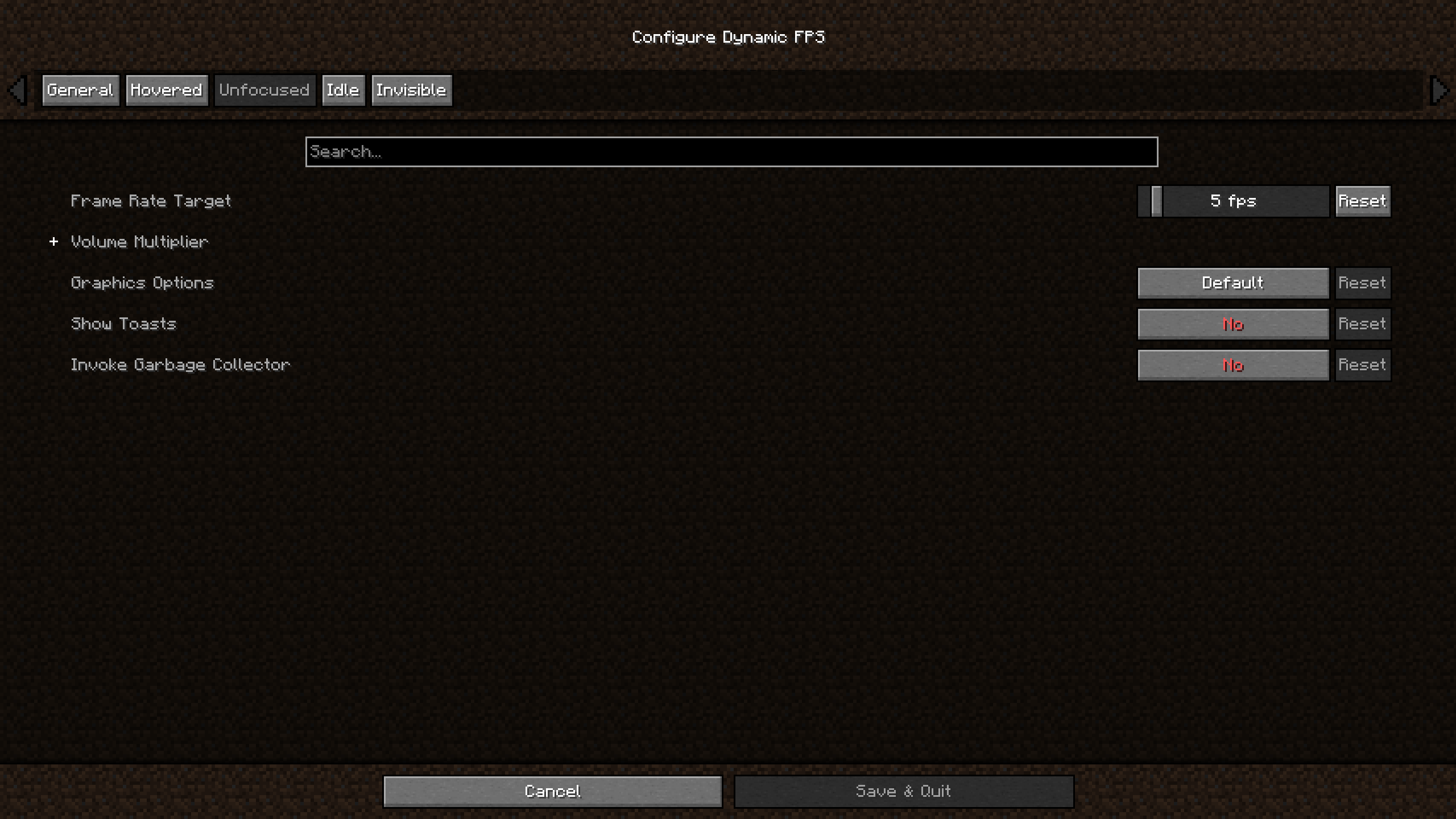
Choose a target frame rate, the volume for each sound category, and whether toast notifications are active while the window is being hovered over, unfocused, invisible, or you're idle.
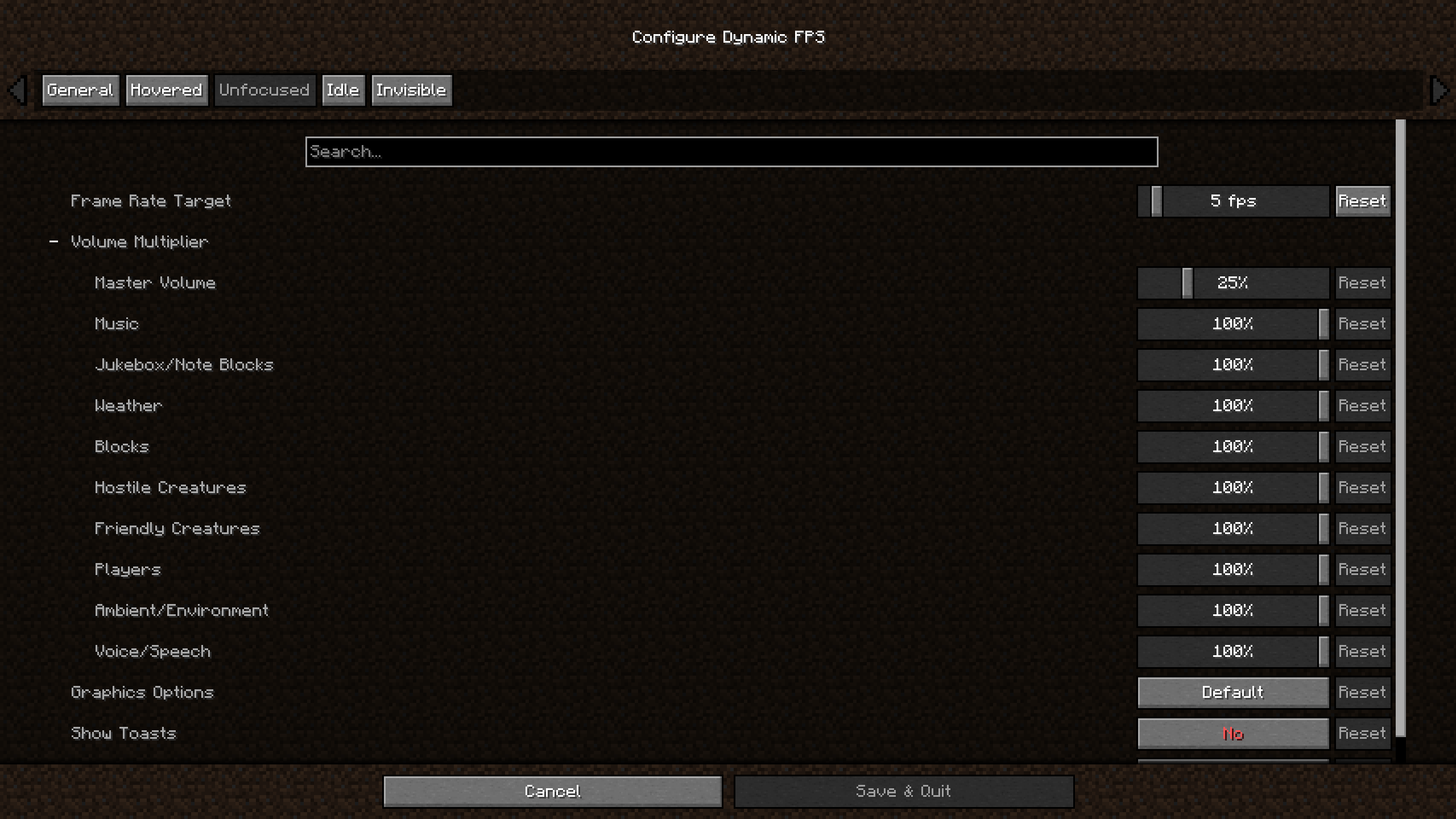
For each window status you're able to set a multiplier per sound category (from vanilla and mods!) to either highlight or de-emphasize certain sounds.
Description
Dynamic FPS
Reduce resource usage while Minecraft is in the background, idle, or on battery.
Features
Dynamic FPS will detect whether the Minecraft window is currently active, being hovered over, unfocused, or invisible.
For each of these states you're able to adjust the frame rate, volume, and whether toast notifications are temporarily paused.
You can also configure these settings for when you're idling (with a custom timeout) or while your laptop / handheld is on battery. Optionally you may also display the current battery status on the in-game HUD and receive toast notifications about battery activity.
In addition to this Dynamic FPS fixes a vanilla bug causing higher-than-necessary background CPU usage and stops rendering the world while it's being obscured by resource loading overlay, helping especially on low-end systems.
Installation
Dynamic FPS is available for download on GitHub, Modrinth, and CurseForge.
To access the in-game config screen you'll also need to install Mod Menu and Cloth Config.
Frequently Asked Questions
- Why is Minecraft still running at 15 FPS?
Dynamic FPS will only slow the client render loop to a minimum of 15 cycles per second. Lower frame rates are achieved by then cancelling the rendering of all superfluous frames, e.g. 14 out of 15 frames are cancelled for 1 FPS.
This lets you resume playing almost instantly after switching back to the game: Instead of having to wait for up to a second until the next rendered frame comes along, the game checks back within 1/15th of a second.
Disclaimer
Enabling the battery integration requires downloading an additional library at runtime.
The mod contains the hashes for these files ahead of time and will verify them before usage.
You may disable this behavior in the mod's settings, or install the library yourself if you wish.
The Dynamic FPS Team


Owner