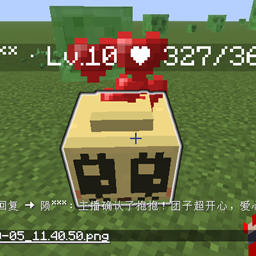
ZexiCore B · 辙隙核心B
- By
Wheel tracks are the trails stories leave behind; the rift is the gap between trails — and that thin gap is the bond that ties every story back together.
ZexiCore B · 辙隙核心B
车辙,是故事走过的轨迹;辙隙,是轨迹与轨迹之间的缝隙——那一线空隙,正是把每条故事重新牵到一起的纽带。
Wheel tracks are the trails stories leave behind; the rift is the gap between trails — and that thin gap is the bond that ties every story back together.
Minecraft 26.3 · NeoForge 26.3.0.51-beta · Version v1.1.0 · English / 中文
English Version
✦ What Is This Mod?
ZexiCore B is a fully GUI-driven social and co-op mod: face-to-face trading, guilds, parties, loot distribution, and identity markers — all done by clicking buttons.
Regular players don't need to type a single command. Commands are only for admins.
Everything is server-authoritative: distance, cooldowns, inventory limits, atomic trades, and saves are all checked on the server.
✦ Quick Start
- Put the mod in the
modsfolder on both server and client (NeoForge versions must match). - In game, Shift + right-click a player → the other player sees an Accept / Decline prompt.
- To manage guilds and parties, press K to open the Social Panel.
Clients without the mod can still join the server, but cannot use ZexiCore B's interfaces.
✦ Face-to-Face Trading (GUI)
How to start
- Stand within 5 blocks of the other player, keep your main hand empty, and Shift + right-click them.
- The other player gets a trade request in the center of their screen: Accept / Decline (Esc = decline).
- Once accepted, both players open the trade screen at the same time.
Trade screen layout
| Position | Content |
|---|---|
| Left 3×3 (titled "Your Offer") | Your offer slots — put in whatever you want to give |
| Right 3×3 (titled with the other player's name) | The other player's items, read-only |
| Below both grids | Each side's "Ready / Not Ready" status, aligned with the grid above |
| Center | Two-way arrow + status line + countdown bar |
| Button row | "Ready" under your column on the left, "Cancel" under their column on the right |
| Bottom | Your inventory (3 rows + hotbar) |
Rules (designed to prevent scams and deadlocks)
- If either side changes items → both ready states reset immediately, followed by a 3-second cooldown (prevents last-second swaps).
- Both sides click "Ready" → a 5-second countdown begins, after which the server performs an atomic swap.
- Closing the screen, walking away, changing dimensions, disconnecting, invite timeout (60s), or not enough inventory space → trade cancels and items return to where they came from.
- Even if the server crashes: open trades are saved, and items are automatically returned on next startup.
- Every trade is an independent session — unresolved invites are discarded automatically, so old bugs like "the other side can't accept" or "you have to accept your own invite" no longer happen.
✦ Social Panel (Press K)
Four GUI tabs, all button-driven:
Guild
- Create / Invite (pick from online player list) / Promote / Kick / Transfer leadership / Set guild home / Teleport home / Leave
- Guild banner: click "Banner" to open the editor — pick a base color, pattern color, and vanilla patterns, with live preview on the right
- Member list shows online status; if
sj_cyis installed, it also shows each member's "Morning and Evening into Poetry" value
Party
- Create / Invite / Transfer leader / Kick / Leave, up to 5 members
- Friendly fire within the party is blocked by the server (no damage)
- Party kills drop loot directly into the party loot pool, not on the ground
Loot
- Each item in the pool is one row; click to select
- The leader can "Toggle Roll", "Assign (pick a player)", or "Settle"
- Batch assign: check the box on the left of multiple rows (or click "Select All"), then click "Batch Assign" to give them all to one person
- Party members click "Need" to join a roll; highest roll wins
- Items are only actually delivered on successful assign/settle; if they can't fit, they stay in the pool
- The party list does not show "Morning and Evening into Poetry" — that column only appears in the guild list
Ranking
- Sorted by the sum of guild members' "Morning and Evening into Poetry", showing guild leader, member count, and total
- There is also a "Zexi Guild Ranking" button at the bottom-left of the ESC → "Statistics" page; same effect
✦ Banners Are Real Vanilla Banners
Guild/party banner icons are not text symbols — they are drawn using vanilla banner rendering, supporting:
- 16 base colors, 16 pattern colors, up to 6 layered patterns
- The same rendering result appears in the panel, the ranking, and the banner editor
✦ Saves (Persistent)
- Guilds, parties, members, roles, loot pools, banners, guild homes, trade records, and pending returns are all saved in the world save — they survive server restarts.
- If the server shuts down abnormally, unfinished trades become "pending returns" and players automatically get their items back on next login.
- The last 200 trade records are kept; admins can view them with a command.
✦ Admin Commands (OP Only)
Regular players don't need commands. The following require OP:
| Command | Effect |
|---|---|
/zexi admin |
Open the Admin Console: view and delete server-wide guilds/parties (with confirmation) |
/zexi status |
Build number, soft-dependency status, guild/party/trade record counts |
/zexi sjcy |
"Morning and Evening into Poetry" diagnostics (whether sj_cy is installed, which variable was detected, current value) |
/zexi log |
Last 8 trade records |
/zexi help |
Command help |
The Admin Console can also be opened from the "Admin Console" button at the bottom-left of the Social Panel (only visible to admins). It is a standalone interface: list on the left, details on the right, showing all members of each guild/party. Deletion is re-validated server-side, so regular players cannot delete anything even by modifying the client.
- Deleting a guild clears all members, home, and pending invites.
- Disbanding a party returns pool loot to the leader (dropped at their feet if online, returned on next login if offline).
✦ Soft Dependencies & Degradation
| Mod | Installed | Not Installed |
|---|---|---|
sj_cy (Sujie Dimension) |
Reads the real "Morning and Evening into Poetry" count | The whole column / ranking page is hidden, no errors |
ftbteams |
References its party API | Uses ZexiCore B's built-in party system, same functionality |
zexi_core_a (ZexiCore A) |
Compatible with its top info | No effect on any feature |
✦ Author & Credits
- Author: @Dzwmhyk (陨莫)
- Homepage: https://bd.dzwmhyk.top/
- Bilibili: https://space.bilibili.com/417937554
Above the rift, we are joined as one.
辙隙之上,联结为一。
中文版本
✦ 这是个什么模组?
辙隙核心B 是一个全部用图形界面交互的社交协作模组:面对面交易、公会、队伍、战利品分配、身份标识,所有操作都点按钮完成。
普通玩家一条指令都不用敲。 指令只留给管理员调试。
服务端权威:距离、冷却、背包容量、原子交换、存档全在服务端判定。
✦ 三分钟上手
- 把模组放进服务端和客户端的
mods文件夹(NeoForge 版本要一致)。 - 进游戏,Shift + 右键对着一个玩家 → 对方屏幕上会弹出「接受 / 拒绝」。
- 想管理公会和队伍 → 按 K 打开社交面板。
客户端没装也能进服,但用不了核心B 的界面。
✦ 面对面交易(图形界面)
怎么发起
- 走到对方 5 格以内,主手空着,Shift + 右键点击对方。
- 对方屏幕正中弹出交易请求:接受 / 拒绝(按 Esc 等于拒绝)。
- 接受后双方同时打开交易界面。
交易界面长什么样
| 位置 | 内容 |
|---|---|
| 左列 3×3(标题「你的报价」) | 你自己的报价格,想给什么就放什么 |
| 右列 3×3(标题是对方名字) | 对方放上来的东西,只读 |
| 两块下方 | 各自的「已准备 / 未准备」,和上方 3×3 同一条竖线 |
| 中间 | 双向箭头 + 一行状态提示 + 倒计时进度条 |
| 按钮行 | 左侧「准备」压在你这列正下方,右侧「取消」压在对方那列正下方 |
| 下半 | 你的背包(3 行 + 快捷栏) |
规则(都是为了防止坑人和卡死)
- 任何一方改动了物品 → 双方准备状态立刻清零,并进入 3 秒冷却(防止最后一秒换货)。
- 双方都点「准备」→ 进入 5 秒倒计时,倒计时结束服务端一次性原子交换。
- 关界面、走远、换维度、掉线、邀请超时(60 秒)、背包放不下 → 交易取消,物品原路退回,不会卡在半路。
- 服务器崩了也不怕:开着的交易会写进存档,下次启动时自动把物品还给你。
- 每次发起都是独立会话,上一次没处理完的邀请会自动作废,不会出现「对方点不了同意」或「你必须自己同意自己」的旧 bug。
✦ 社交面板(按 K)
四个图形页签,全部点按钮:
公会
- 创建 / 邀请(从在线玩家名单里点)/ 升职 / 踢人 / 让位 / 设置公会 Home / 传送回家 / 退出
- 公会旗帜:点「旗帜」进入编辑器,选底色、选图案色、点原版图案,右侧实时预览
- 成员列表显示在线状态;装了
sj_cy时还显示每个人的「朝暮成诗」
队伍
- 创建 / 邀请 / 移交队长 / 踢人 / 离开,上限 5 人
- 同队互相攻击会被服务端拦掉(不掉血)
- 队伍击杀怪物,掉落物不会掉在地上,直接进入队伍战利品池
战利品
- 池子里每件物品一行,点一下选中
- 队长可「切换 Roll」「分配(选人)」「结算」
- 批量分配:每行最左边的小方框可以勾选多件(或点「全选」),再点「批量分配」一次分给同一个人
- 队员点「需求」参与 Roll,点数最高者得
- 分配/结算成功才真正发到背包,发不进去就留在池子里
- 队伍列表不显示「朝暮成诗」,这一列只出现在公会列表
排行
- 按公会成员的「朝暮成诗」总和排序,显示公会长、人数、总和
- ESC →「统计信息」页面左下角也有一个「辙隙公会排行」按钮,效果相同
✦ 旗帜是真的原版旗帜
公会/队伍的旗帜图标不是文字符号,而是用原版旗帜渲染管线画出来的:
- 支持 16 种底色、16 种图案色、最多 6 层图案叠加;
- 面板里、排行里、旗帜编辑器里看到的都是同一个渲染结果。
✦ 存档(持久化)
- 公会、队伍、成员、职位、战利品池、旗帜、公会 Home、交易记录、待返还物品,全部写进世界存档,重启服务器都还在。
- 服务器异常关闭时,未完成的交易会转成「待返还」,玩家下次上线自动收回物品。
- 交易记录保留最近 200 条,管理员可用指令查看。
✦ 管理员指令(只有管理员能用)
普通玩家不需要指令。以下指令需要 OP 权限:
| 指令 | 作用 |
|---|---|
/zexi admin |
打开管理台:查看并删除全服公会 / 队伍(删除前有确认框) |
/zexi status |
构建号、软依赖状态、公会/队伍/交易记录数量 |
/zexi sjcy |
「朝暮成诗」对接诊断(装没装 sj_cy、认到了哪个变量、当前数值) |
/zexi log |
最近 8 条交易记录 |
/zexi help |
指令帮助 |
管理台也可以从社交面板左下角的「管理台」按钮进入(只有管理员看得见)。它是一块独立界面:左边名单、右边详情,能看到每个公会/队伍的完整成员;删除操作在服务端还会再验一次权限,普通玩家改客户端也删不了东西。
- 删除公会会清掉全部成员、Home 和待处理邀请;
- 解散队伍会把池内战利品交还队长(队长在线掉在脚下,离线则下次登录时返还)。
✦ 软依赖与降级
| 模组 | 装了 | 没装 |
|---|---|---|
sj_cy(溯界次元) |
读取真实的「朝暮成诗」计数 | 整列 / 整个排行页隐藏,不报错 |
ftbteams |
参考其队伍 API | 用核心B 自带的队伍系统,功能不变 |
zexi_core_a(辙隙核心A) |
兼容其顶部信息 | 不影响任何功能 |
✦ 作者 & 鸣谢
- 作者:@Dzwmhyk(陨莫)
- 主页:https://bd.dzwmhyk.top/
- B 站:https://space.bilibili.com/417937554
辙隙之上,联结为一。
Above the rift, we are joined as one.
ZexiCore B · 辙隙核心B Team