Xaero's World Map - Visual Extras
- By
Transparent background, color filters, clean edges and sounds for Xaero's World Map!

This mod adds a few visual (and also audio!) options for Xaero's World Map

(All the screns have Transparent Background enabled!)
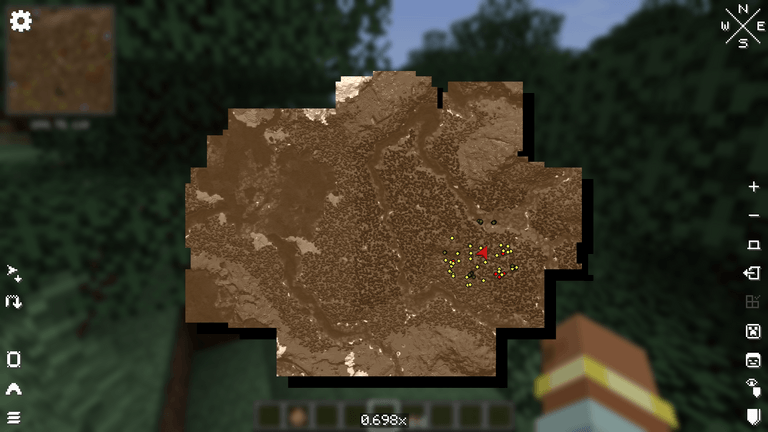
Sepia filter:
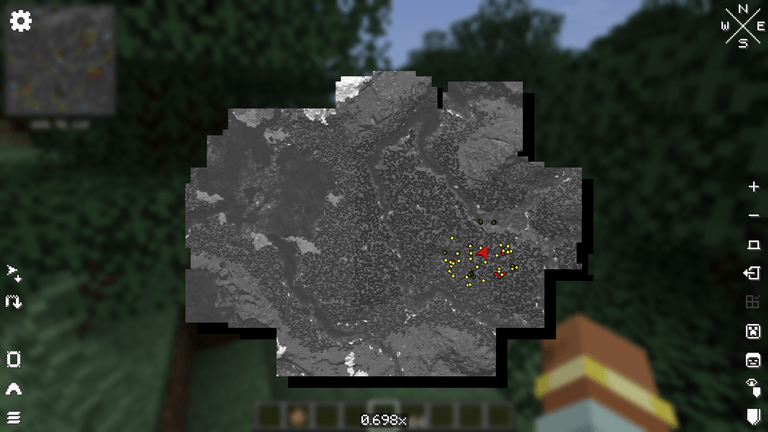
Grayscale filter:
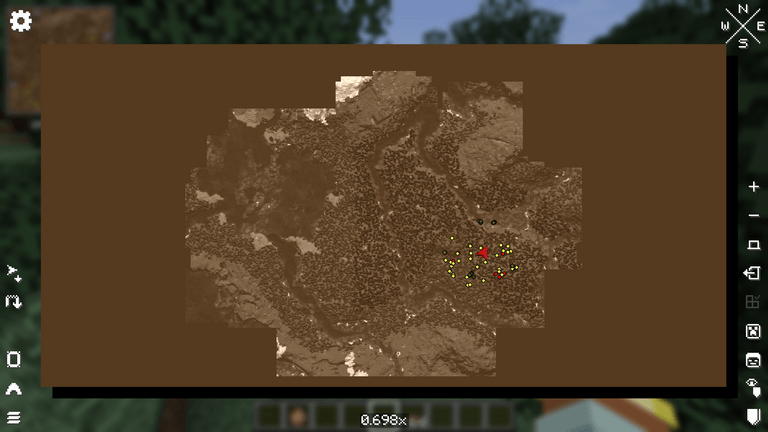
Clean Edges (Rectangle):

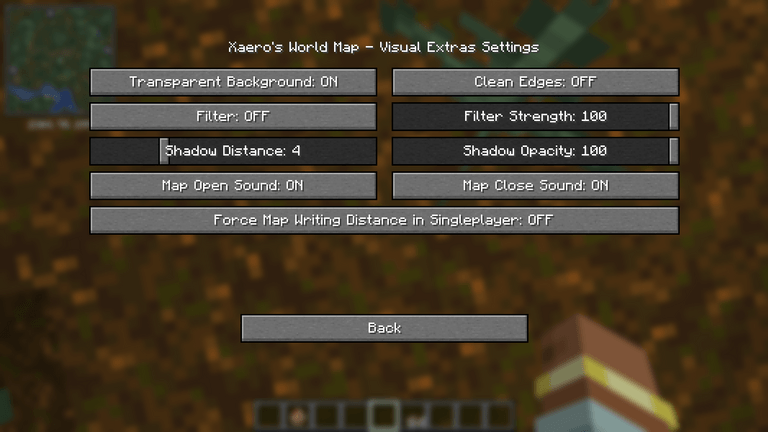
- Transparent Background: see the world behind the map
- Clean Edges: fills the unexplored parts so the map has clean straight edges (Regions or Rectangle modes)
- Filter: Sepia or Grayscale, with a strength slider. Works on Xaero's Minimap too!
- Shadow Distance/Opacity: you can change the shadow under the map distance and opacity
- Map Open/Close Sound: play book sounds when you open or close the map
- Force Map Writing Distance in Singleplayer: makes Xaero's Map Writing Distance setting work in singleplayer. It uses a separate map named Explored as a workaround..
You can open the settings screen with the Config button in the Mods list, or bind a key to Open Visual Extras Settings (unbound by default)

- Xaero's World Map 1.47.0 or newer: https://www.curseforge.com/minecraft/mc-mods/xaeros-world-map
- Xaero's Minimap (optional): https://www.curseforge.com/minecraft/mc-mods/xaeros-minimap

Translations are available for English yet. Feel free to suggest better one, or directly add translations on github with a pull request!

Special thanks to Nekomaster1000 for the idea of this mod, for all the feedbacks on it, and the logo!! This mod would not have been possible without him=)
Feel free to add the mod in any modpack published on curseforge! This is highly appreciated.
The code is open source: https://github.com/AwesomeHippo/XaeroWorldMapVisualExtras under MIT license
Xaero's World Map - Visual Extras Team

Owner