WorldMapPlus
- By
A live world map: fly up from your player into a top-down view of the real world, then zoom out seamlessly into a 2D map.
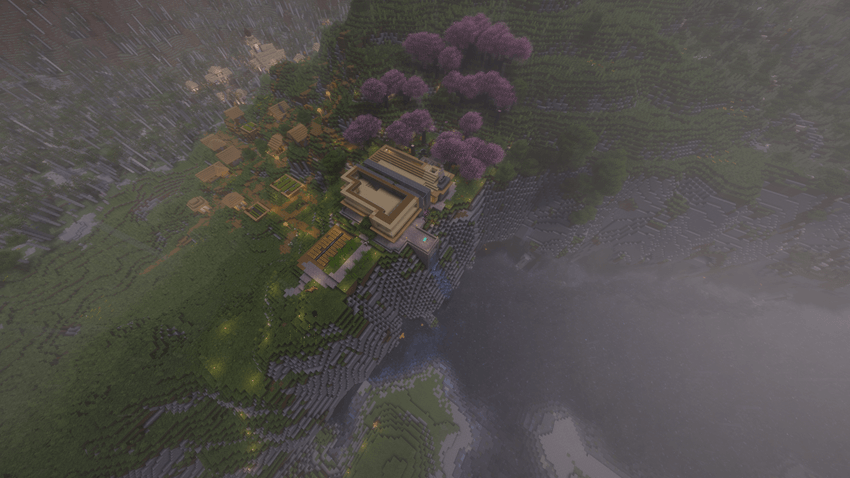
Tilted 3D View
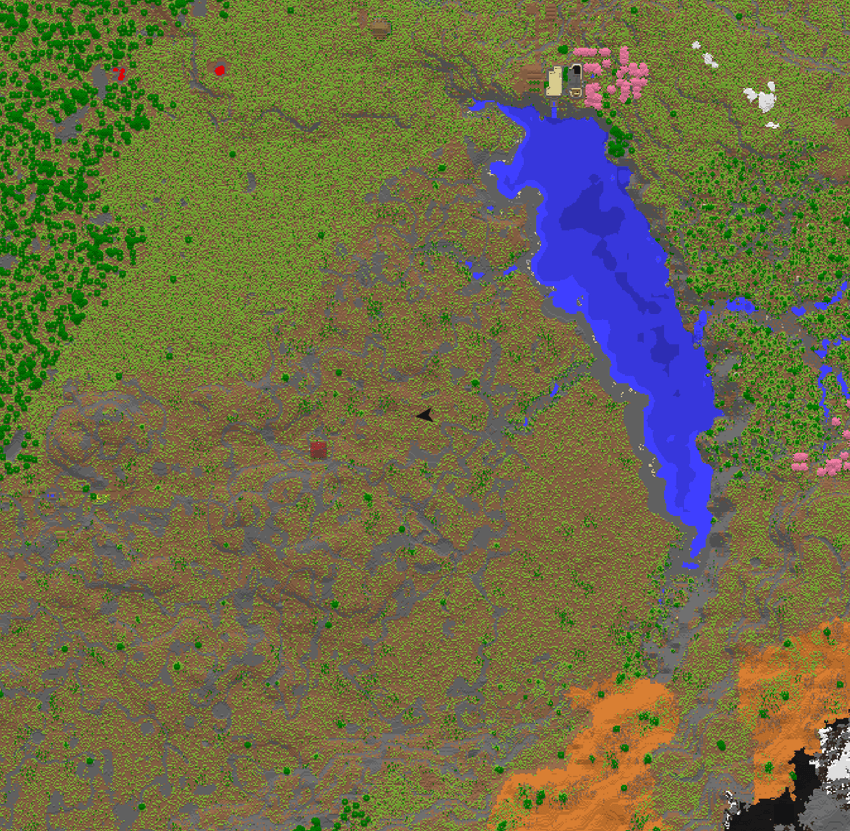
2D Map with marker.
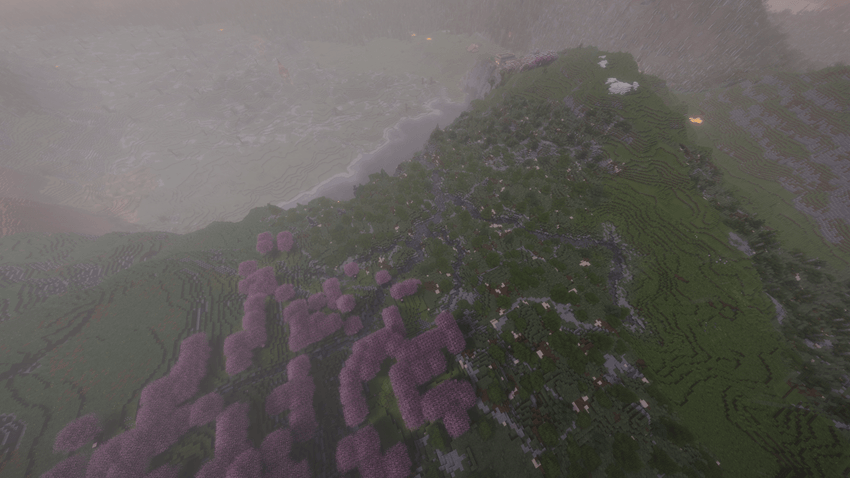
Tilted 3D view.
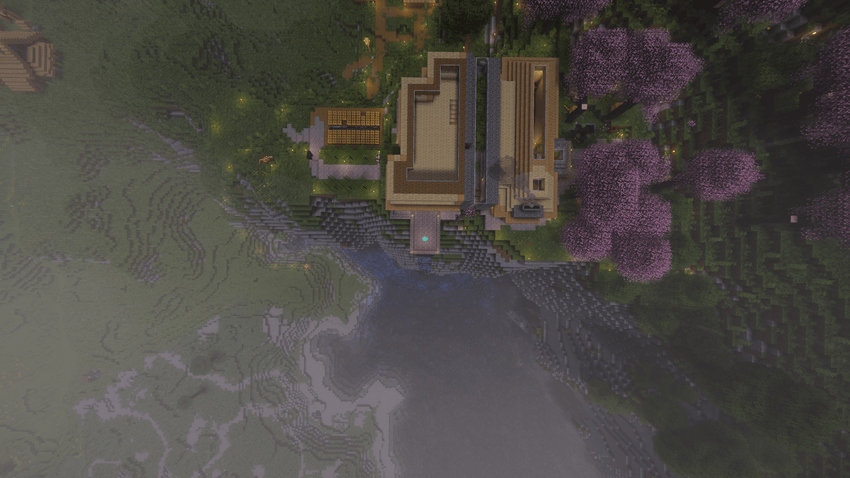
Top-Down 3D view.
Description
WorldMapPlus
This mod turns the map into a live view of your world.
Please check out my other mods GearBalance, EnchantPlus and the upcoming HardmodePlus.
Where to start:
Press M. The camera flies up from your player and looks straight down on the real world: mobs walking around, water flowing, day and night, everything live. Scroll out and keep going. At some point the view blends into a 2D map of everything you have explored, without a jump, and you can zoom out much further from there. Press M again and the camera flies back down to you.
That's it. No setup, no markers to place, it just works on every world and every server.
How to use:
- Mouse wheel: fly up and down
- Left mouse button + drag: move the view
- Right mouse button + drag: turn around your player. Let go while moving and it keeps turning for a moment
- Middle mouse button: switch between straight down and a tilted bird's-eye view
- Space: back to your player, north up
- M or Esc: close the map
Clouds and fog are hidden while the map is open, so the ground stays clear even from far up. Hotbar and crosshair are hidden too, and in singleplayer the game pauses without a pause menu, so no zombie sneaks up on you while you look around.
Close to the ground you see your own player. Further up a red arrow shows where you are and where you look.
2D map:
The 2D map is drawn from the chunks around you while you play and follows every change in real time. Dig a hole, build a house, and it shows up on the map a moment later. Slopes are shaded like on the vanilla map and deeper water is darker, so you can read the landscape at a glance.
In vanilla a map is an item you have to craft, fill and carry around, and it still only shows a small square. Here the map simply grows with every trip, saved per world and per server, and loads again the next time you join.
Caves and the Nether:
Looking at the surface doesn't help much when you are lost in a cave. So underground and in the Nether the map opens directly as a 2D map of your own level: tunnels and floors in their real colors, water and lava, and solid rock in dark grey. Every 8 blocks of height have their own cave map, so caves above and below each other don't get mixed up. Walk down a staircase and the map switches with you.
The End works like the Overworld.
Discovery mode:
Optional and off by default. The 2D map only shows the area around the places you have actually been, everything else stays black, like an old explorer's map. The map is still loaded in the background, so turning the mode off shows everything again. Your trail is always recorded, also while the mode is off.
Death points:
A small skull on the 2D map shows where you died, separately for every dimension. Never search for your stuff again. You choose how many of the last death points are shown, or switch them off.
Settings:
With Mod Menu (recommended) you get a settings screen, or you edit `config/worldmapplus.properties` yourself.
- Camera: max. 3D height, when the tilted view switches to 2D, start height, zoom and flight speed, turn sensitivity and momentum
- Display: pause game, hide HUD, hide clouds, arrow size, color and from which height it shows
- 2D map: 2D map on/off, 2D map only, map speed, height shading, death points
- Discovery mode: on/off and how far around you the map is uncovered
- Hover over a setting for an explanation and its default value, "Defaults" resets everything
The map is saved as small files in `.minecraft/worldmapplus/`. Only the part of the map you are looking at is kept in memory, so even big explored worlds stay light on your graphics card.
Compatibility
- Minecraft 26.3, Fabric Loader 0.19.2 or newer
- Needs Fabric API, Mod Menu is optional but highly recommended!
- Client only. Install it on your own game, the server doesn't need it. On servers the 3D view shows the chunks your game has loaded, and the game doesn't pause.
- English and German. If you want to add a translation, the language file is small.
WorldMapPlus is free and only available here and on GitHub.
VirusTotal: 1.0.0
https://www.virustotal.com/gui/file/f247571b7990c2c5d6649fe506fb41290ca7a9d0457f9c4dc2131a8cf1061830?nocache=1
WorldMapPlus Team