HardmodePlus
- By
Hardcore survival, your way: mobs grow stronger the longer you survive, plus stamina, thirst, bleeding and broken bones and more. Pick a preset or tune every setting in-game.
Description
HardmodePlus
After a few nights on Hard, Minecraft stops being scary. Zombies walk into your sword, food is never a problem and a creeper is just a sound you have learned to dodge. I wanted the danger back, but every mod I tried either changed everything at once or nothing at all. So I made one where you decide every single part yourself.
A fresh install changes nothing. Everything starts at vanilla, and only what you change is touched.
The idea
You can set the values of every mob in the game, from zombies to cows, and add an extra multiplier that only counts on Hard. On top of that there is a whole set of survival rules like thirst, stamina, bleeding or burning torches. Each one has its own switch and is off until you turn it on. New values apply as soon as you close the settings, also to mobs that are already in the world. No restart needed.
If you don't feel like setting everything up, pick one of the five presets and play.
Mob settings
Every hostile mob, the neutral ones, the Ender Dragon, the Wither and all animals. Mobs from other mods show up too.
- Combat: health, attack damage, attack knockback, armor, armor toughness
- Movement: speed, flying speed, jump strength, step height, water movement
- Senses and body: follow range, size, knockback and explosion knockback resistance, gravity
- Other: burning time, fall damage, safe fall distance, zombie reinforcements
The mod doesn't overwrite a mob's own values, it adds its own modifiers on top. Zombie leaders and other random spawn bonuses stay as they are, and setting a value back to vanilla really removes the change.
The Hard multiplier
Only while the world is on Hard. A general percentage for everything, plus extra ones for mob health, damage to players, mob speed and follow range. +50 % general and +25 % health means +75 % health. Peaceful animals never get it, and whether the bosses do is up to you.
Survival features (Off by default)
Health
- Heart loss: every death costs a few hearts for some in-game hours. Several deaths add up, up to a limit.
- View edge: the lower your health, the darker the edge of the screen. Optionally you go blind right before dying.
- Sleep healing: sleeping through the night heals you, but you wake up hungry.
- Healing: how much food natural healing costs and when it starts.
- Bleeding: monster hits can make you bleed. Light bleeding stops with a bandage, heavy bleeding only with a tourniquet.
- Broken bone: fall too far and something breaks. You are slower, can't sprint and you limp: no jumping, but you still get up a single block, so you never get stuck. A splint helps for the moment, a cast heals it.
Food and thirst
- Hunger rules: how fast the food bar drops, also while standing still. An empty bar darkens the screen and hurts.
- Thirst: a second bar above the food bar. Running, mining, fighting and hot biomes make you thirsty. Drink water bottles, milk, a canteen or a bowl of water. Low thirst slows down your stamina, an empty bar hurts.
Condition
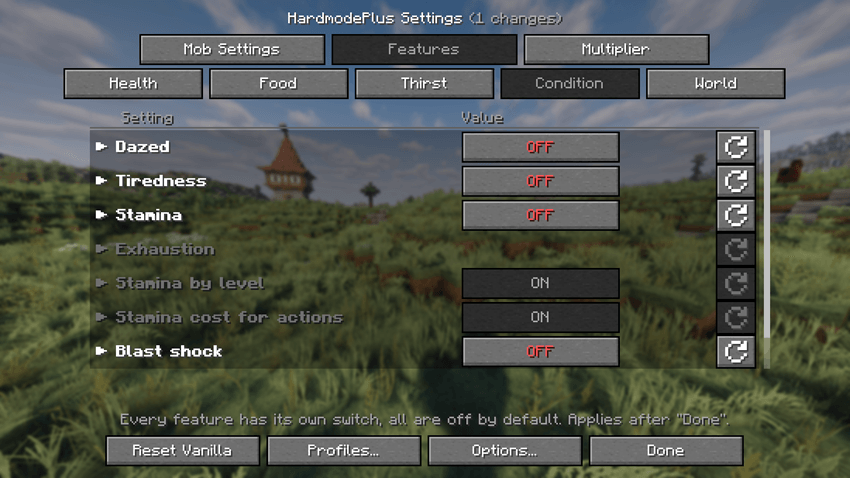
- Stamina: a stamina bar for sprinting, mining, placing blocks, attacking and jumping. When it's empty you slow down. The more levels you have, the more stamina you get, so experience is worth something again. A better tool makes mining cheaper, and that uses the tool's real mining speed, so GearBalance values count too. If you want it really harsh, jumping, mining, building and attacking only work while there is enough stamina left for that exact action.
- Tiredness: skip sleep for a few nights and you mine and recover slower until you sleep through once.
- Dazed: a hit from behind slows you down for a moment.
- Blast shock: getting caught in an explosion leaves you dazed and dizzy.
- Cold: in snowy biomes and at night you slowly freeze. Leather armor, fire and lava help.
World
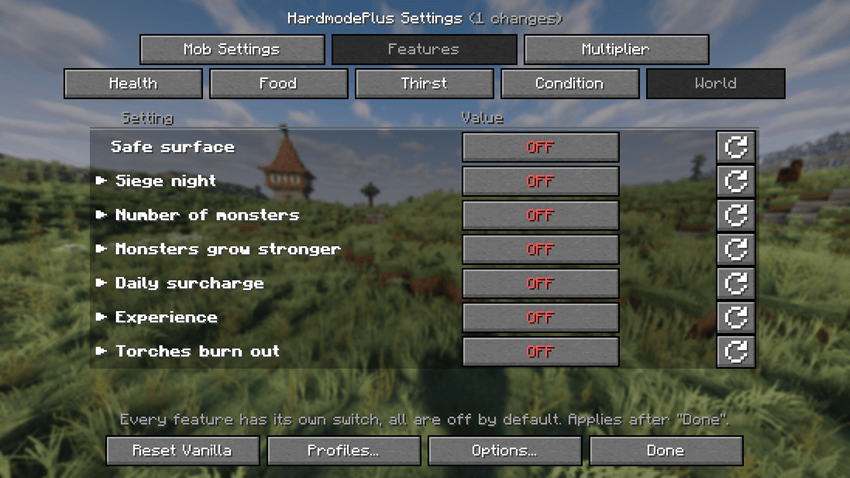
- Safe surface: once the Ender Dragon is dead, no more monsters spawn under the open sky in the Overworld.
- Siege night: every few days the monsters see much farther at night and come straight for you.
- Number of monsters: more or fewer monsters, separately for the surface, caves, the Nether and the End.
- Experience: from 90 % less up to 120 % more experience, from every source.
- Torches burn out: torches you place go out after a while and drop a stick. Torches in villages and mineshafts stay lit.
- Loot only from players: monsters, golems and animals only drop loot when you kill them yourself. Mob farms stop working, and you can turn this on separately for each group.
Getting harder over time
- Monsters grow stronger: monsters start out like vanilla and get a little stronger every world day, until your values count in full on the day you pick. Good for a calm start.
- Daily surcharge: on top of that, every day adds a few percent more health, damage, speed and follow range, up to a limit you set.
Mob variants
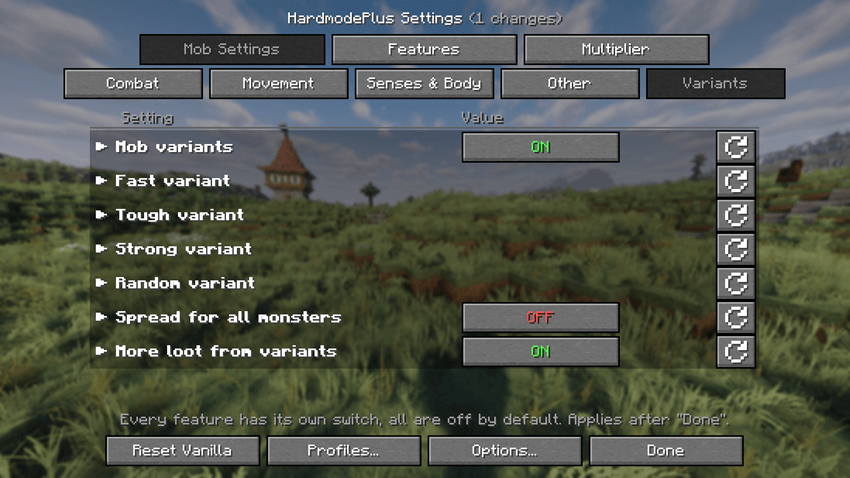
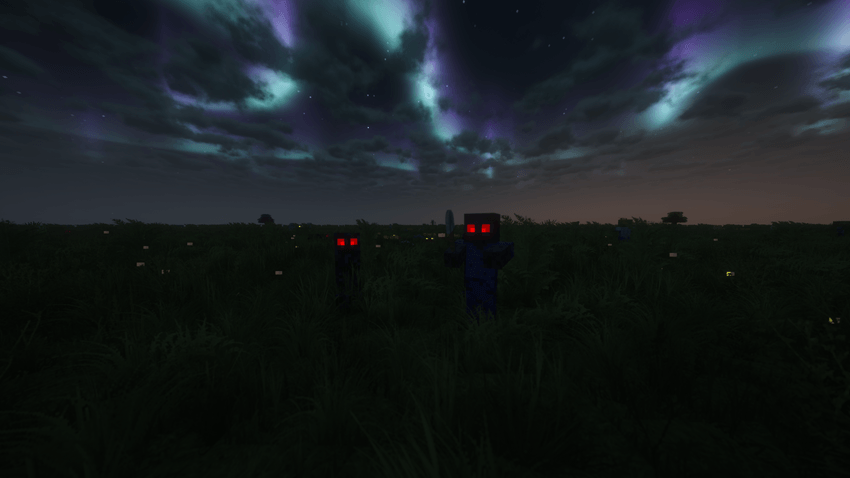
Zombies, baby zombies, skeletons, spiders, cave spiders and creepers can spawn as a fast, tough, strong or random variant. Each has its own skin and size, so you see what's coming. Zombies, skeletons and creepers get glowing eyes in the dark. You can set how often they appear, how strong every variant is and whether they only show up underground. Variants drop more loot and experience. All other monsters can get a small random spread, so not every zombie is exactly the same.
New items
- Bandage: paper and string, three string, two wool, or two leaf litter and a string. Stops light bleeding.
- Herbal bandage: a bandage and a small flower. Heals a few hearts and stops light bleeding.
- Tourniquet: leather, string and a stick. Stops any bleeding.
- Splint: two sticks and a string. Holds a broken bone still, so you are only half as slow. It doesn't heal though, for that you need a cast. After a few days it breaks.
- Cast: three bone meal and paper. Heals a broken bone over time.
- Canteen: an iron ingot and three leather. Holds several sips, fill it at any water.
- Bowl of water: right-click water with a bowl. One small drink, and you keep the bowl.
The medical items have their own Medicine tab in the creative inventory.
Presets and profiles
All five presets turn on the same survival rules: heart loss, view edge, sleep healing, hunger, thirst, stamina, tiredness, dazed, blast shock, cold, bleeding, broken bones and burning torches. What changes is how nasty the monsters get.
- Relaxed: vanilla mobs. Just the survival side, a good way to try the mod.
- Tougher: +25 % on Hard, a few more monsters, the odd variant, slightly less experience.
- Veteran: +50 %, faster zombies and spiders, skeletons see farther, more monsters and variants, monster loot only from players.
- Nightmare: +75 %, armored undead, faster creepers, siege nights, 40 % more monsters, golem loot only from players too.
- Realism: +100 %, heavier armor, fast everything, 50 % more monsters, lots of variants and half the experience.
|
Preset |
Health & damage |
Speed |
Follow range |
Monsters |
Variants |
Experience |
Extras |
|---|---|---|---|---|---|---|---|
|
Relaxed |
– |
– |
– |
– |
– |
– |
vanilla mobs |
|
Tougher |
+25 % |
+7.5 % |
+37.5 % |
110 % |
8 % |
-10 % |
– |
|
Veteran |
+50 % |
+15 % |
+75 % |
125 % |
15 % |
-25 % |
faster zombies and spiders, skeletons see 24 blocks, monster loot only from players |
|
Nightmare |
+75 % |
+22.5 % |
+112.5 % |
140 % |
23 % |
-40 % |
undead with 2 armor, siege nights, monster and golem loot only from players |
|
Realism |
+100 % |
+30 % |
+150 % |
150 % |
30 % |
-50 % |
undead with 4 armor, fast spiders and creepers, siege nights, monster and golem loot only from players |
Below the presets you have three slots for your own setups. You can also export a setup as a file and share it with friends or put it into a modpack.
Settings
With Mod Menu (recommended) you get a settings screen with tabs for the mobs, the multiplier and the features.
Every field shows the vanilla value and the allowed range when you hover it, and every row can be reset on its own. You can also edit config/hardmodeplus.json by hand, it only contains what you changed.
In the options you find a main switch to turn the whole mod off without losing your settings, and three display settings that only affect your own game: the sprint fix, the saturation display (a gold outline shows the hidden saturation of food and thirst) and the effect icons in the middle at the top of the screen.
Commands (for operators)
/hardmodeplus shows whether the mod is on and how many values are changed/hardmodeplus preset <name> loads a preset/hardmodeplus reload reads the config file again/hardmodeplus on / off
Compatibility
- Minecraft Java 26.3, Fabric Loader 0.19.2 or newer, Fabric API, Java 25
- Needs Fabric API, Mod Menu is optional but highly recommended!
- Needed on the server and on every client, because it adds its own items and effects
- On a server, the server's config counts for everyone
- Mobs from other mods can be set like vanilla mobs
- Works well with GearBalance and EnchantPlus, but needs neither
English and German. If you want to add a translation, the language file is small.
HardmodePlus is free and only available here and on GitHub.
VirusTotal: 1.0.0 https://www.virustotal.com/gui/file/afd8be37238039d978a2a2fe20b757baea3d89d72786c784c72586de17f97f93?nocache=1
HardmodePlus Team