Whitelist Screen
- By
Customize your Minecraft whitelist screen with your server name, a Discord button and personalized messages.

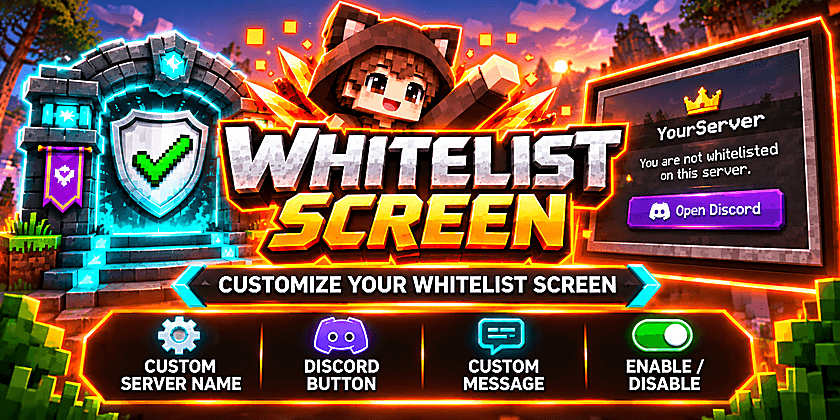
Whitelist Screen
Customize your Minecraft whitelist screen!
Whitelist Screen is a lightweight and easy-to-use NeoForge mod that allows server owners to customize the default Minecraft whitelist rejection screen.
Instead of displaying only the standard whitelist message, you can show your server name, provide a Discord invitation button, or display a personalized message.
Features
• Custom server name displayed on the whitelist screen
• Optional clickable Open Discord button
• Custom message when the Discord button is disabled
• Enable or disable the entire custom whitelist screen
• Easy configuration through in-game commands
• Settings are automatically saved and restored after server restarts
• Disabled by default on fresh installations
• No Discord bot or external service required
Installation
Server: Install Whitelist Screen on your NeoForge server.
Client: Players can optionally install the mod on their client to use the interactive Discord button.
The mod is designed for Minecraft 26.2 with NeoForge.
Commands
All settings can be managed directly in Minecraft by server administrators.
Available commands:
• /whitelistui help – Display all available commands
• /whitelistui servername <name> – Set a custom server name
• /whitelistui discordlink <url> – Configure your Discord invitation link
• /whitelistui buttonstate on – Enable the Discord button
• /whitelistui buttonstate off [message] – Disable the Discord button and optionally display a custom message
• /whitelistui setup – View the current configuration
• /whitelistui setup system on – Enable the custom whitelist screen
• /whitelistui setup system off – Restore the default Minecraft whitelist screen
How It Works
When a player attempts to join your server without being whitelisted, Whitelist Screen displays your customized rejection message.
Depending on your configuration, players can see your server name, a Discord invitation button, or a custom message.
If the system is disabled, Minecraft's original whitelist rejection screen is restored automatically.
Important: Whitelist Screen only customizes the whitelist rejection screen. It does not manage whitelist entries or bypass Minecraft's whitelist system.
Compatibility
• Minecraft 26.2
• NeoForge
• Server-side functionality with optional client support
Developed by IDiSSi
More Minecraft mods: https://www.curseforge.com/members/idissi/projects
Whitelist Screen Team